Freevisuals

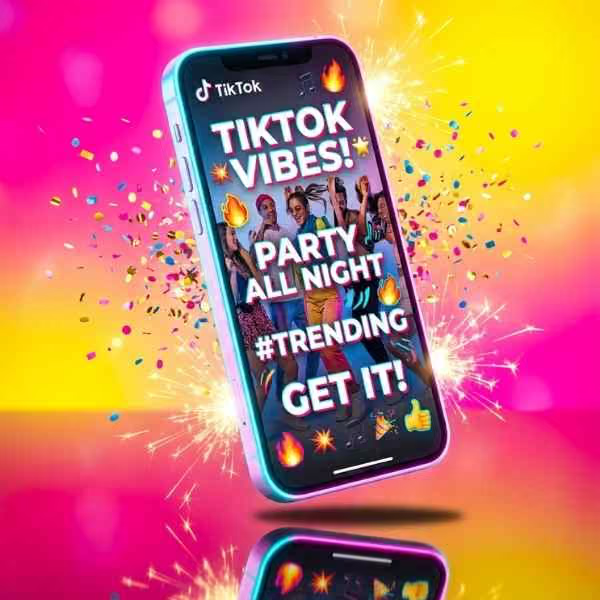
Modern Vertical Stories by Cherrito, a colorful After Effects Instagram Stories template with 9 story designs. Free download on Motion Array.
Download NOW!Download On Motion Array
Instagram Stories content lives and dies within a genuinely tight window of viewer attention, a few seconds at most before someone taps through to the next story or exits entirely. Modern Vertical Stories, made by the designer Cherrito and available through Motion Array, is built specifically around that constraint, nine colorful, creatively animated vertical story designs meant to be edited, rendered, and posted quickly without sacrificing genuine visual polish.
If you're building a consistent Instagram or Reels presence around this template, our Full Screen Preview tutorial is genuinely useful for reviewing exactly how these vertical stories will actually look on a real phone screen before you post, and for background music matched to a fast paced, colorful social content style, Artlist carries a genuinely strong catalogue of short, punchy tracks well suited to this exact format.
Building a genuinely polished vertical story from scratch, correct aspect ratio, safe zones that avoid Instagram's own interface overlays, animation timed appropriately for a story's short viewing window, takes real design consideration that many creators simply don't have time for on a daily or near daily posting schedule. A template built specifically around these constraints removes that repeated design overhead, letting you focus your actual creative energy on your content itself rather than rebuilding the same underlying structural decisions every single time you need a new story.
This template's specific value lies in offering nine genuinely distinct designs rather than a single reused layout with different colors, giving you enough real variety to maintain visual interest across a regular, ongoing posting schedule without your stories starting to feel repetitive to your regular followers.
Head to the Motion Array download page and grab the project files.
Open the .aep file in After Effects CC 2018 or a newer compatible version and allow it to fully load.
Browse through the nine included compositions to find the specific design that best matches your current content and posting schedule.
Double click into each text layer and replace the placeholder copy with your own, keeping text concise given the short viewing window a typical story actually receives.
Use the built in color controls to match your specific brand palette or the mood of your current content.
Replace the placeholder media with your own photos or video clips by dragging them directly into the designated placeholder layers.
Use RAM Preview and, ideally, an actual phone screen mockup or your Full Screen Preview mode to check exactly how the story will look in its real, final context.
Once satisfied, render your finished story using settings appropriate for Instagram's specific vertical delivery requirements.
For a broader walkthrough of building and optimizing vertical motion graphics specifically for Instagram Stories, watch Create Vertical Motion Graphic Instagram Stories In After Effects. This is worth watching because it covers the underlying vertical composition principles this template is built around, safe zones, text legibility at small mobile sizes, and pacing suited to a story's brief viewing window, giving you genuinely useful context for adjusting this template confidently or building your own custom vertical stories once you've worked through the included nine designs.
Brands maintaining an active, frequent Instagram Stories presence benefit from having nine ready made designs to rotate through rather than building each new story from a blank composition.
The colorful, attention grabbing style suits product launches, sales announcements, and time sensitive promotional content well.
Creators building a personal brand around a colorful, energetic aesthetic can use this template to maintain visual consistency across their regular story posting.
The template's vertical, quick attention format suits event promotion and countdown style content particularly well.
Beyond traditional Stories specifically, these vertical designs also work well as opening frames for Reels or other short form vertical video content.
Creators and brands posting Stories regularly, several times a week or more, run a genuine risk of visual fatigue among their audience if every single story shares an identical layout and animation style. Having nine distinct designs within a single template gives you enough real rotation to avoid this, letting you match a specific design's energy and layout to that particular post's actual content rather than forcing every piece of content through the same single visual mold regardless of whether it genuinely fits.
This becomes particularly valuable for social media managers handling multiple client accounts simultaneously, where a single well stocked template like this one can cover a meaningful range of different clients' actual posting needs without requiring a separate template purchase for each individual account.
Using text that is too long for a story's brief viewing window. Stories are typically viewed for only a few seconds, and lengthy text blocks risk not being fully read before a viewer taps through to the next piece of content.
Ignoring Instagram's own interface overlays when placing text. Profile icons, reply fields, and other interface elements can obscure text placed too close to the edges of your vertical frame.
Using low resolution source media in the placeholders. Since the template itself is lightweight, the overall visual quality of your finished story depends heavily on the actual resolution of whatever media you drop into it.
Forgetting to preview at actual mobile size before posting. A story that looks correct within After Effects' desktop composition view can read differently once viewed on an actual phone screen at its genuine final size.
For creators or teams posting Stories on any kind of regular schedule, it's worth building a repeatable workflow around this template rather than treating each individual story as a fresh, standalone task. Setting up a dedicated project file with all nine designs already organized and labeled clearly, then simply duplicating and adjusting the relevant composition each time new content is needed, considerably speeds up your regular posting process compared to reopening and searching through the original template file from scratch every single time.
This kind of light organizational investment pays off considerably for anyone posting Stories with genuine regularity, turning what could be a repeated ten or fifteen minute setup task into something closer to a two or three minute process once your workflow is properly established.
For creators or brands planning content further ahead, it's worth mapping specific story designs from this template against your actual content calendar rather than picking a design at random each time you need to post. Assigning a specific design to a recurring content type, a particular design consistently used for product features, another consistently used for behind the scenes content, builds a subtle but genuine visual language for your account over time, where returning viewers begin to recognize what kind of content is coming based on which design style is being used before they've even read the actual text.
This kind of intentional, planned use tends to produce a considerably more cohesive feeling account over time compared to selecting designs purely at random for each individual post, even though both approaches technically use the exact same underlying template resource across your regular content schedule.
As with any Motion Array asset, reviewing the current license terms before using this template within paid client work or larger commercial campaigns is worth doing upfront, particularly for social media managers and agencies handling multiple brand accounts simultaneously. Confirming your specific intended use case is genuinely covered protects both your own business and your client's confidence in the assets being used across their account, a small but worthwhile step before this template becomes part of your regular, ongoing client deliverable workflow going forward.
1080x1920, the standard vertical resolution for Instagram Stories, Reels, and similar vertical first platforms.
No, it works entirely with native After Effects tools.
Nine distinct, individually animated Instagram story designs.
The template is built for After Effects CC 2018 and remains compatible with newer versions.
Yes, simply drag your own media directly into the designated placeholder layers within each composition.
Affiliate Disclosure: This post may contain affiliate links. If you make a purchase through one of these links, FreeVisuals may earn a commission at no extra cost to you. We only recommend products and platforms we genuinely believe in. Read our full disclosure policy.
Download free video templates, LUTs, and presets for Premiere Pro, After Effects, DaVinci Resolve, CapCut, and Final Cut Pro.