.avif)
Freevisuals

Inspired by the visuals seen in the Inflex by Au5 music video, these free video editing overlays can be used to create custom effects for VJs and creators.
Download FREEGo Pro To DownloadDownload NOW!Download
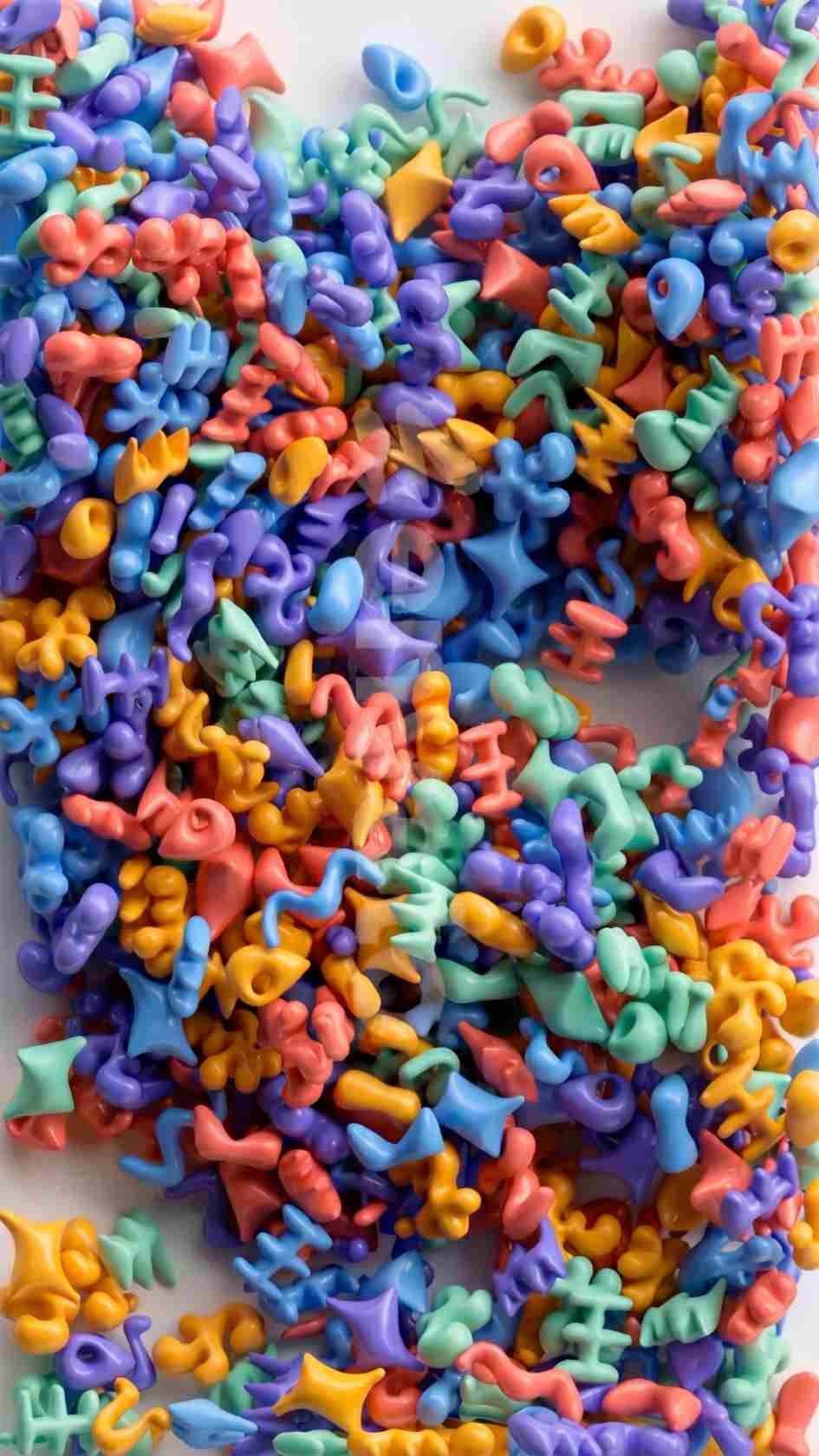
Some backgrounds work best when they stay quiet, and others earn their place specifically by being lively enough to hold a viewer's eye on their own. Assorted Multicolored Elements falls firmly into the second category, a 3D looping animation of abstract geometric shapes blending and drifting together in a continuous mix of color, built by Neo-Leo as a modern animated background rather than a static graphic element.
The clip runs 21 seconds at 1920x1080, delivered as a 380MB ProRes file at 30fps in horizontal orientation. If you're building a broader project around this background, browse the wider motion graphics elements library on Envato Elements for additional options, and for music to pair with playful, colorful content like this, Artlist and Epidemic Sound both carry upbeat, energetic tracks well suited to this kind of visual.
Worth noting directly: this clip does not include an alpha channel, meaning it's built to function as a standalone background plate rather than a transparent overlay you'd key or blend over existing footage. It's best used as a full background element in its own right, rather than layered directly on top of other footage the way a true alpha-channel overlay would be.
A genuinely lively, colorful motion background solves a specific design problem that a static color field or a simple gradient can't, it gives a viewer's eye something to engage with during a moment that would otherwise feel visually flat, without competing for attention against foreground text or graphics the way busy live-action footage sometimes can. Abstract geometric animation in particular strikes a useful middle ground here, dynamic enough to feel genuinely alive, but abstract enough to avoid pulling focus away from whatever content is layered in front of it.
Assorted Multicolored Elements is built around exactly this balance, continuous, blending shape movement that reads as energetic and modern without depicting anything specific enough to distract from a title, a logo, or supporting text placed over it. This kind of controlled visual energy is part of why abstract motion backgrounds remain such a consistently useful category across genuinely different production contexts, from corporate presentations wanting a touch of modern polish to youth-oriented or playful branding wanting color and movement front and center.
The core use case a background like this suits well, giving a presentation or slide deck a modern, colorful backdrop rather than a static, plain background.
Businesses launching a new product or app can use this background behind a logo reveal or feature callout, reinforcing a sense of energy and modernity.
The bright, playful, toy-like quality of the blending shapes suits content aimed at younger audiences or family-friendly branding particularly well.
Social content needing an eye-catching, colorful background for text callouts or animated graphics can use this clip as a base layer beneath supporting content.
Event and music promotional content looking for a vibrant, high-energy visual backdrop benefits from this clip's continuous, colorful movement.
Head to the download page and grab the clip through your Envato Elements subscription.
Import the ProRes file into your project following your specific software's standard media import process.
Position the clip on your base video track, since it's designed to function as a standalone background rather than a transparent overlay.
Since the source clip runs 21 seconds, loop it for a longer sequence, or trim it down for a shorter one, depending on your specific project's needs.
Add your title, logo, or supporting graphic elements above the background layer, using a separate track or layer.
If the background feels too visually busy behind your foreground content, consider reducing its opacity slightly or adding a subtle dark overlay to improve text legibility.
Given the background's continuous color movement, confirm any text remains clearly legible throughout the full duration it's on screen.
Since the file is delivered in ProRes, it holds up well to further color correction if you need to adjust its palette to better match your specific project.
Play through your edit to confirm the background's energy and pacing feel appropriate within the broader context of your project.
Once you're happy with the result, render and export using your project's standard delivery settings.
It's worth being clear about what an alpha channel actually does and why its absence here matters for how you'll use this specific clip. An alpha channel stores transparency information alongside the visible color data, letting a clip's background disappear when composited over other footage, the way a green screen shot becomes usable once keyed, or the way our black background overlay content becomes transparent through a blend mode. Without an alpha channel, a clip like Assorted Multicolored Elements is fundamentally a solid, full-frame video rather than something designed to be layered transparently over other content.
This isn't a limitation so much as a difference in intended use. Full-frame background clips like this one are built to function as your project's base visual layer, the thing everything else sits on top of, rather than as a transparent accent layered over existing footage. Understanding this distinction upfront avoids the frustration of trying to blend this clip over other footage using a technique built for alpha-channel overlays, since without transparency information, a blend mode like Screen or Add will produce a different, generally less clean result than it would with genuine overlay footage shot specifically for that purpose.
How To Use Motion Graphics In Your Videos, Video Editing Tutorial For Beginners, directly relevant background on incorporating a motion graphics background like this one correctly into a finished edit.
Since Assorted Multicolored Elements is delivered as a full, opaque background rather than a transparent accent, it works best as a deliberate creative choice for a specific section of a project, an opening title sequence, a specific transition moment, a dedicated background segment, rather than something applied indiscriminately throughout an entire video. Its colorful, energetic character is distinctive enough that using it too pervasively across a longer piece risks the background becoming visually fatiguing rather than remaining a genuine point of interest.
Thinking specifically about where in your project this kind of high-energy, abstract background genuinely adds value, an opening moment that needs to establish energy quickly, a specific segment break, a dedicated title card, tends to produce a stronger result than defaulting to it as a general-purpose background applied without much consideration for pacing and visual variety across a longer finished piece.
Since this clip runs 21 seconds as delivered, projects needing a longer continuous background will need to either loop the footage or combine it with other background elements to extend the total usable duration. When looping, it's worth previewing the transition point between the clip's end and its restart carefully, since not every abstract animation loops back to its starting position seamlessly, and a visible jump at the loop point can undermine an otherwise polished background if left unaddressed.
For projects needing exactly 21 seconds or less, this becomes considerably simpler, since the clip can be trimmed to your specific required length directly without needing to manage a loop point at all. Planning your specific section length against this clip's native 21-second runtime before committing to how you'll use it in your project avoids unnecessary complexity in post-production.
Since Assorted Multicolored Elements is distributed through Envato Elements rather than as a standalone free download, access requires an active Envato Elements subscription, which also includes a broad commercial license covering both personal and commercial use across the platform's full asset library. This subscription model gives creators unlimited downloads across Envato's entire catalogue for one flat monthly fee, meaning this specific clip is likely to be just one of many useful assets worth exploring once you have an active subscription in place, alongside the platform's stock footage, music, and template libraries.
For creators specifically weighing whether an Envato Elements subscription makes sense for their workflow, the value proposition tends to improve considerably the more assets from the platform you actually use on a regular basis. A single background clip like this one rarely justifies the subscription cost alone, but a genuine ongoing production workflow drawing on motion graphics, stock footage, and music from the platform regularly often does, particularly for creators or businesses producing content on a consistent schedule.
No, it's delivered as a full-frame background without an alpha channel, meaning it functions as a base visual layer rather than a transparent overlay.
1920x1080 at 30fps, delivered as a 380MB ProRes file.
21 seconds as delivered, loop or trim to match your specific project's required duration.
Yes, this clip is available through Envato Elements, which provides unlimited downloads and a commercial license across the platform's full library for one flat monthly fee.
Yes, Envato Elements subscriptions include a commercial license, though always check the specific license terms for your exact intended use case.
Generally yes, though given the background's continuous color movement, consider reducing opacity slightly or adding a subtle overlay to support text legibility.
Affiliate Disclosure: This post may contain affiliate links. If you make a purchase through one of these links, FreeVisuals may earn a commission at no extra cost to you. We only recommend products and platforms we genuinely believe in. Read our full disclosure policy.

Download free video templates, LUTs, and presets for Premiere Pro, After Effects, DaVinci Resolve, CapCut, and Final Cut Pro.












