.avif)
Freevisuals
Adobe's June 2026 Creative Cloud update touches Lightroom, Premiere Pro, After Effects, Photoshop, and Illustrator, but the change editors will likely notice first is the quiet retirement of After Effects' long standing Roto Brush tool. In its place arrives Object Matte, a genuinely broader set of AI powered selection tools that finally addresses one of motion graphics' most consistently tedious tasks. The update arrives alongside a sweeping Creators' Toolkit Report surveying more than 16,000 creators, and the headline finding is blunt, AI is no longer a novelty, three quarters of creators now describe it as integrated or essential to how they work.
This post covers what actually shipped across Premiere Pro and After Effects specifically, what Object Matte changes about rotoscoping, and what Adobe's own survey data reveals about how creators are actually using AI right now.

Roto Brush has been After Effects' primary rotoscoping tool for more than a decade, a single brush based approach to isolating a moving subject from its background. It worked, but it asked a lot of patience from editors, particularly on footage with fine detail, fast motion, or busy backgrounds where a single brush tool struggled to track edges cleanly across an entire clip. Object Matte replaces this one tool with four, Object Selection, Quick Selection, Selection Brush, and Refine Edge, each suited to a different kind of subject and footage condition rather than asking one general purpose tool to handle every situation equally well.
This matters because rotoscoping has long been one of motion graphics' least enjoyable, most time consuming tasks, the kind of work editors do because a project demands it rather than because the process itself offers much creative satisfaction. Giving editors several specialised tools to choose from, rather than one general purpose brush, means a much higher proportion of rotoscoping situations now have a genuinely well suited tool available rather than forcing every situation through the same limited approach.
It would be easy to assume the meaningful improvement here is purely about AI getting smarter at automatic selection, but the deeper shift is in giving editors genuine choice between distinct approaches, Object Selection for clearly defined subjects, Selection Brush for more manual, situation specific control, Refine Edge for cleaning up an already rough selection. Matching the right tool to the right footage, rather than relying on one tool to handle everything, is itself the more significant workflow change.
The real fix here was never going to be a smarter single brush. It was giving editors more than one tool to reach for in the first place.
Most of Adobe's generative AI features depend on an active internet connection, since the underlying model runs on Adobe's servers rather than on the editor's own machine. The Remove Tool's shift to on-device generative processing breaks this pattern specifically, meaning the tool keeps working without an internet connection, useful for editors working in locations with unreliable connectivity or who simply prefer not depending on cloud processing for a task as routine as removing an unwanted object from a shot.
Reflections in glass, windows, screens, glasses, mirrors, have long been one of those small but persistent problems that either require careful on set lighting control to avoid entirely or tedious manual masking to fix in post. Reflection Removal's approach, detecting and isolating the reflection onto its own separate layer rather than simply trying to erase it outright, gives editors non-destructive control over exactly how much of the reflection to dial back, rather than an all or nothing removal that might look unnatural if applied too aggressively.
Anyone who has fixed a single misheard word in an auto generated caption knows the frustration of needing to retype or rebuild an entire caption block just to correct one word. Single Word Captioning addresses this exact frustration directly, letting an editor click into a specific word and fix it without disturbing the timing or text of everything else in that caption line.
These two videos cover the new masking and captioning tools directly, useful for seeing the actual workflow in practice.
"NEW Auto Masking In Premiere Pro 2026, Bye bye After Effects," published January 2026. Covers the new automated masking workflow directly.
"How To Mask In Premiere Pro (2026 Update)," published February 2026. Covers where masking tools moved and how the updated workflow functions.
Adobe's Creators' Toolkit Report, surveying more than 16,000 creators across eight countries, found that 75 percent now describe AI as integrated or essential to their workflow, a figure that places AI firmly past the experimental novelty stage and into genuine, routine infrastructure for the large majority of working creators surveyed.
Despite this widespread adoption, the same survey surfaced a genuine tension, 53 percent of creators who report finding it harder to stand out specifically blame the sheer volume of content now being produced, and 42 percent say AI generated content is actively burying unique voices. This finding matters because it complicates a simple narrative of AI as purely beneficial, widespread adoption appears to be creating its own competitive pressure even as individual creators report genuine productivity gains.
As AI tools become widely available and increasingly capable across the entire creator population, Adobe's survey data suggests genuine differentiation increasingly comes down to a creator's distinct voice and creative judgement rather than access to capable tools alone, since those tools are now broadly accessible to nearly everyone working in the space. This shift has real implications for how creators should think about where to invest their time, technical tool mastery alone increasingly matters less than the judgement and taste applied in using those tools.
For templates and assets to build out a project using these new Premiere Pro and After Effects tools, the Freevisuals Premiere Pro templates library and After Effects templates library both offer additional free options to pair with this update.
The new Stock Panel Checkout lets editors preview and license Adobe Stock assets directly from within Premiere Pro, removing the need to switch to a separate browser tab or application to browse, license, and download a stock asset before bringing it into an active project. This kind of in-app licensing convenience mirrors a broader pattern across creative software generally, reducing the friction of stepping outside an editor's primary workspace for routine, recurring tasks.
Beyond Object Matte, After Effects' 3D toolset gained Displacement Maps for surface depth and Depth of Field support across models, meshes, text, and shape layers, alongside scripting APIs specifically for Parametric Meshes. These additions extend After Effects' growing capability in genuine 3D work, an area the application has steadily built out over recent release cycles rather than treating as a secondary, occasional use case.
SVG files can now be imported directly into After Effects as editable shape layers with gradients, strokes, and transparency preserved, alongside a copy paste workflow bringing vector content across from Illustrator without conversion. For motion designers who build vector assets in Illustrator before animating them in After Effects, this removes a meaningful, recurring conversion step that previously risked losing some vector fidelity along the way.
Assisted Culling, which adds a Face View feature isolating individuals within a frame and analysing eye sharpness and whether eyes are open, has now reached general availability after an earlier access period. For photographers and editors working with large volumes of similar burst shot images, this kind of automated culling assistance addresses a genuinely tedious sorting task that previously required manually reviewing every frame for sharpness and expression.
This kind of photo specific tooling improvement, alongside Reflection Removal and Object Matte's video specific improvements, reflects Adobe's continued investment across both photo and video workflows simultaneously rather than prioritising one format category over the other. For creators working across both formats within the same broader Creative Cloud subscription, this balanced investment matters directly, since improvements to one format do not come at the expense of attention to the other, a pattern worth watching for in future Adobe release cycles as a sign of how the company continues to allocate its development resources across its full suite of applications.
Since Object Selection is likely the most immediately familiar of the four new Object Matte tools, defaulting to it for every rotoscoping situation regardless of the actual footage overlooks that Selection Brush or Refine Edge may genuinely produce better results on specific footage with fine detail or unusual edges. Testing more than one tool on genuinely difficult footage before settling on a final approach produces more consistently strong results.
Since Reflection Removal isolates reflections onto a separate, adjustable layer rather than deleting them outright, applying full removal by default rather than dialling the effect back to a more natural, partial level can produce an artificial looking result, since most real glass surfaces retain at least some subtle reflection in genuine footage.
Assuming the Remove Tool's on-device processing performs identically across every editing system, regardless of that system's specific hardware capability, overlooks that on-device generative processing genuinely depends on local hardware performance, meaning results and processing speed can vary more between different machines than a cloud processed feature running on standardised server hardware would.
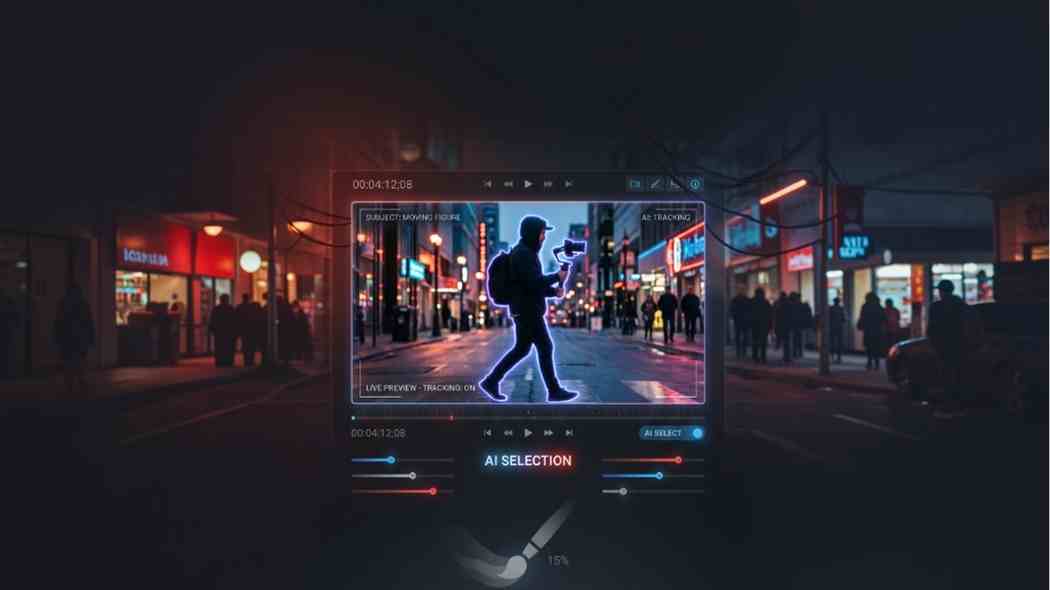
Replaces Roto Brush with four AI tools for different selection situations.
No, it now runs on-device and works fully offline.
Edits individual words without affecting the rest of the caption.
Disclosure: Some links in this post are affiliate links. If you click through and make a purchase, Freevisuals earns a small commission at no extra cost to you. All opinions are entirely our own.

.avif)
.avif)
.avif)
.avif)