Free Premiere Pro Color Templates
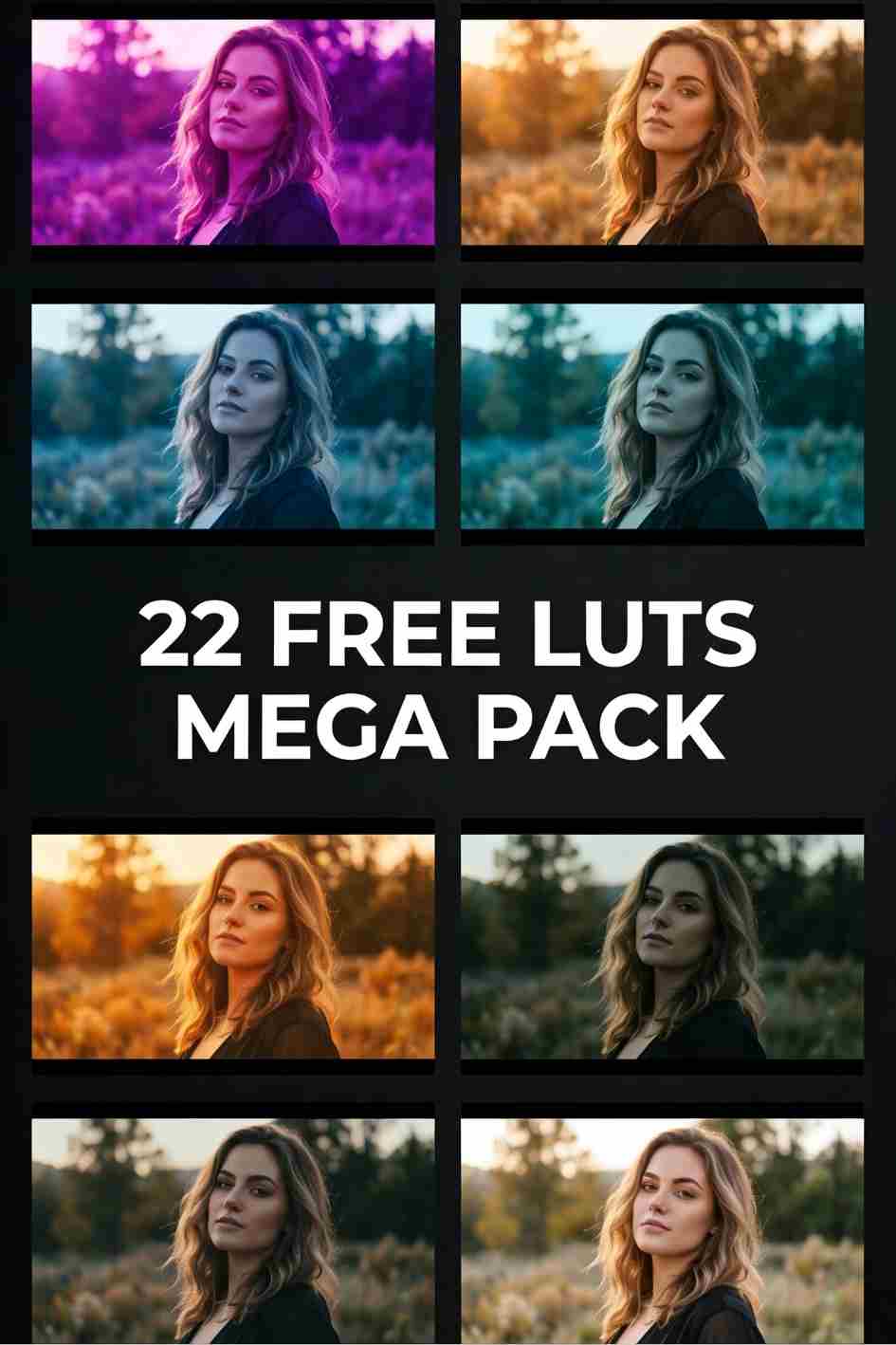
Transform the look of your footage with free Premiere Pro color templates and presets. Our collection covers cinematic film looks, warm golden hour grades, moody desaturated tones, vibrant social media styles, teal and orange color grades, and clean natural skin tone corrections. Each color preset is fully adjustable so you can dial in the exact look you need for your project. Compatible with Adobe Premiere Pro CC 2019 and later. Simply download, import the preset file into the Lumetri Color panel, and apply it to your footage with one click. Perfect for YouTube videos, travel vlogs, wedding films, music videos, and any project where consistent professional color grading makes a difference.
Premium Paid Premiere Pro Color Templates
Take your Premiere Pro projects to the next level with premium paid templates from our trusted partner libraries. Our curated collection of professional grade templates covers advanced transition packs, cinematic title sequences, complex motion graphics, broadcast style lower thirds, and professional color grading presets that go beyond what free templates can offer. Each premium template is built by professional motion designers and fully customisable to match your brand and editing style. Perfect for professional video editors, broadcast producers, content creators, and agencies who need polished results fast and cannot afford to compromise on quality.
Generate videos, images, music and voiceovers with AI + unlimited downloads
Start Creating Now!
Frequently Asked Questions
What are Premiere Pro color presets?
Premiere Pro color presets are pre-built color grades that you can apply to your footage with one click inside the Lumetri Color panel. They save you hours of manual color grading by giving your footage a consistent professional look instantly. You can further adjust the preset to fine tune the look for your specific footage.
How do I install Premiere Pro color presets?
Download the preset file and extract the ZIP if needed. Open Adobe Premiere Pro and go to the Lumetri Color panel. Click the Browse button in the Creative tab, navigate to your downloaded preset file, and double click to apply it to your selected clip. You can also import presets by going to the Effects panel, right clicking on Lumetri Presets, and selecting Import Presets.
Are these color presets compatible with all versions of Premiere Pro?
Most color presets on FreeVisuals are compatible with Adobe Premiere Pro CC 2019 and later. Some advanced presets may require a more recent version. The compatibility of each preset is listed on its individual download page.
Can I adjust the intensity of a color preset?
Yes, all Lumetri color presets are fully adjustable after applying. Use the Lumetri Color panel sliders to reduce or increase the intensity of any effect including exposure, contrast, saturation, and color wheels. This lets you fine tune the look to match your specific footage and lighting conditions.
What is the difference between a LUT and a Premiere Pro color preset?
A LUT (Look Up Table) is a universal color grading file compatible with most editing software. A Premiere Pro color preset is a Lumetri Color setting saved specifically for use in Premiere Pro. Both achieve similar results but Premiere Pro presets give you more flexibility to adjust individual settings after applying, while LUTs apply a fixed color transformation to your footage.
Transform the look of your footage with free Premiere Pro color templates and presets. Our collection covers cinematic film looks, warm golden hour grades, moody desaturated tones, vibrant social media styles, teal and orange color grades, and clean natural skin tone corrections. Each color preset is fully adjustable so you can dial in the exact look you need for your project. Compatible with Adobe Premiere Pro CC 2019 and later. Simply download, import the preset file into the Lumetri Color panel, and apply it to your footage with one click. Perfect for YouTube videos, travel vlogs, wedding films, music videos, and any project where consistent professional color grading makes a difference.
.avif)




.avif)
.avif)
.avif)
.avif)
.avif)


