.avif)
Freevisuals
Hey everyone, it's Jack here, a full-time Content Creator & YouTuber who's been grinding for a long time now. I've built multiple channels to millions of subscribers combined, and let me tell you, YouTube Shorts completely changed the game for me. Back in 2021 when Shorts first dropped, I was skeptical. But fast forward to now, and Shorts are responsible for over 70% of my new subscriber growth. We're talking billions of daily views across the platform, and if you're not posting Shorts consistently, you're leaving massive growth on the table.
That's why I'm putting together this YouTube Shorts Starter Pack – everything a beginner (or even intermediate creator) needs to start cranking out high-quality, viral-worthy Shorts without spending a fortune or wasting hours figuring it out. I'll walk you through the best video templates from Envato , killer royalty-free music from Artlist, free and premium stock footage/photos from Freevisuals.net and others, plus step-by-step editing tips. I've personally used all these resources to create Shorts that have hit 1M+ views. This isn't theory – this is battle-tested stuff from someone who's in the trenches every day. Let's dive in!
This starter pack pulls together everything a new or growing creator needs to produce polished YouTube Shorts fast: ready-made vertical templates from Envato, royalty-free music from Artlist, free stock footage from Freevisuals, and free motion graphics from AEJuice, plus the exact editing workflow used to put it all together in under thirty minutes.
First things first: Shorts aren't going anywhere. YouTube is pushing them harder than ever, with better monetization (revenue share now matches long-form in many cases), improved discovery, and new AI tools for creators. The algorithm loves fresh, engaging vertical content.
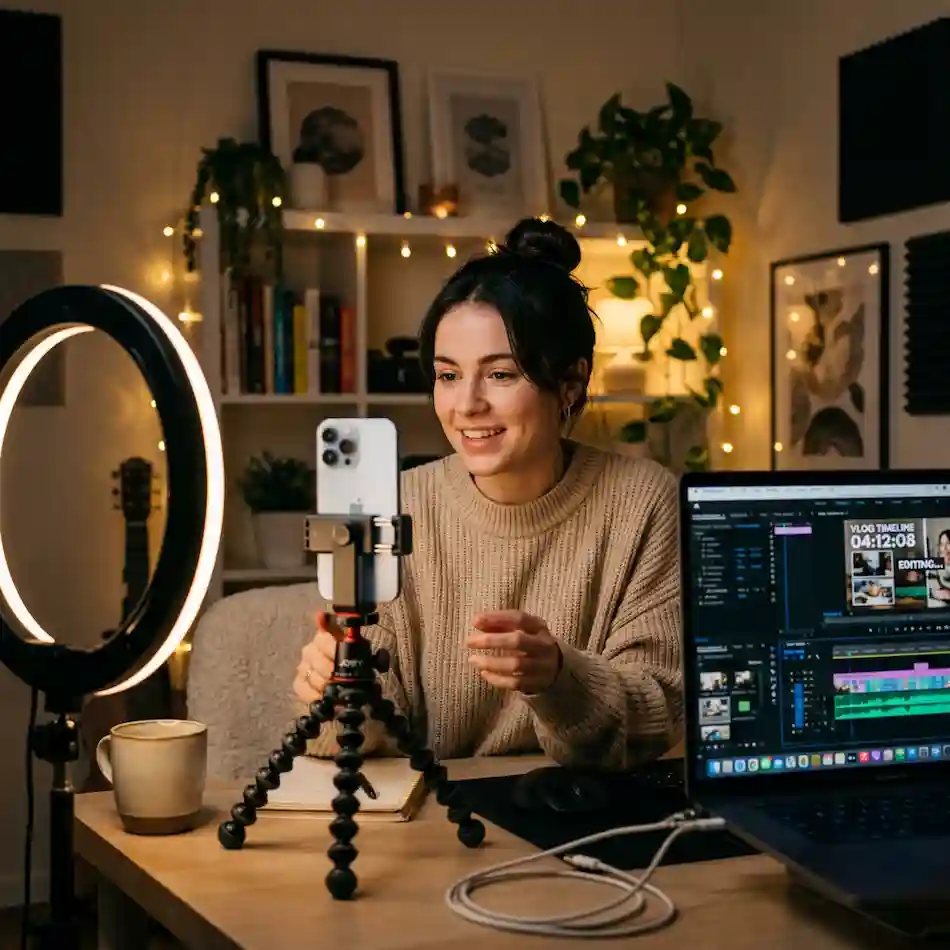
The beauty of Shorts? You can film on your phone, edit in 30 minutes, and potentially reach millions. I've had Shorts go viral from my couch with zero fancy gear. Currently, trending niches include mini vlogs, quick tutorials, reaction-style content, pet tricks, food challenges, transformations, and satisfying visuals.
But to stand out, you need polished production – even in 15-60 seconds. That's where your Starter Pack comes in: professional templates, trending music, and stunning visuals that make your Shorts look like they cost thousands to produce.
Before we get to assets, here's your basic toolkit:
That's it for hardware. Now let's talk about the creative assets that will make your Shorts pop.
One of my biggest time-savers? Envato Elements. For a monthly subscription, you get unlimited downloads of thousands of vertical video templates specifically designed for YouTube Shorts and Reels.
These templates come pre-animated with text placeholders, transitions, and effects. You just drop in your footage, change the text, and export. Perfect for beginners who want pro results fast.
Here are some of my favorite YouTube Shorts templates from Envato that I've used extensively:
How to use these: Download from Envato , open in After Effects or Premiere Pro (many are compatible with both), replace media placeholders with your phone footage, tweak text, and export at 1080x1920. Takes 15-20 minutes once you're familiar.
Pro tip: Always preview with your chosen music first – good templates are designed to sync with beats.
Music is 50% of what makes a Short addictive. The right track can boost watch time and shares dramatically.
Artlist is my go-to for royalty-free music. Unlimited downloads, cleared for YouTube (no Content ID claims), and they have a specific category for Shorts with short, punchy tracks.
Some of my favorite upbeat tracks for Shorts in 2025:
Artlist also has dedicated "Short Songs" category with tracks under 60 seconds, designed specifically for viral potential.
How to use: Search for "upbeat," "energetic," or "trending" moods. Download the track, import into your editor, and cut your visuals to the beat drops. The key to virality? Hit a strong visual on every major beat – it creates that satisfying sync viewers crave.
I always lower music volume to 20-30% under voiceover so it's not overwhelming.
Great Shorts need stunning visuals, even if you're not filming everything yourself. Stock footage fills gaps and adds production value.
Freevisuals.net is awesome for completely free assets. They have vertical-ready stock videos like:
I love their free light leak pack – layer it over your footage with "screen" blend mode for instant cinematic feel.
Envato also has unlimited stock video – search "vertical" or "9:16" for phone-friendly clips. I use their drone footage, slow-motion nature shots, and abstract graphics constantly.
How to use stock in Shorts:
Templates handle the overall structure of a Short, but the small motion details, a whoosh behind a text pop, a glitch transition between two clips, a subtle light leak over a talking-head shot, are what separate a Short that looks templated from one that looks genuinely produced. This is where AEJuice earns a permanent spot in my workflow alongside Envato and Artlist.
AEJuice runs through a free Pack Manager plugin inside After Effects and Premiere Pro, and it currently gives away more than two dozen full asset packs at no cost, no credit card required. For Shorts specifically, I lean on their transition packs and glitch elements constantly, since they drop straight onto a clip without any manual keyframing. If you want the full rundown of what is actually free versus what sits behind their paid bundles, I wrote a complete AEJuice review covering every free pack worth grabbing.
The workflow is simple: install Pack Manager once, then drag any AEJuice asset directly onto your Premiere Pro or After Effects timeline the same way you would a stock clip. No exporting and re-importing required, which matters when you are trying to turn around a Short in under thirty minutes.
Here's my exact process for creating a Short in under 30 minutes:
Learn from the best. Here are real viral Shorts that use similar techniques:

Study these – notice the strong hooks, beat syncing, and text reinforcement.
This YouTube Shorts Starter Pack has everything you need to start creating professional, engaging content today. Grab those Envato templates, download some Artlist bangers, layer in Freevisuals stock, and start posting.
You've got this. Go create something awesome – and tag me when you hit your first million-view Short!
No. CapCut is free and handles everything in this guide, including template imports, music syncing, and text animation. Premiere Pro or After Effects only become necessary once you are using more advanced Envato or AEJuice template packs built specifically for those programs.
Three to five per day is a reasonable target for creators actively trying to grow, though consistency matters more than raw volume. A creator posting one well-made Short daily will usually outperform one posting five rushed, low-effort Shorts.
Using a trending copyrighted song can get your audio muted or your video restricted in some regions, even on Shorts. Royalty-free platforms like Artlist clear tracks for commercial use across YouTube specifically, which avoids that risk entirely.
Most Envato and AEJuice vertical templates export at the same 1080x1920 resolution used by TikTok and Reels, so yes, the same edited file typically works across all three platforms with no changes needed.
Weak hooks. If the first three seconds do not immediately signal what the video is about or why someone should keep watching, the algorithm will not push it regardless of how good the rest of the edit is.
.avif)
.avif)
.avif)
.avif)





