.avif)
Freevisuals
AI image generation has changed what's possible for creators working without a design budget. In 2026, you can generate photorealistic product shots, cinematic thumbnail backgrounds, and social media visuals from a single text prompt in seconds, with no design skills required. This page brings together the best free AI image generators available right now, picked for content creators, video editors, and social media managers. Every tool listed here has a genuine free tier, not a one-time trial, and produces results good enough to use in real projects. If you want better results faster, our free AI prompt packs give you ready-to-use prompts built for each tool.
Each tool below has been selected for image quality, ease of use, and how well it fits a content creator's workflow. Our recommended and partnered tools are listed first, followed by the best free options worth bookmarking.


.svg)
Flux is one of the most widely used model families for content creators. The range covers everything from high-volume fast generation (Flux 1.0 Fast, Flux.2 Klein) to precision product marketing (Flux.2 Max, which supports up to 8 visual references and real-time data grounding). Flux Kontext models add a layer of editing precision, with fine control over text and layout in the final image. Flux 1.0 Realism is specifically optimised for ultra-realistic output covering portraits, fashion, architecture, and product renders. The full Flux family runs across most major AI image platforms including Leonardo AI and Magnific.
.svg)
Flux 1.0 Realism produces ultra-realistic results for product renders, portraits, and architecture, with output quality that rivals professional photography for many use cases.
Flux 1.0 Fast and Flux.2 Klein balance speed and quality for creators producing large numbers of social media images, making it practical to iterate quickly without sacrificing too much on output quality.

OpenAI's GPT image models have gone through several generations, with GPT Image 2 now offering pixel-perfect text rendering, native 4K output, and photorealistic results with natural language editing built in. Earlier models in the family (GPT 1.5, GPT 1 HQ) remain strong for general-purpose generation and marketing drafts where stylistic continuity across variations is needed. The GPT family is particularly strong for creators who want to describe an image in plain language rather than writing structured prompts, since the models are trained to interpret natural language instructions more flexibly than most alternatives.


Seedream is built for character consistency and multi-image production. Seedream 5.0 Lite supports up to 14 visual references and multi-round editing, making it the strongest option available for campaigns that need a recurring character or product to look identical across a full series of images. Seedream 4.5 focuses on photorealistic characters and e-commerce product visuals. The full family outputs at up to 4K and includes strong text rendering across all versions.
Seedream 5.0 Lite supports up to 14 references and multi-round editing, making it the most capable model available for content creators who need a consistent character or product look across a full campaign.
Seedream 4.5 produces photorealistic product imagery and character visuals suited to ads, social content, and online store assets.

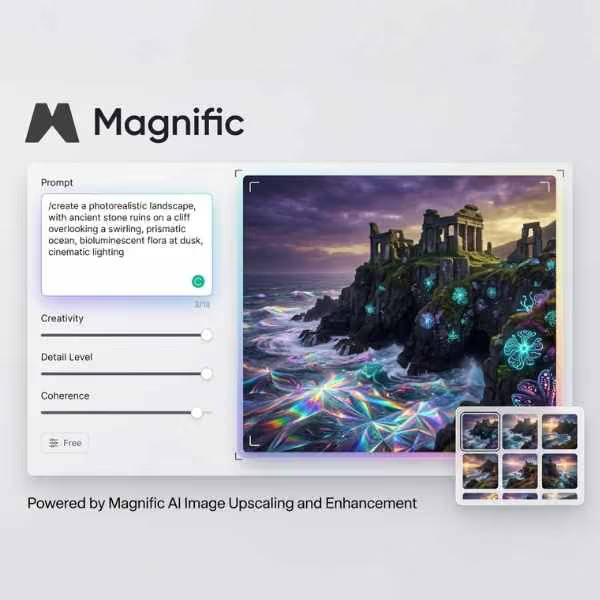
Magnific AI takes any image, including images generated by other AI tools, and upscales and enhances it to a level of detail that standard generators can't produce on their own. For creators making thumbnails, social media visuals, or print-quality assets, the difference between a Magnific-enhanced image and a raw AI output is immediately visible. The tool adds realistic texture and sharpness rather than just stretching pixels, and a free trial is available to get started.
Take low-resolution AI images and enhance them to print or screen-ready quality without losing sharpness or adding blur.
Get started with no commitment and see the difference before upgrading to a paid plan.
Envato Elements includes AI image generation tools alongside its library of over 2 million creative assets, covering templates, stock footage, music, sound effects, and graphics under one subscription. For creators who need AI-generated images as part of a broader content workflow, Envato makes sense as a single subscription rather than managing multiple free-tier tools separately. All AI-generated images are covered under the Envato Elements commercial licence.
One subscription covers templates, stock footage, music, fonts, graphics, and AI image generation tools.
Every asset downloaded through Envato Elements is covered for commercial use including client work and monetised content.
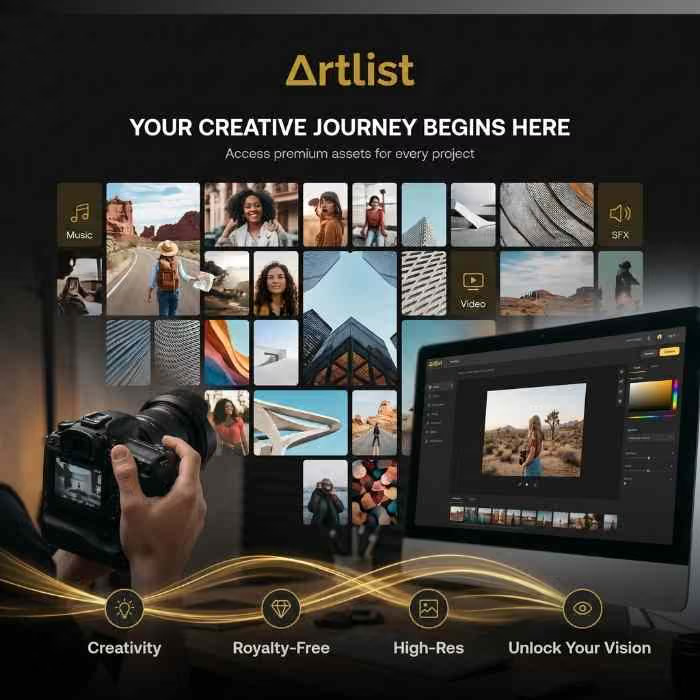
Artlist has expanded beyond music into a full creative platform and now includes AI image and video generation tools alongside its royalty-free music and stock footage library. For creators producing YouTube, Reels, or TikTok content who need music, footage, and visual assets in one place, Artlist covers the full stack. There is no per-tool licence checking to deal with since everything is covered under one subscription.
Stop managing multiple subscriptions and licences. Artlist covers every creative asset type a content creator needs.
All content produced or downloaded through Artlist is covered for commercial use including monetised YouTube and brand content.
Leonardo AI is the strongest free option for creators in 2026. The free tier gives you 150 tokens per day, resetting every 24 hours, with access to their best models including Flux and Phoenix. No watermarks on generated images, and commercial use is permitted on the free plan. The interface is straightforward for beginners but has enough model-switching and style control for experienced creators too.
Tokens reset every 24 hours with no subscription required, giving you a consistent daily allowance of free generations.
Every image generated on the free plan is clean and ready to use in your projects with no watermark to remove.

The newest stock images added to FreeVisuals, updated regularly so there is always fresh content to work with. Browse the latest additions across every category including nature, lifestyle, business, travel, architecture, and abstract photography. All images are high resolution and cleared for commercial use on monetised YouTube channels, social media accounts, and client projects with no attribution required.
Free stock images cover a lot of ground, but when a project needs something more specific, more polished, or simply less likely to appear on another creator's channel, premium is worth the step up. Our premium high definition stock image collection is sourced from the best photography marketplaces and covers every category from cinematic lifestyle and aerial photography to business, travel, architecture, and abstract visuals. All images are available in high resolution and licensed for commercial use. Browse the collection below and click through to download directly from the source.
An AI image generation model is a system trained to produce images from a text description. You type a prompt describing what you want, and the model generates a new image based on that description. Different models are built by different companies, trained on different data, and produce noticeably different results even from the same prompt.
Most AI image generators use diffusion models, which start from random noise and gradually refine it into a coherent image through a series of denoising steps. Flux and Stable Diffusion are examples of this approach. Autoregressive models like GPT Image 2 generate images token by token, similar to how a language model generates text. This makes them particularly strong at following complex, detailed prompts and rendering accurate text inside images.
Flux 1.1 Pro leads in 2026 for technical quality and photorealism, generating images in around 4.5 seconds and suited to commercial use. Google's Imagen 4 Ultra is also highly rated for photorealism, particularly for product shots, editorial imagery, and skin texture detail.
Ideogram 3 is the strongest model available for readable text rendered inside an image. It reliably produces legible, accurate text including long strings, brand names, and complex layouts. GPT Image 2 is also strong for text rendering, particularly for infographics and UI-style visuals.
Multi-reference support means you can give the model multiple example images as visual references, and it will try to blend or maintain elements from those references in the generated output. This is useful for brand campaigns where a product or character needs to look consistent across a series of images. Seedream 5.0 Lite supports up to 14 references, while Flux.2 Max supports up to 8.
It depends on the model and the platform you are using. Adobe Firefly and Flux Schnell are among the legally safest options for commercial use since both are trained on licensed data. For other models, the legal position varies by jurisdiction and is still evolving. Always check the specific licence terms of the model and platform before using generated images in commercial work
Flux.2 is the newer generation of the Flux model family from Black Forest Labs. Flux.2 Max supports up to 8 visual references and real-time data grounding, making it suited to product marketing and e-commerce. Flux.2 Pro adds structure and consistency for branded asset production. Flux 1.0 variants (Realism, Fast, Standard) remain strong for general-purpose generation and are widely available across free-tier tools including Leonardo AI.
Why does the same prompt produce different results on different models?
Each model is trained differently, on different data, with different architectural approaches. A prompt that produces a cinematic, photorealistic result in Flux may produce a more stylized or illustrated result in Ideogram, and something entirely different in GroK. The same prompt can produce different outcomes and may require iteration regardless of which model you use. Testing the same prompt across two or three models before committing to one is worth the time on any important project
It means the model can generate images at a resolution of approximately 3840 x 2160 pixels or higher. This matters for print work, large-format display, and thumbnail backgrounds where you need to crop or zoom into the generated image without losing quality. Not all models generate at 4K by default, some require a higher credit tier or a specific setting to unlock higher resolution output.
Leonardo AI's free tier (using Flux or Phoenix models) covers most thumbnail use cases well. For thumbnails that need text rendered inside the image, use Ideogram 3. For the highest photorealism on a paid plan, Flux 1.1 Pro or GPT Image 2 are both strong choices. Our <a href="https://www.freevisuals.net/ai-prompt-packs">free AI prompt packs</a> include thumbnail-specific prompts built for each of these models.
GroK is an experimental, expressive model available through Magnific that produces bold, unconventional compositions rather than safe, predictable results. It is the right choice when you want an image that looks genuinely different from standard AI output, and the wrong choice when you need precise, controlled results for client work or brand assets.
No. Most platforms including Magnific offer an "Auto" mode that selects the best model for your prompt automatically. You only need to think about model selection when you have a specific output type in mind, such as needing text inside an image, needing consistency across a series, or needing the highest possible photorealism for professional use.












.avif)
.avif)
.avif)
.avif)