.avif)
Freevisuals

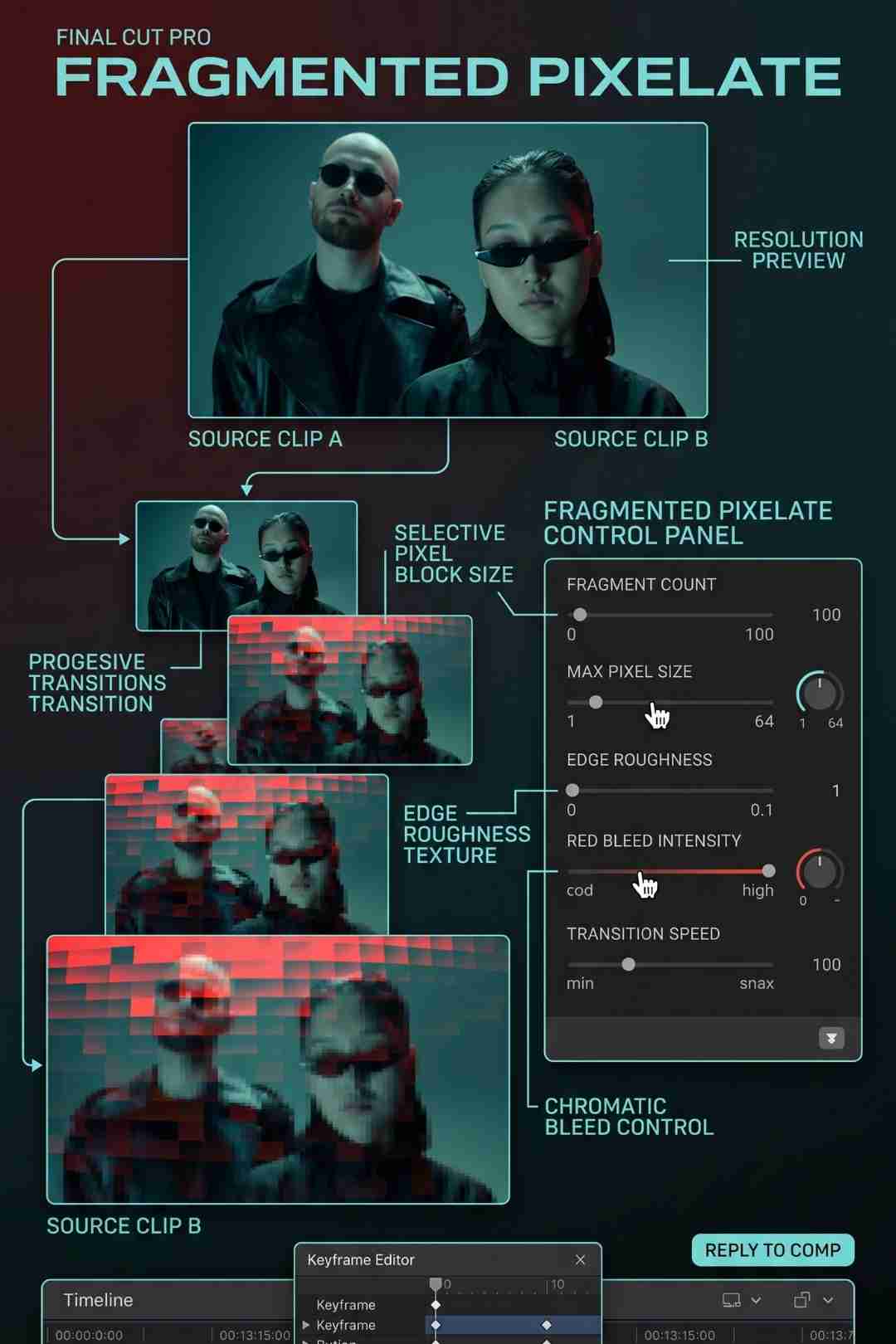
Dynamic Pixelated Block Transitions for Digital Videos is a Final Cut Pro and Apple Motion template pack by creator DmitryRaFX, available through Envato...
Download FREEGo Pro To DownloadDownload NOW!A transition does more work than most viewers consciously notice. It tells the audience a scene has changed, it sets a tone before the next shot even appears, and when chosen well, it can quietly reinforce the entire mood of a video without saying a word. Dynamic Pixelated Block Transitions for Digital Videos takes this idea and leans directly into a specific digital, blocky aesthetic, the kind of geometric pixel break that reads instantly as modern, technical, and a little bit retro all at once.
This post covers what this transition pack actually is, what kind of content it suits, how to bring it into a Final Cut Pro or Apple Motion project, and how to pair it with other resources to build a complete, cohesive edit.
Most transitions fall into one of two camps, the kind that try to disappear entirely so the cut feels invisible, and the kind that announce themselves on purpose, becoming part of the visual identity of the video rather than just a mechanical scene change. Pixelated block transitions sit firmly in the second camp. Instead of a soft cross dissolve or a simple cut, the screen breaks into blocky, geometric segments that animate the change between shots, giving the moment a distinctly digital, almost computational feel.
This particular pack leans into that identity fully, offering blocky animations built specifically for fast cuts, tech themed content, and anything wanting a sharp, energetic edge rather than something quiet and understated. The blocky movement reads instantly as digital and modern, while the slightly chunky, low resolution feel of the pixel shapes themselves brings in a retro flavour that pairs surprisingly well with both genuinely current tech content and deliberately nostalgic, throwback style edits.
A transition built around bold, blocky shapes only really works if its colour palette actually fits the project it gets dropped into, since a clashing colour scheme will draw attention to the transition for the wrong reasons rather than reinforcing the edit's overall identity. Being able to adjust the colours throughout this pack means a creator working on a blue and white tech review channel and a creator working on a neon coloured gaming highlight reel can both use the exact same transition pack and end up with results that feel native to their own specific brand rather than visibly borrowed from a generic template.
A good transition does not just connect two shots. It tells the viewer something about the kind of video they are watching before the next scene even loads.
AttributeDetailResolution3840 x 2160 (4K)File size19.2 MBCompatible softwareApple Motion, Final Cut ProPlugin requiredNoneCustomisationEditable colours throughoutCreatorDmitryRaFX
Shipping at 3840 by 2160 means this pack's transitions hold up cleanly even when scaled down into a 1080p timeline, since a 4K source asset always has more detail to spare when resized smaller, rather than risking visible softness the way a transition built natively at a lower resolution might show once stretched up to fill a larger frame. For creators working in 4K specifically, this also means the transitions integrate without needing any upscaling at all.
Plenty of motion graphics packs depend on a specific third party plugin being installed before they will even open correctly, adding an extra setup step and occasionally a separate cost on top of the asset itself. This pack avoids that entirely, working directly within Apple Motion or Final Cut Pro's existing native tools, which means a creator can download it and have it working inside their project within minutes rather than needing to track down and install additional software first.
These two videos cover pixel style transitions and the Apple Motion workflow this specific pack relies on, useful context before bringing the pack into your own project.
"How to create this VIRAL 3D Pixel Punch Transition for Final Cut Pro," published July 2025. Covers building a pixel style transition effect directly for Final Cut Pro.
"Why Final Cut Pro Gets Way Better With Apple Motion," published recently in 2026. Explains why pairing Apple Motion with Final Cut Pro specifically expands what an editor can do with packs like this one.
For tech review channels, software walkthroughs, and anything covering gadgets or digital products specifically, a pixelated block transition reinforces the subject matter directly rather than feeling like an unrelated stylistic choice layered on top. The blocky, geometric movement echoes the digital world the content itself is actually about.
Gaming content, particularly highlight reels, montages, and channel intros, benefits from this kind of high energy, digitally themed transition, since the retro pixel aesthetic ties naturally into gaming culture's own visual history without needing any further justification or explanation for the audience.
For creators building quick, high energy edits where pacing matters more than subtlety, this kind of bold, attention grabbing transition supports a fast cutting style better than a quiet cross dissolve would, since the transition itself becomes part of the energy rather than working against it.
The chunky, blocky pixel aesthetic naturally lends itself to deliberately retro or nostalgic content, eighties and nineties throwback edits, retro gaming content, or anything specifically reaching for a low resolution, early digital era look as a creative choice rather than a limitation.
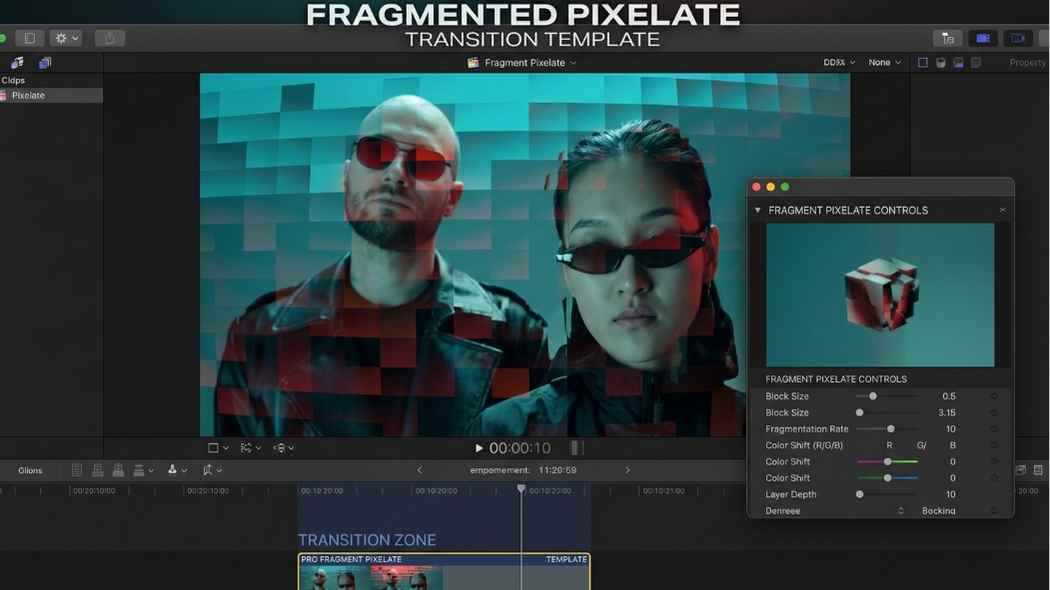
Once downloaded, the template installs through Final Cut Pro's Motion Templates system, after which it becomes available directly within your Transitions browser inside the app. From there, dragging a chosen transition between two clips on your timeline applies it directly, the same way any other native Final Cut Pro transition would work.
Once a transition is placed on your timeline, opening it in the Inspector panel reveals the editable colour controls included throughout the pack. Adjusting these to match your specific brand palette, or simply to better suit the colour grade of the surrounding footage, takes the transition from a generic effect to something that feels intentionally designed for your specific video.
Since pixel block transitions are visually bold by design, testing a chosen transition at the actual cut points where it will be used, rather than judging it in isolation, confirms whether the specific transition speed and intensity genuinely fits the pacing of your edit before applying the same choice repeatedly across an entire video.
For sound design to pair with a transition this visually punchy, the Freevisuals free sound effects library includes digital and glitch style sounds that match well with this kind of pixel block movement.
A bold, digital style transition pairs naturally with a colour grade that leans into a similarly punchy, high contrast look rather than a soft, muted grade that might undercut the transition's energy. The Freevisuals free LUT library includes several treatments suited to exactly this kind of bold, digitally themed content.
For creators specifically building tech review or gaming content around this transition pack, browsing the Freevisuals After Effects templates library and the Final Cut Pro templates library rounds out a complete toolkit, titles, lower thirds, and overlays that match the same digital, modern aesthetic this transition pack establishes.
If your project needs supplementary B-roll or background music beyond what you have already filmed, Artlist and Shutterstock both offer extensive stock libraries that pair naturally with the same Envato Elements subscription this transition pack comes through.
This pack sits within a broader collection of similar transition and effects work by the same creator, DmitryRaFX, who has built several related packs covering pixel transitions, glass film burn transitions, retro text animations, and digital scan glitch effects. For a creator who finds this particular pixel block style fits their content well, browsing the rest of this creator's catalogue is a sensible next step, since assets built by the same author often share a consistent design sensibility that makes them easier to combine into one cohesive looking project.
This matters in practice because mixing transitions and effects from many different, unrelated creators across a single video can sometimes produce a visually inconsistent result, where each individual effect looks polished on its own but the overall video feels stitched together from mismatched parts. Sticking with one creator's catalogue for the bulk of a project's transitions and effects, when that catalogue genuinely covers what a specific project needs, tends to produce a more unified, considered final look.
Beyond the pixel block transitions covered in this post, DmitryRaFX's catalogue includes a glass film burn transition pack for a more cinematic, analogue feeling scene change, bouncy retro text animations suited to events and celebration content, and digital scan glitch effects that pair particularly well alongside this exact pixel block style for creators wanting an even deeper, more layered digital aesthetic across an entire video.
This transition pack is just one single asset within a subscription covering more than 27 million creative assets in total, spanning video templates, stock footage, music, graphics, fonts, and more. Rather than purchasing this specific pack individually, an Envato Elements subscription gives unlimited access to the entire catalogue for one flat monthly fee, starting at roughly 16.50 dollars a month on an annual plan, meaning the actual cost per asset drops considerably the more a subscriber genuinely uses the library across their projects.
Envato Elements includes a lifetime commercial license with every download, covering use in client projects, monetised YouTube content, and other commercial applications without requiring a separate licensing negotiation for each individual project this transition pack ends up used in. For freelance editors and agencies specifically, this licensing clarity removes a layer of administrative friction that can otherwise complicate using a specific asset across multiple different paid client deliverables over time.
For an editor working across many different projects regularly, each potentially needing a different specific transition, title, or piece of music, the unlimited download structure of an Envato Elements subscription makes considerably more financial sense than purchasing individual assets one at a time from separate marketplaces, since the flat monthly cost remains the same regardless of how many specific assets, this transition pack included, actually get used across an active month of production work. This same subscription also covers the entire DmitryRaFX catalogue discussed above, meaning exploring related packs from the same creator costs nothing extra beyond the existing monthly subscription already in place.
Applying this same bold transition to every cut throughout an entire video, rather than reserving it for genuinely significant scene changes or moments that benefit from the extra visual punch, dilutes its impact considerably and can make an edit feel busy or overworked rather than intentional.
Leaving the transition's default colours unchanged when they clash visibly with the rest of a project's colour palette undersells what this pack is actually capable of, since the editable colour controls exist specifically to let a creator avoid this exact mismatch.
A bold, blocky transition that looks great at full playback speed can read very differently once a video is watched at a slightly faster playback speed, which a meaningful share of viewers now use by default. Previewing the transition at common alternate playback speeds before finalising an edit helps confirm it still reads clearly under these conditions.
Apple Motion and Final Cut Pro, no plugin needed, at 4K resolution.
Yes, colours are customisable to match your project's palette.
Tech, gaming, fast paced edits, and retro digital style content.
Disclosure: This post contains affiliate links to Envato Elements. If you click through and subscribe, Freevisuals may earn a commission at no extra cost to you. All opinions are our own.

Download free video templates, LUTs, and presets for Premiere Pro, After Effects, DaVinci Resolve, CapCut, and Final Cut Pro.












