.avif)
Freevisuals

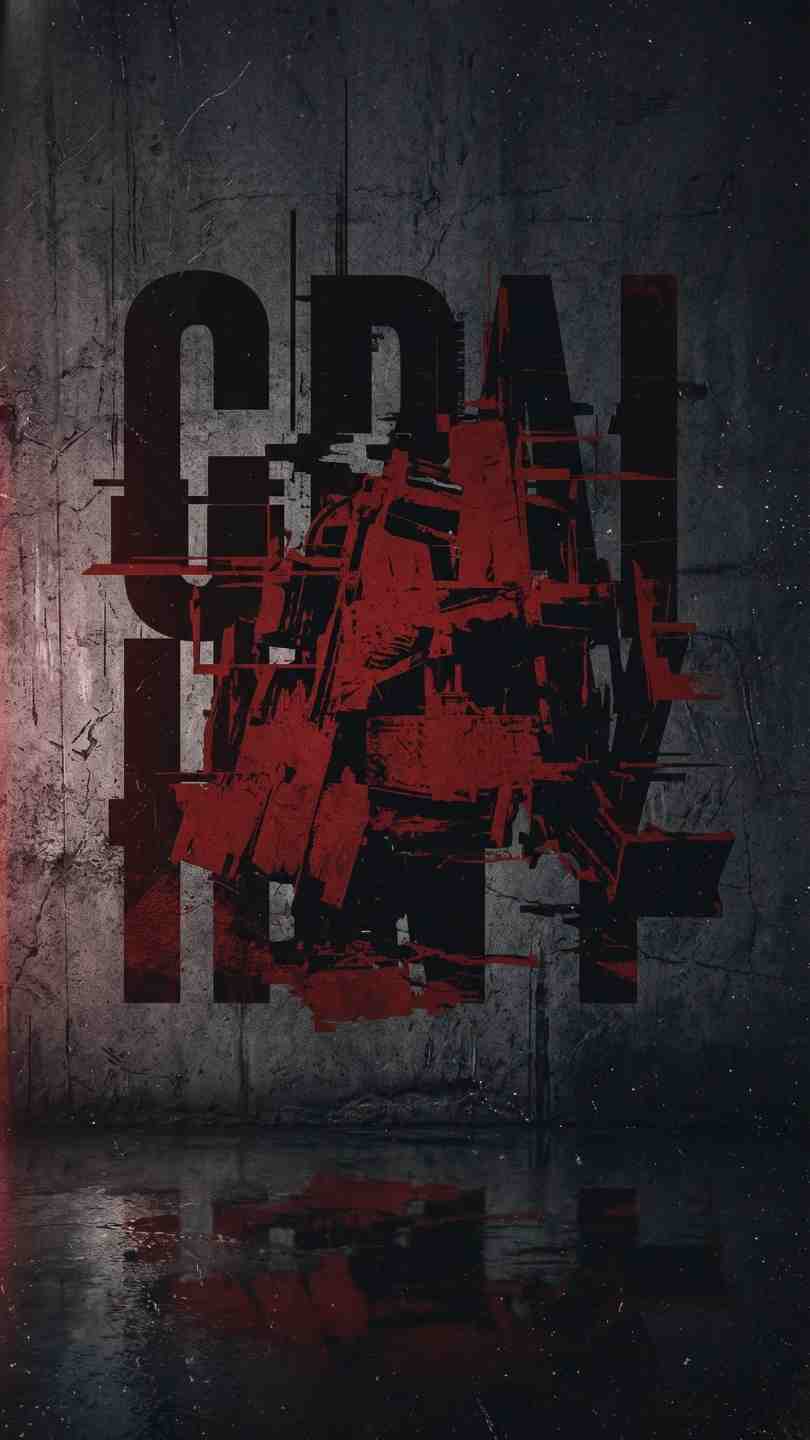
Grime In & Out Titles Or Logo by MA, a bold, grungy After Effects title and logo reveal template with displacement effects and editable controls.
Download FREEGo Pro To DownloadDownload NOW!Download On Motion Array
Not every title needs to feel clean and polished, sometimes a project genuinely calls for something rougher, a title or logo reveal with real texture and grit rather than a smooth, minimal animation. Grime In & Out Titles Or Logo, made by MA and available through Motion Array, is built specifically for that kind of moment, a bold and grungy title template combining displacement effects with genuinely deep customization across camera movement, reveal style, and overall visual treatment.
If you're building out a broader trailer, promo, or music video project around this template, our Set Matte tutorial is directly relevant here, since this template's wet floor and over alpha footage styles both rely on the same underlying matte and channel concepts covered there. For music with the kind of raw, energetic edge this template's grungy aesthetic calls for, Artlist carries a genuinely strong catalogue of gritty, high energy tracks well suited to this specific tone.
What separates this template from a simpler single style title reveal is its genuinely combinatorial structure, five camera moves, five matte reveals, and three overall styles all mixing together to produce a considerably larger range of distinct final results than the raw numbers alone might suggest. Rather than choosing from a fixed set of predetermined final looks, you're actually building your own specific combination from these three independent layers of customization, meaning two different projects using this same template can end up looking meaningfully distinct from one another depending on which specific combination each editor chooses.
This genuinely matters for editors and studios using this template across multiple different client projects, since a title template that only offers a handful of fixed final looks risks becoming visually recognizable and repetitive across your own portfolio of work, while this template's combinatorial structure meaningfully reduces that risk.
Head to the Motion Array download page and grab the project files.
Open the .aep file in After Effects CC 2020 or a newer compatible version and let it fully load.
Decide first between the solid color, wet floor, or over alpha footage treatment, since this choice shapes how the rest of your specific customization decisions will actually read visually.
Browse through the five available camera movement options and choose the one that best matches the pacing and energy of your specific project.
Independently choose from the five animated matte reveal styles, considering how this specific reveal will combine with your already chosen camera move and overall style.
Replace the placeholder text or logo artwork with your own, adjusting scale and positioning as needed to fit correctly within the template's existing animation.
Fine tune the displacement effect's intensity through the template's editable controls until the grungy texture feels appropriately balanced for your specific project, neither too subtle nor overwhelming.
Use RAM Preview to review your complete chosen combination of style, camera move, and reveal together before committing to a final render.
Once satisfied, render your finished title or logo reveal using your project's standard export settings.
For a direct look at this specific template's available styles and reveal combinations in motion, watch Grime In & Out Titles Or Logo After Effects Templates. This is worth watching because it shows the actual range of camera moves, matte reveals, and overall visual styles this template offers combined together in real examples, giving you a genuinely clearer sense of which specific combination might suit your own project before you commit time to customizing it yourself inside After Effects.
The genuinely cinematic camera movement options and gritty texture suit trailer style title cards particularly well.
The grungy, high energy aesthetic pairs naturally with music video title cards and artist logo reveals, particularly for rock, hip hop, or other genuinely energetic genres.
The bold, textured reveal style suits sports highlight reels and action heavy content wanting a title treatment with genuine visual impact.
Brands building an identity around urban, street level authenticity benefit from a title treatment that avoids feeling overly polished or corporate.
Creators wanting a distinctive, memorable logo reveal for their channel or podcast intro can use this template's combinatorial options to build something genuinely unique to their brand.
The solid color style provides the most simple, broadly compatible option, a clean background specifically built to let your title or logo's own texture and displacement carry the visual interest without any additional background complexity competing for attention. The wet floor style adds a reflective, cinematic quality beneath your title, genuinely effective for trailer style openers wanting a moody, atmospheric feel. The over alpha footage style is the most technically involved option, letting your title composite directly on top of your own background footage, requiring genuinely compatible footage to look convincing but offering the most integrated, non generic looking final result of the three available styles once properly matched to appropriate source material.
Choosing the over alpha footage style without testing against your actual background footage first. This specific style's effectiveness depends heavily on how well it reads against your genuine intended background, always test directly rather than assuming.
Applying maximum displacement intensity regardless of context. More texture is not automatically better, particularly for titles that need to remain clearly legible to a viewer.
Using the same exact combination across every single project. Given the genuine variety this template offers, relying on only one specific combination across all your work undermines the actual value of its combinatorial design.
Ignoring how your chosen camera move interacts with your specific reveal style. Some combinations of camera movement and matte reveal work together more convincingly than others, always preview the full combination rather than evaluating each element in isolation.
Since this template's combinatorial structure lets you build a genuinely specific, distinctive combination rather than relying on a single fixed look, it's worth treating your chosen combination as a deliberate brand decision rather than a one off choice made for a single project. Once you find a specific combination of camera move, reveal style, and overall treatment that genuinely fits your channel, podcast, or brand's identity, using that exact same combination consistently across future content builds genuine visual recognition over time, turning what started as a template customization decision into an actual, recognizable piece of your brand's visual identity.
As with any Motion Array asset, reviewing the current license terms before using this template in paid client or commercial work is worth doing upfront, particularly for trailer, music video, or brand promo work where licensing requirements can carry more weight than smaller scale personal projects. Confirming your specific intended use case is properly covered protects both your own business and gives your client genuine confidence in the assets underlying their finished deliverable.
This is a worthwhile step to build into your regular workflow specifically for editors and studios working across many different client projects, where licensing clarity becomes increasingly important the more frequently a specific template gets reused across paid, commercial work.
Grunge and displacement based title styles vary considerably in how heavy handed their texture actually reads, and this specific template sits toward the genuinely authentic, tactile end of that spectrum rather than a more subtle, barely there grunge treatment some other templates offer. This makes it a particularly strong fit for projects specifically wanting a title that feels unmistakably rough and energetic, while projects wanting only a hint of texture layered beneath an otherwise clean design may find this template's displacement effect reads as more intense than genuinely needed for that specific, more restrained creative goal.
With 5 camera moves, 5 matte reveals, and 3 overall styles all combinable independently, the template offers a genuinely wide range of distinct possible final results beyond what the individual feature counts alone suggest.
No, it works entirely with native After Effects tools.
The template is built for After Effects CC 2020 and remains compatible with newer versions.
Yes, it's specifically built to handle either a text based title or a logo reveal within the same underlying animation structure.
4K, at 3840x2160.
Affiliate Disclosure: This post may contain affiliate links. If you make a purchase through one of these links, FreeVisuals may earn a commission at no extra cost to you. We only recommend products and platforms we genuinely believe in. Read our full disclosure policy.
Download free video templates, LUTs, and presets for Premiere Pro, After Effects, DaVinci Resolve, CapCut, and Final Cut Pro.













