.avif)
Freevisuals
Light Transitions is a pack of lens flare and light leak transitions for DaVinci Resolve, no plugin required. See what it includes and how to use it well.
Download FREEDownload NOW!Light Transitions is a transition pack built for DaVinci Resolve, featuring lens flare and light leak style effects designed to connect two clips together with a genuine sense of cinematic polish rather than a flat, purely digital cut or wipe. With no plugin required, this pack drops directly into Resolve's native workflow, giving editors a fast way to add a warmer, more organic feeling transition between shots.
This template is available through Envato Elements, and Freevisuals is an affiliate partner. Clicking through and subscribing supports Freevisuals at no extra cost to you.
Get Light Transitions on Envato Elements
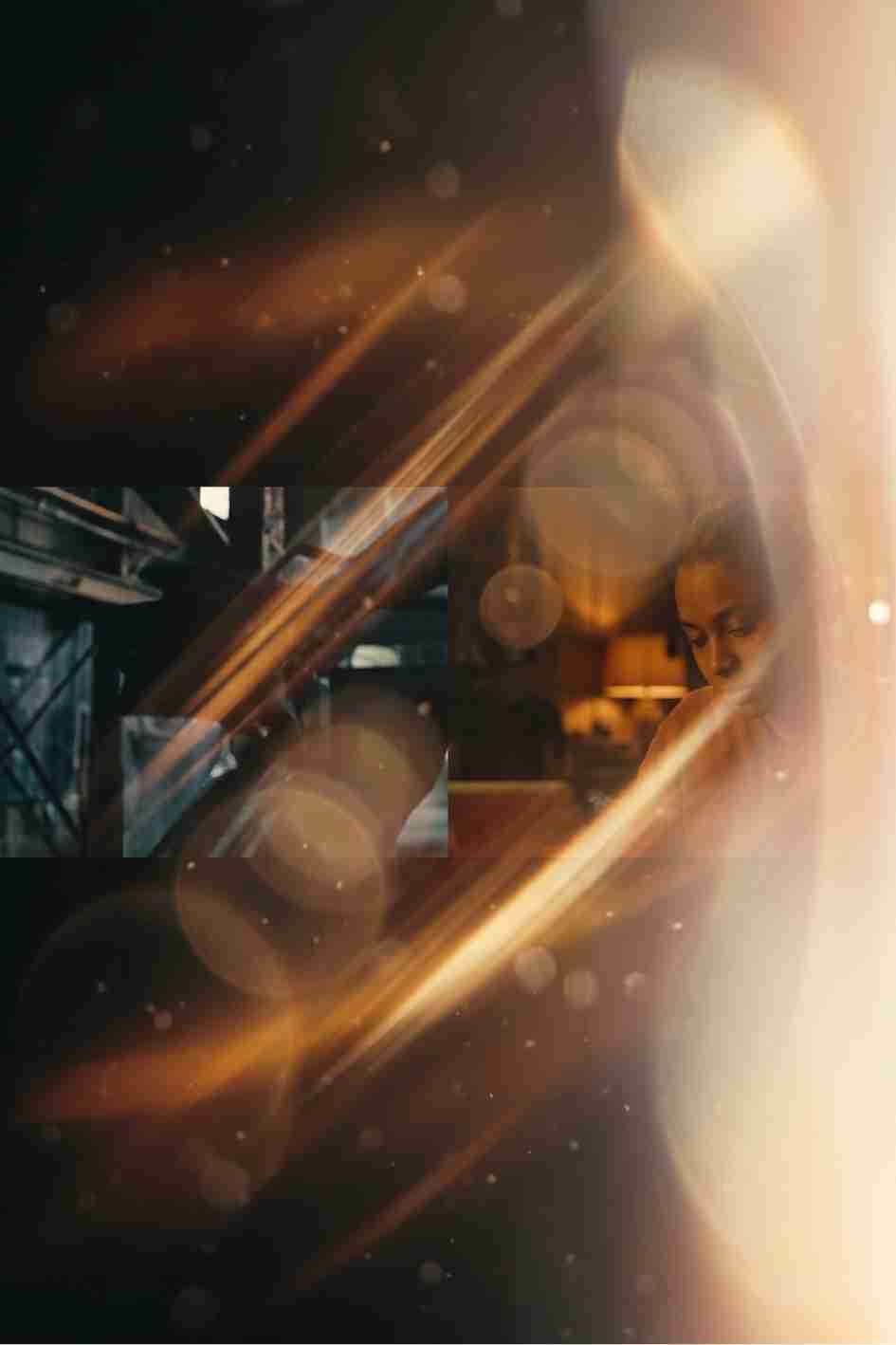
Lens flares and light leaks carry a strong association with film and analogue photography, the kind of imperfect, warm light artefact that appears naturally when shooting toward a bright light source on camera. This transition pack borrows that same visual language for a digital workflow, giving an edit a more organic, filmic quality than a purely geometric or mechanical transition style typically achieves. This makes it particularly well suited to travel and lifestyle content, wedding and event videography, and any project reaching for a warmer, more emotionally evocative visual tone.
Because the pack requires no third party plugin, it works directly within a standard DaVinci Resolve installation, removing the setup friction that comes with transitions requiring separate plugin software to function correctly.
Once downloaded, install the pack through DaVinci Resolve's template system, after which the included transitions become available directly within your Effects Library, ready to drag and drop onto the cut point between two clips on your timeline. Since these are designed specifically as transitions rather than standalone overlays, positioning them precisely across your actual edit point, rather than simply placing them near it, ensures the light effect genuinely bridges the two shots rather than sitting awkwardly to one side of the cut.
Once applied, most transitions in a pack like this one allow some degree of timing and intensity adjustment directly through Resolve's Inspector panel, letting you fine tune exactly how long the light effect takes to sweep across frame and how prominent it appears at its peak intensity.
These two videos cover light leak and custom transition techniques directly inside DaVinci Resolve, useful background for getting a clean, convincing result from a pack like this one.
Unlike a sharp, geometric wipe or a simple cut, a lens flare or light leak transition carries a genuine emotional warmth that fits naturally into content built around memory, emotion, and personal story. Wedding films, travel retrospectives, and any video reflecting on a meaningful experience or journey benefit from this softer, warmer transition style in a way that a harder, more mechanical transition simply does not support as effectively.
This emotional quality stems directly from the real world origin of these effects, genuine light artefacts captured by physical cameras under specific, often beautiful natural lighting conditions, golden hour sun, light filtering through trees, a reflection off water. Even recreated digitally, this pack's transitions retain enough of that visual association to evoke a similar emotional register in a finished edit.
Not every project calls for the same level of visual intensity from a light transition, a subtle, restrained light leak suits quieter, more intimate content, while a bolder, more pronounced lens flare effect suits content wanting a more dramatic, attention grabbing transition moment. Adjusting the specific transition's opacity and timing to match your project's overall emotional register, rather than applying every included transition at its default maximum intensity, produces a result more genuinely tailored to your specific content.
For background music with the same warm, emotionally resonant feel these transitions establish, browse the Freevisuals free music library for tracks suited to wedding, travel, and lifestyle content. For sound effects to pair with the transition itself, a soft swell or gentle whoosh timed to the light sweep, the Freevisuals free sound effects library offers options well suited to this kind of supporting audio cue.
For a colour grade that complements this pack's warm, organic visual style, the Freevisuals free LUT library includes treatments suited to wedding, travel, and emotionally driven content specifically.
Since this pack comes through an Envato Elements subscription, the same membership unlocks the platform's broader library of complementary light and transition packs beyond this single collection. Browsing Envato Elements directly for related light leak, film burn, and wipe transition packs can help you build a varied personal collection of organic, cinematic transition styles, rather than relying on a single pack for every transition throughout an entire project.
Despite the steady evolution of digital editing techniques, the visual appeal of genuine, physically captured light artefacts has remained remarkably consistent across years of changing editing trends. Lens flares, light leaks, and similar effects continue to carry a sense of authenticity and warmth that more purely digital, geometric transition styles often struggle to replicate, regardless of how technically polished those alternatives become. This pack's specific value lies in capturing that same enduring visual appeal in a form that integrates directly into a modern digital workflow, without requiring an editor to actually shoot toward a real light source on camera to achieve a comparable look.
This durability matters practically for any creator investing time into building a consistent personal or brand editing style around this kind of transition, since a style with genuine staying power protects that investment considerably better than a more fleeting, trend dependent visual choice would.
For creators who do have the opportunity to capture some genuine practical light effects on set, a real lens flare, natural light filtering through an object, combining this pack's digital transitions specifically with footage already containing some authentic light interaction tends to produce an even more convincing, cohesive overall result than relying purely on the digital transition in isolation. The digital effect then reinforces and extends a quality already present in the footage itself, rather than introducing an entirely new visual element with no connection to what was actually captured on camera.
For wedding videographers, travel creators, and other professionals producing a consistent body of work over time, developing a recognisable, personal approach to how and when this kind of transition gets used, which specific moments warrant it, how intensely it gets applied, becomes a genuine part of an individual editor's creative signature. Clients and audiences who view a creator's broader portfolio often begin to recognise this kind of consistent stylistic choice, which can become a genuine differentiator in a competitive market where many editors have access to similar underlying tools and transition packs.
Drag and drop transitions like the ones in this pack remove much of the technical complexity that building an equivalent light effect from scratch would otherwise require, making this kind of pack genuinely accessible to editors regardless of their current skill level. A newer editor can apply these transitions directly with minimal adjustment and achieve an immediately usable, polished result, while a more experienced editor can push further into fine tuning timing, intensity, and color interaction to achieve a more specifically tailored final look. This range makes the pack a reasonable addition to almost any editor's toolkit, scaling naturally with the amount of time and attention a specific project actually warrants.
For longer form content specifically, wedding films and travel documentaries often running well beyond a few minutes, the genuine temptation with a strong transition pack like this one is reaching for it too frequently throughout the entire edit. Reserving these light based transitions specifically for genuinely significant moments, a chapter change, a major emotional beat, a shift between distinct locations, rather than using them for every single cut throughout an entire film, keeps their emotional impact intact for the moments that genuinely benefit from that extra visual and emotional weight.
A useful practical guideline is identifying the handful of genuinely pivotal moments within a longer edit first, then reserving this transition pack specifically for those moments, while using simpler, more conventional cuts for the connective tissue between them.
Since these transitions depend on a convincing sense of light interacting naturally with your footage, testing a chosen transition against the actual specific clips it will connect, rather than judging it in isolation, confirms it produces a genuinely convincing result once placed into your real project. A transition that looks beautiful bridging two similarly lit shots can sometimes feel less convincing connecting two clips with dramatically different lighting conditions.
Varying which specific transition from the pack you use across different moments within the same project also helps avoid a repetitive, predictable feel, particularly across longer form content using several transitions throughout its runtime.
A common mistake is applying these transitions to every single cut throughout an entire video regardless of the actual significance of each individual moment, which dilutes their emotional impact considerably and can make an edit feel busy or overworked rather than intentional. Reserving the strongest, most prominent transitions for genuinely meaningful moments produces a more polished, deliberate feeling result.
Another mistake is ignoring how a transition's color temperature interacts with footage shot under noticeably different lighting conditions, applying a warm, golden toned light leak transition between two clips with starkly different color temperatures can produce a jarring, mismatched result rather than the smooth, organic bridge the transition is meant to provide. A quick color correction pass on your underlying footage before applying the transition can help resolve this kind of mismatch.
Does this transition pack require any plugins?
No, the pack works directly within DaVinci Resolve's native tools, with no additional plugin required.
What kind of content suits this pack best?
Travel and lifestyle content, wedding and event videography, and any project reaching for a warmer, more emotionally resonant visual tone.
Can I adjust the timing and intensity of these transitions?
Yes, most transitions in this pack allow adjustment through DaVinci Resolve's Inspector panel once applied to your timeline.
How many transitions does this pack include?
Check the specific product listing for the exact number of transitions included in this particular pack.
Do I need an Envato Elements subscription to download this pack?
Yes, this pack is available through an Envato Elements subscription, which also unlocks the platform's broader library of complementary light and transition packs.

Download free video templates, LUTs, and presets for Premiere Pro, After Effects, DaVinci Resolve, CapCut, and Final Cut Pro.