.avif)
Freevisuals

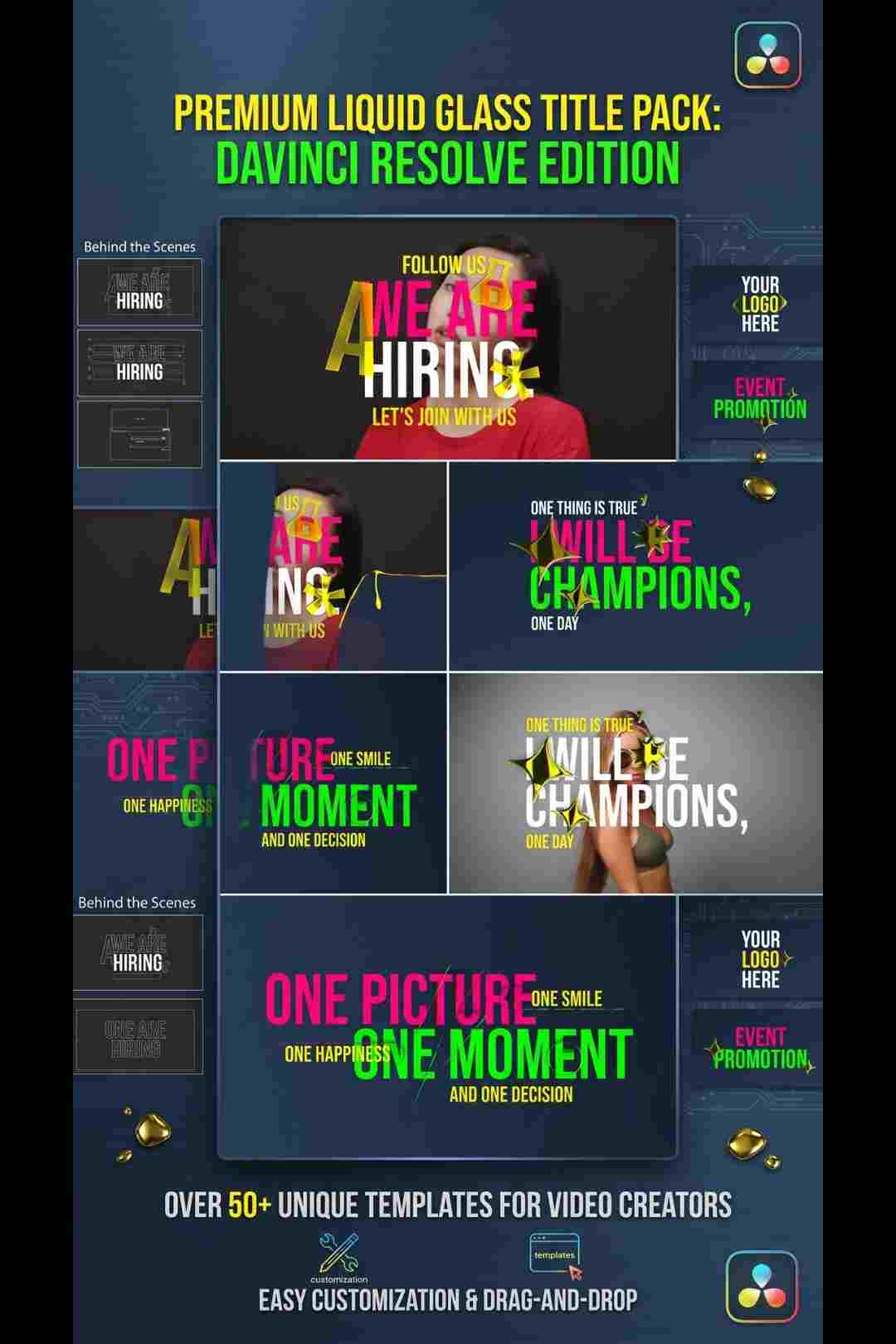
Liquid Glass Titles is a set of 10 modern, transparent title animations with glass distortion and smooth transitions.
Download FREEGo Pro To DownloadDownload NOW!Liquid Glass Titles is a pack of 10 modern, transparent title animations built around a subtle glass distortion effect, minimal blur, and smooth in and out transitions. Rather than a bold, attention grabbing title style, this pack leans into a clean, premium, almost UI inspired aesthetic, text that appears to sit behind a sheet of softly distorted glass rather than simply fading or sliding onto screen. This makes it a genuinely versatile choice for interviews, branding moments, UI focused motion graphics, digital product promos, and polished social content generally.
This template is available through Envato Elements, and Freevisuals is an affiliate partner. Clicking through and subscribing supports Freevisuals at no extra cost to you.
Get Liquid Glass Titles on Envato Elements
Glass and frosted UI effects have become a defining visual language across modern interface design generally, software, apps, even operating systems leaning into translucent, layered surfaces rather than flat, opaque panels. Liquid Glass Titles brings that same visual sensibility into video specifically, giving on screen text a contemporary, slightly futuristic feel without resorting to anything garish or overly stylised.
With 10 separate title variations included, the pack offers genuine variety across a single project, different entrance styles, different glass distortion intensities, letting an editor use a consistent overall aesthetic while still varying the specific animation from one title moment to the next rather than repeating the exact same single effect throughout an entire video.
Once downloaded, import the template files into your editing application's project panel, then drag the desired title variation directly onto a layer above your footage. Each of the 10 included titles works as a self contained animation, meaning dropping it onto your timeline and updating the placeholder text is generally enough to produce a finished, usable result without extensive further adjustment.
Double clicking into the title layer reveals the editable text field along with any included style controls, letting you update the copy, adjust timing, and in some cases fine tune the intensity of the glass distortion and blur effect directly, rather than being locked into one single fixed look across every use of the template.
These two videos cover liquid glass and frosted glass title effects directly, useful context for understanding the broader technique and getting the most out of a template pack like this one.
Unlike bolder, more aggressive title styles built specifically for high energy content, the restrained, transparent character of a glass title makes it genuinely flexible across very different kinds of projects. Interview and podcast content benefits from this subtlety specifically, since a quieter title style avoids competing visually with a speaker's face for viewer attention. Branding and digital product content benefits from the inherent association between glass UI aesthetics and modern, premium software design, immediately signalling a polished, contemporary feel.
This same restraint also makes the pack a strong fit for corporate or business content where a title style needs to feel professional and considered rather than playful or aggressive, without tipping into something so plain it fails to add any visual interest at all.
Since these titles rely on a subtle distortion and blur effect rather than bold, opaque color blocking, the footage sitting behind a glass title has a more direct visual influence on the finished look than it would with a fully opaque title style. Footage with some genuine depth and visual interest behind the title position, rather than an entirely flat, plain background, tends to showcase the glass distortion effect more convincingly, since the distortion itself becomes more visible against footage with actual detail to distort.
For footage that is currently too flat or plain to show off this effect well, applying a subtle background texture, a soft gradient, or a light bokeh overlay behind your title specifically can give the glass distortion something more visually interesting to interact with.
For background music with the same modern, premium feel this title style establishes, browse the Freevisuals free music library for tracks suited to branding, corporate, or UI focused content. If your project needs additional text animation presets beyond this glass specific style, the Freevisuals Premiere Pro text presets library and After Effects text and typography library both offer further free options.
For a colour grade that complements this template's clean, modern aesthetic, the Freevisuals free LUT library includes treatments suited to corporate, tech, and UI style content.
Since this template comes through an Envato Elements subscription, the same membership unlocks the platform's broader library beyond this single title pack, additional glass and UI styled motion graphics, complementary lower thirds, and matching transition packs that share a similar modern, transparent visual language. Browsing Envato Elements directly for related glass and UI themed assets can help you assemble a complete, visually consistent branding package built around this same aesthetic.
The translucent, frosted glass visual language that inspired this title pack did not emerge in isolation, it reflects a broader shift across software and interface design generally, where flat, opaque panels have steadily given way to layered, semi transparent surfaces that suggest genuine depth and physical material. Major operating systems and a wide range of modern applications have adopted some version of this visual approach over recent years, which means audiences now have a strong, established association between this specific look and the idea of modern, premium, well designed software.
Borrowing this same visual language for video titles specifically lets a creator tap into that existing audience association directly, signalling polish and contemporary design sensibility within the first few frames a title appears, without needing to explain or justify that impression through any other means.
It is worth understanding what genuinely separates a considered glass effect from simply lowering a title's opacity or applying a basic blur filter. A convincing glass effect typically involves a subtle refraction or distortion of whatever sits behind the glass surface, alongside a soft edge highlight suggesting a physical material boundary, rather than uniform transparency alone. This is what gives a genuine glass title its sense of dimensionality and material presence, distinct from a flat, simply faded text layer that happens to share a similar general transparency level.
Understanding this distinction matters if you ever want to adjust or extend these titles beyond their included presets, since preserving this subtle distortion and edge highlighting specifically, rather than only adjusting overall opacity, is what keeps a modified version of these titles feeling genuinely consistent with the pack's original glass aesthetic.
For creators producing a recurring series, a podcast, a tech review channel, a regular tutorial format, establishing this glass title pack as a consistent visual signature across every episode helps build genuine viewer recognition over time. Choosing a small, deliberate subset of the 10 included variations specifically for recurring elements, episode titles, guest name introductions, segment markers, and using them consistently across every video in the series, reinforces a sense of familiar, professional branding considerably more than varying title styles unpredictably from one episode to the next.
This consistency becomes a genuine asset over time, since returning viewers begin to associate the specific glass title style itself with your particular series, adding a layer of brand recognition that exists independently of the actual spoken content in any individual episode.
Glass titles work especially well as part of a broader UI inspired visual language across an entire video, paired with subtle interface style overlays, clean sans serif typography throughout, and a restrained, modern color grade. Rather than using this pack as an isolated title style dropped into an otherwise unrelated visual approach, building your broader editing choices, transitions, lower thirds, overall pacing, around this same modern, glass and UI inspired sensibility produces a considerably more cohesive finished result.
This kind of consistent visual language matters specifically for tech reviews, software demonstrations, SaaS product content, and any video where the subject matter itself is already digital or interface focused, since the titles then reinforce rather than contrast with the actual content being shown.
Having 10 distinct title variations within one pack, rather than a single fixed style, addresses a genuine practical problem many editors encounter, using the exact same title animation repeatedly throughout a longer video can start to feel monotonous by the midpoint, even when the individual animation itself is genuinely well designed. Rotating between a handful of the included variations across a single project, while keeping them visually consistent enough to still read as one cohesive style, avoids this repetition without requiring an entirely different, unrelated title pack for variety's sake.
Glass titles work especially well as part of a broader UI inspired visual language across an entire video, paired with subtle interface style overlays, clean sans serif typography throughout, and a restrained, modern color grade. Rather than using this pack as an isolated title style dropped into an otherwise unrelated visual approach, building your broader editing choices, transitions, lower thirds, overall pacing, around this same modern, glass and UI inspired sensibility produces a considerably more cohesive finished result.
This kind of consistent visual language matters specifically for tech reviews, software demonstrations, SaaS product content, and any video where the subject matter itself is already digital or interface focused, since the titles then reinforce rather than contrast with the actual content being shown.
Since the entire visual appeal of a glass title depends on the distortion and blur effect reading clearly, testing your chosen title against the actual specific footage or background it will appear over, rather than judging it in isolation against a generic preview background, confirms it genuinely produces the intended effect once placed into your real project. A glass distortion that looks subtle and elegant against one background can occasionally read as messy or hard to parse against a different, busier background.
Keeping your title copy relatively short and concise also matters specifically for this style, since longer blocks of text can start to compromise the clean, minimal character that makes this particular aesthetic work in the first place. Reserving longer explanatory text for a more traditional, fully opaque title style elsewhere in your project, while using these glass titles specifically for shorter names, taglines, and brief supporting text, plays to the pack's actual strengths.
A common mistake is applying this glass title style to every single piece of on screen text throughout an entire video regardless of length or context, including longer captions or detailed explanatory text the style was never really designed to carry. Reserving glass titles specifically for names, taglines, and short supporting text, while using a more conventional, fully readable title style for longer text blocks, keeps the overall effect feeling intentional rather than overused.
Another mistake is placing a glass title over footage so visually busy or high contrast that the subtle distortion effect becomes difficult to perceive at all, defeating the entire purpose of choosing this style in the first place. Testing the title directly against your specific footage before finalising placement, rather than assuming it will read clearly regardless of what is happening behind it, avoids this issue.
Many title styles tied closely to a specific, fast moving visual trend can start to feel dated within a relatively short period, as the broader visual language of online content continues shifting. Glass and translucent UI aesthetics specifically have remained a stable, recurring design language across software and interface design for an extended period now, rather than appearing and disappearing as a brief, isolated trend. This relative stability suggests a title pack built around this aesthetic is reasonably likely to remain visually current for considerably longer than a style tied to a narrower, more fleeting visual fad, a genuine practical advantage for a creator wanting their existing branding to remain usable without needing frequent replacement.
This durability matters specifically for creators who invest real time customising and integrating a title pack into their broader channel identity, since a style with genuine staying power protects that initial investment of time considerably better than a style likely to feel visibly outdated within a year or two of active use.
How many title variations does this pack include?
The pack includes 10 distinct title animations, each with its own specific entrance style and glass distortion treatment.
What kind of content suits this template best?
Interviews, branding moments, UI motion graphics, digital product promos, and polished, modern social content all suit this glass style particularly well.
Can I edit the text in these titles?
Yes, each title includes an editable text field, letting you update the copy directly without disturbing the underlying glass distortion animation.
Does this template require any plugins?
The template is built to work within standard editing software tools, check the specific product listing for exact software compatibility before downloading.
Do I need an Envato Elements subscription to download this template?
Yes, this template is available through an Envato Elements subscription, which also unlocks the platform's broader library of complementary UI and glass styled motion graphics.

Download free video templates, LUTs, and presets for Premiere Pro, After Effects, DaVinci Resolve, CapCut, and Final Cut Pro.












