.avif)
Freevisuals
A full review of the Premium Fluid Neon Glow Lower Thirds Pack for After Effects on Envato Elements. Covers what makes the glow quality stand out, how to
Download FREEGo Pro To DownloadDownload NOW!Not every project calls for shadows and grain. Some content needs to glow - literally. Whether you are running a gaming channel, cutting a music video, producing social media content for a nightlife brand, or building a streaming overlay, the neon aesthetic is one of the most consistently effective visual languages in contemporary video production. This pack delivers it with the kind of fluid, polished motion quality that separates premium templates from the free stuff.
Disclosure: Some links in this article are affiliate links. If you click through and make a purchase, Freevisuals earns a small commission at no extra cost to you. This keeps the site running and all opinions are entirely our own.
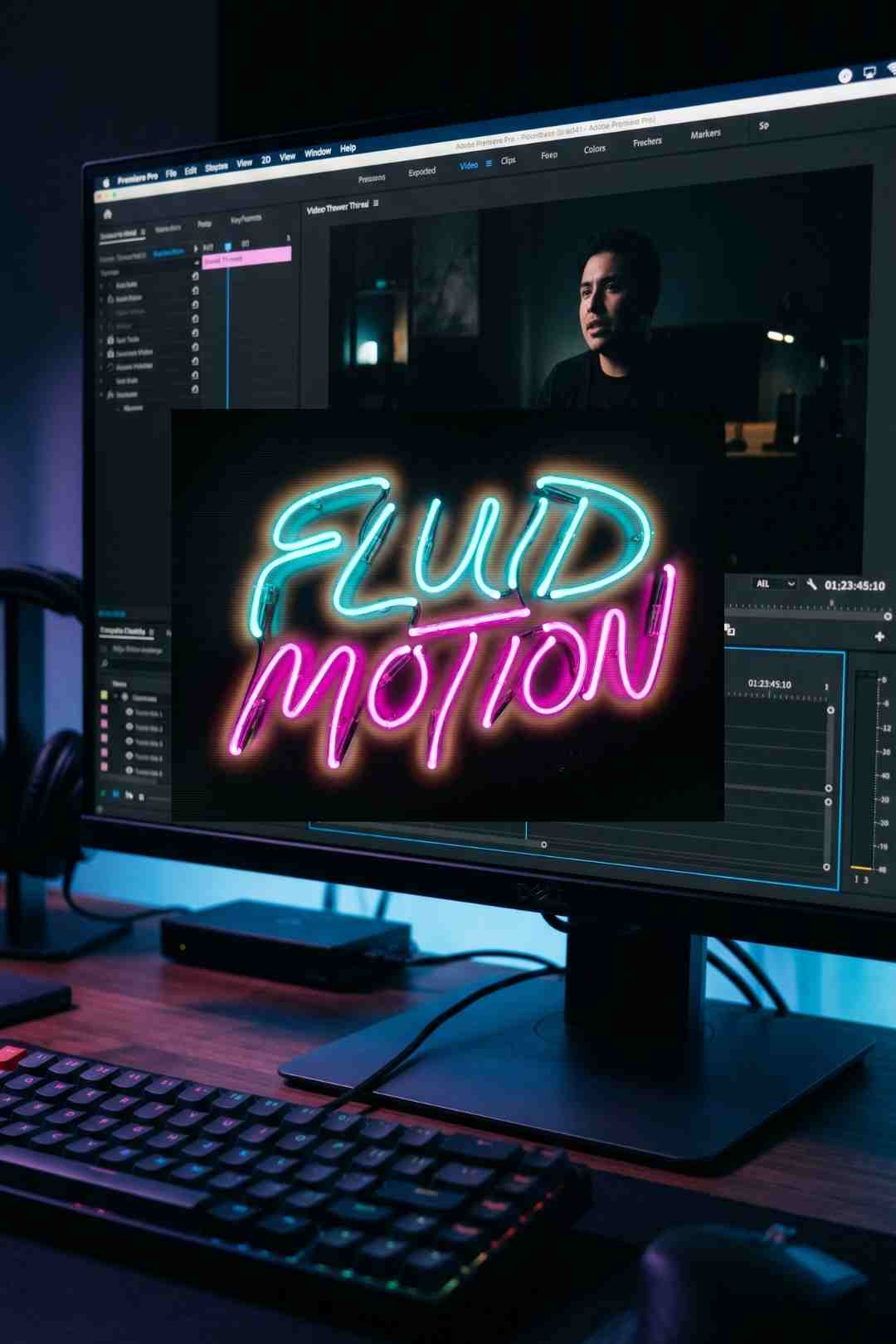
The Premium Fluid Neon Glow Lower Thirds Pack is available through Envato Elements and brings together a collection of animated lower thirds and title graphics built around the neon glow aesthetic at its most polished and fluid. This is not the blocky, flat neon you see on overused social templates. The motion here is organic and liquid, the glow has depth and bloom, and the colour options are broad enough to adapt to almost any project's visual identity.
I have reviewed a lot of neon lower thirds packs over the years and the quality spread is enormous. At the bottom end you get flat text with a simple outer glow layer effect and nothing more. At the top end you get the kind of fluid, layered light quality that looks like someone actually bent glass tubing and photographed it. This pack sits firmly in the latter category.
The Premium Fluid Neon Glow Lower Thirds Pack is an After Effects template containing a collection of animated lower third compositions built around the neon glow aesthetic. The defining quality of this pack is in the word fluid. The animations do not snap or cut. They flow in with the kind of liquid, organic motion that suggests the light itself is alive rather than rendered on a screen.
The glow quality across the pack is genuinely premium. Each lower third features a multi-layered light treatment: a tight inner core of bright white light surrounded by a soft, blooming outer glow that bleeds into the surrounding dark space in a way that reads as physically real. The colour saturation is vivid without being oversaturated. The light halos have a natural, slightly uneven quality that prevents the whole thing from looking like a flat Photoshop filter.
The animation on the text reveals is smooth and deliberate. Text slides, scales, or fades in through the glow rather than appearing with a hard cut, which means the lower third integrates with the edit rather than interrupting it. The out animations are equally considered, with the glow fading naturally as the text exits.
Customisation options give you control over colour, font, size and position through the After Effects project structure. The underlying compositions are cleanly organised, which matters enormously when you are in the middle of a deadline and need to make a quick text change without rebuilding half the project.
Neon done badly looks like a screensaver from 2003. Neon done well looks like a city at midnight shot through a rain-covered window. This pack is firmly in the second category.
The installation process is clean and fast. No plugins are required beyond a standard After Effects CC installation.
The Adobe Dynamic Link option is worth highlighting specifically. If you are cutting your main project in Premiere Pro, Dynamic Link allows you to open the After Effects composition directly from within Premiere, make changes, and have them update live in your Premiere timeline without any intermediate render step. For fast-turnaround editorial work this is a significant time saver.
Here is a clear tutorial demonstrating how to simulate a realistic neon light effect using standard After Effects effects without any plugins. Understanding the mechanics behind neon glow in After Effects gives you the knowledge to customise and extend the Envato Neon Glow Lower Thirds template beyond its default settings.
The neon lower thirds category on Envato Elements has more entries than almost any other title template type. That volume makes the quality differential more visible, not less. When you are looking at fifty neon lower thirds packs side by side, the difference between a flat outer glow and a genuinely layered, blooming light effect is immediately apparent.
What distinguishes the Premium Fluid Neon Glow pack is the physical believability of the light. Real neon tubing does not glow uniformly. The light is brightest at the tube itself, blooms outward in a soft halo, and the colour temperature shifts slightly at the edges where the saturation falls off. The pack replicates these qualities in the animation rather than applying a single, uniform glow effect across everything.
The fluid motion quality is the other defining feature. Many neon lower thirds animate with the same snappy, quick-cut timing that works in glitch templates but feels wrong for neon. Neon has a different energy - warmer, more atmospheric, more cinematic. The animations in this pack reflect that understanding. They move at a pace that feels appropriate to the aesthetic rather than defaulting to whatever motion style happened to be trending when the template was built.
The result is a pack that works in a much broader range of contexts than most neon lower thirds options. It is vibrant enough for nightlife and entertainment content but measured enough for interview and documentary use where you want colour and energy without visual chaos.
Gaming YouTube channels and Twitch streamers are among the most visually demanding audiences on the internet. They see hundreds of lower thirds across their viewing week and can tell instantly whether a channel has invested in quality motion graphics or defaulted to free templates. A neon glow lower thirds pack at this quality level signals production investment and lifts the perceived professionalism of the whole channel immediately.
Electronic music, EDM, hip-hop, R&B, and pop music videos all have a natural visual relationship with neon aesthetics. The same applies to event coverage of music festivals, club nights, and live performances where the practical lighting environment already contains neon and LED elements. These lower thirds feel like they belong in those environments rather than being added on top of them.
Bar and restaurant brands, hotel and travel companies, entertainment venues, and nightlife-focused social media accounts all benefit from the warm, inviting energy of a well-executed neon aesthetic. The fluid glow quality here reads as premium rather than cheap, which matters for brands that need to project sophistication alongside energy.
Content creators building a distinctive visual identity for a YouTube channel need a lower thirds pack that feels consistent across dozens or hundreds of videos. The colour customisation in this pack means you can lock in a specific neon hue that matches your channel palette and use it as a consistent visual identifier across your entire back catalogue.
On Instagram Reels and TikTok, visual impact in the first two seconds is everything. A neon glow lower third animating in over a dark background or moody footage is one of the most effective ways to make text information feel like part of the visual experience rather than a caption overlay. The fluid animation quality is particularly well suited to the pace of short-form content.
The growing market for video podcast content has created strong demand for lower thirds that feel contemporary without being aggressive. The more restrained neon options within this pack give podcast videos a modern, professional visual language that positions the content in the same production tier as polished broadcast content without looking like a gaming channel.
The neon glow aesthetic is one of the most versatile in contemporary video production, but it works best as part of a coherent visual system where every element is contributing to the same mood. Here is how I build that system around this pack.
Work on a dark background. Neon glow effects are defined by contrast. On a light or busy background the glow disappears and what you are left with is just text. The pack performs best over dark footage, dark grade, or a dedicated dark background element. If your footage is bright, consider adding a dark vignette or a dark colour grade at sequence level before placing the lower thirds.
Match the neon colour to your brand accent. The pack gives you colour control, and the single most effective thing you can do to make neon lower thirds feel like part of your visual identity rather than a borrowed template is to lock in one specific neon hue that matches or complements your channel or brand colour. Use it consistently across every video and it becomes a recognisable visual signature.
Add a corresponding SFX. A soft electrical hum or neon flicker sound timed to the animation in-point completes the sensory experience of the lower third. Keep it subtle in the mix - barely audible is the target. You want the audience to feel the electricity rather than consciously hear it.
Use Adobe Dynamic Link for fast turnaround. If you are cutting in Premiere Pro, Dynamic Link means you can update text in the After Effects composition and have it refresh in your Premiere timeline without rendering out an intermediate file. On deadline projects this is worth knowing before you start.
Do not force it into the wrong context. Neon lower thirds are powerful in the right environment and immediately wrong in the wrong one. A neon glow lower third on a sober corporate interview or a nature documentary will undercut the credibility of the entire edit. Know your context and choose accordingly.
Here is a practical no-plugins After Effects tutorial covering how to build a convincing neon lighting effect from scratch, using only the built-in tools available in After Effects. Useful for understanding the underlying mechanics of neon glow construction so you can customise the Envato pack beyond its default settings and build complementary elements that match its visual language.
If you have read our review of the Dynamic Glitch Text Animations and Modern Lower Thirds pack from vcgmotion, you might be wondering how these two packs relate to each other and whether you need both.
They are different tools for different emotional registers. The glitch pack is sharp, digital, and high-contrast. It communicates technology, data, and urgency. The neon glow pack is warmer, more fluid, and atmospheric. It communicates energy, nightlife, creativity, and presence. One feels like a hacked system. The other feels like a city at 2am.
For many channels and projects, having both available is genuinely useful. A gaming channel covering a story-driven RPG might reach for the neon glow lower thirds for character introduction moments and the glitch pack for moments of system corruption or boss encounter reveals. A true crime channel might use the glitch pack for interview name cards and the neon pack for recreated nightlife or club scene sequences. Context and intentionality are everything.
You can also compare both against the darker, film-based aesthetic of the Dramatic Film Reel Transitions pack we reviewed, which represents a completely different point on the stylistic spectrum - analog rather than digital, historical rather than contemporary.
An Envato Elements subscription from $16.50 per month gives you unlimited downloads from a library of over 27 million creative assets under a lifetime commercial licence. For any working video creator producing content regularly, the subscription model is considerably more economical than purchasing individual template packs and the value compounds quickly once you start using the full breadth of what is available.
This neon lower thirds pack is one of hundreds of title and lower third packs in the Envato Elements library, and accessing all of them under a single subscription rather than buying each individually represents a significant saving across the year. Add in the LUT packs, transition templates, stock footage, fonts, and graphic templates also available under the same subscription, and the case becomes straightforward for any creator producing consistent output.
For music, Artlist and Epidemic Sound remain the most relevant dedicated subscriptions to pair with Envato Elements, covering the electronic, synthwave, and energetic music categories that sit most naturally alongside the neon glow aesthetic. For stock footage, Shutterstock covers the neon city, nightlife, and urban content categories that work best as background and B-roll behind these lower thirds.
It is an After Effects template available through Envato Elements containing a collection of animated lower third compositions built around a fluid neon glow aesthetic. The pack features multi-layered light animations with realistic bloom and colour depth, customisable colours, and no third-party plugins required.
No. The template works natively in After Effects CC with no third-party plugins required. All effects used are part of the standard After Effects installation.
Yes, via two methods. You can render out the compositions from After Effects as ProRes or PNG sequences for import into Premiere Pro. Or, if you have both applications installed, you can use Adobe Dynamic Link to bring After Effects compositions directly into a Premiere Pro timeline and have changes update in real time without rendering.
Gaming and esports content, music videos, nightlife and entertainment brand videos, YouTube channel branding, social media reels, and video podcast content all benefit from the neon glow aesthetic. The pack is less suited to corporate, documentary, or nature content where the visual language would feel out of place.
Yes. Colour controls are accessible within the After Effects project and can be adjusted to match any brand or project colour palette. Setting a consistent neon hue across all your lower thirds is one of the most effective ways to build a recognisable visual identity for a YouTube channel or content series.
The two packs occupy different aesthetic registers. The Glitch Lower Thirds are sharp, digital and high-contrast, communicating technology, data and urgency. The Neon Glow pack is warmer, more fluid and atmospheric, communicating energy, nightlife and creative presence. Many creators find value in having both available for different moments within the same project.
Dark backgrounds are essential for neon glow effects to read correctly. On bright or busy backgrounds the glow disappears and only the text remains. Dark footage, a dark colour grade, or a dedicated dark background element placed under the lower third in the timeline will give the best results.
The Premium Fluid Neon Glow Lower Thirds Pack earns the premium label in its name. The glow quality is genuinely a cut above the standard neon lower thirds you find elsewhere on the platform, the fluid motion is well-considered and appropriate to the aesthetic, and the customisation options give you enough control to make the pack feel like yours rather than everyone else's.
The neon aesthetic is not universal and this pack does not pretend to be. It knows exactly what it is and who it is for, and within those parameters it executes with a level of craft that makes it a reliable, long-term addition to a working editor's asset library rather than a one-project novelty download.
If gaming, music, nightlife, entertainment, or any content that lives at the energetic and visual end of the creative spectrum is part of your regular output, this pack belongs in your Envato Elements downloads folder. Pair it with the right music from Epidemic Sound or Artlist, add a neon flicker SFX hit timed to each animation, shoot or grade on a dark background, and the results will look like a complete, intentional production rather than a collection of borrowed templates.
That is the standard every creative asset should be held to. This one meets it.

Download free video templates, LUTs, and presets for Premiere Pro, After Effects, DaVinci Resolve, CapCut, and Final Cut Pro.