.avif)
Freevisuals

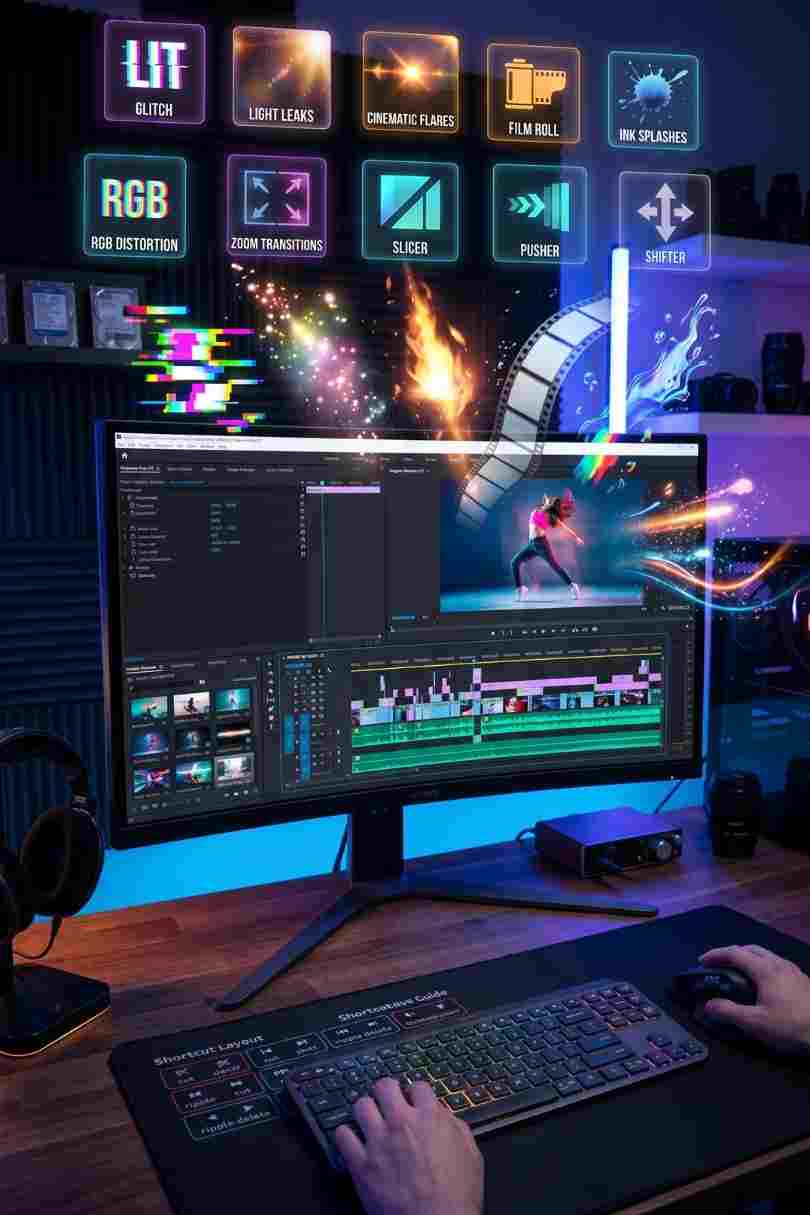
Download Ultimate Premiere Pro Plugin Toolkit free for Adobe Premiere Pro. Compatible with Premiere Pro CC 2019 and later. Free for personal and commercial
Download FREEGo Pro To DownloadDownload NOW!Most Premiere Pro editors spend more time hunting for the right transition than it takes to apply it. The built-in Premiere transitions are limited and the free packs available online tend to be inconsistent in quality, poorly organised, or filled with effects you would never use. The Motion Array Ultimate Transition Pack solves this by giving you 44 professional-quality dynamic transitions in a single well-organised project file, built entirely in Premiere Pro with no plugins required and a video tutorial included.
Whether you are cutting sports highlight reels, action trailers, YouTube intros, promotional content, or fast-paced vlog sequences, this pack has a transition for the moment. Forty-four of them, across eight distinct styles, ready to drag into your timeline.
The Motion Array Ultimate Transition Pack is a Premiere Pro template file containing 44 dynamic transitions organised across 8 distinct style categories. The transitions are designed for high-energy, fast-cut editing and are particularly well suited to content genres where the transition itself is part of the visual language of the piece rather than a seamless invisible cut.
The pack is delivered as a single Premiere Pro project file (.prproj). The transitions live inside that project as pre-built sequences that you copy and paste into your own timeline, or import directly into your project and drag onto edit points. The entire workflow stays inside Premiere Pro. There is no After Effects dependency, no render farm requirement, and no third-party plugin installation. If you have Premiere Pro open, these transitions are immediately usable.
A video tutorial is included with the download, which covers the specific workflow for applying each transition type from the project file into your own edit. For editors who have not used template-based transitions before, the tutorial removes the guesswork from the first use and gets you to a working result faster than reading any written guide.
The best transition pack is the one you actually use. Forty-four transitions you can access in thirty seconds beats five hundred you have to hunt through every time.
Transitions: 44 dynamic transitions across 8 styles
Format: Premiere Pro template file (.prproj)
Plugin requirement: None
After Effects requirement: None
Tutorial: Video tutorial included
Best for: Promos, action trailers, sports videos, intros, vlogs, and high-energy content
Available from: Motion Array
The motion design world is not short of Premiere Pro transition packs. The question worth asking about any specific pack is what justifies choosing it over the alternatives at any given price point.
For the Motion Array Ultimate Transition Pack, the answer sits in three things. First, the no-plugin design. A significant number of Premiere Pro transition packs on the market require either a third-party plugin like Motion Bro or a specific version of After Effects to function correctly. This creates compatibility risk, additional cost, and installation friction that the Ultimate Transition Pack entirely avoids. Download, import, use. That is the complete workflow.
Second, the breadth across eight style categories means this is a long-term toolkit rather than a single-style pack. A pack that covers only glitch transitions serves glitch projects. A pack that covers eight distinct styles serves the full range of projects an active editor works across in a month. You do not outgrow a multi-style pack the way you outgrow a niche one.
Third, Motion Array's quality control on creator-submitted templates is consistent. The platform hosts content from professional motion designers and applies review standards that filter out the low-quality free-pack aesthetic that characterises a lot of the free transition content available elsewhere. The Motion Array Ultimate Transition Pack is a professionally produced asset, and it shows in the way the transitions are timed, eased, and organised.
Motion Array is owned by Artlist, which means a Motion Array subscription also gives you access to Artlist's music and SFX libraries alongside unlimited template downloads. For Premiere Pro editors who are already paying for Artlist, the Motion Array library is either already included or one subscription tier away from being so.
Add a Video Embed element hereTitle: How to Add Transitions in Adobe Premiere Pro - Full 2025 Guide URL: https://www.youtube.com/watch?v=91MGWTbQF94Caption: A complete 2025 walkthrough of adding transitions in Adobe Premiere Pro covering how to apply transitions from a template project file, the Effects panel workflow, duration adjustment, and customising transitions in the Effect Controls panel. Directly applicable to getting the Ultimate Transition Pack into your timeline efficiently.
The workflow for using template-based transitions in Premiere Pro is slightly different from the .prfpset preset workflow, and it is worth understanding clearly before you start.
The video tutorial included with the download covers this process specifically for this pack's organisation and naming conventions, which makes the first use significantly faster than working it out independently.
A cleaner long-term workflow is to import the entire transitions project file into your working project via File, Import, and selecting Import Entire Project. This copies all 44 transition sequences into a bin in your project's Media Pool that stays there for the life of the project. You no longer need to jump between two open projects - the transitions are directly accessible in your own project's Media Pool at all times.
Watch this focused 2024 tutorial on the correct way to apply transitions between clips in Premiere Pro, covering the trim-to-overlap technique, duration adjustment, and how to avoid the "insufficient media" error that trips up many editors when first using template-based transitions.
This is the core use case the pack was designed for. Fast-cut sports highlight reels and action content need transitions that carry energy and momentum rather than slowing the viewer down between clips. The dynamic transitions in this pack are calibrated for this kind of material - they are fast, directional, and visually assertive without overpowering the footage they are connecting. For royalty-free music to cut alongside sports and action content, Epidemic Sound has the strongest sports, hip-hop, and high-energy electronic categories on any royalty-free platform, and Artlist is equally strong for cinematic action and trailer music.
Short-form promotional videos - product launches, event promos, brand announcement reels - benefit from transitions that signal energy, quality, and forward momentum. The Ultimate Transition Pack's style range covers both the aggressive, fast-cut aesthetic of action promos and the slightly more considered transitions suited to higher-end brand content. For stock footage to cut alongside client and brand content, Shutterstock has the broadest commercial footage library with clean licensing for advertising use.
A YouTube intro that uses confident, well-timed transitions in the first ten seconds of a video signals production quality to the audience before any content has been delivered. The Ultimate Transition Pack gives YouTube creators a professional intro toolkit that would previously have required either custom After Effects work or a significantly more expensive template purchase. For channel branding elements including logo reveals and title animations to use alongside these transitions, Envato Elements has an extensive Premiere Pro template library covering every content category.
Music video editing is one of the heaviest transition use-case categories in Premiere Pro. The relationship between the cut and the beat, and between the transition type and the energy of the musical moment it lands on, is fundamental to whether a music video edit feels crafted or accidental. The dynamic transitions in this pack respond particularly well to rhythmic music editing, where the directional quality of the effect carries the eye through the cut in a way that reinforces the musical energy rather than competing with it.
For travel vloggers and social media creators who want to add production value without spending hours in After Effects, this pack provides a complete transition toolkit that elevates the quality of an edit dramatically with minimal additional time investment. Use one or two transitions per sequence for maximum impact - the pack's range means you can maintain variety across multiple videos without the transitions becoming recognisable and repetitive to your regular audience.
Cut to music first, then add transitions. The strongest use of any dynamic transition pack is on an edit that already has its rhythm locked. Lay down your rough cut timed to the music before adding any transitions. Then go back through and identify the two or three moments in the sequence where a transition will add something specific - a beat drop, a scene change, a momentum beat. Place your transitions at those moments and use standard cuts everywhere else. Overusing dynamic transitions produces an edit that feels like a reel of effects rather than a piece of storytelling.
Match transition energy to music energy. The Ultimate Transition Pack contains transitions across a range of intensities. A low-key acoustic moment in a travel video calls for a different transition than a bass drop in a sports highlight. Browse the eight style categories and match the visual intensity of the transition to the sonic intensity of the music at the edit point where it will land. This single habit separates professional-quality use of transition packs from amateur-quality use.
Combine with colour grades for a cohesive look. Apply your colour grade across the full sequence before adding transitions. Transitions that move between differently graded clips will expose the colour inconsistency at exactly the moment when the viewer's attention is highest. The Free Mega Cinematic LUT Pack from Freevisuals gives you 22 free colour grades for Premiere Pro that you can apply via a single Adjustment Layer before adding any transitions, ensuring the grade is consistent across every clip in the sequence.
Watch the included tutorial before your first use. The workflow for template-based transitions in Premiere Pro has a specific copy-paste or import method that is different from .prfpset preset transitions. The included video tutorial covers the exact method for this pack in a few minutes and will save you significantly more time than it takes to watch.
Check out this tutorial showing seven advanced flash and light-based transitions in Premiere Pro, demonstrating how dynamic transition effects are applied to real footage in an action and sports editing context. Useful reference for understanding how the transitions in the Ultimate Transition Pack integrate into a fast-cut editing workflow.
Motion Array is a creative asset platform owned by Artlist, offering Premiere Pro templates, After Effects projects, DaVinci Resolve templates, stock footage, royalty-free music, and sound effects. It is one of the most popular template platforms for Adobe editors, with a large catalogue of creator-submitted assets reviewed for quality before publication.
Motion Array operates on a subscription model with a free tier offering limited monthly downloads and paid tiers giving unlimited access to the full catalogue. For editors who regularly use templates, transitions, and motion graphics elements in their Premiere Pro workflow, a Motion Array subscription gives consistent access to professional-quality assets at a significantly lower cost than purchasing each asset individually.
The connection to Artlist means there is significant overlap between Motion Array's template library and Artlist's music and SFX catalogue in terms of the creator audience they serve. If you are already subscribed to Artlist, check what your current plan includes with respect to Motion Array access before purchasing individual assets separately.

Download free video templates, LUTs, and presets for Premiere Pro, After Effects, DaVinci Resolve, CapCut, and Final Cut Pro.












