.avif)
Freevisuals
One of the most common roundup videos creators put out is some version of the best free asset websites, and for good reason. A finished video almost never runs on footage alone, it needs music, sound effects, transitions, and often a template or two to hold the whole thing together. Tracking down all of that from scratch every single project is exhausting, which is exactly why a handful of free asset libraries have become genuine staples in nearly every editor's bookmark bar.
This post rounds up the websites that consistently show up across this kind of comparison, what each one actually offers in 2026, where the free tier stops and a paid plan starts making sense, and how to combine several of these sites into a single, reliable workflow. We have expanded this list considerably from the usual shortlist of three or four names, added the AI generated stock categories that have appeared across several platforms this year, and gone deeper on licensing specifics for each individual site rather than treating "free" as one uniform thing.
Mixkit, Pexels, and Pixabay remain the three most consistently recommended free asset sites in 2026, each offering large libraries of footage, music, and in Mixkit's case templates and sound effects, under permissive licenses that allow commercial use without attribution. Freevisuals belongs firmly in that same top tier, since it brings footage, music, sound effects, LUTs, and editing templates together under one free, no attribution license rather than requiring a separate stop for each asset type. Vecteezy has also grown into a genuine pillar alongside these, adding strong aspect ratio filtering for vertical, social first content. Videvo and Videezy occupy a middle ground with sizeable libraries that mix attribution required and attribution free content. For creators specifically wanting curated, less stocky looking footage, Coverr, Mazwai (now operating under the Magnific brand), and Dareful trade library size for a more deliberately cinematic or nature specific catalogue. Storyblocks sits a step above all of these as a paid, unlimited subscription bundling footage, music, sound effects, and templates for one flat monthly fee, with Motion Array and Envato Elements extending this same all in one approach further with plugins, LUTs, and AI voiceover tools layered on top. 2026 has also brought a new wrinkle, AI generated stock is now a standard category on several of these platforms, adding both opportunity and new licensing questions creators need to actually read rather than assume.

Search for the best free video editing asset sites and you will find dozens of nearly identical roundup articles and videos, most of them landing on a very similar shortlist. This is not laziness on the part of the people making these lists, it reflects a genuine reality, a small handful of platforms have simply become the established default for free, high quality creative assets, and newer or smaller sites struggle to compete with their combination of library size, license clarity, and consistent quality.
Understanding why these specific sites dominate the conversation matters more than memorising the list itself, since it helps you evaluate any new site that comes along against the same criteria that made the established players genuinely useful in the first place, library depth, licensing clarity, and whether the free tier is a genuine offering or a thin teaser for a paid plan.
Library size matters less than it might seem on its own, since a huge library full of inconsistent, low quality contributions can be more frustrating to search through than a smaller, carefully curated one. Licensing clarity matters considerably more in practice, a site with a confusing or restrictive license can create real legal exposure for a creator publishing commercially, regardless of how good the actual footage looks. And genuine free access, rather than a free tier deliberately designed to be too limited to actually use, separates sites worth bookmarking from ones better treated as a paid platform's marketing funnel.
The best free asset sites are not the ones with the most files. They are the ones where you can actually trust the license without reading a page of fine print every time.
It would be a little odd to write this roundup without mentioning our own library, so in the interest of the same honesty we apply to every other site here, Freevisuals belongs in this list on its own merits rather than just because it's ours. Where most of the sites below specialise in one or two asset types, footage on one site, music on another, Freevisuals brings stock footage, royalty free music, sound effects, LUTs, and editing templates for Premiere Pro, After Effects, Final Cut Pro, and DaVinci Resolve together under a single free license, no attribution, no watermark, no sign up wall blocking the actual download.
The tradeoff is the same one that applies to any curated site rather than a pure volume play, our footage and template library is not going to out-size Pexels or Pixabay on raw clip count. What it does offer is a genuinely combined workflow, if a project needs a transition template, a color grading LUT, and a piece of background music in addition to the footage itself, all four are searchable and downloadable from the same place rather than four separate accounts and four separate licenses to keep track of.
Owned by Envato, the company behind ThemeForest and VideoHive, Mixkit has built a reputation specifically around curation rather than sheer volume. Every clip is reviewed by an editorial team before publication, which keeps overall quality noticeably more consistent than community upload sites where anyone can contribute. The library itself is genuinely smaller than giants like Pexels or Pixabay, running into the low thousands of clips rather than hundreds of thousands, but that smaller size is part of the appeal, you spend far less time filtering through unusable results to find something you can actually use.
Beyond footage, Mixkit also offers free music, sound effects, and templates for Premiere Pro, After Effects, Final Cut Pro, and DaVinci Resolve, with no sign up, no attribution, and no watermarks across the board. The one restriction worth knowing is that Mixkit's license specifically prohibits using its assets to build a directly competing footage or asset library, a fairly standard clause but worth being aware of if your project sits anywhere near that line. If a project needs a specific mood or genre a free music library simply does not cover, Artlist and Epidemic Sound both remain worth a paid subscription for their considerably deeper, more searchable music catalogues.
Both Pexels and Pixabay, now under common ownership with Canva, offer genuinely massive libraries spanning footage, photos, and in Pixabay's case music as well. Both operate under permissive custom licenses allowing commercial use with no attribution requirement, close in practice to a Creative Commons Zero style license, though each site's specific terms are worth reading directly rather than assuming full CC0 status.
Both platforms have also expanded into dedicated AI generated content categories over the past year, giving creators an additional source for futuristic or abstract footage where using a recognisable real person or location would create unwanted model release complications. Pexels specifically reaffirmed its licensing terms again in 2026, confirming all photos and videos remain free for personal and commercial use with no attribution required, a useful thing to have officially restated given how quickly platform terms can shift elsewhere in this space.
Vecteezy has grown from primarily a vector graphics site into a genuinely strong option for video footage as well, and it has become a particular favourite among creators making vertical, social first content specifically because of how well its search filters handle 9:16 aspect ratio footage compared to some of the older, desktop first libraries. Downloads generally require a free account, and most content carries no attribution requirement, though as with every site on this list, checking the specific terms attached to an individual clip before publishing remains worthwhile.
What sets Vecteezy apart for creators specifically worried about legal exposure is a stronger emphasis on licensing clarity and model release documentation than some of its larger, community upload competitors, making it a reasonable choice when a project needs both a wide selection and a bit of extra peace of mind around usage rights.
Videvo provides a large library mixing free, no attribution required clips with attribution required content and a paid credit system for premium footage, all clearly tagged so you know which category you are looking at before downloading. Videezy follows a similar structure, standard tier clips generally require attribution while its premium tier, accessed through Videezy Pro credits, removes that requirement and adds broader usage rights. Both are particularly strong for motion graphics elements specifically, light leaks, particle overlays, and background loops that complement rather than replace primary footage.
The practical takeaway for both sites is the same, always check whether the specific clip you want sits in the free or premium tier, and whether that specific tier requires attribution, since assuming uniform terms across either platform's entire catalogue is the single most common mistake creators make with these two sites.
Storyblocks occupies a different category entirely, an unlimited paid subscription bundling footage, royalty free music, sound effects, and templates under one flat monthly fee. Its Re:Stock initiative specifically commissions diverse, authentic footage collections unavailable elsewhere, and its built in editor, Maker, lets subscribers assemble simple videos directly within the platform rather than exporting assets to a separate editing application first. For a similarly large paid photo and footage library as an alternative worth comparing, iStock and Shutterstock are both worth a look, particularly if a specific project needs a very specific, searchable stock photo alongside video.
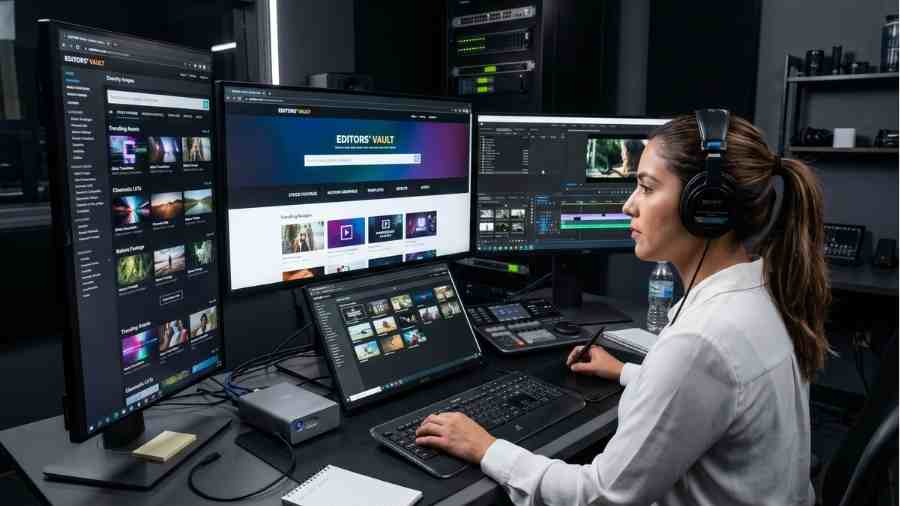
Motion Array and Envato Elements both extend the free asset model into a single paid subscription covering stock footage, music, templates, LUTs, plugins, and increasingly AI voiceover and AI generation tools as well. For creators tired of bouncing between several separate free sites to assemble one finished video, this consolidated approach trades a monthly cost for considerably less time spent hunting across multiple separate platforms for each individual asset type.
For creators publishing less frequently, or working on projects with a genuinely limited budget, the free tier sites covered above remain entirely viable without ever needing to upgrade to a paid subscription. The actual decision point is less about quality, since free and paid libraries both contain genuinely strong material, and more about time, how much searching across multiple separate sites a creator is willing to do in exchange for not paying a subscription fee.
For Freevisuals' own curated selection covering footage, music, and effects in one place, browse the Freevisuals free stock video library and free music library as an additional source alongside the sites covered in this roundup.
Coverr specialises specifically in lifestyle and background style footage, originally built for website hero sections and landing page videos rather than general purpose B-roll. Clips are optimised for smooth, loop friendly motion with neutral subjects, making them especially useful for brand intros, ambient backgrounds, and any project where the footage needs to support rather than dominate the frame. In 2026, Coverr also introduced an AI Studio feature, letting users generate custom short AI clips directly on the platform alongside its existing real footage library, worth a look if you need something a search of the existing catalogue simply does not cover.
Mazwai takes curation a step further than Coverr, with every single clip hand selected by an editorial team specifically for artistic and cinematic quality over sheer volume. Ownership here has shifted twice in a short period, Freepik acquired Magnific in 2024, and then Freepik itself rebranded as Magnific in 2026, meaning Mazwai's library now sits within the wider Magnific family of products while continuing to operate as its own distinct catalogue under a CC BY 3.0 license requiring creator attribution. That attribution requirement is a genuine cost in time and effort compared to fully unrestricted alternatives, but for creators specifically chasing a less generic, more deliberately composed look, it remains a worthwhile site to check.
Dareful has carved out a specific niche as the go-to option for nature, landscape, and aerial footage among free sites, operating under a CC BY 4.0 license that requires credit but places no other meaningful restriction on commercial use. For openers, meditative background loops, or any project needing genuinely scenic environmental footage, Dareful frequently produces stronger results than searching a general purpose library like Pexels or Pixabay for the same subject matter.
Large, unfiltered libraries solve the problem of finding something, anything, that technically matches a search term. Curated sites like Coverr, Mazwai, and Dareful solve a different problem entirely, finding something that does not look like it came from a stock library at all. For projects where visual distinctiveness genuinely matters, a brand film, a creative portfolio piece, a curated site's smaller but more carefully chosen catalogue often produces a stronger final result than a larger but less consistent alternative.
2026 has brought a genuinely new category into this conversation, AI generated video is now a standard, labelled section on several major platforms rather than a separate, niche tool. Coverr's AI Studio generates custom clips on request, and Pexels and Pixabay have both added dedicated AI generated categories sitting alongside their traditional footage libraries, cleared for commercial use under each platform's standard license.
This does introduce a licensing wrinkle worth understanding before you rely on it heavily. Several major platforms, including YouTube, Meta, and TikTok, now have disclosure requirements for synthetic media specifically within paid advertising contexts, meaning AI generated footage used in an ad may need to be labelled as such even where it does not need labelling in organic content. Checking your specific platform's current synthetic media policy before running paid promotion around AI generated stock footage avoids an easily preventable compliance issue.
It helps to recognise the handful of licensing structures that show up repeatedly across this entire category, rather than treating every site's terms as a unique puzzle to solve from scratch each time.
The word free covers a genuinely wide range of actual terms across these platforms, fully unrestricted use with no attribution at all on one end, through to required artist credit, restrictions on redistributing the raw file, or limits on using assets to build a competing product on the other. Treating every site's free tier as carrying identical practical freedom risks an unpleasant surprise later, particularly for creators producing client work where a licensing mistake becomes the client's legal exposure rather than just your own.
Even well established, broadly trusted sites occasionally apply different terms to different specific asset categories within their own library, music versus footage, templates versus stock photos. Rather than assuming a site's overall reputation for permissive licensing applies uniformly across literally everything it hosts, checking the specific license attached to your actual downloaded asset remains the only fully reliable way to confirm your intended use is genuinely covered.
Despite how important this check genuinely is, it does not need to become a major time sink within an otherwise fast moving editing workflow. Most major free sites display the relevant license directly on the asset's download page in a single sentence or short paragraph, meaning a quick glance before clicking download is usually all it takes to confirm whether a specific asset is genuinely safe for your intended use, without needing to read a full legal document for every single download across a project.
Whichever specific combination of sites ends up working best for your own workflow, the underlying principle stays the same across all of them, treat free as a genuine starting point rather than an excuse to skip the small amount of diligence that keeps a finished project safely within the terms each platform actually offers.
Even on a single site, licensing terms can differ between footage, music, and templates. Mixkit, for example, applies broadly permissive terms across its footage, but always confirm the specific license attached to music and template assets separately before assuming identical terms apply automatically across every asset category on the same platform.
Several sites on this list, Videvo and Videezy among them, mix free and premium paid assets within the same search results, typically marked with a visible tag. Confirming an asset is genuinely free before committing creative time to using it in an edit avoids the frustration of discovering a download requires a paid credit only after you have already built a sequence around that specific clip.
Free libraries vary considerably in their maximum available resolution, some offering full 4K downloads, others capping out at HD. Confirming a chosen clip's actual maximum resolution matches your project's delivery requirements before building an edit around it avoids discovering a resolution mismatch only at final export. As a general habit, download the highest resolution available even for a project delivering at 1080p, since the extra resolution gives you room to reframe, stabilise, or push in during editing without visible quality loss.
Rather than searching every site for every single asset need, many experienced editors assign each platform a specific role within their workflow, Mixkit or Pexels for general B-roll, Pixabay specifically for music, Vecteezy for vertical social content, a curated site like Coverr, Mazwai, or Dareful for hero shots needing a more deliberately cinematic look. This kind of role based approach considerably speeds up the search process compared to starting from scratch and checking every available site for every single asset need.
Many libraries group multiple angles from the same original shoot, and using a full set from a single source rather than mixing single clips from several different shoots tends to make an edit feel more cohesive. It is also worth checking a clip's frame rate before downloading, matching to a consistent 24, 25, or 30 frames per second across your project reduces subtle motion inconsistencies that otherwise become noticeable once several different source clips are cut together.
A simple, consistent file naming convention, site name, contributor, subject, resolution, and frame rate, saves considerable time later when trying to locate a specific clip again or confirm exactly which license applies to it. Keeping a basic spreadsheet recording the source site and license type for every asset used in a commercially published project is a small habit that pays for itself the first time a licensing question comes up after publication.
Keeping a simple, personal shortlist of go-to sites for each specific asset category, updated periodically as new platforms emerge or existing ones change their terms, saves considerable repeated research time compared to re-evaluating the entire free asset landscape from scratch for every new project.
Treating every free site's license as functionally identical, rather than checking each platform's specific terms individually, risks publishing content under terms that do not actually match what a specific site permits, particularly around attribution requirements that vary considerably between Mixkit's no-attribution model and Mazwai's attribution-required model, for example.
Larger, community contributed libraries like Pixabay and Videezy offer genuine volume, but quality varies considerably more than on a smaller, curated site like Mixkit or Coverr. Budgeting extra browsing time on these larger sites specifically to filter for genuinely usable clips, rather than assuming every result will meet a consistent quality bar, avoids a frustrating search experience.
For any project distributed commercially, keeping a simple record of exactly which asset came from which site under which specific license protects you if a licensing question ever arises after publication, a habit worth building regardless of how permissive a given site's terms appear at the time of download.
The most heavily used clips on the largest libraries get picked up by thousands of other creators, which can make a video feel visually generic if a viewer has already seen the exact same establishing shot elsewhere. Using specific, descriptive search terms rather than broad ones, checking smaller curated sites like Mazwai, Coverr, or Dareful, and combining stock clips with at least some of your own original footage all help a finished project feel less like a template built entirely from the same handful of overused clips.
If you would rather see these sites navigated directly than read about them, a few current video walkthroughs cover much of the same ground from a hands-on angle, actually clicking through each site's search and download process rather than just describing it.
Watch on YouTube, Where To Get Free Footage For Video Editing, 5 Best Stock Sites
For a broader comparison spanning free through premium, including where Storyblocks and Artlist style subscriptions fit against the free tier sites covered in this roundup, the following review walks through a wider range of options.
Watch on YouTube, Best Stock Video Footage Sites For Royalty Free Video, A Full Review
And for a quicker rundown focused specifically on the free tier, Pixabay and Pexels included, this walkthrough covers the basics in a shorter format.
Watch on YouTube, Best Free Stock Footage Websites For Royalty Free Video
Pexels and Pixabay, with Vecteezy also offering a genuinely large library, all under permissive, largely no-attribution licenses.
Yes for most, though always check the specific license per asset and per platform.
Not on Pexels, Pixabay, Mixkit, or Coverr. Mazwai and Dareful do require attribution.
A paid, unlimited subscription with generally deeper libraries and additional tools like the Maker editor.
Generally yes, but check ad specific disclosure rules on platforms like YouTube, Meta, and TikTok before using it in paid promotion.
This roundup was informed by current 2026 coverage of free creative asset platforms across multiple industry sources, including comparisons of Mixkit, Pexels, Pixabay, Vecteezy, Videvo, Videezy, Coverr, Mazwai, Dareful, and Storyblocks.

.avif)
.avif)
.avif)
.avif)





