.avif)
Freevisuals
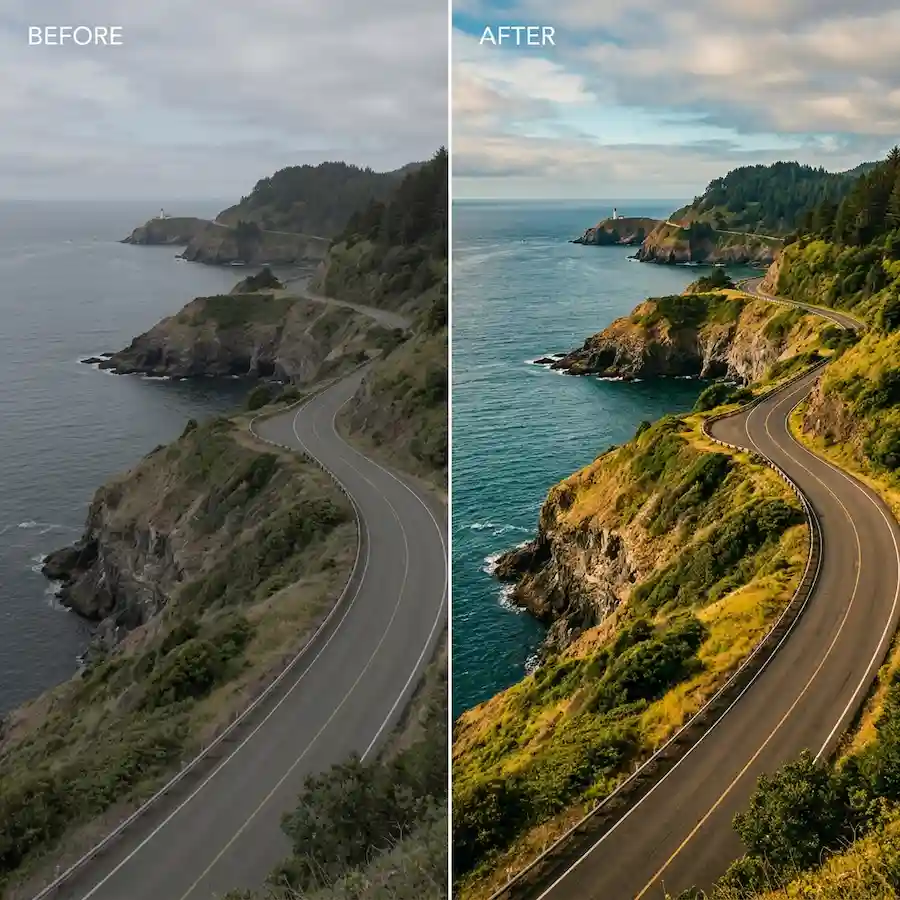
50 travel and documentary .cube LUTs. Sun Path, Cool Horizon, Dusty Road, Coastal Blue and Mountain Mist. Premiere, Resolve, FCP and CapCut
Go Pro To DownloadFreeVisuals Pro colour grade pack for travel and documentary video. 50 .cube LUTs across 5 styles, each with 10 strengths from light to strong. Built for landscape, road trip, coastal and mountain footage. Rec.709 creative grade. Works in Premiere Pro, DaVinci Resolve, Final Cut Pro, CapCut and After Effects.
You download the ZIP from files.freevisuals.net after a Pro Single Pass, Monthly or Yearly plan. This is not a partner pack from Envato or Artlist.
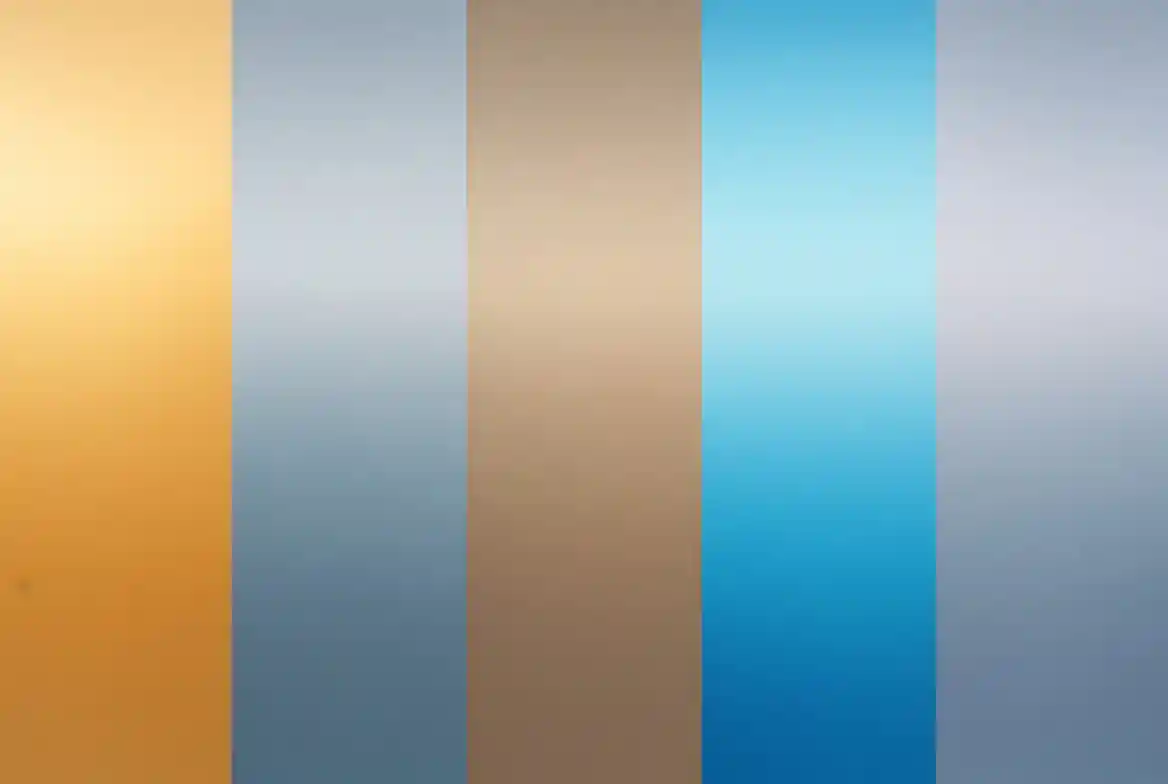
50 professional .cube LUTs for travel films and documentary cuts. Five looks: Sun Path, Cool Horizon, Dusty Road, Coastal Blue and Mountain Mist. Ten intensity steps in each look. Apply after log conversion. Pick one style per series so the channel stays consistent.
Five sub styles. Ten strengths in each. Strength 01 is light. Strength 10 is strong. Start around 05 or 06 on new footage, then move up or down.
These are creative Rec.709 looks. They are not technical log conversion LUTs. Convert S-Log, C-Log or V-Log to Rec.709 first, then apply a style from this pack.
Travel and documentary footage jumps between locations, cameras and times of day. A grade that only works on one golden hour sunset fails on a grey coastal morning. This pack spreads across warm, cool, muted, blue and soft looks so you can keep one family of grades across a full series without forcing every clip into the same colour.
The goal is a consistent series look, not a one-shot Instagram filter. Pick one sub style as the default for a channel. Use a second style only when the location changes hard, for example Coastal Blue on a beach episode after weeks of Dusty Road desert cuts.
Open Lumetri Color. Go to Creative. Click Browse under Look and select the .cube file. Use Intensity to soften the grade on close ups or mixed lighting. For log footage, convert in Basic Correction first, then park this pack in Creative.
Copy the .cube files into your LUT folder. Refresh. Apply on the Color page after any technical conversion node. Keep exposure and white balance clean before the creative LUT. A soft power window on skin can help on interview cutaways inside a travel film.
Useful Resolve grounding for beginners: Colour Grading for Beginners (DaVinci Resolve Tutorial).
Apply the Custom LUT effect. Load the file in the Inspector. Use Mix to control strength per shot.
Adjust, Filter, Custom. Import the .cube. Useful for fast Shorts and Reels from the same travel shoot.
Test each sub style on the same base clip before you commit to a series look. Sun Path will push warmth into shadows and midtones. Cool Horizon pulls saturation down and cools the upper end. Dusty Road flattens contrast and leans earth. Coastal Blue lifts blues in sky and water. Mountain Mist lifts blacks and softens the whole frame.
Always check a face close up and a wide landscape in the same grade. A look that flatters a ridge line can still push skin wrong on a talking-head insert.
Travel films need stock inserts and music as often as grades. Browse premium stock footage for B-roll when a location day falls short. For music under a long travel cut, Artlist and Epidemic Sound both cover cinematic and ambient beds. Title cards and lower thirds for a series open: Envato and Motion Array.
If the film is more fashion or beauty than landscape, use the Fashion and Beauty Editorial LUT Pack instead. If the film is cafe and food, use the Food and Cafe Mega LUT Pack. Do not stack two creative LUTs on one clip.
Need a chapter card or wipe for a documentary structure: Pro Film Chapter Kit and Pro Film Wipe Kit for DaVinci Resolve sit under Templates when you need more than colour.
Travel YouTubers, documentary editors, outdoor brands and small crews who shoot mixed locations and need a fast, consistent grade without a full custom colourist pass on every episode. It also suits real estate and lifestyle channels that cut between interior and landscape, as long as you grade each environment with the matching sub style rather than one forced look.
Fix exposure and white balance first. Then apply the LUT. Then ride intensity. That order saves more time than swapping files.
Pick one sub style for the season. Sun Path for a warm summer road series. Cool Horizon for a winter coast series. Dusty Road for a long overland route. Keep that choice for the whole run. Change only the strength when a day is unusually flat or harsh.
Store the ZIP once on your drive. Do not re-download for every episode. When FreeVisuals revises the pack, replace the folder and keep a note of which style and strength you use on the channel.
For a brand producing both main films and social cuts, use the same sub style on long-form and Shorts so the feed matches the full video.
Strength is not a quality score. Strength 03 on a contrasty noon desert shot can look cleaner than strength 09 on the same file. Harsh light already has contrast. Adding more makes the sky clip and the ground go flat. Soft overcast can take a higher strength before the grade feels forced.
On a sequence that mixes drone wides and handheld close ups, grade the wide first. Then match the close up with the same style at a slightly lower strength if skin starts to shift. Do not change sub style mid scene unless the location truly changes.
FreeVisuals Pro. Personal and commercial use in finished videos, including monetised YouTube, client travel films and brand campaigns. No attribution required. Do not resell or redistribute the raw .cube files. Terms: Terms of Service.
Single Pass unlocks this pack. Monthly or Yearly unlocks every Pro LUT on Premium LUTs.
Fashion and beauty work: Fashion and Beauty Editorial LUT Pack. Food and cafe: 100+ Food and Cafe Mega LUT Pack. Warm lifestyle: Golden Hour packs on the same hub. Neon nightlife: Cyberpunk packs on the same hub. Free starting points live on Free LUTs.
No. They are creative Rec.709 looks. Convert log first, then apply.
Sun Path for warm travel. Cool Horizon for clean landscape. Dusty Road for muted adventure. Coastal Blue for water and sky. Mountain Mist for soft, foggy light. Start at strength 05 or 06.
Yes if the app accepts custom .cube filters on your device. File path quirks are common on mobile. Test one file before you grade a full cut.
Yes. Wide aerials respond well to Cool Horizon and Coastal Blue. Watch highlight roll-off on bright clouds at high strengths.
No. Those packs target skin and wardrobe. This pack targets place and light. Use the right pack for the job.
No. Partner packs stay on the partner site and licence.
Pick one style. Keep it for the series. Change the shots, not the grade family every upload. Download once. Store the ZIP. Grade after log conversion and basic balance.
Search terms this page should earn: travel documentary LUT, landscape color grade, travel film LUT pack, coastal LUT Premiere, mountain mist LUT Resolve. That is why the H1 stays on travel documentary and LUT pack.
Related: Premium LUTs, Free LUTs, premium stock footage.
Affiliate Disclosure: Some links on this page may be affiliate links. If you make a purchase through one of these links, FreeVisuals may earn a commission at no extra cost to you. We only recommend products and platforms we genuinely believe in. Read our full disclosure policy.
Download free video templates, LUTs, and presets for Premiere Pro, After Effects, DaVinci Resolve, CapCut, and Final Cut Pro.
%20Profile%20Pic.jpg)








