.avif)
Freevisuals
If you've spent any real time editing videos for clients, for YouTube, or for social media, you'll know the moment I'm talking about. You're mid-project, the client wants the logo reveal to look like something they saw on a competitor's channel, and you've got about forty minutes before the deadline. You could build it from scratch in After Effects , if you had two hours and a strong coffee. Or you could open Envato Elements, find something that fits in about three minutes, customise the colours and text, and hit render before lunch.
That's the real reason Envato Elements has become the most-used subscription in my professional toolkit. Not because it's flashy or because the marketing is good. Because it genuinely solves the problem that every video creator faces daily: how do you produce professional-looking work quickly, consistently, and without burning through a budget on individual asset purchases every single week?
I've been subscribed to Envato Elements on and off since its early days, and full-time for the last three years. In that time I've downloaded hundreds of templates, used the stock footage on commercial client projects, leaned on the music library when Artlist didn't have quite what I needed, and relied on the font library more times than I can count. This is the guide I wish had existed when I first started trying to figure out whether it was worth subscribing — and what to actually do with it once you do.
🎬 Start your Envato Elements free trial here - full 7-day access, unlimited downloads, commercial licence included.
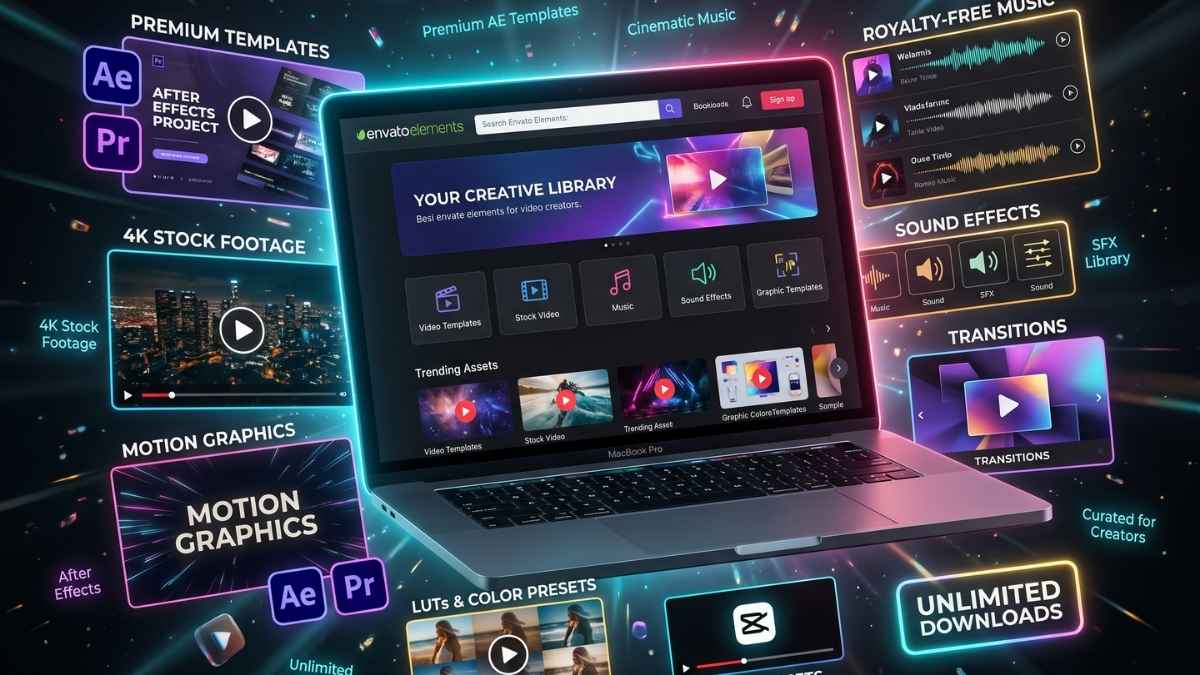
Before getting into the detail, it's worth being clear about what Envato Elements is — because it's genuinely easy to confuse with the rest of the Envato ecosystem.
Envato Elements is a subscription service offering unlimited downloads from a curated library, while Envato Market, including platforms like ThemeForest, VideoHive, and CodeCanyon , sells individual assets on a pay-per-item basis. Elements suits creators with ongoing projects and varied needs. Market suits those wanting specific premium items as one-off purchases.
In plain terms: Envato Elements is the "all-you-can-eat" subscription. Envato Market is the à la carte menu. They sit under the same brand, they share some assets, and they're run by the same company but they're completely different products with completely different business models.
The Envato company was formed in Melbourne, Australia in 2006. Their asset libraries include PhotoDune (stock photos), VideoHive (video templates and footage), GraphicRiver (graphic templates), AudioJungle (music and audio), ThemeForest (website themes), and CodeCanyon (code and plugins). All these directories together form Envato Market, where you individually pay for every asset.
Envato Elements bundles a curated version of all of that into one subscription. You pay one flat monthly or annual fee, and you can download as many assets as you want from a library that currently runs to over 27 million items.
The licence is equally important to understand: every asset downloaded from Envato Elements is covered by a single, comprehensive commercial licence. Each project requires a separate licence registration through your downloads page, which is quick and free. Once registered, licences remain valid forever, even after subscription cancellation.
That last part is critical. If you use an Envato Elements track in a client video this month, that video stays fully licensed even if you cancel your subscription next year. The licence belongs to the project, not the subscription period.
This is where most overview articles undersell the platform. People talk about "millions of assets" and the number loses meaning. Let me break down what's specifically useful for video creators, because it covers a lot more ground than most people realise.
Envato Elements has over 66,000 editable video templates covering openers, logo stings, lower thirds, infographics, transitions, titles, social media templates, end screens, and more. These are proper project files — After Effects and Premiere Pro templates that open directly in your NLE, with editable text, colour controls, and in most cases a single master colour swatch that updates the entire template in one click.
For video editors, this is the most immediately valuable part of the library. A broadcast-quality logo reveal that would take a motion designer four hours to build from scratch is a five-minute download and a ten-minute customisation. For freelancers working with clients who have modest budgets, or for agencies that need to turn around branded content quickly, this changes the maths on what's achievable per day.
The template categories most relevant to video work include:
Envato Elements has over 3.5 million stock video clips. You can filter by keywords, duration, frame rate, and resolution to find what you need quickly. Overlays and transitions are also available with alpha channels and looped versions.
The footage quality varies — as it does on every stock platform — but the top tier is genuinely excellent. Drone shots, cinematic street footage, lifestyle B-roll, corporate environments, nature sequences, and technical close-ups. For most YouTube and social media projects, you'll find what you need without having to go anywhere else.
Where the footage library falls short compared to a specialist platform like Artlist Max is in LOG and RAW availability. If you're a colorist who needs full grading latitude on your stock footage, Envato's library is largely finished footage rather than RAW. For most creators this doesn't matter at all — but it's worth knowing if cinematic colour work is central to your output.
Envato Elements has over 139,000 royalty-free music tracks. The music search lets you filter by genre, mood, length, tempo, and instrument, and includes a "find similar" feature. There are also over 609,000 sound effects covering everything from basic foley to futuristic sounds, all loopable.
For most YouTube creators and social media editors, this is a completely functional music library. The SFX library at 609,000+ is genuinely impressive — more than enough for documentary, corporate, and social content. Where Envato's music library sits behind a specialist platform like Epidemic Sound is in depth of genre and audio quality at the top end — but for the majority of video projects, it covers the brief.
An important note: Envato Elements music carries a different licence structure to Artlist or Epidemic Sound. You need to register each video that uses an Envato track to a specific project. This process is straightforward, but it's more manual than Artlist's Clearlist auto-registration. Keep track of your registrations — it's a minor admin task that's easy to let slip.
Over 15,000 fonts, properly licensed for commercial use. This sounds like a designer's concern, but it matters for video editors too. Every title card, lower third, and caption in your projects needs a font. Using a commercial-use licensed font from Envato Elements means you're fully covered for client work — no licensing ambiguity, no risk of using a free font with a commercial restriction buried in the fine print.
Over 52 million stock photos and a large illustration library. Primarily useful for graphic designers and web creators, but relevant for video editors producing thumbnails, presentation-style explainer videos, or any content that involves still imagery.
Over 1,700 WordPress themes and 6,000+ website templates. Beyond the scope of most video editors, but worth knowing if you're also managing a client's website or your own portfolio site.
Following the February 2026 tier restructure, Envato now offers three distinct plans with varying AI generation limits, a significant shift from the previous unlimited-everything model. The Core tier includes 10 AI generations per month across all AI tools.
The AI toolkit includes an AI image generator, AI video generator (with Seedance 2.0 integration for physical realism and scene complexity), and AI-powered search that helps you find relevant assets faster. For creators who want AI generation capabilities alongside their stock assets in one platform, this is a meaningful addition — though the credit limits on the Core plan mean it's a supplementary tool rather than a replacement for a dedicated AI generation workflow.
Envato now offers three individual tiers following the February 2026 restructure. Every plan includes unlimited downloads of 27+ million assets with a lifetime commercial licence.
For the vast majority of individual video creators and freelancers, Core at $16.50/month on the annual plan is the right choice. Ten AI generations per month is perfectly adequate if AI is a supplementary tool in your workflow rather than central to it. The unlimited asset downloads and lifetime commercial licence are the same across all three tiers.
The jump to Plus makes sense if you're regularly using Envato's AI image or video generation tools and burning through 10 credits quickly. For a solo creator who primarily uses the templates, footage, and music, Core is all you need.
The student plan at $11.50/month is the best value creative subscription I'm aware of at any price point — 30% off Core, full library access, full commercial licence, verified via student email.
Let me put some numbers around this, because "unlimited downloads for $16.50/month" is the kind of claim that sounds too good to be true until you actually think about what you'd pay on the open market for the same assets.
On Envato Market (the pay-per-item version), a typical After Effects template runs $25–$50. A stock footage clip is $15–$50 depending on resolution and length. A music track on AudioJungle is $15–$30. A WordPress theme on ThemeForest averages around $50.
So for a typical month where you download just three video templates, two stock footage clips, and three music tracks, you'd spend $140–$200 on Envato Market. That's a full year of Core at $16.50/month from a single month of moderate usage.
At $16.50/month on the annual plan, Envato Elements is already one of the most affordable creative asset subscriptions available. For creative professionals who download multiple assets per month, Envato Elements delivers exceptional value.
The value calculation tips the other way only if you download very infrequently -say, one or two assets every few months. If that's your usage pattern, buying individual items on Envato Market makes more financial sense than a subscription. But for anyone producing content regularly, the subscription is clearly the right model.
Understanding what's available is one thing. Knowing how to integrate it into a real editing workflow is another. Here's how I use Envato Elements day-to-day.
Video templates for Premiere Pro are especially useful for those looking to harness the power of a motion graphics suite like After Effects without first having to learn the program inside out. Envato Elements has thousands of Premiere Pro templates available, so you can search for specific themes, categories, or effects.
The Envato Elements plugin for Adobe Creative Cloud lets you browse and import assets directly from inside Premiere Pro and After Effects — no browser switching, no downloading to your desktop and then importing. You search, preview, download, and drop into the timeline in one continuous workflow. For editors doing high-volume work, this alone is a significant time saver.
If you work with the same clients on an ongoing basis, one of the smartest uses of Envato Elements is building a branded template library for each client. Find an After Effects package that fits their brand aesthetic, customise it once with their colours, fonts, and logo, and then reuse it across every project for that client. The initial setup takes an afternoon. Every subsequent video for that client is faster.
Lower thirds, logo reveals, transition packs, and end screens all work this way. Download once, customise once, deploy forever. The licence covers unlimited use of the customised template across all projects registered during your subscription.
The search on Envato Elements is considerably better than it used to be, and using the filters properly makes the difference between finding something useful in two minutes and scrolling for twenty. The most useful filters for video templates are software compatibility (Premiere Pro, After Effects, Final Cut, DaVinci Resolve), resolution (4K vs HD), and category (lower thirds, transitions, openers, etc.).
For stock footage, filtering by resolution and frame rate first — before keyword search — cuts the results to a manageable number quickly. If you're editing a project at 4K/25fps, filter to that spec immediately so you're not falling in love with a clip you can't use.
Envato Elements is the premium layer in a workflow that starts here on FreeVisuals. The free assets on this site — LUTs, stock footage, music, SFX, After Effects templates — are the foundation. When a project needs something more specific, more polished, or more bespoke than what's available for free, Envato Elements is the natural next step.
I typically check FreeVisuals first, download whatever's useful for free, and then supplement with Envato Elements for the assets that make a real visual difference — the hero template, the premium transition pack, the specific music track. This approach keeps costs down while maintaining quality where it matters most.
Browse free video assets on FreeVisuals →
The question I get asked most often by creators new to the Envato ecosystem is: should I subscribe to Elements, or just buy what I need on the Market?
The honest answer depends on how frequently you need assets.
If you download assets frequently for client projects or content production, the subscription model becomes cost-effective. The key distinction lies in usage frequency and long-term workflow needs.
Here's how I frame the decision:
Choose Envato Elements if you:
Choose Envato Market (pay-per-item) if you:
One useful tactic: search for what you need on Elements first. If it's there and it's good, download it. If nothing quite fits, check Market — some premium assets live exclusively there, and for the right project, a $40 one-off purchase is completely justified.
After years of using the platform professionally, here are the template categories I've found most consistently useful — and what to look for when you search.
Transition packs are the most-downloaded category on Envato for video editors, and for good reason. A single pack can contain hundreds of transitions — smooth, glitch, zoom, light leak, particle, cinematic covering every genre and style of video you're likely to edit. The best packs are software-agnostic (working in both Premiere Pro and After Effects), drag-and-drop, and include previews for every transition style.
What to look for: packs with large numbers (200+ transitions), compatibility with both Premiere and After Effects, and clear preview videos showing what each transition actually looks like.
Lower thirds are the one element that has to look right in almost every video, interview footage, corporate content, YouTube talking heads, documentary. A well-designed lower thirds pack from Envato can be customised to any brand palette in minutes and used across hundreds of videos.
The best packages include matching titles, subtitles, name cards, and location cards, all in the same visual style , so your whole project has visual coherence without any motion design work on your part.
Complete YouTube channel kits typically include an intro sequence, outro, lower thirds, subscribe animation, and social media bumper all in a consistent visual style. The best YouTube packs include 600+ animated elements, are compatible with After Effects and Premiere Pro, and support multiple resolutions from 4K down to 720p.
Finding one of these that fits a client's brand and customising it once is one of the highest-ROI things you can do with an Envato Elements subscription. The time saved across subsequent videos is substantial.
For corporate clients who need broadcast-style production value - news-style tickers, animated stat callouts, professional lower thirds — the broadcast packages on Envato are among the best value in the library. These are comprehensive project files that would take a professional motion designer days to build from scratch, available for download and customisation in a morning.
With short-form vertical video dominating in 2026, social media template packs that include proper 9:16 versions ( not just cropped 16:9) are essential. The best Envato social media packs include formats optimised for Instagram Reels, TikTok, YouTube Shorts, and LinkedIn simultaneously.
Not all Envato templates work with all software. Here's the breakdown of what works where.
Adobe After Effects — The deepest template library. The vast majority of Envato's premium templates are After Effects projects. If you use After Effects, you have access to everything.
Adobe Premiere Pro — Extensive MOGRT (Motion Graphics Template) library. MOGRTs are After Effects animations packaged for use in Premiere Pro's Essential Graphics panel — meaning you don't need After Effects installed to use them. A huge portion of the premium After Effects templates also ship with MOGRT versions, making them fully Premiere-compatible.
Final Cut Pro — Smaller template library than After Effects or Premiere, but growing. Look specifically for "Final Cut Pro" in the software filter when searching.
DaVinci Resolve — Templates are available but the library is smaller than for Adobe tools. For Resolve users, the stock footage, music, and SFX libraries are the most consistently useful parts of Elements — the native Resolve template selection is more limited.
CapCut — Limited native template support, but many Envato stock footage clips and music tracks work perfectly for CapCut projects. The platform's template export formats are increasingly being added by template creators.
Honest review means covering the shortcomings, not just the highlights.
Quality is inconsistent. The library is massive, which means quality varies significantly. There are genuinely excellent, professional-grade templates in the library, and there are also mediocre ones that look dated or have sloppy animation. The review scores and download numbers are your best guide — stick to templates with strong reviews and high download counts when you need something for client work.
Some of the best assets are Market-exclusive. Some items are on both platforms, some are only available on Envato Elements, and others are only available on Envato Market. If you find the perfect template and it's not in the Elements library, you'll need to buy it separately on Market. This happens more often than you'd hope on very specific searches.
Music licensing requires manual registration. Unlike Artlist's Clearlist auto-protection for YouTube, Envato requires you to register each video to a specific project in your account. It's a few clicks per video, but it's an admin task that Artlist has largely eliminated. If you're publishing large volumes of content, this adds up.
The AI generation credits on Core are limited. Ten generations per month is a starting point, not a serious AI workflow. If you want to use Envato's AI tools meaningfully, you'll likely need the Plus plan or a dedicated AI tool alongside your subscription.
Stock footage tops out at 4K. For most creators this isn't an issue. For productions shooting in higher resolutions or requiring RAW/LOG footage for grading, Artlist's 8K footage library with RAW options is the better choice.
Envato Elements is the most practical single subscription I recommend to any video creator who's serious about their work. Not because it's perfect — it isn't. But because the combination of unlimited downloads, commercial licensing, template depth, and price point at $16.50/month genuinely doesn't have a competitor that matches it on straight value.
If you're producing video content at any consistent volume — weekly YouTube uploads, ongoing client work, regular social media content — the maths are simple. You'll spend more money buying three individual assets on the open market in a month than Envato Elements costs for a year.
Start with the free trial. Download twenty things in the first week. Find the template packs that suit your regular clients and projects. Build your library. By the time the trial ends, you'll know whether it belongs in your toolkit permanently — and in my experience, the answer for most video creators is yes.
Start your free 7-day Envato Elements trial →
And while you're building out your asset library, don't forget to check what's available for free right here on FreeVisuals. The combination of free assets from this site plus a well-used Envato Elements subscription covers the vast majority of what most video creators need — at a total monthly cost that still beats a single subscription to most competing platforms.
Browse free video assets on FreeVisuals →
Is there a free trial for Envato Elements?Yes a 7-day free trial is available on the Core plan. You get full platform access including unlimited downloads with commercial licensing during the trial. It's the best way to test whether the library covers your specific workflow needs before committing to an annual plan.
Can I use Envato Elements assets for client work?Yes. The commercial licence covers both personal and client projects, including client websites, marketing campaigns, social media content, video productions, and products for sale. Each project requires a separate licence registration, which is quick and free. Once registered, licences remain valid forever.
What happens to my licences if I cancel my subscription?Any projects you've registered to a downloaded asset during your subscription stay permanently licensed. You can continue using those assets in those registered projects indefinitely. You simply can't download new assets or register new projects after cancellation.
Is Envato Elements the same as Envato Market?No. Elements is an unlimited download subscription. Market is a pay-per-item marketplace. Although Envato Elements and Envato Market offer similar content, some items are unique to either platform some are on both, some only on Elements, and others only on Market.
Does Envato Elements include music for YouTube?Yes. The music library includes over 139,000 tracks, all covered by the Elements commercial licence for YouTube use. You'll need to register each video using an Envato track to a project in your account. Envato doesn't have an automated YouTube Content ID clearance system like Artlist's Clearlist.
What's the best Envato Elements plan for a solo video editor?Core at $16.50/month (annual billing) covers everything the majority of solo creators need — unlimited downloads across all 27M+ assets with 10 AI generations per month. Only upgrade to Plus if you're regularly using the AI generation tools and finding 10 credits per month insufficient.
Can students get a discount on Envato Elements?Yes. The student plan is 30% off Core $11.50/month - verified via a student email address. It includes full library access and full commercial licensing, making it the best value creative subscription available for students anywhere.
How is Envato Elements different from Adobe Stock?Adobe Stock is photo and video footage focused, with pricing per asset or via a set number of downloads per month. Envato Elements is a true unlimited subscription covering photos, video, templates, music, fonts, graphics, themes, and more — all for one flat fee. For video creators who need templates and motion graphics as well as stock footage, Envato Elements covers significantly more ground than Adobe Stock for a comparable or lower price.
Jack is a professional video editor and colorist with over 10 years of experience across broadcast, commercial, and digital content production. He tests every platform he reviews using real projects.
This post contains affiliate links. If you subscribe to Envato Elements through the links in this article, FreeVisuals.net may earn a commission at no additional cost to you. All opinions are based on genuine first-hand experience with the platform over several years of professional use.
.jpg)
.avif)
.avif)
.avif)
.avif)