.avif)
Freevisuals


Free AI background music prompts for YouTube videos. Copy-paste prompts for Suno, Udio and ElevenLabs covering true crime, lo-fi, gaming, cinematic and
Download FREEGo Pro To DownloadDownload NOW!Every YouTube video needs background music. It is not optional. A video without any music underneath the narration sounds unfinished and amateur, regardless of how good the footage or the script is. Music creates emotional continuity, fills the psychological space between sentences, and tells the viewer subconsciously that they are watching something produced with care.
The problem for most creators is cost. A proper royalty-free music subscription from a platform like Artlistor Epidemic Sound costs money, and for smaller channels that have not yet monetised, or creators who are just getting started, that cost matters. AI music generation has become a genuinely viable answer to that problem.
This free download gives you 10 ready-to-use background music prompts for Suno AI, Udio, ElevenLabs Music, and Google MusicFX. Each one is written specifically for a YouTube video use case rather than for making a song, because background music for video and song creation are completely different problems that require completely different prompts.
Download the full prompt pack free from Freevisuals here
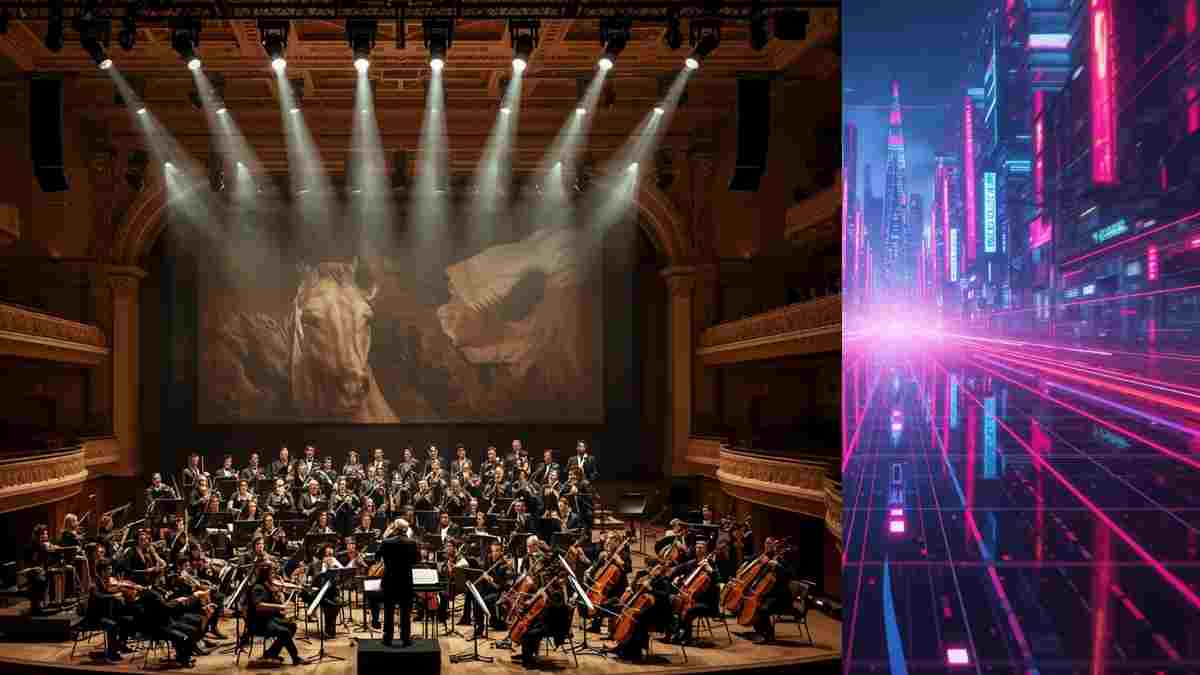
This is the most important thing to understand before using any AI music tool for video production, and it is the thing that almost every existing prompt guide gets wrong.
A song has a vocal hook, a melody that demands your attention, a structure built around lyrics, and dynamics designed to hold a listener's focus as the primary entertainment. None of those qualities are useful in a background music track. In fact, they are actively harmful. A background track with a strong vocal hook will fight your narration and annoy your viewer. A melody that grabs attention will pull focus away from your footage. A dynamic drop designed for a dancefloor will jar against a slow documentary cut.
Background music for video has one job: to support the content without being noticed. When a viewer says "that video felt really professional," the music did its job. When a viewer says "I loved that track," the music failed at its job as a background element.
Every prompt in this pack is written with that principle at its core. The prompts specify no vocals, suppress melodic hooks, set tempos that match the pacing of video cuts rather than dancefloors, and use dynamic structures that build gradually rather than hitting in ways that compete with the edit.
Before going into the prompts themselves, it is worth understanding what each tool does well so you can choose the right one for each use case.
Suno AI is the most widely used AI music tool right now, with over 12 million active users. Its Custom Mode is where the real control lives. You paste your style prompt into the Style of Music field, type [Instrumental] in the Lyrics field to suppress vocals, and set your duration. The results for atmospheric, cinematic, and background music are consistently strong. The latest version, Suno v5, produces noticeably more professional outputs than earlier versions, particularly for orchestral and cinematic styles.
Udio accepts longer, more descriptive prompts than Suno and handles vocal texture and production technique language particularly well. It is the better choice when you need very specific production characteristics, such as a particular type of reverb treatment or a specific instrument placement in the mix.
ElevenLabs is primarily known as a voiceover tool but its music generation capability is strong for shorter atmospheric pieces. If you are already using ElevenLabs for narration on your channel, the music generation feature is worth exploring for short background stings and transition pieces.
Google MusicFX is the most accessible entry point, free without any account requirements in many regions, and works best with shorter, more concise prompts. Each prompt in this pack includes a Quick Version specifically formatted for MusicFX.
For a full walkthrough of using Suno specifically to create background tracks for YouTube, this tutorial covers the process clearly and practically: How to Create Background Music Using Suno AI for YouTube.
And here is another tutorial which takes you through the basics of Suno
Most creators open Suno in Simple Mode, type a few words, and get results that are fine but not great. Getting consistently professional background tracks out of Suno requires Custom Mode, and it takes about 30 seconds to set up.
Go to Create and switch from Simple to Custom in the top tab. You will see three fields: Style of Music, Lyrics, and Title. Paste the style prompt from this pack into Style of Music. In the Lyrics field, type [Instrumental] on its own. This tag tells Suno explicitly not to add vocals. Give it a title if you want to organise your library, then click Create.
For background music specifically, generate at the longest duration available and use the Extend feature to create a longer version if you need more than the base generation. A two-minute track that loops cleanly is far more useful for video editing than a 30-second track that cuts off abruptly.
Download as MP3 at the highest quality available. If your tool offers WAV export, always take it. The quality difference is noticeable at high speaker volumes, particularly in bass-heavy tracks like Prompt 04 (Gaming Highlight Reel) and Prompt 08 (Horror and Thriller Tension).
This prompt generates a slow-building orchestral tension track specifically designed for title sequences and documentary openers. The key characteristic is that there is no melody for the first 30 seconds, just low cello drones and sparse strings building gradually. This gives you 30 seconds of footage over which you can establish your visual story before the music draws any attention to itself.
Use this for: documentary-style YouTube channels, true crime episode openers, history content, investigative journalism videos, and any cold open that needs emotional weight without musical distraction.
The most specialised prompt in the pack. A true crime investigation bed is a track designed to loop continuously underneath 20 or 30 minutes of narration without ever becoming annoying or noticeable. The prompt generates sparse piano notes with long reverb tails, a low sub bass drone, and no rhythm section. The result is a track that creates tension and atmosphere without ever demanding attention.
The Customise It note in the download suggests adding "faint vinyl crackle" for a vintage cold case aesthetic, which works particularly well for content covering cases from the 1970s and 80s. This pairs naturally with the Free Mega Cinematic LUT Pack on Freevisuals if you are grading your footage to match a vintage aesthetic.
Finance content has a specific music problem. Corporate stock music sounds exactly like corporate stock music and immediately dates your video. Overly upbeat music sounds like a late-night infomercial. This prompt generates something in between: clean, professional, forward-moving without being cheerful, with a slight jazz influence on the chord voicings that gives it warmth without feeling out of place.
Use this for finance YouTube channels, investing content, personal finance narration, business explainers, and any content where the music needs to signal credibility and intelligence.
High energy, 140 BPM, punchy 808 kick drums, aggressive melodic synth, and trap-influenced hi-hat patterns. This prompt is built for fast edit cuts at one to two seconds per clip and generates a track with momentum that matches the pace of a gaming montage rather than a background score. Of all the prompts in this pack, this one is the least "background" in character and the most aggressive. That is intentional: gaming content needs music that participates in the energy rather than sitting behind it.
Sweeping orchestral pads, no melody for the first 60 seconds, no drums, designed to sit under aerial footage, landscape shots, and slow cinematic sequences without competing with the visual. This is the prompt to use when you have beautiful footage that should be the star and you want the music to be felt rather than heard.
The Customise It note suggests adding "gentle acoustic piano melody entering at 90 seconds" for an emotional arc if your b-roll sequence is long enough to benefit from a musical build. This pairs well with the Free Smoke and Fog Overlay on Freevisuals if you are adding atmospheric texture in post.
A short 15 to 30-second sting designed specifically for channel intros. Rising orchestral build, bold brass hit on the final beat, punchy cinematic percussion. This is not a background track. It is a front-of-video brand moment. Generate it short, download it, and use it as your consistent channel intro sting across every video. Consistency in your intro music is one of the fastest ways to build a recognisable channel brand.
If you are building out the full intro package alongside the music, the Free Film Title Templates for After Effects on Freevisuals include cinematic title animations that work well alongside this style of intro sting. The After Effects Flicker Expression Guideis also useful if you want to add atmospheric light effects to your intro sequence.
Lo-fi hip hop is the most-searched music category on YouTube. Study with me videos, background stream content, and focus playlists consistently rank well and retain viewers for hours rather than minutes. This prompt generates a warm, loop-friendly lo-fi track with vinyl crackle, soft jazz chords, a quiet boom-bap drum loop, and the gentle, unfocused quality that makes lo-fi work as a background listening experience.
The Customise It note suggests adding "rain ambience underneath" for the cozy-rainy-day aesthetic that performs particularly well on lo-fi study streams. If you are running a study-with-me channel, consistent lo-fi background music is one of the lowest-effort high-impact things you can do for watch time.
Dissonant strings, low sub rumble, near silence between notes, gradual build from nothing to full tension over 60 seconds. This prompt generates a track designed to be used at specific dramatic moments in your video rather than as a continuous background. The build structure makes it particularly effective as a lead-in to a reveal, a jump scare setup, or a dramatic revelation in a true crime episode.
Used alongside the Free After Effects Glitch Transition Presets on Freevisuals, a horror tension track timed to a glitch cut creates the kind of moment that makes viewers pause the video and write a comment.
Clean, modern, slightly futuristic, minimal synth arpeggios, subtle kick drum at very low volume. The key quality of this prompt is neutrality. Tech review and tutorial content needs music that signals intelligence and modernity without creating any emotional association that might conflict with the product being reviewed. The track should be noticeable only in its absence.
For creators who use Filmora for editing, the background music track can be brought in and auto-ducked against the voiceover using Filmora's built-in audio tools. If you use InVideo for repurposing content to short-form, InVideo handles background music import cleanly for Reels and Shorts exports.
The most delicate prompt in the pack. Sparse solo piano, subtle strings entering after 30 seconds, no drums until the 90-second mark, intimate and vulnerable atmosphere. This is for personal story content, mental health videos, relationship breakdowns, human interest stories, and any content where the creator is sharing something honest and the music needs to feel like it is listening rather than leading.
The Customise It note suggests "gentle acoustic guitar doubling the piano melody" for a warmer personal feel. Getting this one right in the mix is particularly important. Set it low, around -20dB under the narration, and let it do its work without being heard.
Generating a good background track is one part of the problem. Mixing it properly in your edit is the other. Most YouTube videos with background music that sounds wrong are not using bad music. They are mixing it badly.
Start with the background track at -18dB to -20dB when it is sitting under narration. This is significantly lower than most new creators place it. It sounds too low when you are watching in a quiet room but it is correct for viewers watching on phones, with earbuds, or in noisy environments.
Apply a high-shelf EQ cut at around 8kHz, reducing by 3dB. This softens the track slightly and pushes it further behind the voice in the frequency mix without reducing the overall volume. The result is a track that supports the narration rather than competing with it.
Use auto-duck wherever your editing tool supports it. Premiere Pro, DaVinci Resolve, Final Cut Pro, and Filmora all have versions of this feature. It automatically reduces the music volume when the voice track is active, which produces a much more professional result than manually keyframing the music volume.
Always fade background music in over two to three seconds at the start of a section and out over three to four seconds at the end. Abrupt music starts and stops are the single most common audio production mistake in YouTube content and they signal immediately to the viewer that the edit is amateur. A three-second fade costs nothing and makes an immediate difference.
When transitioning between two different background tracks, cross-fade them over four to six seconds so the change is not noticeable. If you are editing in CapCut for short-form repurposing, the audio cross-fade is accessible in the track menu on the desktop version.
This is the question most creators will have after trying these prompts, so it is worth answering directly.
AI-generated music from Suno, Udio, and similar tools is excellent for getting started, prototyping your channel's sound, and producing content before you have a music budget. The quality is high enough for most YouTube use cases and the output is fast.
The case for a licensed platform comes down to two things: copyright protection and professional quality range.
On copyright: Suno and Udio operate in a legally unclear space. Their terms allow commercial use of outputs, but the underlying copyright landscape for AI-generated music is still being determined in courts. For a small channel with a few hundred subscribers, this is unlikely to matter. For a channel with tens of thousands of subscribers and significant ad revenue, the risk calculation changes.
On quality range: the best tracks from platforms like Artlist and Epidemic Sound are produced by professional composers and recorded with real instruments. The top end of that quality is not yet matched by AI generation, particularly for complex orchestral pieces and jazz-influenced tracks.
The practical answer for most creators: use AI-generated music from these prompts while you are building your channel, and transition to a licensed platform once you are monetising consistently. Both Artlist and Epidemic Sound offer annual subscriptions that work out to a reasonable per-video cost once you are producing content regularly.
Epidemic Sound is worth calling out specifically for its per-channel YouTube registration feature. Once you register your channel, every Epidemic Sound track you use is covered across all your uploads including older videos. That retroactive coverage is genuinely valuable for creators who have been producing content for a while.
Suno's paid plans allow commercial use of generated outputs, which covers monetised YouTube videos. However, the legal status of AI-generated music is still being clarified in multiple jurisdictions and Suno has faced copyright litigation. For channels in early growth, AI-generated music is a reasonable choice. For channels with significant revenue, a licensed platform like Artlistor Epidemic Sound provides cleaner legal footing.
In Custom Mode, type [Instrumental] in the Lyrics field before generating. In Simple Mode, add the word "instrumental" at the very beginning of your prompt. Suno defaults to adding vocals unless you explicitly suppress them. The prompts in this pack all specify "no vocals" and "no lyrics" in the style description but adding [Instrumental] in the Lyrics field is an additional safeguard.
Generate at least two minutes of music regardless of your video length. For longer videos, generate in two-minute segments and loop or cross-fade them in your timeline. A looping track works well for most content types, particularly lo-fi (Prompt 07) and true crime investigation beds (Prompt 02). For tracks with a clear build and release structure like the documentary intro (Prompt 01) or the motivational intro (Prompt 06), generate a single non-looping version and let it play through once.
Simple Mode is a single text field where you describe the music you want. It is faster but gives you less control. Custom Mode has separate fields for Style of Music and Lyrics, which allows you to use structural metatags like [Instrumental], [Verse], and [Chorus] and gives you more precise control over the output. For background music production, Custom Mode is always the better choice. All ten prompts in this pack are written for Custom Mode.
Suno in Custom Mode produces the strongest results for most cinematic and orchestral styles, particularly Prompts 01, 05, and 08. Udio handles production technique language better and is worth trying for Prompts 03 and 09 where specific production characteristics matter. ElevenLabs Music works well for shorter atmospheric pieces and is the most convenient option if you are already using ElevenLabs for voiceover on the same project.
Yes. The prompts work for any video content that needs background music, including podcast video shows, Instagram Reels, TikTok, short films, brand videos, and online courses. The aspect ratio and duration guidance in the how-to-use section of the download is specific to YouTube but the prompts themselves are format-agnostic. For short-form repurposing of YouTube content, InVideo and CapCut both import audio tracks generated from these prompts without any format conversion needed.
Generate the track and listen for where the natural endpoint falls. In Suno, use the Extend feature to add another section that begins at the same energy level as the track's beginning. The cleanest loops happen on tracks with no strong melodic hook and a consistent ambient energy level, which is exactly what Prompts 02, 05, and 07 are designed to produce. In your editing timeline, place a four to six-second crossfade at the loop point and the join becomes inaudible.
The music prompt pack is one part of a broader free toolkit available on Freevisuals. Everything below is free to download and works alongside the music prompts to build a more complete production workflow.
The Free Mega Cinematic LUT Pack includes 22 LUTs in .cube format that work across After Effects, Premiere Pro, DaVinci Resolve, and Final Cut Pro. Applying a cinematic colour grade to your footage creates visual coherence with the atmospheric tone of the music tracks generated from Prompts 01, 02, 05, and 08.
The Free After Effects Glitch Transition Presets are particularly effective when timed to the dynamics of the horror tension track from Prompt 08 or the gaming highlight track from Prompt 04. A glitch cut timed to a bass hit is one of the most effective edit moments in high-energy content.
The Free Smoke and Fog Overlay adds atmospheric texture to cinematic sequences that sit alongside the documentary and b-roll background tracks from Prompts 01 and 05.
The Free Film Title Templates for After Effects pair well with the motivational intro sting from Prompt 06 to create a complete branded channel intro.
For deeper After Effects work on your channel, the Best After Effects Plugins Guide and the After Effects Glitch Plugins Guide on Freevisuals cover the tools that produce the most consistent results for dark cinematic and high-energy editing styles.
If you are also working on your channel's visual identity, the 10 True Crime Cinematic YouTube Thumbnail AI Image Prompts pack on Freevisuals gives you ready-to-use AI image prompts for generating cinematic thumbnail backgrounds in Midjourney, OpenArt AI, and other tools.
Download the full 10 Cinematic Background Music Prompts for YouTube pack free from Freevisuals
Disclosure: This post contains affiliate links. If you purchase through these links, Freevisuals may earn a small commission at no extra cost to you.
Download free video templates, LUTs, and presets for Premiere Pro, After Effects, DaVinci Resolve, CapCut, and Final Cut Pro.













