.avif)
Freevisuals
Download the 30+ Subject Reveal Transitions pack for Adobe Premiere Pro. Mask-based subject reveal effects for travel, fashion, social media and cinematic
Download NOW!Subject reveal transitions in Premiere Pro use mask-based compositing to reveal a new scene from behind a subject or object in the frame. The subject is isolated using Premiere Pro's mask tools and the transition between two clips is achieved by animating the mask boundary so the incoming clip appears to emerge from behind the subject. The 30+ Subject Reveal Transitions pack provides pre-built .mogrt template files that apply this effect in a single drag-and-drop step without requiring manual mask creation or keyframing. Compatible with Adobe Premiere Pro 2024 and above. Available through Envato Elements.
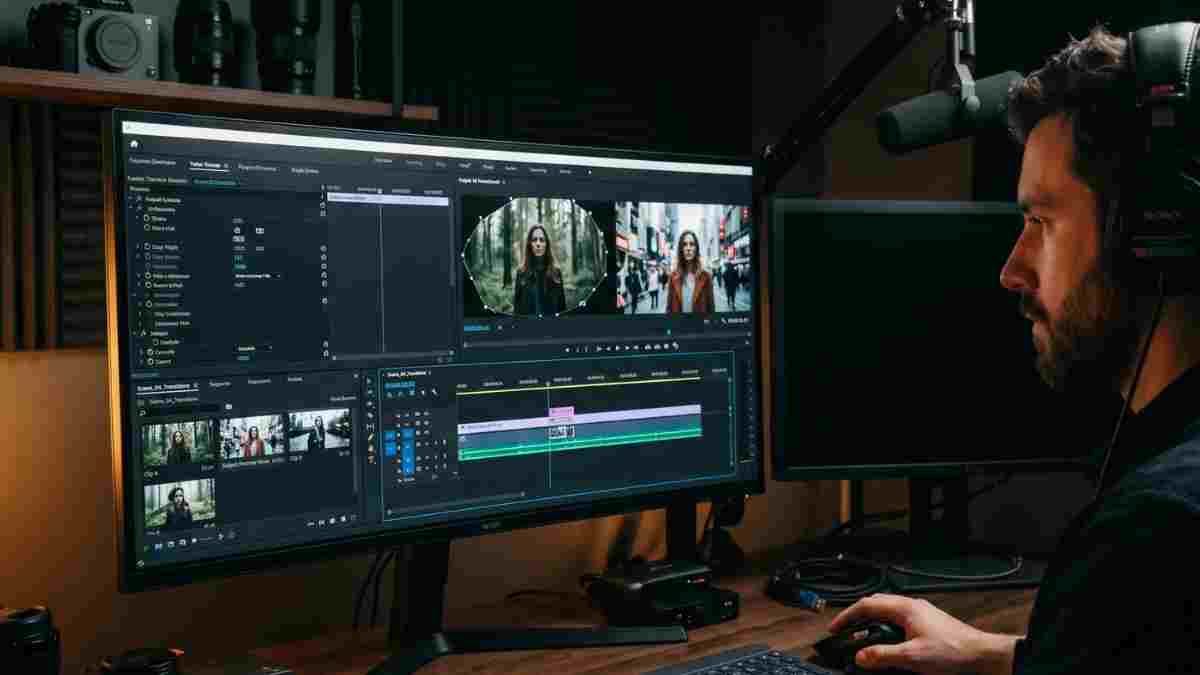
Subject reveal transitions are one of the most popular and technically impressive transition styles in contemporary video editing. Rather than cutting between two clips or dissolving uniformly across the entire frame, a subject reveal transition uses a masked area around a person or object in the frame to reveal the incoming clip from behind that subject.
The result is a transition that looks physically grounded in the scene. It appears as if the new footage is hidden behind the subject and becomes visible as they move, as a shape expands from them outward, or as a reveal boundary passes across the frame using their outline as the edge. Audiences recognise it immediately from travel videos, music videos, fashion films, and social media content made by some of the most watched creators on YouTube, TikTok, and Instagram.
The technique was popularised by travel filmmakers like Sam Kolder, JR Alli, and Benn TK, whose use of mask-based walk-by transitions made this style one of the most identifiable and sought-after techniques in online video. It has since moved from the cutting edge into mainstream editing practice across virtually every content category.
The challenge with subject reveal transitions when built manually in Premiere Pro is that they are time-consuming to set up. Drawing an accurate mask around a moving subject, tracking that mask through motion, and keyframing the transition timing requires intermediate to advanced masking knowledge and a significant amount of time per transition. That is where this pack changes the equation.
The 30+ Subject Reveal Transitions pack provides over thirty pre-built transition templates in .mogrt format that apply these effects directly in Premiere Pro's Essential Graphics panel with no manual mask creation required. Drag the transition onto the cut between two clips, customise the timing and direction, and the effect is complete. What would take fifteen to twenty minutes to build manually takes under two minutes with a template.
Get the pack here through Envato Elements.
The reason subject reveal transitions have become so prominent in professional and creator-level video editing is straightforward. Standard transitions, cuts, dissolves, wipes, and fades, all share one characteristic: they treat the entire frame equally. Every pixel transitions at the same time in the same way.
Subject reveal transitions are different because they use the content of the footage itself as the boundary of the transition. The subject in the shot, whether that is a person walking past the camera, a product being lifted, or a hand sweeping across the frame, becomes part of the transition mechanism. The incoming clip appears to emerge from or through the subject rather than replacing the frame uniformly.
This creates two things that standard transitions cannot. First, it creates a visual connection between the outgoing and incoming clips that makes the edit feel intentional and crafted rather than simply cut together. Second, it creates a moment of visual surprise. The viewer expects a cut or dissolve. Instead, the new scene appears from within the frame in a way that is visually unexpected and engaging.
Many popular YouTubers like Sam Kolder, JR Alli, and Benn TK have been using these mask effects as Premiere Pro transitions and have made them incredibly popular and sought after in the video community. These Premiere Pro transition effects, also known as custom reveal with masking, wipe masking, walk by masking effect, and slide by masking effect transition, are perfect for travel video, fashion films, music video projects, and more.
The practical result is that subject reveal transitions communicate production value. When an audience sees this type of transition, they recognise it as something that required skill or investment to produce, which immediately raises their perception of the overall content quality.
The pack contains over thirty individual transition templates covering the main categories of subject reveal and mask-based transition styles. The breadth of styles means the pack is useful across a wide range of content types rather than serving a single aesthetic.
The most classic subject reveal transition. As a subject walks past or through the frame, the incoming clip reveals itself from behind them. The mask tracks the subject's silhouette and the new scene bleeds in from the edges of the figure. Works best when the subject walks close to the camera and at a consistent pace across the frame.
Instead of using a person as the reveal boundary, object reveals use props, hands, or environmental elements. A hand sweeping across the frame, a car passing close to the lens, or a door closing and revealing the new scene behind it. These are particularly effective for product content where a hand lifting or turning an object transitions into the next scene.
The frame splits along a subject outline and the new clip appears from the split. More graphic and high-energy than a walk-by reveal, these suit fast-paced content like sports highlights, music videos, and social media content where a strong visual beat on the transition is the goal.
Expansion revealsThe new clip expands outward from a central point or from behind a subject, as if the incoming scene is growing from within the frame. Works well as a narrative device to suggest emergence, discovery, or the beginning of a new chapter in storytelling content.
A shaped wipe boundary passes across the frame using the subject's position or movement to determine the timing. More structured than the organic walk-by style but cleaner and more precise for content that wants a polished rather than organic feel.
The transition appears to push through the subject or through an element in the frame, creating a sense of physical depth and movement through space. Particularly strong for travel and adventure content where a sense of journey and forward motion is part of the visual language.
Subject reveal transitions are a staple of travel content precisely because travel footage tends to contain natural opportunities for them. A person walking away from camera in a narrow alley, a hand reaching out to touch a textured wall, a vehicle passing close to the lens on a busy street. All of these are natural trigger points for a subject reveal that connects one location to the next with visual elegance rather than a plain cut.
These modern and cinematic effects seamlessly transition between scenes by dynamically masking and revealing subjects or footage. The pack offers a diverse range of smooth, high-energy animations that bring a professional and polished look to your content. Perfect for creating engaging social media videos, commercials, vlogs, or short film intros, these transitions are easy to implement and provide a stylish way to maintain viewer interest.
Fashion content in particular benefits from subject reveal transitions because fashion filmmaking prioritises visual craft and the appearance of production investment. A walk-by reveal on a model moving through a set gives fashion content the quality of a directed, choreographed edit rather than assembled footage.
Music videos use subject reveal transitions regularly as a beat-reactive device. Placing the reveal on a drum hit, a bass drop, or a significant lyric moment creates an audio-visual synchronisation that amplifies the emotional impact of both the music and the edit. The graphic, high-energy split and wipe reveal styles in this pack suit high-energy music content particularly well.
For brand content, subject reveal transitions give product films a cinematic quality that distinguishes them from standard talking-head or product-on-table formats. An object reveal transition using a hand holding the product creates a physical, tactile connection between the product and the scene change that reads as intentional and well-crafted.
Short-form vertical content benefits from strong visual moments that reward the viewer for watching and encourage replaying. A well-executed subject reveal transition in the middle of a Reel creates exactly the kind of visual beat that drives replays and shares. The technique is widely used by creators with large followings and is instantly recognisable as a quality signal to audiences who consume a lot of short-form content.
In slower, more contemplative content, a subject reveal transition can carry narrative weight. Used to mark a shift in time, a change of location, or a significant moment in the story, the transition communicates meaning rather than simply connecting two clips.
The 30+ Subject Reveal Transitions pack uses .mogrt format files, which are Motion Graphics Templates that load directly into Premiere Pro's Essential Graphics panel.
Download the pack from Envato Elements and unzip the files. In Premiere Pro, go to Window, then Essential Graphics to open the Essential Graphics panel. Click the three-line menu icon at the top right of the panel and select Install Motion Graphics Template. Navigate to the .mogrt file you want to install and click Open. The template will appear in your Essential Graphics library ready to use.
Alternatively, you can import templates directly by going to File, then Import, and selecting the .mogrt file. It will appear in your Project panel.
Place your two clips end to end in the timeline at the edit point where you want the transition. In the Essential Graphics panel, find the subject reveal transition you want to use. Drag it directly onto the cut point between the two clips in the timeline. The transition will appear as a clip spanning the edit point.
In the Essential Graphics panel with the transition selected in the timeline, you will see the customisation controls for that specific transition: duration, direction, intensity, and any style-specific parameters. Adjust these to suit your footage.
Subject reveal transitions work best when the reveal boundary aligns with the subject's position or movement in the frame. If your transition uses a walk-by reveal, the subject should be at the camera-closest point in their path at the moment the reveal happens. Adjust the in-point and out-point of the transition clip in the timeline to align the peak of the effect with the optimal frame in your footage.
Footage where the subject passes close to the camera always produces stronger results than footage where the subject is far from the lens. The closer the subject is to the camera at the transition moment, the more the reveal appears to emerge physically from the scene rather than being a flat graphic effect.
Shoot with subject reveal transitions in mind. If you know you want to use this type of transition in the edit, shoot a selection of close walk-bys, arm sweeps, and pass-by moments specifically to use as transition opportunities. Thirty seconds of intentional B-roll walk-past shots gives you multiple transition options in the edit.
For a practical tutorial on mask transitions in Premiere Pro:How To Mask Transition in Premiere Pro:
And for a tutorial on creating mask reveal animations using Premiere Pro's built-in tools:Mask Reveal Transition in Premiere Pro:
Understanding what the templates are doing behind the scenes helps you get more out of them and troubleshoot any issues that arise.
Masking in Premiere Pro is a powerful technique that allows you to isolate and manipulate specific areas of your video, enabling you to achieve professional-level effects and seamless transitions. Masks can be animated over time, allowing you to create dynamic effects, transitions, or tracking shots.
When built manually, a subject reveal transition requires drawing a mask around the subject, tracking that mask frame by frame through the subject's movement, and keyframing the reveal boundary so it expands or wipes in synchronisation with the clip change. This process is technically demanding and time-consuming, typically requiring fifteen to thirty minutes per transition depending on the complexity of the subject's movement.
The .mogrt templates in this pack pre-build this structure so that the mask drawing, tracking setup, and keyframe animation are already configured. What you are doing when you apply the template is providing the footage context for a pre-built masking rig. This is why the templates are significantly faster while still producing results that match manually built transitions in quality.
The one limitation of template-based subject reveals compared to fully manual ones is that templates use generalised mask shapes and reveal patterns rather than a mask drawn to the specific contour of your specific subject. For most content this is not perceptible to the audience. For very high-end productions where pixel-perfect accuracy around a specific subject outline is required, manual masking in After Effects remains the most precise option.
The impact of a well-timed subject reveal transition is significantly amplified by matching music and sound design. A transition that lands exactly on a beat hit or a musical swell creates an audio-visual moment that audiences respond to viscerally.
Artlist has a deep catalogue of royalty-free music across cinematic, electronic, acoustic, and contemporary styles, all fully licensed for YouTube, TikTok, Instagram, and commercial projects. Their cinematic and travel categories in particular contain tracks with clear, identifiable beat structures that work well for beat-synchronised transitions:.
Epidemic Sound is particularly strong for short-form social content where the sound effects alongside the music create the satisfying audio punch that audiences on TikTok and Reels expect at key transition moments: h
For additional Premiere Pro templates, motion graphics, titles, and colour presets to use alongside this transition pack, Envato Elements gives you access to the complete library with a single subscription that also covers the Subject Reveal Transitions pack itself.
Having thirty transitions available creates a different set of decisions than having three or four. Here is how to use the depth of the pack effectively.
Build a mental shortlist of five to seven transitions that suit your most common content type and become fluent with those first. Knowing exactly how a specific transition behaves under different footage conditions makes you faster and more confident in the edit rather than browsing through all thirty options on every project.
Reserve the more graphic, high-energy transitions like splits and zooms for the highest-energy moments in a piece. Using a dramatic transition on an ordinary cut between two similar-energy scenes spends visual energy the edit has not earned yet. The strongest edits use transition intensity as a variable that escalates with the narrative energy of the content.
Use the subtler, more organic transitions like walk-bys and edge wipes as the default. These are more versatile and work across a wider range of footage conditions without demanding that the footage match the energy of the effect.
Save transition styles that use specific movement triggers, such as an arm sweep or a door close, for footage that naturally contains that movement. Forcing a transition onto footage that does not contain the appropriate trigger element always looks awkward regardless of how well-built the template is.
The pack is compatible with Adobe Premiere Pro 2024 and above. Make sure your Premiere Pro is updated to the most current version before installing to ensure full compatibility with the .mogrt format and the Essential Graphics panel features the templates use.
No. Subject reveal transitions in this pack use Premiere Pro's native masking and compositing tools. No third-party plugins are required. Everything works within a standard Premiere Pro installation.
Yes. Create a 1080x1920 sequence for your vertical content and apply the transitions as normal. You may need to adjust the scale and position parameters within the Essential Graphics controls to ensure the reveal boundary is correctly positioned within the vertical frame.
How do I change the duration of a transition?Select the transition clip in the timeline. In the Essential Graphics panel, look for the Duration parameter and change the value. Alternatively, you can trim the transition clip in the timeline by dragging its edges, though using the Duration parameter gives more precise control.
Yes and it is encouraged. A project using three or four different subject reveal styles from the pack has visual variety that prevents any single transition from feeling repetitive. The transitions share a consistent visual language because they are all mask-based reveals, which means variety between them reads as creative choice rather than inconsistency.
Not necessarily, but footage shot with subject reveal transitions in mind always produces better results than footage not shot with them in mind. Specifically, close pass-bys, arm sweeps, and moments where a subject moves toward and past the camera close enough to fill a significant portion of the frame are the most reliable footage conditions for this transition style. If you are filming content specifically for a project where you want to use subject reveals, shooting ten to fifteen seconds of intentional walk-past B-roll from various camera positions gives you a strong set of transition opportunities in the edit.
Yes. Assets downloaded through Envato Elements under an active subscription come with a commercial licence that covers client work, brand videos, advertising, and broadcast content. Check the specific licence terms on the Envato Elements product page for full details.
Yes. The Essential Graphics panel controls expose the key parameters of each transition including timing, direction, softness, and in many cases colour and graphic elements. The degree of customisation varies between individual transition styles within the pack.
Yes. If you have an active Envato Elements subscription, this pack is available for download as part of your subscription at no additional cost, alongside the rest of the Envato Elements library of over 26 million assets.
Download this amazing professional Adobe Premiere Pro Transition pack now from Envato to make your editing easier, quicker and more engaging. While you are there, check out the millions of other assets that Envato has in its library. Just use the AI search and you will instantly get many options to choose from. Why reinvent, when you can reuse and focus on creativity!
Download free video templates, LUTs, and presets for Premiere Pro, After Effects, DaVinci Resolve, CapCut, and Final Cut Pro.









