.avif)
Freevisuals

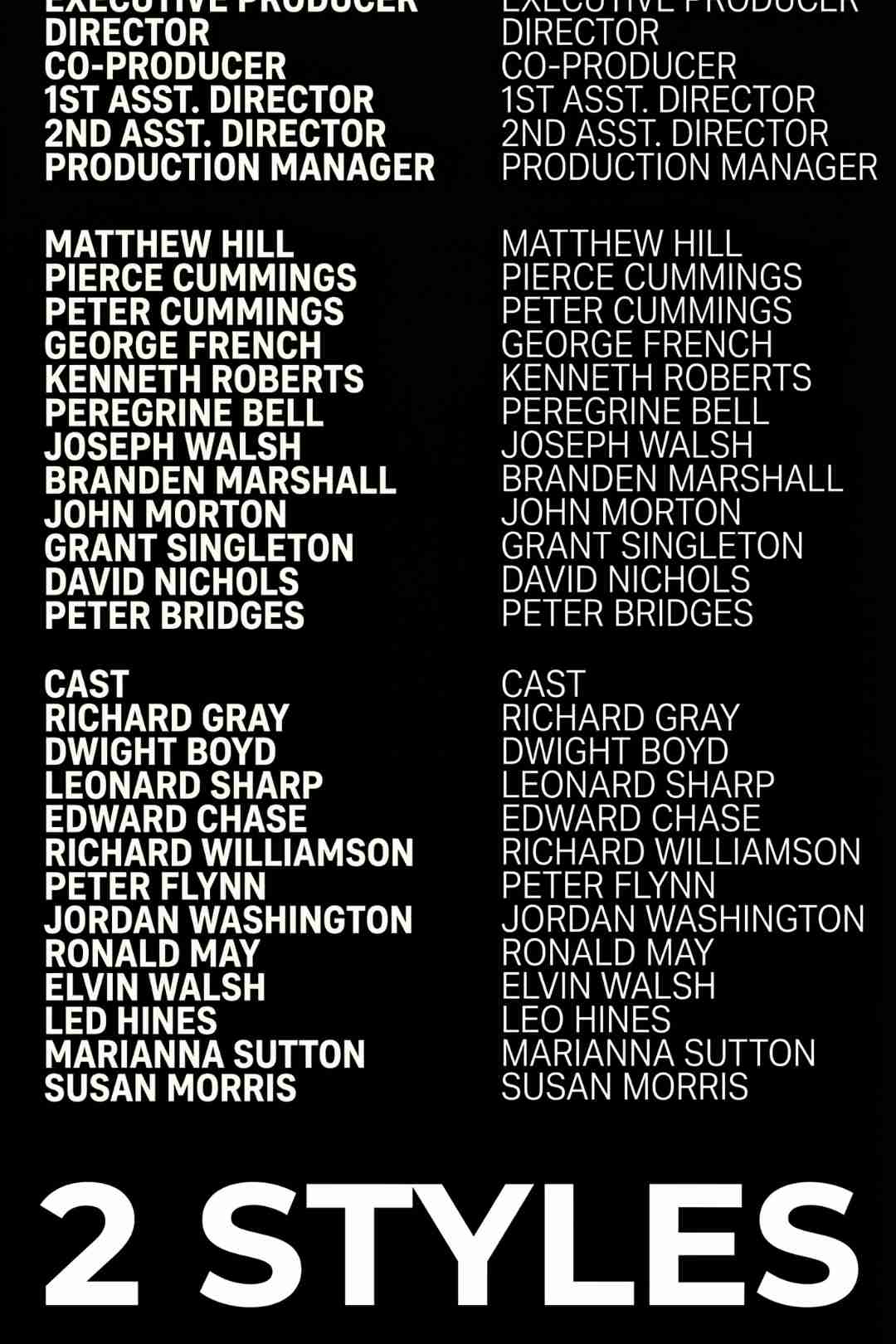
Credit Roll is a well organized Final Cut Pro template with 6 customizable title styles for short films and professional closing credits.
Download FREEGo Pro To DownloadDownload NOW!Credit Roll is a clean, well organized Final Cut Pro template built specifically for the part of a video that often gets the least attention despite deserving real care, the closing credits. With 6 distinct title styles included, this template gives editors a fast, professional way to wrap up a short film, a large scale production, or any other video project that calls for a proper credit sequence rather than a hastily assembled list of names over a black screen.
This template is available through Motion Array, and Freevisuals is an affiliate partner. Clicking through and subscribing supports Freevisuals at no extra cost to you.
Credit Roll works well anywhere a project needs a genuine, properly designed closing credits sequence rather than something thrown together at the last minute. This includes short films and student films where credits are expected as a standard part of the format, larger video productions with enough contributors to warrant a proper cast and crew list, YouTube videos wanting a more cinematic, finished feel at the very end, and any other project where the closing moments deserve the same level of polish as everything that came before them.
Because the template includes 6 separate title styles, editors have genuine creative flexibility to match the tone of the credits to the tone of the project itself, something more formal and restrained for a serious documentary, something more energetic for a fast paced promotional video, without needing to build a custom credits sequence from scratch each time.
Once downloaded, install the template through Final Cut Pro's Motion Templates folder, or simply drag the downloaded file into the appropriate Titles or Generators category depending on how the template is packaged. From there, the template appears directly in your Titles browser within Final Cut Pro, ready to drag onto your timeline like any other built in title.
Drop the chosen title style onto the end of your timeline, then open the Inspector panel to edit the text fields, names, roles, and any other credit information your specific project needs. Since the template includes 6 distinct styles, experimenting with more than one directly on your timeline before committing to a final choice helps confirm which specific style actually fits your project's overall tone before you commit to typing out a full cast and crew list.
Since credit rolls are read by viewers rather than just watched, paying attention to pacing matters more here than in almost any other part of a video. If your credit list is long, either extend the duration of the title comfortably in the timeline or consider trimming the list to only the most essential names and roles, since rolling credits that move too quickly to actually read undermine the entire purpose of including them in the first place.
Pairing the credit roll with a piece of music that matches your project's overall tone, rather than leaving it silent or using whatever track happened to already be playing, gives the ending a more deliberate, finished feel. A slightly quieter, more understated track usually works better here than something that competed for attention earlier in the edit, since the credits are a moment for the audience to wind down rather than another peak moment in the story.
For background music to play under your finished credit roll, browse the Freevisuals free music library for a track that matches your project's tone without competing for attention. If your credits need a logo reveal or closing brand moment alongside the cast and crew list, the Freevisuals free LUT library can help tie the closing colour treatment back to the rest of your finished edit.
If you need additional Final Cut Pro templates beyond this one, Motion Array's broader Final Cut Pro template library covers intros, lower thirds, transitions, and titles across nearly every genre and project type.
It is easy to treat credits as an afterthought, something to throw together quickly once the actual creative work of editing is already finished. This is a genuine missed opportunity, since the closing credits are the last thing a viewer experiences before they leave a video entirely, and a well designed credit sequence leaves a noticeably stronger final impression than a rushed one, regardless of how strong the rest of the edit was.
A proper credit roll also matters practically for any project involving more than one contributor, giving cast, crew, sponsors, or collaborators the genuine recognition they earned, rather than leaving that recognition as an awkward afterthought tacked onto the very end of a video almost apologetically. Taking the time to build a credit sequence that actually matches the quality of the rest of the project signals to everyone involved that their contribution was valued and noticed.
For larger productions with many contributors, deciding how much detail to include in a credit roll, full names only, names with specific roles, contact or social media information, shapes how long the credit sequence needs to run and how much text needs to fit comfortably on screen at a readable pace. Generally, including a role alongside each name, director, editor, sound design, gives viewers genuine context about who did what, rather than a list of names with no indication of anyone's actual contribution to the project.
For smaller, more personal projects, a simpler credit list, perhaps just a handful of key contributors and a thank you message, often suits the tone better than an exhaustive, formal cast and crew breakdown more appropriate to a larger commercial production.
Before considering a credit roll finished, exporting a short test render of just the credits section and reviewing it at full screen size on the actual platform you intend to publish to, YouTube, a client deliverable, a festival submission, confirms the text remains genuinely readable at your intended viewing size and platform. Text that looks perfectly legible in Final Cut Pro's preview window can sometimes read differently once compressed and viewed at a smaller scale on an actual viewing device, so this final check is worth the small amount of extra time it takes before calling a project complete.
How many title styles does Credit Roll include?
The template includes 6 distinct title styles, giving you the flexibility to choose a look that matches your specific project's tone.
Is this template suitable for large productions or just short films?
Both. The template is specifically designed to be ideal for large projects as well as short films, making it flexible enough for productions of nearly any scale.
Do I need any plugins to use this template?
No, the template is built to work directly within Final Cut Pro using the software's own native tools, with no additional plugins required.
Can I customize the text and timing of the credits?
Yes, the template is well organized specifically so that editing text fields and adjusting timing for your specific credit list is quick and simple within Final Cut Pro's standard editing tools.
What kind of projects work best with this template?
Credit Roll works well for short films, large scale video productions, YouTube content, and any other video project that calls for a properly designed closing credits sequence rather than a simple text overlay.

Download free video templates, LUTs, and presets for Premiere Pro, After Effects, DaVinci Resolve, CapCut, and Final Cut Pro.












