.avif)
Freevisuals
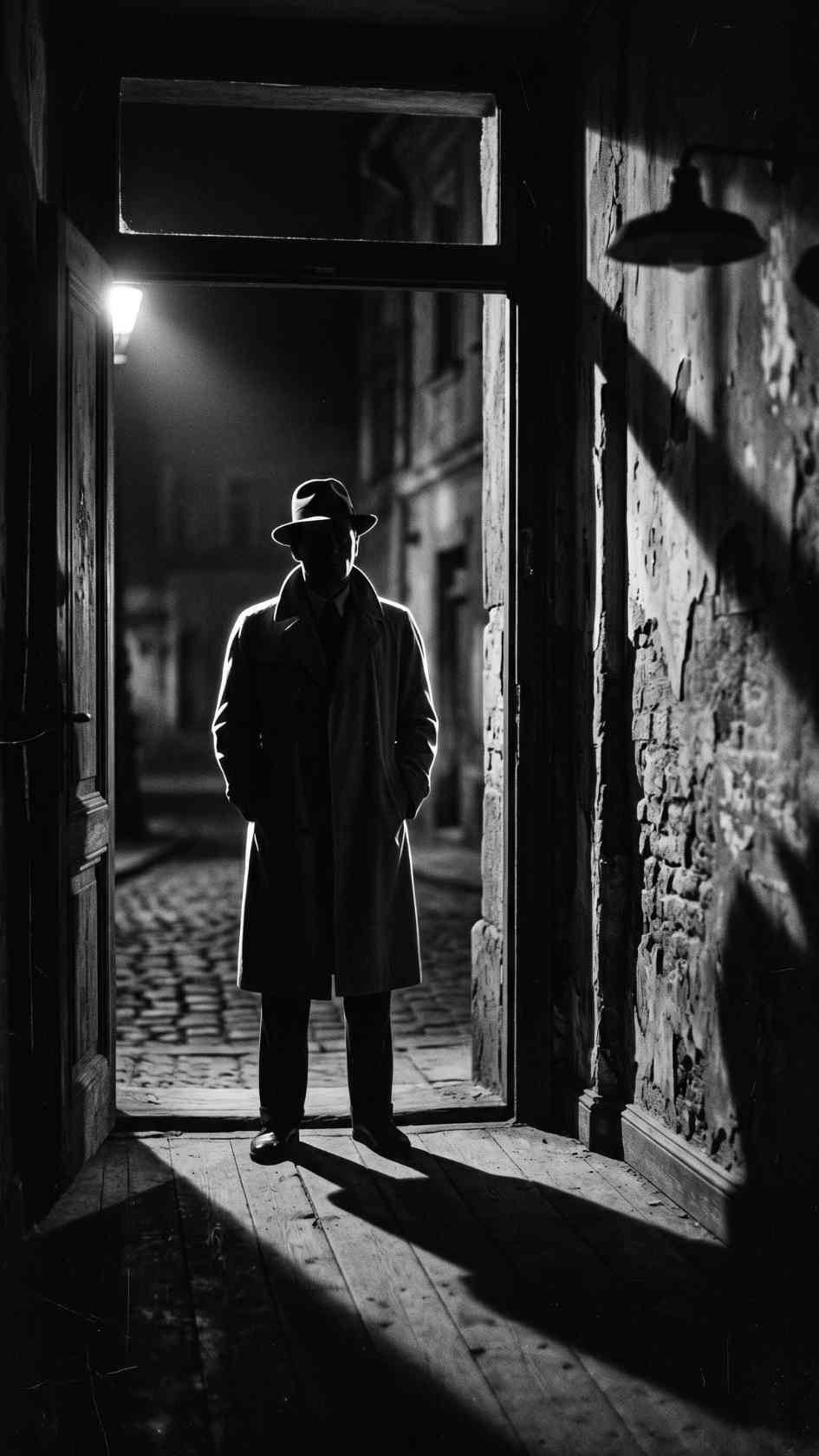
Free black and white cinematic .cube LUT for Premiere Pro, DaVinci Resolve, Final Cut Pro and CapCut.
Download FREERemoving color from an image doesn't simplify the grading challenge, it actually makes contrast and tonal separation more important than ever, since black and white footage relies entirely on brightness values to convey depth, texture, and mood that color would otherwise help communicate. Black & White Cinematic is built around this reality, a full desaturation paired with a rich, film-inspired contrast curve that gives monochrome footage the depth and dramatic tonal range classic black and white cinema is known for.
This is a distinctly different creative direction from our Horror & Thriller Desaturated LUT, which retains a specific color cast rather than converting fully to monochrome. For music to pair with black and white narrative content, Artlist and Epidemic Sound both carry classic, orchestral, and jazz-influenced tracks well suited to this timeless aesthetic.
Format: .cube (33-point 3D LUT), compatible with DaVinci Resolve, Adobe Premiere Pro, Final Cut Pro, and any other software that supports standard .cube LUT files.
Simply removing saturation from color footage using a basic desaturation tool often produces a flat, muddy result, since different colors that appeared clearly distinct in a color image can convert to nearly identical grey values, collapsing visual separation that existed in the original color footage. Classic black and white cinematography, and the specialized black and white film stocks used to create it, was specifically engineered to translate color contrast into meaningful brightness contrast, ensuring that different colors and lighting conditions would still read as visually distinct once converted to monochrome.
Black & White Cinematic is built to recreate this same careful attention to tonal separation, rather than simply stripping color from footage and calling it complete. The contrast curve this LUT applies is calibrated specifically to maintain meaningful separation between different brightness values throughout the tonal range, helping ensure your footage retains the rich, dimensional quality associated with classic black and white cinema rather than collapsing into a flat, undifferentiated grey.
The core use case this LUT is built for, giving narrative and artistic short films the rich, classic monochrome look associated with celebrated black and white cinema throughout film history.
Documentary content covering weighty or historical subject matter benefits from black and white's association with gravity and timelessness, distinct from the more immediate feel of color footage.
Music videos, particularly for genres with an artistic or classic sensibility, jazz, classical, certain indie or alternative styles, pair naturally with this monochrome treatment.
Some wedding videographers specifically offer black and white treatment for select portions of a wedding film, creating a timeless, classic contrast against color footage elsewhere in the same production.
Video content produced alongside fine art or portrait photography projects benefits from a consistent monochrome treatment that matches an established black and white photography aesthetic and visual identity.
Download the .cube file from the link above.
Go to File > Preferences > System > General, then click Open LUT Folder. Copy the downloaded .cube file into this folder.
Resolve needs to be restarted, or the LUT list refreshed manually, before the new LUT appears in your browser.
Right-click your clip's node, choose LUT, and select Black White Cinematic from your custom LUT folder.
Add Lumetri Color to your clip, open the Lumetri panel, go to Creative, click Browse under Look, and select the .cube file directly.
Place the .cube file in your custom LUT folder and apply through the Color inspector.
Since color distinctions disappear in monochrome, prioritize lighting setups with clear brightness contrast between subject and background during filming, rather than relying on color separation that won't survive conversion.
Colors that look distinct to the eye can convert to surprisingly similar grey values, testing costume and set choices with this LUT before committing to a full production avoids unexpected tonal collisions.
Skin tones can render quite differently in black and white depending on the specific conversion approach, review how faces specifically look under this LUT before committing across an entire production.
Since this content relies entirely on tonal gradation rather than color, review your final export on a display known for accurate grayscale rendering to confirm the result translates as intended.
Relying on color contrast that disappears in monochrome conversion. A red object against a green background might read as strongly separated in color but nearly identical once converted to grayscale, plan lighting and composition around brightness contrast instead.
Shooting flat, even lighting without considering monochrome's needs. Black and white content generally benefits from more dramatic lighting contrast than equivalent color footage might require.
Not testing skin tone rendering before a full production. Skin tones can render unexpectedly in monochrome, always preview against your specific cast before committing to a full shoot.
Applying this LUT inconsistently across a project mixing black and white with color. If your project intentionally combines both treatments, ensure the black and white portions maintain consistent tonal character throughout rather than varying unpredictably.
Light Leaks Transitions In DaVinci Resolve 18 Tutorial, useful background for building transitions that work well within a monochrome cinematic sequence.
Despite color video technology having been standard and accessible for decades, black and white continues to carry a specific creative weight and prestige within filmmaking and video content, often deployed deliberately by filmmakers who have full access to color but choose monochrome specifically for its distinctive emotional and aesthetic qualities. This continued relevance speaks to something genuine about how black and white imagery functions differently from color, stripping away color information forces both filmmaker and viewer to focus more directly on composition, lighting, texture, and performance, elements that color can sometimes distract from or overshadow.
Black and white also carries strong associations with cinema history and photojournalism specifically, tapping into a sense of documentary authenticity and timeless artistic seriousness that color content, however well produced, doesn't automatically carry in the same way. This LUT gives contemporary creators access to this same visual and emotional register, useful specifically for projects where that particular gravity and artistic weight genuinely serves the content's goals, rather than simply being a stylistic novelty.
While this LUT works well applied during the original color grading process, many creators also want to convert previously shot, already color-graded footage to black and white after the fact, whether for a specific creative reimagining of existing material or a delivery requirement that emerged after initial production. Applying this LUT to footage that's already received significant color correction generally works well, since the underlying brightness values driving the monochrome conversion remain largely intact regardless of prior color grading choices, though extremely aggressive prior color grading, particularly artificial color casts pushed to an extreme, can occasionally produce unexpected results once converted.
For the cleanest possible monochrome conversion results, applying this LUT to footage as close to its original, unprocessed state as reasonably possible, before extensive prior color correction, tends to produce more predictable, controllable results than converting footage that's already been heavily processed with color-specific grading choices that weren't originally intended to survive a later monochrome conversion.
For filmmakers and creators specifically building a body of work around a black and white aesthetic, whether an entire narrative feature or a recurring artistic content series, consistency in how this LUT's specific tonal characteristics are applied across an entire project matters considerably for the finished work's overall visual cohesion. Establishing your specific approach to this LUT's application, whether at full intensity throughout or with some scene-specific variation for different narrative moods, early in a production, and documenting that approach clearly for anyone else involved in the color grading process, helps maintain visual consistency across a longer project with potentially many different shooting days and lighting conditions.
This consistency becomes particularly important for feature-length or long-running black and white projects, where even subtle inconsistencies in contrast or tonal range between different scenes can become noticeably distracting to an audience already primed to pay close attention to tonal detail, given how central tonal range is to the entire viewing experience of black and white content specifically.
Filmmakers and content creators new to working in monochrome benefit considerably from studying celebrated black and white films and photography specifically to understand how master cinematographers and photographers historically approached lighting, composition, and contrast within this medium. Classic film noir cinematography, in particular, offers a rich reference point for understanding how dramatic lighting contrast, deep shadows, and careful highlight placement combine to create the mood and visual drama associated with this style, techniques that remain directly applicable to contemporary black and white content graded with this LUT.
Beyond film specifically, classic black and white photography, spanning documentary, portrait, and fine art traditions, offers additional reference points for understanding composition and tonal balance that translate well to video content. Building a personal reference library of black and white work you find visually compelling, and specifically analyzing what makes the lighting and composition in these references effective, provides a valuable foundation for applying this LUT thoughtfully rather than simply converting existing color footage without additional consideration for the specific compositional and lighting principles that make monochrome content genuinely striking.
It's worth being thoughtful about audience expectations when choosing to present content in black and white, since this stylistic choice carries specific connotations that may or may not align with a given project's actual goals. Some audiences may associate black and white specifically with older or historical content, which could create an unintended sense of dated distance for projects actually depicting contemporary subject matter, while other audiences increasingly recognize black and white as a deliberate contemporary artistic choice, particularly within certain genres and creative communities where this treatment has remained consistently popular.
Understanding your specific audience's likely relationship with and expectations around black and white content, rather than assuming universal reception, helps inform whether this stylistic choice genuinely serves a particular project's communication goals or introduces an unintended layer of interpretation that works against the content's actual intent, a consideration worth weighing thoughtfully alongside the genuine artistic and technical merits this LUT provides, ultimately ensuring the choice to work in monochrome serves the project's storytelling goals rather than simply being applied as an aesthetic default.
Yes, generally with good results, though footage with extremely aggressive prior color grading may produce less predictable results than footage closer to its original, unprocessed state.
It can, but black and white content generally benefits from more dramatic lighting contrast, consider your lighting setup specifically with monochrome conversion in mind for the strongest possible results.
Skin tones can render differently than expected in any monochrome conversion, always preview against your specific cast before committing across a full production or shoot schedule.
Yes, free for both personal and commercial black and white film and video production.
Yes, this is a common creative choice, just ensure the black and white portions maintain consistent tonal character throughout for a cohesive result across the entire finished piece.
Yes, its rich, classic tonal range suits both fictional narrative work and documentary content seeking a timeless, serious visual register that carries genuine emotional and artistic weight.
Affiliate Disclosure: This post may contain affiliate links. If you make a purchase through one of these links, FreeVisuals may earn a commission at no extra cost to you. We only recommend products and platforms we genuinely believe in. Read our full disclosure policy.
Download free video templates, LUTs, and presets for Premiere Pro, After Effects, DaVinci Resolve, CapCut, and Final Cut Pro.









