.avif)
Freevisuals
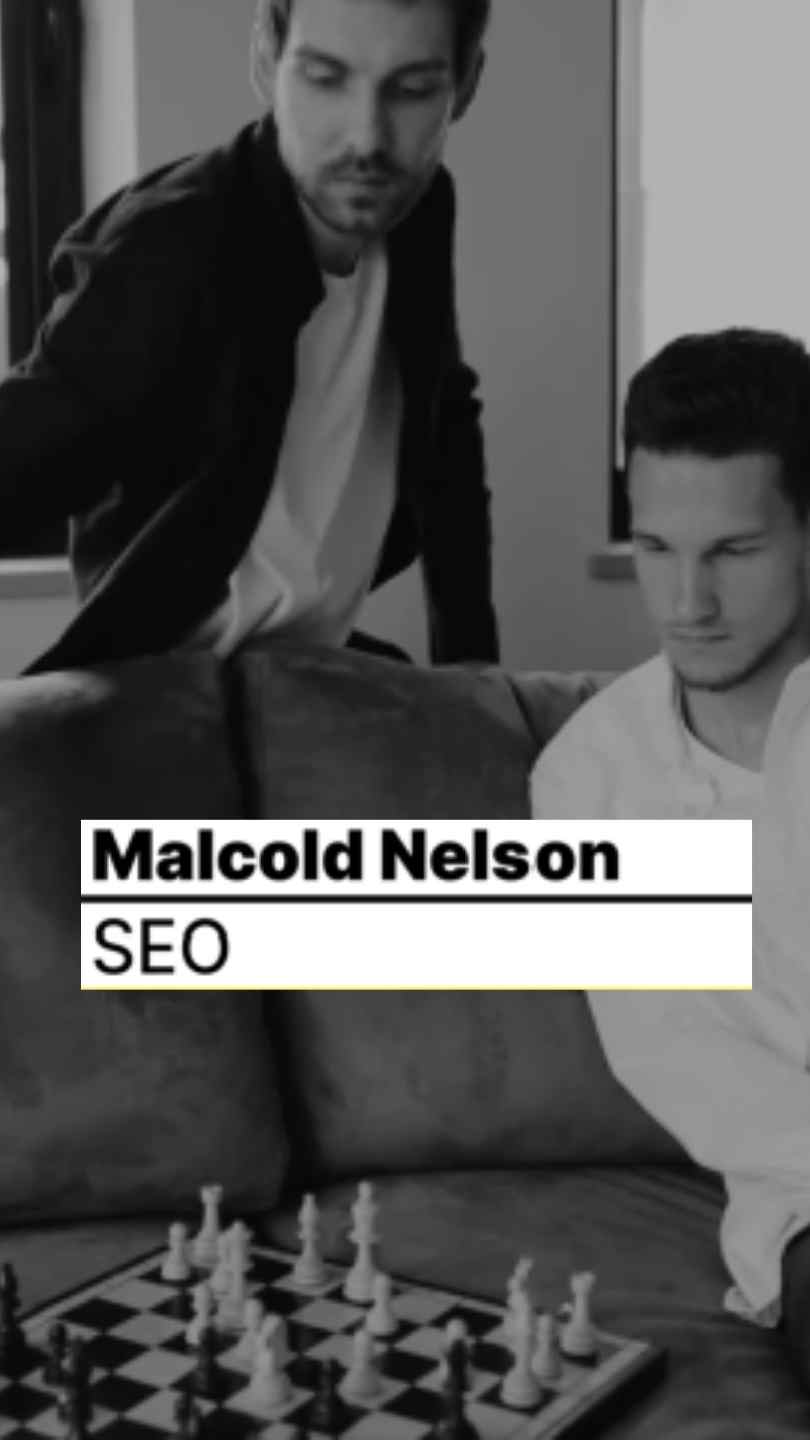
Minimal Lower Thirds by ToresMotion, a clean Premiere Pro MOGRT lower third template with editable text and color. Download on Artlist.
Download NOW!Download On Artlist
A lower third does one specific job, and it needs to do it without drawing attention away from whatever else is happening on screen. Minimal Lower Thirds, made by ToresMotion and available through Artlist, is built specifically around that principle, clean, understated name and title graphics that communicate information clearly without competing visually with your actual footage, delivered as a Premiere Pro Motion Graphics Template ready to drop directly into your timeline.
If you're building this into a broader interview or documentary style project, our Premiere Pro Shortcuts guide is genuinely useful here, since navigating the Essential Graphics panel efficiently speeds up customizing a lower third considerably once you know the right keyboard shortcuts. For music with the kind of understated, professional energy that pairs naturally with minimal lower thirds, Artlist carries a genuinely strong selection well suited to this exact tone.
Exact resolution, clip count, and file size were not independently confirmed at the time of writing beyond the product's confirmed identity. Confirm these specific details directly on the live product page before finalizing a project around exact delivery requirements.
In broadcast terminology, a lower third is sometimes called a chyron, named after the Chyron Corporation's early character generator hardware, or simply CG for character generator. It refers to any graphic overlay placed in the lower portion of the screen, conventionally showing a person's name on one line and their title or role on a second, smaller line beneath it. This convention exists specifically because it communicates information efficiently without requiring a viewer to look away from the main subject of the shot, the graphic sits in the same general area a viewer's eye is already near when watching a person speak on camera.
Understanding this underlying purpose helps explain why minimal, restrained lower third design tends to work better across a genuinely wide range of content than more elaborate, heavily stylized alternatives, the graphic's job is to inform quickly and then get out of the way, not to become the visual focus of the shot itself.
Head to the Artlist download page and grab the MOGRT file.
In Premiere Pro, go to Window, then Essential Graphics, to open the panel where you'll install and manage this template.
Within the Essential Graphics panel's Browse tab, click the folder icon and navigate to your downloaded MOGRT file to add it to your library.
Drag the lower third directly from the Essential Graphics panel onto your timeline, positioned above your footage at the appropriate moment.
With the clip selected, switch to the Edit tab within Essential Graphics and update the name and title text fields directly, keeping both lines genuinely concise for maximum legibility.
Use the same Edit tab's color controls to update the template's palette to fit your specific brand while preserving its clean, minimal character.
Play back your timeline to confirm your lower third reads clearly and at an appropriate pace before committing to a final export.
Once satisfied, export your finished sequence using your project's standard export settings.
For a genuinely useful walkthrough of working with lower third MOGRTs directly inside Premiere Pro, watch Easily Create Lower Thirds In Premiere, Motion Graphics Tutorial. This is worth watching specifically because it covers the Essential Graphics panel workflow this template depends on directly, giving you genuine confidence installing, editing, and repositioning lower thirds without ever needing to open After Effects.
The restrained, minimal style suits interview and documentary content particularly well, introducing speakers clearly without pulling focus from what they're actually saying.
Business content benefits from lower thirds that read as genuinely professional rather than decorative or attention seeking.
Tutorial and educational videos benefit from clear, minimal name and title graphics that support comprehension rather than adding visual noise.
The clean, informative character suits news style content wanting a credible, professional visual identity.
Multi speaker video content benefits from consistent, minimal lower thirds that help viewers track who is speaking without visual distraction.
Minimal lower third design has remained a reliable choice for years, largely because it isn't tied to any specific passing visual trend. A heavily stylized, trend specific lower third can start to feel dated relatively quickly, while a genuinely minimal, typography focused design remains visually current considerably longer, since its appeal rests on clarity and restraint rather than a decorative style that will eventually cycle out of fashion. This makes a template like this one a genuinely sound long term addition to your Premiere Pro toolkit, useful across projects for years rather than becoming dated after a single specific trend passes.
A genuinely effective lower third depends on a clear visual hierarchy between its two lines of text, and understanding this distinction helps you customize this template more effectively within the Essential Graphics panel. The name line, typically the larger, bolder text, should be the most immediately readable element, since a viewer's primary interest is usually simply confirming who they're looking at. The title or role line, typically smaller and often in a lighter weight, provides supporting context without competing for the same level of visual attention. Getting this hierarchy right, rather than treating both lines with equal visual weight, produces a considerably more effective, professional feeling result.
For projects featuring multiple different speakers, a panel discussion, a documentary with several interview subjects, or a corporate video introducing multiple team members, using this exact same lower third template consistently across every individual speaker matters considerably for how professional the finished piece feels overall. Since Premiere Pro's Essential Graphics panel lets you duplicate an installed MOGRT instance directly on your timeline and simply update the text for each new speaker, maintaining this consistency across a multi speaker project is genuinely fast once your first instance is properly configured.
For projects genuinely aiming for a broadcast quality feel specifically, it's worth thinking about how this lower third fits within a broader visual system rather than existing as an isolated graphic element. Professional broadcast content typically maintains consistent styling across every graphic element, lower thirds, title cards, transition bumpers, all sharing a coherent color palette, typography choice, and general visual language. Using this template's color and font choices as the actual foundation for your broader project's graphic identity, rather than treating it as a separate, disconnected element, produces a considerably more polished, professionally considered final result within Premiere Pro's own Essential Graphics workflow.
This kind of systematic thinking is particularly valuable for editors and studios producing recurring content, a weekly interview series or an ongoing corporate video program, where establishing this consistent visual system once, then reusing the same installed MOGRT reliably across every future episode, builds genuine viewer recognition and professional credibility over time.
Using overly long text that doesn't fit comfortably within the lower third's design. Keep names and titles concise for the cleanest, most legible result.
Positioning the lower third too close to the edge of frame. Always confirm your graphic sits within the safe title area for your specific delivery platform.
Leaving the lower third on screen for the entire duration of a shot. A few seconds is generally sufficient for a viewer to read the information, after which it can exit cleanly.
Forgetting the template is a MOGRT rather than a native project file. All customization happens through the Essential Graphics panel directly in Premiere Pro, not by opening the file in After Effects.
As with any Artlist asset, reviewing the current license terms before using this template within paid client or commercial work is worth doing upfront, particularly for corporate and broadcast work where licensing clarity carries genuine weight. Confirming your specific intended use case is properly covered protects both your own business and gives your client real confidence in the assets underlying their finished deliverable.
Minimal Lower Thirds gives Premiere Pro editors a genuinely dependable, understated way to introduce speakers and provide context without pulling attention away from what actually matters within a shot. Understanding the underlying purpose of a lower third, communicating quickly and getting out of the way, along with maintaining a clear text hierarchy and genuine consistency across multi speaker projects through the Essential Graphics panel, gets you the most value from this template across whatever specific interview, documentary, or corporate project calls for it.
A lower third displays a person's name and title, or other contextual information, in the lower portion of the frame, commonly used in interviews, documentaries, and corporate video.
No, it's built as a Premiere Pro Motion Graphics Template, fully editable directly within the Essential Graphics panel.
Generally a few seconds is sufficient for a viewer to read the information comfortably before it exits.
Yes, the template includes editable color controls directly within Essential Graphics for simple brand matching.
Interviews, documentaries, corporate presentations, educational content, and news style video all genuinely benefit from its clean, minimal design.
Affiliate Disclosure: This post may contain affiliate links. If you make a purchase through one of these links, FreeVisuals may earn a commission at no extra cost to you. We only recommend products and platforms we genuinely believe in. Read our full disclosure policy.
Download free video templates, LUTs, and presets for Premiere Pro, After Effects, DaVinci Resolve, CapCut, and Final Cut Pro.









