.avif)
Freevisuals
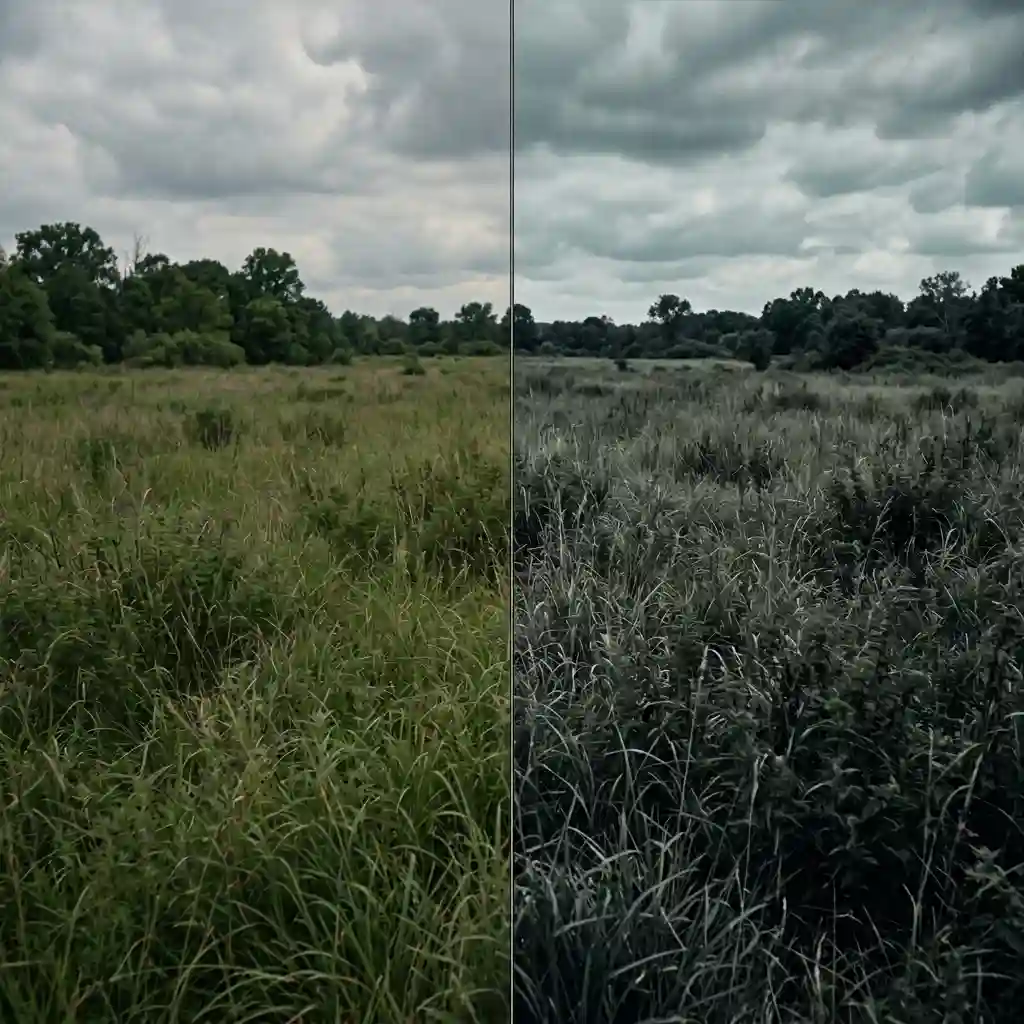
Free bleach bypass war film .cube LUT for Premiere Pro, DaVinci Resolve, Final Cut Pro and CapCut.
Download FREEDownload a free bleach bypass war film .cube LUT built to deliver the high-contrast, desaturated, gritty look of films like Saving Private Ryan and 300, and apply it in Premiere Pro, DaVinci Resolve, Final Cut Pro or CapCut as an adjustment layer or node on top of your footage.
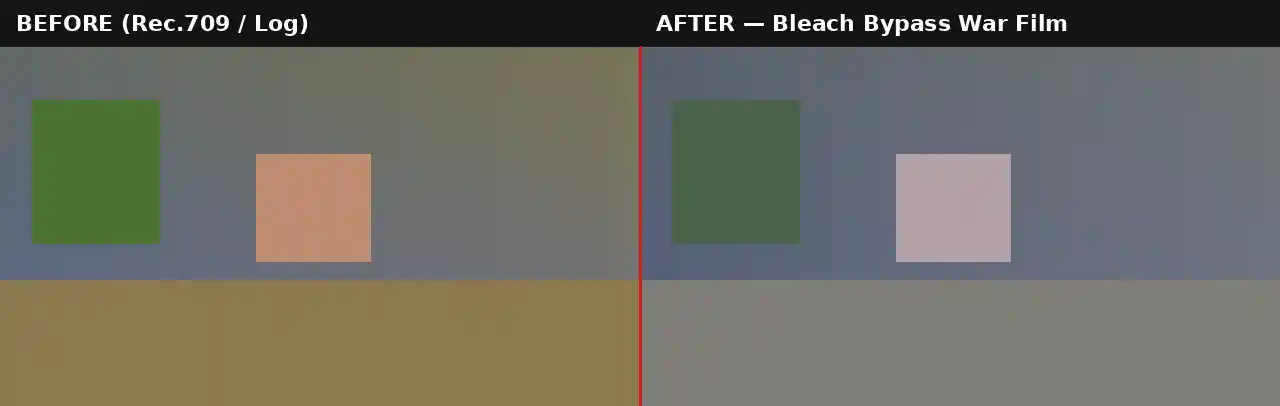
Bleach bypass is a physical film processing technique where the bleaching step is partially or fully skipped during development, leaving some of the silver image intact alongside the color dye layer. The result is a distinctive combination, high contrast, reduced color saturation, and a colder, harder-edged image that reads as more serious and unflattering to soft, warm color than a standard color grade. This aesthetic became closely associated with war and action cinema after its prominent use in films like Saving Private Ryan and 300, and it remains one of the most recognizable narrative color signatures in film history.
This LUT replicates the core traits of that process digitally, pulling saturation back substantially across the whole frame while pushing contrast up significantly, and applying a cool, steel-toned color cast rather than a neutral or warm one. Importantly, blacks are not pushed to a pure crush the way a horror or thriller grade might; some shadow density and detail is retained, echoing the way the silver layer in a genuine bleach bypass print holds onto some information even in the darkest parts of the frame.
This fills a genuine gap separate from a horror or thriller desaturated pack. Where horror grading typically leans toward deep, near-black crushed shadows to build dread and obscure detail, this look is calibrated to feel harsh and unforgiving in bright daylight conditions, exactly the visual language of a war film shot largely outdoors rather than in dark interiors. It is worth noting that bleach bypass as a physical film technique was never a single fixed look, different labs and different amounts of bleach reduction produced noticeably different results even within the same production, which is part of why several distinct variations of this aesthetic exist across the films most associated with it. This LUT represents one well-established version of that range, calibrated toward the harder, more desaturated end most closely associated with Saving Private Ryan and 300, rather than a milder version some other productions used.
This .CUBE file works natively across Adobe Premiere Pro (Lumetri Color), DaVinci Resolve, Final Cut Pro (FCPX), and CapCut Desktop.
A practical tip specific to this look: because contrast is pushed significantly, footage with already high dynamic range or strong existing contrast can lose highlight or shadow detail more aggressively than expected. Checking the Waveform Monitor after applying this LUT is worth the extra minute, particularly on footage shot in bright, high-contrast daylight conditions typical of exterior war and action scenes.
This LUT is built as a creative grade for standard Rec.709 footage, not as a technical conversion tool. If shooting on a camera set to Sony S-Log2/3, Canon Log, or Blackmagic Gen 5, the footage needs a technical LUT applied first to bring it into a normal Rec.709 viewing space before this high-contrast grade goes on top. Applying it directly to unconverted log footage tends to produce a muddy, low-contrast result rather than the intended harsh, punchy look, since the LUT's contrast push is calibrated against a properly exposed Rec.709 image rather than a much flatter log curve.
Most camera manufacturers provide free technical conversion LUTs for their specific log profiles on their support websites. Once that conversion is applied as a first step, either on its own node or adjustment layer beneath this one, the Bleach Bypass War Film LUT will behave exactly as expected on footage originally shot in any of the supported log formats.
Consider an independent filmmaker shooting a short war or historical drama largely in daylight exterior locations. Scenes shot in bright, overcast conditions generally take this LUT extremely well, since the naturally softer, more even light already suits the reduced saturation and increased contrast. Scenes shot in harsh direct sunlight with strong shadows may need a small amount of shadow lift added before the LUT, since the grade's own contrast push can otherwise crush already-deep natural shadows further than intended, losing detail that would otherwise read as intentional grit rather than simply underexposed. For anyone building out a broader war or historical narrative project, maintaining this same LUT consistently across every scene, rather than switching grades between different sequences, helps establish the look as the visual signature of the entire film rather than a one-off effect used in a single standout scene. Consistency across an edit is often what separates a color grade that feels like a deliberate artistic choice from one that simply feels like a filter applied inconsistently to individual shots. A short test render on one representative clip from each location is a worthwhile step before locking the grade in across an entire shoot day, since a small adjustment made early is far easier than reconciling inconsistent grading choices across dozens of clips during a final edit. Keeping this in mind from the planning stage rather than the edit saves real time later.
The most frequent issue is applying this LUT to footage shot with already very high native contrast without a review pass on the Waveform Monitor, which can clip highlights or crush shadows further than intended. A second common mistake is using this look on interior or low-light footage, where a horror or thriller-specific desaturated LUT with deeper shadow crush generally suits the mood far better than this daylight-calibrated war film treatment, since the two looks are built around different lighting conditions and narrative registers.
For war and historical drama scoring, tense orchestral and percussion-driven tracks from Epidemic Sound suit this grade particularly well. Artlist carries dramatic, cinematic scoring in a similar register, and MotionVFX carries smoke, dust, and debris overlay packs that layer naturally on top of this grade for exterior action sequences.
Watch on YouTube: Bleach Bypass Film Look Masterclass, DaVinci Resolve Color Grade Tutorial
A film grain overlay and a dust or smoke particle overlay both reinforce the gritty, textured quality this grade is built around. For narrative editing, a hard-cut transition pack suits the tone of this look better than a soft dissolve, matching the harsher visual language of the grade itself.
This LUT is free for personal and commercial use. No attribution is required. It should not be resold or redistributed as a standalone stock asset, and it should not be uploaded to a competing stock photography or LUT marketplace. Full terms are covered in the Terms of Service.
How is this different from your Horror & Thriller pack?
The horror and thriller LUTs are calibrated for deeper, near-crushed shadows suited to dark interior and night scenes, while this bleach bypass grade is calibrated for daylight exterior conditions typical of war and action films, retaining more shadow detail with a cooler overall cast.
Will this LUT work on interior or night footage?
It can, but a horror or thriller-specific LUT with deeper shadow crush will generally suit low-light interior footage better, since this grade is calibrated primarily around daylight contrast levels.
Is this LUT free for commercial projects?
Yes, this LUT is free for both personal and commercial use with no attribution required.
Which software works best with this LUT?
It is a standard .CUBE file, so it works identically across Premiere Pro, DaVinci Resolve, Final Cut Pro and CapCut Desktop.
Download free video templates, LUTs, and presets for Premiere Pro, After Effects, DaVinci Resolve, CapCut, and Final Cut Pro.
%20Profile%20Pic.jpg)








