.avif)
Freevisuals
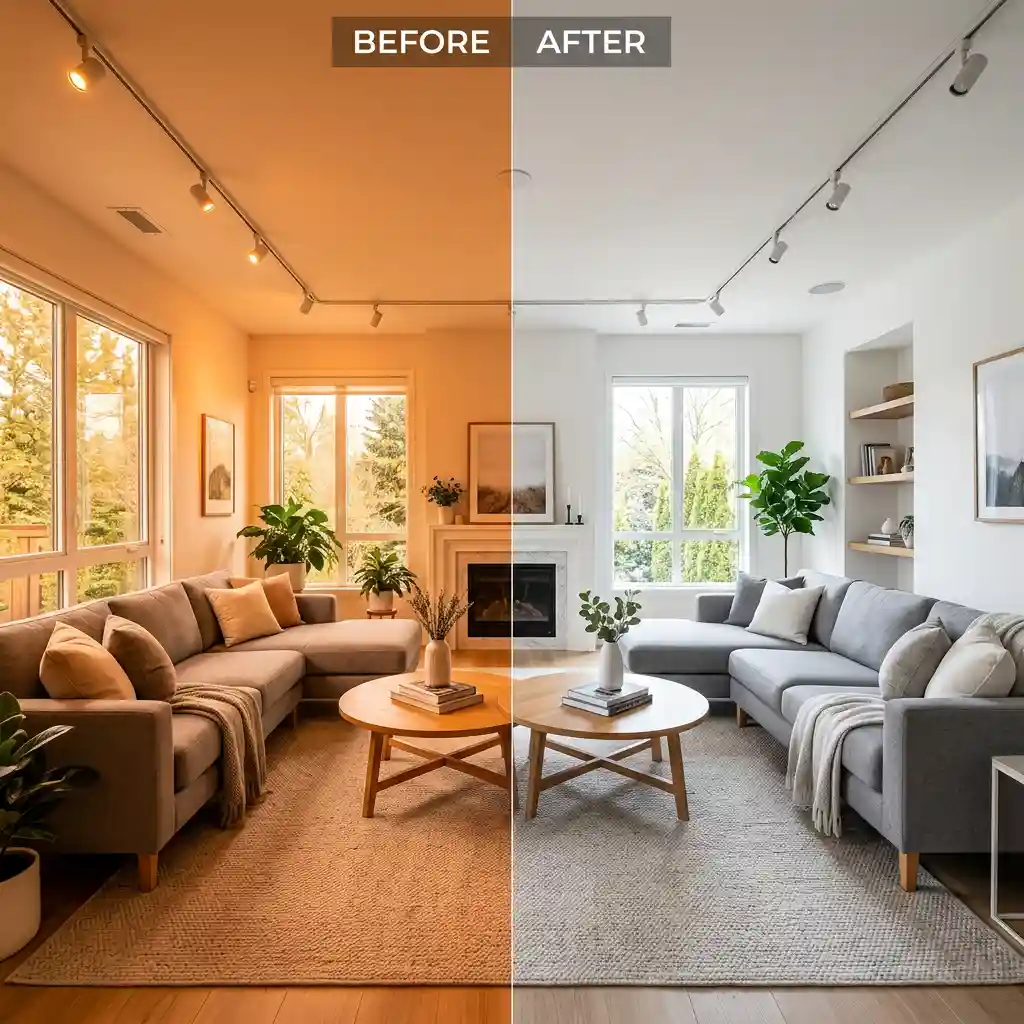
Free clean real estate and interior .cube LUT for Premiere Pro, DaVinci Resolve, Final Cut Pro and CapCut.
Download FREEDownload a free clean real estate and interior .cube LUT built to neutralize tungsten light casts, preserve clean whites, and boost natural window light for real estate videographers, architectural content creators, and Airbnb hosts, and apply it in Premiere Pro, DaVinci Resolve, Final Cut Pro or CapCut as an adjustment layer or node on top of your footage.
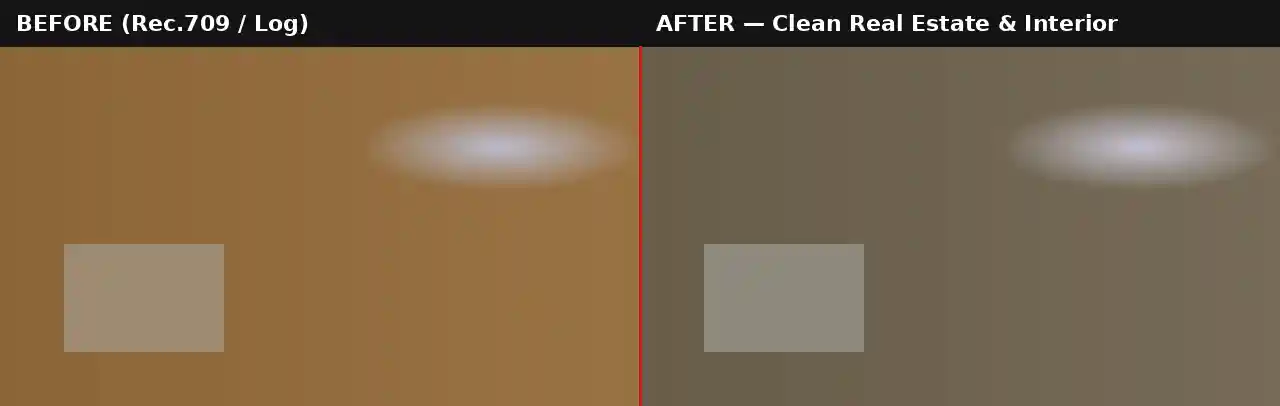
Most interior footage is shot under mixed lighting, warm tungsten bulbs throughout the room, and cooler daylight spilling in through windows, which produces exactly the color temperature clash that makes a space look unprofessional on camera. A room lit only by 3200K tungsten bulbs reads distinctly orange straight out of camera, and if a window is in frame, the contrast between the warm interior and the cool daylight outside becomes even more obvious and distracting. This LUT is built specifically to correct that mismatch, pulling the orange cast out of the midtones and shadows while keeping bright highlight areas, walls, ceilings, trim, genuinely neutral rather than tinted.
This matters enormously for real estate and Airbnb content specifically because color accuracy directly affects how a viewer perceives a space. A kitchen that reads too orange looks dated and can misrepresent the actual paint color or cabinet finish, while a kitchen with clean, neutral whites and a hint of natural daylight looks larger, brighter, and more move-in ready. The slight boost this LUT gives to daylight coming through windows also helps sell the sense of natural light in a listing, which is consistently one of the most searched-for qualities in real estate marketing copy and video.
Unlike a creative cinematic LUT built to introduce a strong stylistic mood, this grade is intentionally restrained. The goal is corrected, trustworthy color rather than a dramatic look, since real estate and architectural clients need footage that represents the actual space accurately rather than an artistic interpretation of it. This restraint also matters for a second, more practical reason: real estate video is almost always viewed on a phone screen inside a listing app or social feed, often at fairly low brightness settings. A subtle, corrected grade like this one holds up reliably across those viewing conditions, while a more heavily stylized creative LUT can shift unpredictably in perceived color and brightness depending on the viewer's screen and app compression, which is a real risk when the footage's job is to represent a physical space accurately rather than deliver a mood.
This .CUBE file works natively across Adobe Premiere Pro (Lumetri Color), DaVinci Resolve, Final Cut Pro (FCPX), and CapCut Desktop.
A practical tip specific to this look: since every room in a property shoot can have a different mix of bulb types, natural light, and window exposure, this LUT often needs a slightly different opacity or a small manual white balance nudge per room rather than one fixed setting applied uniformly across an entire walkthrough video.
This LUT is built as a corrective grade for standard Rec.709 footage, not as a technical conversion tool. If shooting on a camera set to Sony S-Log2/3, Canon Log, or Blackmagic Gen 5, the footage needs a technical LUT applied first to bring it into a normal Rec.709 viewing space before this correction LUT goes on top. Applying it directly to unconverted log footage will generally undercorrect the cast, since the LUT is calibrated against a standard Rec.709 tonal range rather than the much flatter log curve most cameras produce by default.
Most camera manufacturers provide free technical conversion LUTs for their specific log profiles on their support websites. Once that conversion is applied as a first step, either on its own node or adjustment layer beneath this one, the Clean Real Estate & Interior LUT will behave exactly as expected on footage originally shot in any of the supported log formats.
Consider a real estate videographer shooting a full property walkthrough across a dozen rooms in a single afternoon. Kitchens and bathrooms lit primarily with modern LED fixtures will typically need a lighter touch with this LUT, since LED lighting is often already closer to neutral daylight temperature. Living rooms and bedrooms lit with older tungsten fixtures, particularly in the evening or on an overcast day with less natural light coming through windows, generally need the LUT closer to full strength to fully neutralize the warm cast. Reviewing each room individually rather than applying one setting to the entire walkthrough produces a much more consistent, professional-looking final video. Shooting with these adjustments in mind from the start, rather than relying entirely on this LUT to fix everything in post, produces the strongest final result. Turning off mixed tungsten bulbs where possible in favor of consistent LED fixtures, or simply opening curtains and blinds further to let more natural daylight dominate a room, gives this LUT a cleaner starting point to correct rather than asking it to fully neutralize an extreme lighting mismatch on its own.
The most frequent issue is applying this LUT at a fixed intensity across an entire property without accounting for how much each room's lighting actually varies, which can leave some rooms undercorrected and others slightly overcorrected toward cool. A second common mistake is applying this LUT to footage that was already manually white balanced heavily in-camera or during a prior grading pass, which can push the result too far toward cool or slightly green, since the correction stacks with whatever adjustment was already made. If footage has already been manually white balanced close to neutral, a lighter opacity setting, closer to 40 to 50 percent, usually produces a better result than applying the LUT at full strength on top of an already-corrected base.
Artlist carries clean, upbeat instrumental tracks well suited to real estate and architectural walkthrough videos. Motion Array carries real estate-specific title templates and lower thirds that pair naturally with this cleaner, more corrected grading style.
Watch on YouTube: How to Colour Grade Real Estate Videos in DaVinci Resolve
A clean, minimal title template suits this corrected grading style far better than a heavily stylized cinematic template, since the goal across the whole video is trustworthy, accurate presentation rather than mood. A subtle drone or aerial establishing shot overlay pairs well as an opening for a property walkthrough graded with this LUT.
This LUT is free for personal and commercial use. No attribution is required. It should not be resold or redistributed as a standalone stock asset, and it should not be uploaded to a competing stock photography or LUT marketplace. Full terms are covered in the Terms of Service.
Will this LUT fix mixed lighting within the same shot?
It will meaningfully reduce a tungsten-versus-daylight mismatch, but a shot with very strong mixed lighting may still need a secondary qualifier-based correction on the most extreme area for a fully neutral result.
Should I apply this before or after my own white balance correction?
If footage has already been manually white balanced close to neutral, apply this LUT at a lower opacity, around 40 to 50 percent, rather than full strength.
Is this LUT free for commercial real estate projects?
Yes, this LUT is free for both personal and commercial use with no attribution required.
Which software works best with this LUT?
It is a standard .CUBE file, so it works identically across Premiere Pro, DaVinci Resolve, Final Cut Pro and CapCut Desktop.
Download free video templates, LUTs, and presets for Premiere Pro, After Effects, DaVinci Resolve, CapCut, and Final Cut Pro.
%20Profile%20Pic.jpg)








