.avif)
Freevisuals
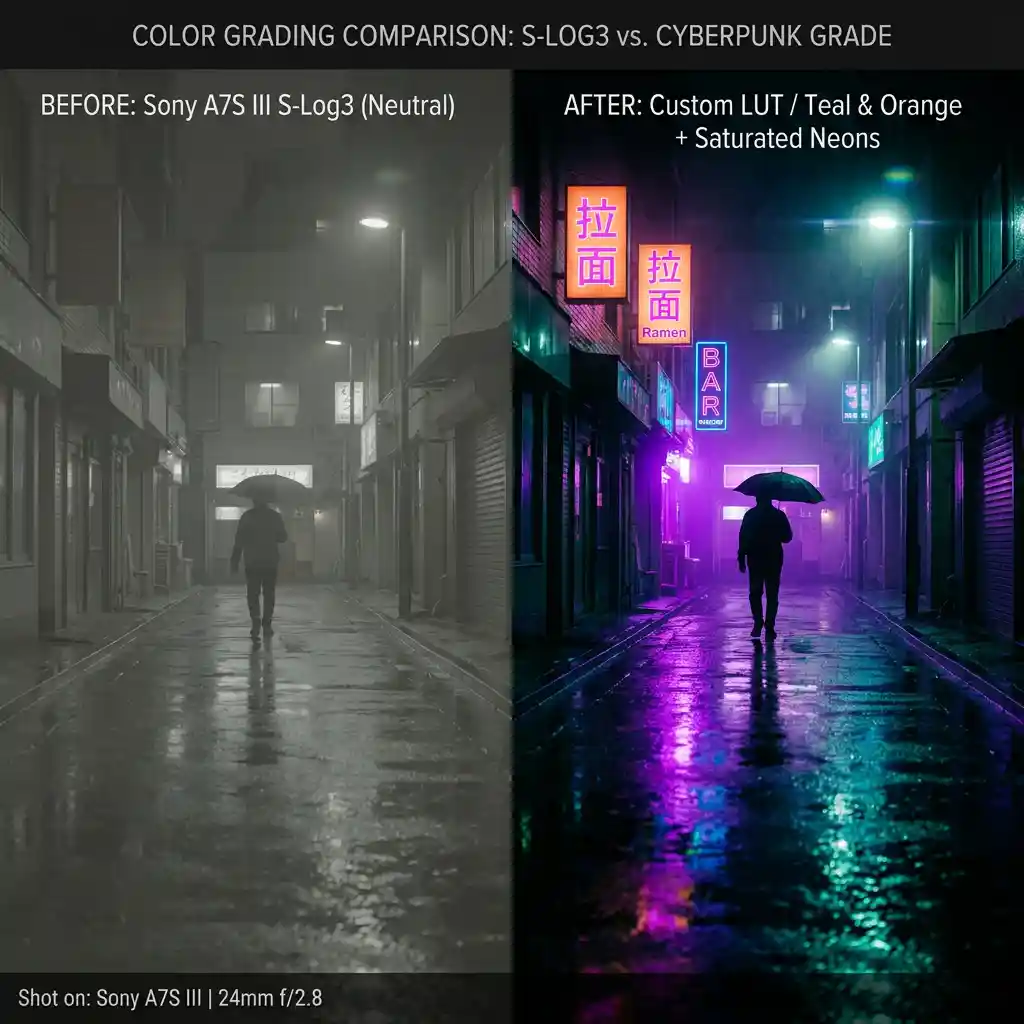
Free cyberpunk neon night .cube LUT for Premiere Pro, DaVinci Resolve, Final Cut Pro and CapCut.
Go Pro To DownloadDownload a free cyberpunk neon night .cube LUT built to boost greens, purples and blues in city environments for street videographers and short filmmakers, and apply it in Premiere Pro, DaVinci Resolve, Final Cut Pro or CapCut as an adjustment layer or node on top of your footage.
Spec Detail Quantity1 LUT (.CUBE file)Compatible SoftwareAdobe Premiere Pro, DaVinci Resolve, Final Cut Pro, CapCut, PhotoshopSupported Color SpacesRec.709 (primary), Sony S-Log2/3, Canon Log, Blackmagic Gen 5File Format.CUBE (3D LUT, 33x33x33)Color Profile StyleHigh-contrast, boosted neon greens purples and blues, deep crushed shadows, cool overall castBest Used ForStreet videography, short films, night city footage, music videos, sci-fi and gaming contentLicense TierFree Personal & Commercial Use
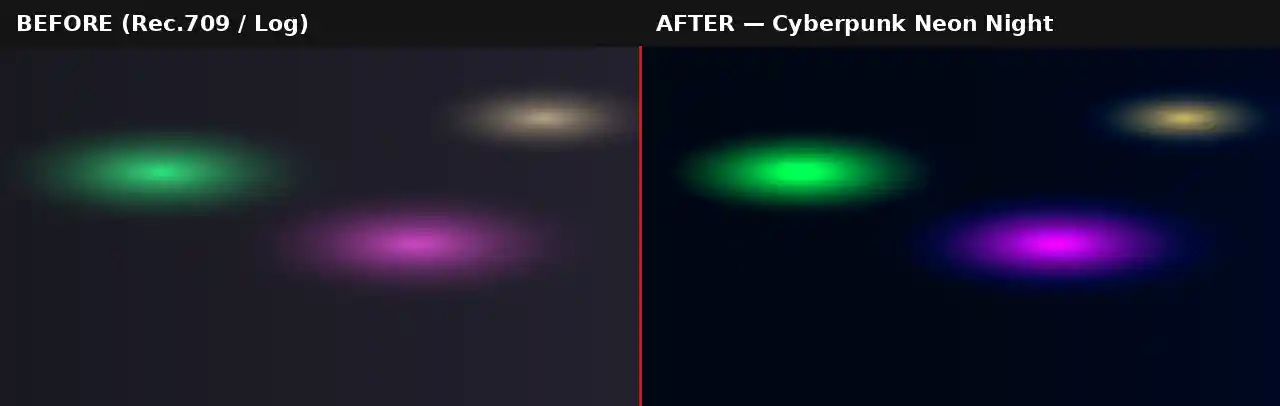
Night footage of any city already contains the raw material for a striking neon look, streetlights, shop signs, traffic, reflections on wet pavement, but straight out of camera it usually reads as muddy, low-contrast, and desaturated rather than vivid. This LUT is built specifically to solve that problem, pushing the greens, purples and blues that already exist in most urban night lighting toward a punchier, more saturated result while crushing the shadows down to a deep, near-black base that makes the neon colors pop by contrast.
This fills a genuine gap in most general-purpose LUT libraries, which tend to cover either warm cinematic looks or black-and-white treatments but rarely a dedicated high-contrast urban night grade. For street videographers, short filmmakers working in a sci-fi or noir register, and music video editors cutting footage shot after dark, this LUT gives an immediate, recognizable aesthetic without needing to manually push individual hue and saturation curves for every clip.
The crushed shadow treatment is doing real work here beyond just looking dramatic. By pulling detail out of the darkest parts of the frame, the eye is drawn more strongly to whatever light sources remain, exactly the effect that makes cyberpunk and neo-noir cinematography feel so deliberate and controlled even when shot on real, imperfect city streets rather than a built set. This LUT also tends to read well even on relatively ordinary source footage that was not specifically lit or art-directed for a cyberpunk aesthetic. A city street with a mix of ordinary sodium streetlights, a single illuminated shop sign, and passing car headlights already contains enough color variation for this grade to build something visually cohesive from, which matters for creators working without access to a fully art-directed set or dedicated colored lighting rig. Shooting handheld through steam, rain, or a slightly foggy lens filter adds another layer of atmosphere that this grade amplifies particularly well, since the added haze catches and diffuses the boosted neon colors even further.
This .CUBE file works natively across Adobe Premiere Pro (Lumetri Color), DaVinci Resolve, Final Cut Pro (FCPX), and CapCut Desktop.
A practical tip specific to this look: because shadows are pushed quite dark, footage with genuinely underexposed areas can lose too much detail once this LUT is applied. Do a quick primary exposure pass first to make sure anything you want visible in the final shot, a subject's face, a key prop, sits in a mid-tone range before this grade crushes the blacks further.
Beyond street videography and short films, this grade suits gaming content and stream overlays with a cyberpunk or sci-fi theme, music video b-roll shot in any city at night, and YouTube thumbnails for tech, gaming, or urban exploration channels wanting a bold, high-contrast visual identity.
Watch on YouTube: Create a Cyberpunk Video Look in Seconds in Adobe Premiere Pro
Artlist carries genuine night-city and neon stock footage that this LUT can help tie into your own footage for a consistent look across a whole project. For music, synthwave and electronic tracks from Epidemic Sound suit this aesthetic particularly well, and MotionVFX carries glitch and digital interface overlay packs that layer naturally on top of this grade for a more complete cyberpunk sequence.
A rain overlay or lens dirt effect adds to the neo-noir wet-pavement feel this grade is built around, and a glitch transition pack suits scene changes within a cyberpunk-themed edit particularly well.
This LUT is built as a creative grade for standard Rec.709 footage, not as a technical conversion tool. If shooting on a camera set to Sony S-Log2/3, Canon Log, or Blackmagic Gen 5, the footage needs a technical LUT applied first to bring it into a normal Rec.709 viewing space before this high-contrast creative grade goes on top. Applying this LUT directly to unconverted log footage tends to produce results that are either far too dark or strangely flat depending on the specific log curve, since the LUT is calibrated to push contrast and crush shadows relative to a standard Rec.709 starting point, not a much flatter log image.
Most camera manufacturers provide free technical conversion LUTs for their specific log profiles on their support websites. Once that conversion is applied as a first step, either on its own node or adjustment layer beneath this one, the Cyberpunk Neon Night LUT will behave exactly as expected on footage originally shot in any of the supported log formats.
Consider a short filmmaker shooting a night scene set in a city alley, mixing practical neon signage with a few added LED panels for extra color. Rather than trying to color-match every individual light source manually in the grade, applying this LUT as a starting point pushes any existing green, purple or blue light sources toward a consistent, unified neon palette automatically, since the LUT is built to boost exactly those hues regardless of their specific source. From there, a much smaller amount of manual secondary correction, usually just balancing exposure between the brightest and darkest areas of the frame, is enough to finish the shot rather than building the entire look from a blank grade.
The most common issue with this LUT is applying it to footage that lacks any real colored light sources to begin with, such as a scene lit only with plain white streetlights, which leaves the grade with nothing to boost and can produce a flat, overly dark result instead of the intended neon effect. This LUT performs best when there is genuine colored light already present in frame, neon signage, LED strips, colored shop windows, for it to amplify. A second frequent mistake is skipping the primary exposure pass mentioned earlier and applying this LUT directly to underexposed night footage, which compounds the existing lack of shadow detail with the LUT's own additional contrast push, sometimes losing a subject's face or key details entirely into pure black. Testing the LUT on a short clip before committing to it across an entire project is worth the extra few minutes, since the crushed shadow effect reads very differently on a small preview thumbnail than it does at full playback size.
This LUT is free for personal and commercial use. No attribution is required. It should not be resold or redistributed as a standalone stock asset, and it should not be uploaded to a competing stock photography or LUT marketplace. Full terms are covered in the Terms of Service.
Will this LUT work on daytime footage?
It is built specifically for night and low-light urban footage with artificial light sources. Applying it to daytime footage will generally look oversaturated and unnatural rather than cyberpunk-styled.
My footage looks too dark after applying this LUT, what should I do?
Do a primary exposure correction pass first to bring any important subject or detail into a mid-tone range before applying this LUT, since it deliberately crushes shadows further.
Is this LUT free for commercial projects?
Yes, this LUT is free for both personal and commercial use with no attribution required.
Which software works best with this LUT?
It is a standard .CUBE file, so it works identically across Premiere Pro, DaVinci Resolve, Final Cut Pro and CapCut Desktop.
Download free video templates, LUTs, and presets for Premiere Pro, After Effects, DaVinci Resolve, CapCut, and Final Cut Pro.









