.avif)
Freevisuals
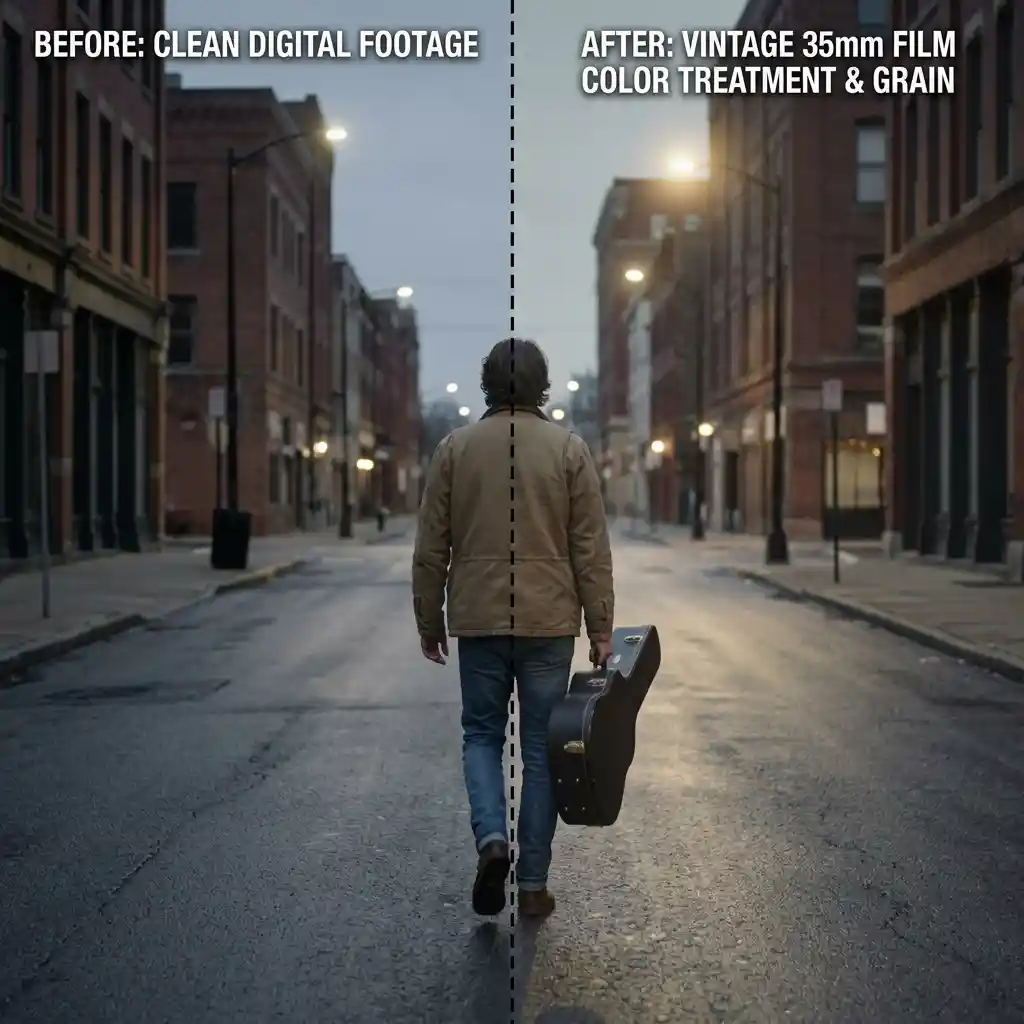
Free vintage 35mm film-emulation .cube LUT for Premiere Pro, DaVinci Resolve, Final Cut Pro and CapCut.
Download FREEDownload a free vintage 35mm film emulation .cube LUT built to replicate classic Kodak and Fuji color science for music videos, street photography reels, and indie films, and apply it in Premiere Pro, DaVinci Resolve, Final Cut Pro or CapCut as an adjustment layer or node on top of your footage.
Spec Detail Quantity1 LUT (.CUBE file)Compatible SoftwareAdobe Premiere Pro, DaVinci Resolve, Final Cut Pro, CapCut, PhotoshopSupported Color SpacesRec.709 (primary), Sony S-Log2/3, Canon Log, Blackmagic Gen 5File Format.CUBE (3D LUT, 33x33x33)Color Profile StyleFaded blacks, soft halation, warm-biased highlights, muted mid-saturation, analog grain-ready baseBest Used ForMusic videos, street photography reels, indie films, documentary and personal narrative contentLicense TierFree Personal & Commercial Use
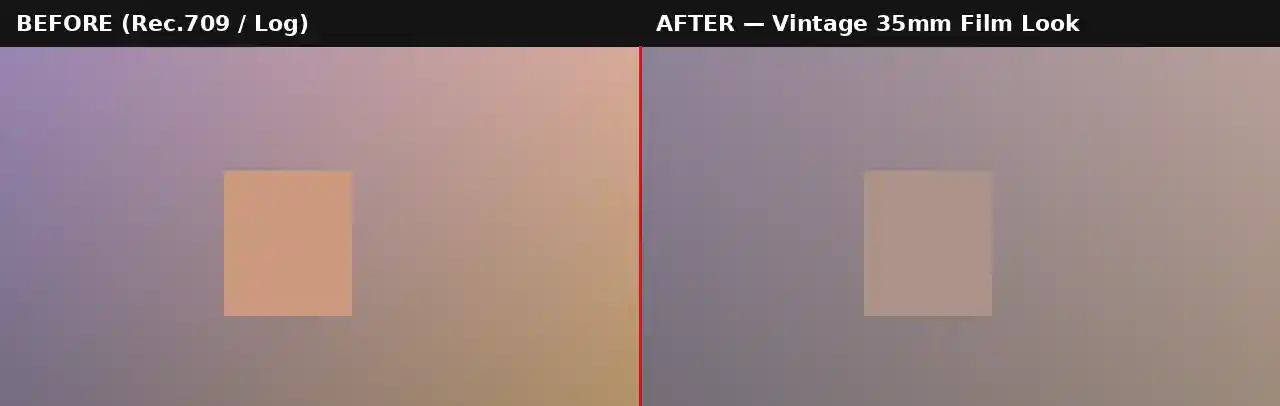
Analog film emulation remains one of the most consistently popular aesthetics in video editing because it references something audiences already associate with meaning, older home movies, classic cinema, and the visual texture of memory itself. This LUT is built around the core traits of real 35mm color negative stock: lifted, slightly faded blacks rather than true digital black, a gentle warm bias running through the highlights, and mid-tone saturation pulled back from the punchy, oversaturated defaults of most digital cameras.
The result reads as considered and intentional rather than simply desaturated. Where a generic "vintage filter" often just drops saturation and adds a yellow tint uniformly across the frame, this LUT shapes the tonal curve the way real film stock actually behaves, rolling off highlights softly rather than clipping them and holding onto some color information in the shadows rather than crushing them to pure black.
It performs especially well on music videos and indie film work because that faded, filmic base gives an editor room to layer additional texture, grain, light leaks, film burns, without the underlying color already fighting those additions. Street photography reels benefit from the same restrained saturation, since it keeps busy urban scenes from feeling oversaturated or artificial. This restraint also makes the grade unusually forgiving across different subjects within the same edit. A grade built around one specific color relationship, such as a strong teal-and-orange split, can look excellent on some shots and oddly artificial on others depending on what colors happen to be present in frame. Because this LUT works primarily by shaping tonal range, blacks, highlights, and overall saturation, rather than targeting specific hues, it produces a consistent result across a wider variety of source footage without needing shot-by-shot adjustment.
This .CUBE file works natively across Adobe Premiere Pro (Lumetri Color), DaVinci Resolve, Final Cut Pro (FCPX), and CapCut Desktop.
A practical tip specific to this look: because it deliberately lifts blacks rather than keeping them pure, footage that was already shot with a flat or log picture profile can end up looking slightly washed out rather than filmic. This LUT performs best on footage shot in a standard Rec.709 picture profile rather than log, unless a separate technical conversion LUT is applied first to bring log footage to Rec.709 before this creative grade goes on top.
Color alone only tells half the story of a convincing film look. Real 35mm footage carries visible grain, occasional light leaks, and a subtle vignette from the lens and film gate. Layering a grain overlay at a low opacity, blended in Overlay or Soft Light mode, on top of this LUT closes most of the remaining gap between a color-graded digital shot and something that reads as genuinely analog.
Watch on YouTube: Emulating 16mm or 35mm Film, Color Grading Tutorial
Envato carries a wide range of film grain, light leak, and dust overlay packs that pair directly with this LUT for a more complete analog texture. For music specifically, lo-fi and indie-leaning tracks from Epidemic Sound suit the mood of this grade particularly well, and Artlist has genuine Super 8 and 16mm stock footage that this LUT can help tie into your own digitally-shot material.
A film burn transition pack sits naturally alongside this LUT for scene changes, and a light leak overlay applied at low opacity on top of the graded footage strengthens the analog illusion further without needing a full third-party grain plugin.
This LUT is built as a creative grade for standard Rec.709 footage, not as a technical conversion tool. If shooting on a camera set to Sony S-Log2/3, Canon Log, or Blackmagic Gen 5, the footage needs a technical LUT applied first to bring it into a normal Rec.709 viewing space before this vintage creative grade goes on top. Skipping that conversion step and applying this LUT directly to flat log footage tends to produce an over-faded, muddy result rather than the intentional, controlled fade that real film stock produces, since the LUT is calibrated against a standard Rec.709 tonal range rather than the much flatter log curve.
Most camera manufacturers provide free technical conversion LUTs for their specific log profiles on their support websites. Once that conversion is applied as a first step, either on its own node or adjustment layer beneath this one, the Vintage 35mm Film Look LUT will behave exactly as expected on footage originally shot in any of the supported log formats.
Consider an editor cutting a low-budget indie short film shot across several different cameras and lighting setups over a multi-day shoot. Rather than trying to match every clip to a single neutral baseline first, which can take considerable time on a project with a limited post-production schedule, this LUT applied consistently across the whole edit does a large part of the visual unification work on its own. The faded blacks and muted saturation smooth over minor inconsistencies in exposure and white balance between different cameras or lighting setups far more forgivingly than a clean, high-contrast digital grade would, since small variations read as part of the intentional analog character rather than as visible mismatches.
A frequent mistake with vintage film emulation is pairing it with footage that was shot with an already highly saturated or high-contrast picture profile, which fights against the deliberately muted, faded quality this LUT is built to produce. Shooting with a relatively neutral or standard picture profile, rather than a vivid or punchy in-camera setting, gives this LUT more room to shape the final look as intended. A second common issue is over-applying grain on top of the LUT at full opacity, which can quickly tip a subtle analog texture into a distractingly noisy image, particularly when the footage is later compressed for web or social platforms. Keeping any added grain layer under 15 to 20 percent opacity generally preserves the texture without it becoming the dominant visual element of the shot. Testing the LUT on a short clip before committing to it across an entire project is worth the extra few minutes, since the faded, muted result reads very differently on a small preview thumbnail than it does at full playback size.
This LUT is free for personal and commercial use. No attribution is required. It should not be resold or redistributed as a standalone stock asset, and it should not be uploaded to a competing stock photography or LUT marketplace. Full terms are covered in the Terms of Service.
Does this LUT include film grain?
No, this LUT handles color only. For a complete analog look, layer a separate film grain overlay on top at a low opacity in Overlay or Soft Light blend mode.
Should I apply this to log or flat footage?
This LUT is built for standard Rec.709 footage. If shooting in a log profile, apply a technical conversion LUT first to bring the footage to Rec.709, then apply this creative grade on top.
Is this LUT free for commercial projects?
Yes, this LUT is free for both personal and commercial use with no attribution required.
Which software works best with this LUT?
It is a standard .CUBE file, so it works identically across Premiere Pro, DaVinci Resolve, Final Cut Pro and CapCut Desktop.
Download free video templates, LUTs, and presets for Premiere Pro, After Effects, DaVinci Resolve, CapCut, and Final Cut Pro.









