.avif)
Freevisuals
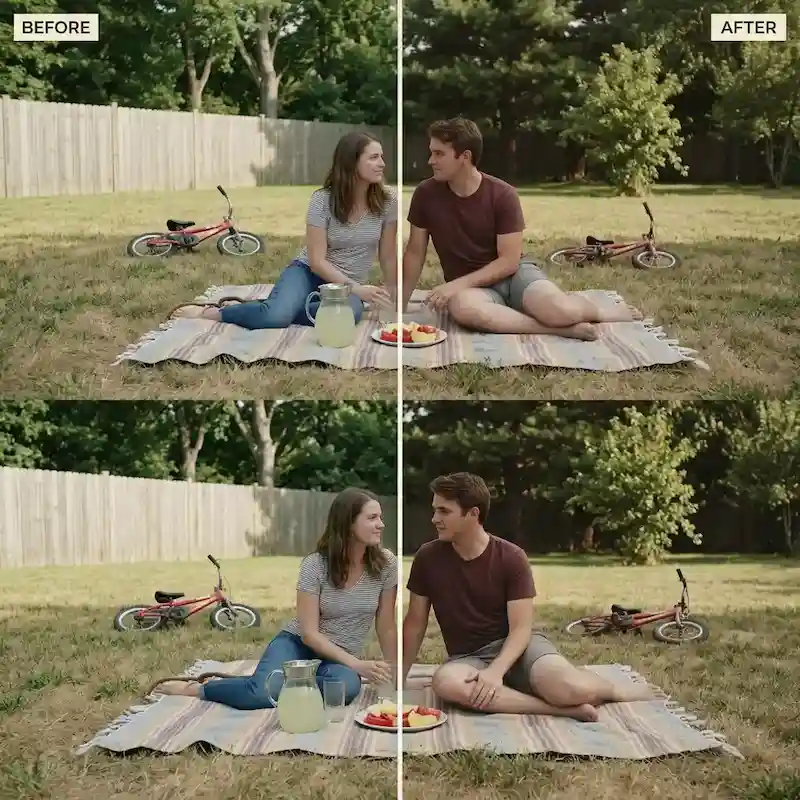
Free vintage Super 8 film .cube LUT for Premiere Pro, DaVinci Resolve, Final Cut Pro and CapCut.
Download FREEDownload a free Vintage Super 8 Film .cube LUT built to emulate warm, nostalgic home-movie film stock for retro vloggers, indie music video directors, and nostalgia-focused travel creators, and apply it in Premiere Pro, DaVinci Resolve, Final Cut Pro or CapCut as an adjustment layer or node on top of standard Rec.709 footage.
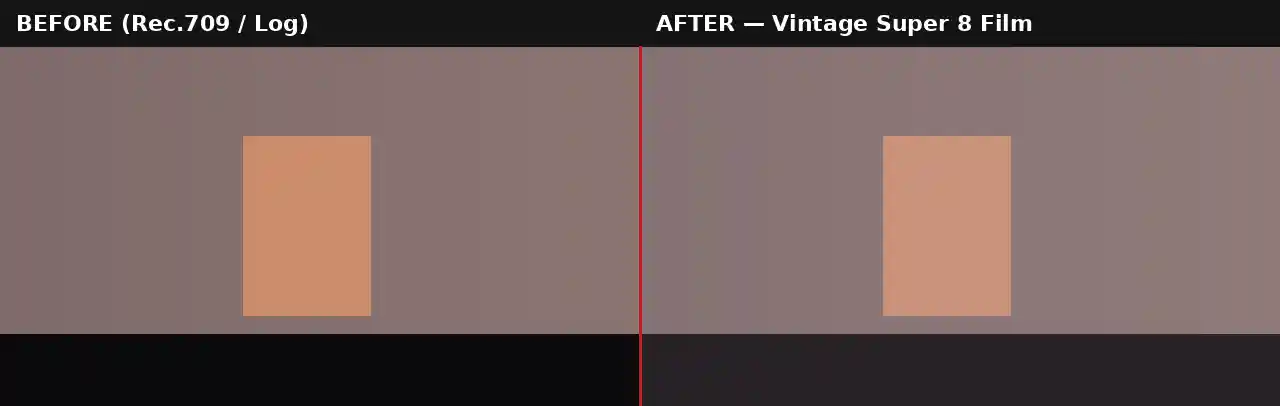
Super 8 was the home-movie format that defined how an entire generation captured family gatherings, road trips, and everyday moments through the 1960s and 1970s, and its specific visual signature, lifted faded blacks, warm and slightly inconsistent color, subtle magenta and orange shifts in the highlights, has become deeply tied to nostalgia and warmth in a way few other film formats replicate. This LUT is built specifically around that emotional association rather than pure technical film emulation.
Where a more restrained vintage 35mm cinema LUT typically mutes and evens out color across the frame, this Super 8 look leans in the opposite direction on skin tones and warm elements specifically, boosting warmth in those areas rather than pulling it back. That distinction matters because real Super 8 stock was known for warm, sometimes inconsistent skin rendering rather than clean, accurate color, and that imperfection is precisely what reads as authentic home-movie footage rather than a clean, controlled cinema grade.
The lifted black level is doing significant work here as well. Genuine Super 8 film could never produce a true, deep black, the film base itself had a certain minimum density, so shadows in real Super 8 footage always carried a faded, slightly milky quality rather than pure darkness. Recreating that lifted floor is one of the fastest ways to signal "old home movie" to a viewer, even before any other stylistic choice is layered on top.
This look pairs particularly well with the emotional register of nostalgia-focused content specifically because it does not try to look technically perfect. A slightly inconsistent, warm, faded image reads as more emotionally authentic for content built around memory and reminiscence than a clean, corrected modern grade would, which is exactly the effect indie music video directors and nostalgia travel creators are usually chasing. It is worth remembering that no two rolls of genuine Super 8 film ever looked perfectly identical, variations in stock age, storage conditions, and processing chemistry meant every reel carried its own slight color shift. Applying this LUT at a slightly different opacity across different segments of a longer edit, rather than one perfectly uniform setting throughout, can actually make the final result feel more authentically archival than a mathematically consistent grade would, since genuine home-movie footage was never that consistent to begin with.
This .CUBE file works natively across Adobe Premiere Pro (Lumetri Color), DaVinci Resolve, Final Cut Pro (FCPX), and CapCut Desktop.
A practical tip specific to this look: real Super 8 cameras also carried a narrower, boxier aspect ratio than modern widescreen footage. Adding a subtle 4:3 or square crop, or a simple black letterbox, alongside this color grade meaningfully increases how convincingly the final result reads as genuine archival footage rather than modern footage with a color filter applied on top.
This LUT is built as a creative grade for standard Rec.709 footage, not as a technical conversion tool. If shooting on a camera set to a log profile such as Sony S-Log2/3, Canon Log, or Blackmagic Gen 5, the footage needs a technical LUT applied first to bring it into a normal Rec.709 viewing space before this vintage grade goes on top. Applying it directly to unconverted log footage tends to produce an excessively faded, muddy result rather than the intended warm, nostalgic look, since the LUT's black-level lift compounds with log footage's already low native contrast.
Most camera manufacturers provide free technical conversion LUTs for their specific log profiles on their support websites. Once that conversion is applied as a first step, either on its own node or adjustment layer beneath this one, the Vintage Super 8 Film LUT will behave exactly as expected on footage originally shot in a log format.
Consider an indie music video director shooting a nostalgic, memory-themed video mixing new footage of the band with recreated home-movie style inserts. Applying this LUT consistently to the recreated inserts, alongside a period-appropriate crop and grain overlay, helps those shots read as genuinely archival rather than obviously staged. The main performance footage might use this same LUT at a lower opacity, tying the whole video together tonally without making every single shot look identical in intensity, since real archival home movies were rarely perfectly consistent from reel to reel either. A short test clip is worth rendering before committing this LUT across a full project, particularly if pairing it with grain and a crop adjustment, since the combined effect of all three elements together can look considerably stronger than any one of them previewed in isolation. Keeping a short log of which opacity setting was used on each segment also makes it considerably easier to maintain that same varied-but-cohesive feel if additional footage needs to be graded and inserted later in the project.
The most common mistake is applying this LUT without any accompanying grain or texture, since the color grade alone only tells part of the Super 8 story and can read as a color filter over modern digital footage rather than genuine film emulation without that additional layer. A second frequent issue is applying this look to footage with very poor exposure or heavy digital noise already present, since the LUT's own warmth and lifted blacks can compound with existing digital noise to produce a muddy result rather than the clean, warm fade of real film stock.
Envato carries film grain, dust, scratch, and light leak overlay packs that pair directly with this LUT for a more complete Super 8 texture. For music specifically, warm, nostalgic acoustic or lo-fi tracks from Epidemic Sound suit the emotional tone of this grade particularly well.
Watch on YouTube: How to Create a Super 8 Film Camera Look in Adobe Premiere Pro
A light leak overlay and a dust and scratch overlay both reinforce the analog texture this grade is built around. A simple crossfade or flash-frame transition pack matches the editing rhythm typical of genuine home-movie footage far better than a modern, sharp digital transition.
Beyond standalone nostalgic edits, this LUT works well as a contrast device within a larger video that otherwise uses clean, modern color grading. Cutting briefly to a Super 8-style flashback or memory sequence in the middle of an otherwise contemporary edit is a well-established storytelling technique, and having this look ready as a single LUT rather than building the effect from scratch each time saves meaningful time when that kind of sequence comes up across multiple projects.
This LUT is free for personal and commercial use. No attribution is required. It should not be resold or redistributed as a standalone stock asset, and it should not be uploaded to a competing stock photography or LUT marketplace. Full terms are covered in the Terms of Service.
Does this LUT include film grain?
No, this LUT handles color only. For a complete Super 8 look, layer a separate film grain overlay on top, since heavy visible grain is one of the format's most recognizable traits.
How is this different from a standard vintage 35mm LUT?
This Super 8 LUT boosts warmth in skin tones rather than muting it, and carries a more lifted black level, replicating the warmer, more inconsistent home-movie look rather than a more restrained cinema film emulation.
Is this LUT free for commercial projects?
Yes, this LUT is free for both personal and commercial use with no attribution required.
Which software works with this LUT?
It is a standard .CUBE file, so it works identically across Premiere Pro, DaVinci Resolve, Final Cut Pro and CapCut Desktop.
Download free video templates, LUTs, and presets for Premiere Pro, After Effects, DaVinci Resolve, CapCut, and Final Cut Pro.
%20Profile%20Pic.jpg)








