Freevisuals
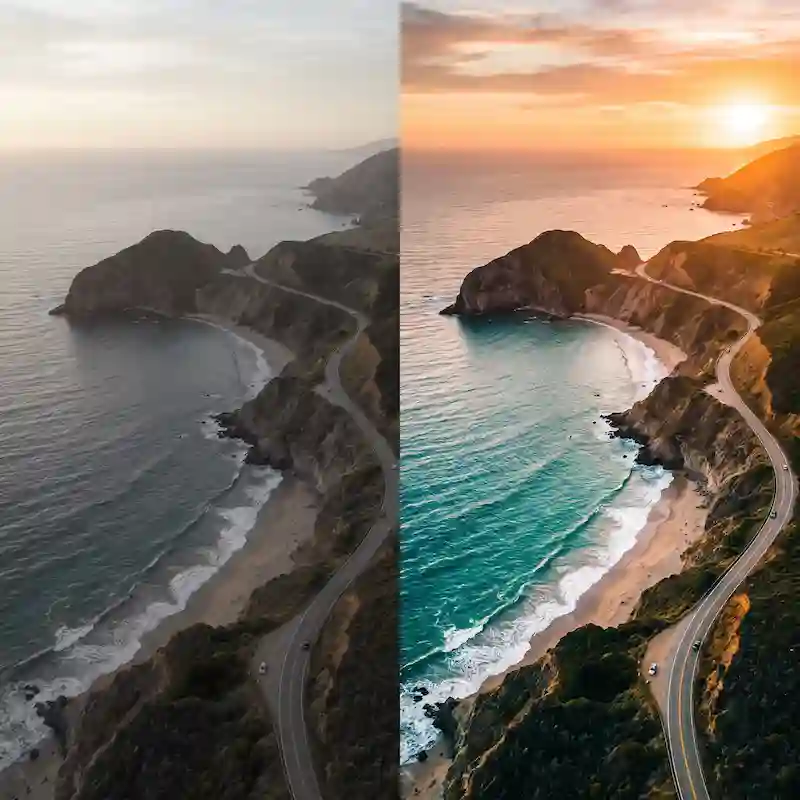
50 Pro .cube LUTs for drone and aerial video. 5 styles: clear sky, golden horizon, forest, coastal teal, storm drama. Premiere, Resolve, Final Cut, CapCut.
Go Pro To Download50 professional .cube LUTs built for drone and aerial video. Five styles from clear blue sky punch to storm drama, each with ten intensity steps. Ready for Premiere Pro, DaVinci Resolve, Final Cut Pro, CapCut and After Effects. FreeVisuals Pro licence for commercial project use.
Drone footage is unforgiving. A grade that works on a ground-level interview can make a sky look fake or a forest canopy look muddy. This pack is built around aerial colour: sky, horizon, water, canopy and weather. Each style protects enough midtone detail that a slow orbit still holds when you push intensity.
Download 50 Pro .cube LUTs for drone and aerial video across 5 styles. Clear sky, golden horizon, forest canopy, coastal teal and storm drama. Apply after log conversion. Works in Premiere, Resolve, Final Cut and CapCut.
Each style has ten intensity variants numbered 01 through 10, subtle through strong.
Start around variant 05 or 06 for a first pass. Move down for a lighter commercial look. Move up for a stronger film still or YouTube thumbnail grade.
Phone and mirrorless LUTs often assume a face in the midtones and a background that can absorb stylisation. Drone frames are mostly sky, water, roof and field. A fashion editorial LUT can push the horizon pink or crush the canopy. A night city LUT can leave daylight aerials looking dirty.
This pack keeps the creative push on sky, horizon and large colour fields. Midtone land detail stays readable so a slow push-in still works after the grade.
Real estate exterior drones and travel channels both need this balance. Agents want the property to look true. Travel editors want mood without losing place identity.
Open Lumetri Color. Creative tab. Browse to the .cube file for the style and intensity you want. Use Intensity if the sky goes too far on a clear day. Convert log or HLG in Basic Correction first when the camera recorded a flat profile.
Useful Premiere colour walkthrough: Premiere Pro Color Grading 2024 | Full Walkthrough.
Copy the .cube files into your LUT folder. Refresh. Apply on the Color page after any technical conversion node. Keep exposure and white balance clean before the creative LUT. A soft power window on a roof or water surface can hold local detail without changing the sky.
Beginner Resolve colour path: How to Color Grade in DaVinci Resolve for Beginners.
Apply Custom LUT. Load the file in the Inspector. Use Mix to control strength per shot.
Adjust, Filter, Custom. Import the .cube. Useful for short aerial Reels and Shorts where you still want a consistent sky look.
Clear Sky Punch for midday and bright coastal property shots where the listing needs a vivid sky. Keep intensity mid-range for agent delivery. Push higher for social cutdowns.
Golden Horizon for late-day travel opens, wedding venue drones and lifestyle brand films. Pair with warm ground music. Avoid stacking a second warm LUT.
Forest Canopy for national park, cabin and rural estate aerials. Soft contrast helps under heavy tree cover where auto drone exposure can go flat.
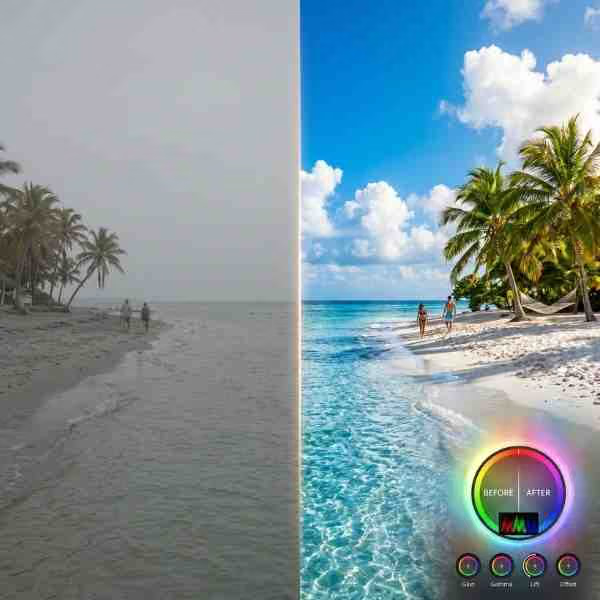
Coastal Teal for shoreline hotels, island travel and waterfront real estate. Water and sky take the teal. Land stays slightly warm so sand and buildings do not go grey.
Storm Drama for weather stories, mood boards and cinematic landscape reels. Higher contrast. Cooler mids. Use when the clouds are the story.
Balance exposure and white balance first. Convert D-Log, HLG or other log profiles to a Rec.709 base, then add the creative LUT. A LUT on crushed underexposed aerials will look muddy in the canopy and noisy in the sky.
Match shots from the same flight before you judge intensity. A low pass over water and a high orbit under open sky can need different strengths of the same style.
Check the grade on a phone. Aerial frames compress hard on social. If the sky dies after upload, raise midtone contrast slightly after the LUT rather than stacking a second file.
For listing exteriors, stay in the lighter half of Clear Sky Punch or Coastal Teal. Buyers expect colour that still looks like the property. Save stronger variants for the social cut or the agent’s brand reel.
For travel YouTube, pick one style per episode so the channel feels consistent. Change only the intensity when the weather changes. Mixing five styles in five minutes reads as a template dump.
Store the ZIP once. Do not re-download every project. When FreeVisuals revises the pack, replace the folder and keep a note of your preferred style and intensity per series.
Free single LUTs on Free LUTs cover everyday looks like golden hour outdoor vlogs and night city streets. This Pro pack is a full aerial set with five directions and ten strengths each.
Unlock with Single Pass, Monthly or Yearly on Pro assets. Same licence covers other Pro LUT packs such as Travel Documentary, Fashion and Beauty Editorial, Real Estate Architecture and the Food and Cafe Mega pack.
Aerial grades sit under titles and end cards. Pro Vertical Stories Titles and free YouTube Nameplate both work after this grade. Apply the LUT on the picture track, then drop titles above.
Music under a drone open: Artlist or Epidemic Sound. Keep beds wide and sparse so rotor and wind room tone still sit under the track if you leave any.
Need more premium stock or templates after this pack: Envato, Motion Array or MotionVFX. Those are affiliate. This Pro download does not unlock them.
FreeVisuals Pro. Personal and commercial use, including monetised YouTube, client real estate and paid social. No attribution. Do not resell the .cube files. Do not upload them to another stock site. Terms: Terms of Service.
Access requires an active Pro plan or Single Pass on Pro assets.
No. It is FreeVisuals Pro. Unlock with Single Pass, Monthly or Yearly.
Convert to a Rec.709 base first. Then apply the creative LUT.
Coastal Teal in the mid range, roughly 04 to 06. Clear Sky Punch also works if the sky is the main feature.
For listings, stay lighter. Save stronger variants for brand films and travel content.
Yes, but the pack is built for aerial colour fields. Ground interviews may need a softer talking-head or documentary pack instead.
Yes. Import the .cube under custom filters.
Start at 05 or 06. Move down for commercial delivery. Move up for social and film still energy.
You can, but results get unpredictable. Use one creative LUT per shot as the default.
Download once. Convert log. Pick a style that matches the flight. Keep intensity honest for listings and push higher for travel and mood. Use the same style across a series so the channel looks consistent.
Browse more Pro packs on Pro assets and Premium LUTs. Free everyday grades live on Free LUTs.
Search terms this page should earn: pro drone LUT pack, cinematic aerial LUTs, drone color grade, aerial video LUTs, coastal drone LUT, forest aerial LUT. That is why the H1 stays on cinematic drone aerial and Pro.
Affiliate Disclosure: Some links on this page may be affiliate links. If you make a purchase through one of these links, FreeVisuals may earn a commission at no extra cost to you. We only recommend products and platforms we genuinely believe in. Read our full disclosure policy.
Download free video templates, LUTs, and presets for Premiere Pro, After Effects, DaVinci Resolve, CapCut, and Final Cut Pro.