Freevisuals
Download a vertical 4K talking-head stock photo of a creator on a bed in a real bedroom. Freevisuals Pro from $9.
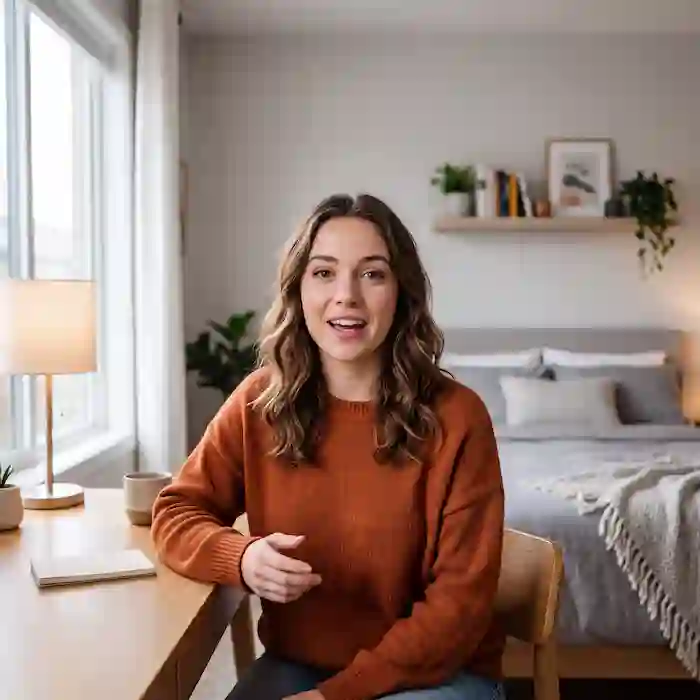
Go Pro To DownloadCreator on the edge of an unmade bed, chest-up, phone on a mini tripod in the background. Photorealistic social-native, 28mm vertical, eye-level talking-head framing. It is built for youtube shorts, reels, tiktok talking-head thumbnails, creator-economy explainers, not for a generic handshake or neon HUD. This image is part of the Freevisuals Pro library, available through a Single Pass, Monthly or Yearly plan.
Quick Answer
This image is a 4K PNG stock photo (9:16 vertical) of creator on the edge of an unmade bed, chest-up, phone on a mini tripod in the background, available for download as a Freevisuals Pro asset under a Single Pass, Monthly or Yearly plan.
This is a 9:16 plate first. The creator sits on the edge of an unmade bed, chest-up, eyes in the upper third, space above the head and below the chest for captions. That caption real estate is the reason the file exists. Horizontal talking-head stock forced into a vertical crop always loses the top of the head or the hands.
The room is a bedroom, not a sweep. Lamp plus window, a phone on a mini tripod on the dresser, a charger cable, books. Those props tell a Shorts viewer this is a real creator setup. A seamless backdrop would read as an ad studio and kill the trust that talking-head content is built on.
The t-shirt has no logo. There is no channel name on the wall and no ring-light catchlight the size of a dinner plate. You can drop this behind captions for finance, dating, productivity or tech commentary without the wardrobe arguing with the niche.
Use it as a thumbnail, a freeze-frame chapter cover, or a still background under burned-in captions when you do not have a clean frame from your own A-roll. Do not use it as a fake A-roll stand-in for a video that claims to be you. Viewers notice.
The vertical master also punches in to 1:1 for a grid post if you keep the eyes high. It does not make a good 16:9 YouTube thumbnail unless you add side panels. Use the sofa-laptop still in this drop for landscape thumbnails.
Captions belong in the lower third, not across the mouth. Safe-area titles in CapCut or Premiere should clear the chin. If you add a username bar, put it at the top where the extra headroom already lives.
Keep skin honest. Beauty-filter presets on a talking-head still look like a filter, and that is the fastest way to make a Pro asset look cheap. A small contrast lift and a touch of warmth is enough.
Audio under a still talking-head plate should be dry voice plus a very low bed. Epidemic Sound and Artlist both have beds quiet enough to sit under speech. If you do not have a voice take, generate one in ElevenLabs and time captions to that, rather than laying music under silence.
A 3 percent push-in over the caption duration is the most motion this still needs. Hard zooms look like a mistake on vertical.
Vertical people shots fail when hands, hair and bedding turn to mush at 4K. Generate at the native 9:16 ratio. Do not generate 16:9 and crop. Upscale fabric and hair with Magnific or Topaz. Iterate poses in OpenArt AI before you spend the upscale.
Use the still as the cover, then edit real A-roll in CapCut. The breakdown below is a full talking-head Reels edit from rough cut through captions.
Watch on YouTube: How To Edit Talking Head Reels from scratch in CapCut
If you are lighting a real bedroom to match this plate, the beauty-studio setup video below still applies: eye-level lens, soft key, background with depth.
Watch on YouTube: The Best YouTube Studio Setup For Filming Beauty Videos
Title packs that do not look like Fortnite overlays live in Envato, Motion Array and AEJuice. MotionVFX is useful if you want caption presets rather than building type. For a full AI draft of a talking-head script-to-video, Invideo is the faster start, then replace the generated face with this still as the thumbnail so the clicker matches a human frame.
Need a different age, a standing setup, or a kitchen behind the speaker? Shutterstock and iStock both have large talking-head libraries. Stay inside Freevisuals Pro for the matching landscape sofa-laptop still so the same channel can post vertical and horizontal from one drop. If you also need a music bed that is cleared for YouTube Content ID, start with Epidemic Sound or Artlist rather than a random mp3 from a comments section.
Free stock of this subject exists on every major site. The reason this file sits in Freevisuals Pro is the combination of an unbranded frame, a crop that matches how creators actually publish, and a page that tells you what to do with it after the download. A $9 Single Pass or a Monthly or Yearly plan is cheaper than one image on a traditional stock invoice once you are publishing weekly.
Search demand for people stills is steady rather than trendy. That is useful. A cockpit HUD is exciting in a grid and then sits unused. A people plate gets pulled into thumbnails, ads, blog headers and client decks for years. Title the CMS item with the words people type: creator talking head bedroom vertical, 4K, stock image, 9:16 vertical.
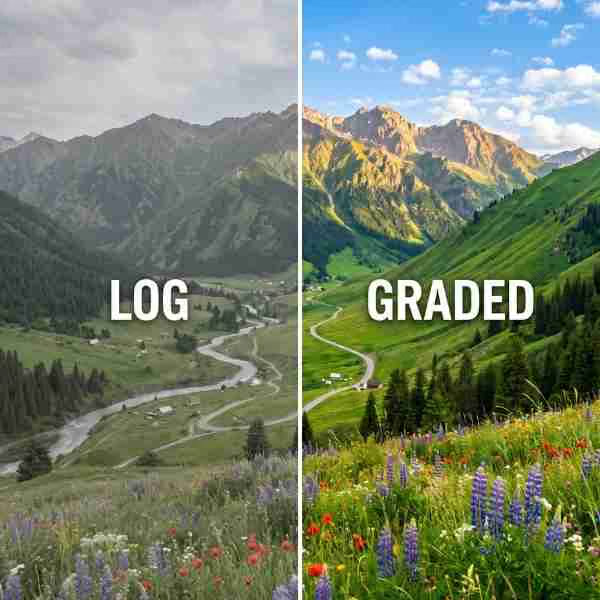
Pair the still with a free grade from the Freevisuals LUT library only when the footage next to it needs matching. Do not grade a finished beauty or food plate into a cinematic look that fights the subject. If you need extra stills in the same niche after this one, Shutterstock, iStock and Envato are the three affiliate libraries we already send editors to for volume. Motion templates that sit on top of the still live in Motion Array, MotionVFX and AEJuice.
File handling is simple. Download the PNG from the Pro button, upload the small watermarked preview to Webflow, keep the master on R2 at files.freevisuals.net/images/creator-talking-head-bedroom-vertical-4k.png. Do not host the 4K master in the Webflow Assets panel. It is public and it counts against bandwidth.
If you generate a variant for a specific client, keep Free and Pro as separate CMS items with separate slugs. Do not overwrite this Pro file with a free crop. The monetisation field on the Stock Images collection should stay Pro, Category People, Orientation Portrait.
As a flat PNG file, this asset drops directly into any editing or design software without a plugin or specific version requirement. It has been used and tested inside the following without issue:
For quick thumbnail and Shorts work built around this image, CapCut and Filmora both handle titles, captions and a mild push-in on a still without needing a full After Effects project. Wondershare is the same family as Filmora if you already work in that suite.
This image is part of the Freevisuals Pro library. Once downloaded under an active Pro plan, it can be used in commercial and personal video projects, thumbnails, social content, presentation decks and marketing materials. It should not be resold or redistributed as a standalone stock asset, and it should not be uploaded to a competing stock photography marketplace. Full terms are covered in the Terms of Service.
Is this a real photograph or AI-generated?
This is a fully AI-generated image, built from a detailed text prompt and passed through an upscaling process for detail and resolution. Props, faces and environments are set dressing, not a documented location or identifiable private home.
Can I use this in ads and client work?
Yes. That is a primary use of Freevisuals Pro stills. There are no readable commercial logos in the frame, so you are not clearing third-party marks before you run a campaign. You still cannot resell the file as stock.
Does this come as a video file as well as a still image?
This particular asset is a static PNG. Add a slow scale-up in Premiere Pro, CapCut, Final Cut, Resolve or After Effects if you need motion. The tutorials on this page cover that workflow.
What plan do I need to download this?
Any active Freevisuals Pro plan, including a one-time Single Pass purchase covering this image alone, unlocks the download.
What is the aspect ratio and how should I crop it?
The master is 1:1 square. Crop toward the subject listed in the spec table. Do not stretch the file to a different ratio.
Can I add my own text, logo or product label?
Yes, in your edit. Keep type off faces, food and primary products. Do not composite a real competitor logo onto the file and publish it as if that brand shot the photo.
Download free video templates, LUTs and presets for Premiere Pro, After Effects, DaVinci Resolve, CapCut and Final Cut Pro from the Freevisuals library while you wait on a Pro download, or pair this still with a free grade from the free LUT collection.
Affiliate Disclosure: Some links on this page may be affiliate links. If you make a purchase through one of these links, FreeVisuals may earn a commission at no extra cost to you. We only recommend products and platforms we genuinely believe in. Read our full disclosure policy.
Download free video templates, LUTs, and presets for Premiere Pro, After Effects, DaVinci Resolve, CapCut, and Final Cut Pro.