.avif)
Freevisuals
Download 4K stock assets of a dark cyberpunk hacker terminal with cascading matrix code and network nodes. Buy from $9 on Freevisuals.net.
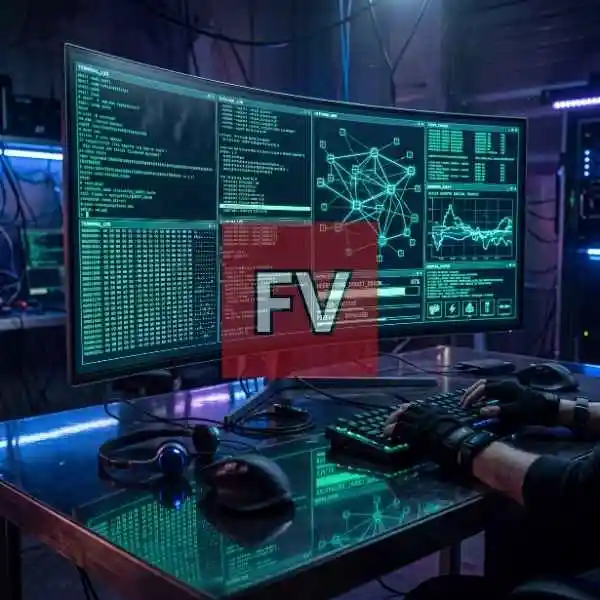
Go Pro To DownloadA curved, borderless monitor fills the frame, glowing with cascading green and cyan terminal code, a tangled network node graph, and a progress bar reading "DECRYPTING_TARGET_BRAIN" at 87 percent. A pair of gloved hands sits on a mechanical keyboard in the foreground, lit only by the screen's own reflection bouncing off a polished dark desk. It is the kind of image built for cybersecurity content, gaming channels and cyberpunk-themed branding that needs a moody, high-detail hacker aesthetic rather than a generic stock photo of someone typing at a laptop. This image is part of the Freevisuals Pro library, available through a Single Pass, Monthly or Yearly plan.
This image is a 4K, near-square PNG stock photo of a cyberpunk hacker terminal setup with glowing green and cyan code, network graphs and encryption progress bars, available for download as a Freevisuals Pro asset under a Single Pass, Monthly or Yearly plan.
The frame is built around a single wide, curved monitor split into six live panels rather than one flat wall of code, which is what sells the illusion of a real, working workstation instead of a decorative screensaver. The top left panel runs a scrolling terminal log full of garbled shell commands and file paths. Beside it, a second terminal window holds a dense block of hex-style output. The center of the screen carries a glowing network graph, dozens of nodes connected by thin cyan lines, sitting next to a small line chart labeled with digital traffic stats. Lower down, a bright progress bar reads "DECRYPTING_TARGET_BRAIN" at 87 percent, with a status line underneath confirming "FIREWALL: BYPASSED". In front of all of it, a pair of fingerless-gloved hands rest on a backlit mechanical keyboard, with a wireless mouse and a pair of headphones sitting just out of focus on the desk.
The lighting is doing a lot of the work here. There is no obvious light source in the room other than the monitor itself, so every reflective surface, the glass desk, the mouse, the cables snaking across the floor, picks up that same green-cyan glow. That single consistent light source across every reflective element is usually the first thing that breaks in a rushed AI composite, and it holds together cleanly here even at full resolution.
The near-square crop keeps the network graph and progress bar readable even when the image gets squeezed into a square thumbnail or Instagram grid post, which is often the first detail lost when a wide desk shot gets force-cropped.
If you are dropping this into a video project rather than using it as a static image, the built-in screen glow means you should go easy on any additional bloom or glow effect layered on top in Premiere Pro or After Effects, since stacking two glow passes on the same green-cyan light source quickly turns the terminal text into an unreadable smear. The dark, high-contrast base grade also leaves plenty of room to push your own color grade further toward blue or purple without losing detail in the shadows.
Sound design carries a lot of weight with this kind of shot. A low mechanical keyboard clack layered under quiet electronic hum and the occasional soft beep does more to sell a hacking scene than any extra visual effect. Epidemic Sound carries a solid range of dark ambient and electronic tracks built for exactly this tone, worth checking before reaching for a generic typing sound effect on its own.
Getting this level of screen detail without the text turning into an illegible smear usually means starting from a lower-resolution base render, then running a dedicated upscaling pass that rebuilds fine detail rather than simply stretching pixels. Magnific is the tool commonly used for this step, adding believable texture to screens, cables and reflective surfaces at full 4K output. If you want to generate a similar base scene from your own prompt before running it through an upscaler, OpenArt AI is a solid starting point for composition-heavy tech and interior scenes like this one.
A still image like this one works well as a background plate, but a lot of creators want to build their own animated version of the scrolling code and terminal windows to composite over live-action footage. The tutorial below covers building scrolling hacker text and a fictional user interface layer from scratch in After Effects, which pairs naturally with a still like this one as a background reference.
Watch on YouTube: Scrolling Hacker Text for FUI in After Effects
If you want a faster, more direct route to a full hacker screen composite rather than building each element from scratch, the tutorial below walks through a complete hacker screen effect built specifically for this kind of scene.
Watch on YouTube: Hacker Screen Effect After Effects Tutorial
For anyone building a full hacking-themed sequence rather than a single shot, layering in ready-made glitch transitions and HUD overlays saves a lot of manual keyframing. MotionVFX and AEJuice both carry glitch and digital interface effect packs that drop straight into a timeline without custom animation work.
If this particular angle is not quite what you need, Shutterstock and iStock both carry wide libraries of technology and cybersecurity imagery, useful for a different desk angle, a wider crop for a website hero banner, or additional hands-on-keyboard variations. For ready-made hacker-themed motion graphics and title templates to pair with this image, Envato carries a large catalog of hacking-themed After Effects templates and overlays.
As a flat PNG file, this asset drops directly into any editing or design software without a plugin or specific version requirement. It has been used and tested inside the following without issue:
For quick thumbnail work built around this image, CapCut and Filmora both handle adding glitch text and quick motion overlays on top of a still like this one without needing a full After Effects project.
This image is part of the Freevisuals Pro library. Once downloaded under an active Pro plan, it can be used in commercial and personal video projects, thumbnails, social content, presentation decks and marketing materials. It should not be resold or redistributed as a standalone stock asset, and it should not be uploaded to a competing stock photography marketplace. Full terms are covered in the Terms of Service.
Is this a real hacking setup or AI-generated?
This is a fully AI-generated image, built from a detailed text prompt and passed through an upscaling process for detail and resolution. The terminal text, network graph and status readouts are all fictional set dressing rather than functional code or real system data.
Can I use this for a cybersecurity business's marketing?
Yes, this is one of the most common uses for this style of image. It gives a cybersecurity or tech brand a striking, on-theme visual without needing to stage or photograph a real workstation.
Does this come as a video file as well as a still image?
This particular asset is a static PNG. A moving version of the screen content can be built using the After Effects tutorials linked on this page, using this still as a lighting and composition reference.
What plan do I need to download this?
Any active Freevisuals Pro plan, including a one-time Single Pass purchase covering this image alone, unlocks the download.
Download free video templates, LUTs, and presets for Premiere Pro, After Effects, DaVinci Resolve, CapCut, and Final Cut Pro.