.avif)
Freevisuals
4-images in 9:16 vertical format background pack for Reels, TikTok and Shorts. Freevisuals Pro bundle with neon, brutalist and bokeh styles.
Go Pro To DownloadA city skyline glowing behind a dark velvet armchair. A brutalist stairwell lit in orange and blue. A single fern shadow falling across warm charcoal velvet. A gritty concrete wall soaked in cyan and magenta neon. Four distinct vertical backgrounds, each shot at 9:16, built specifically for the kind of high-end backdrop that mobile-first creators are constantly short on. This pack is part of the Freevisuals Pro library, available through a Single Pass, Monthly or Yearly plan.
This is a 4-image bundle of 9:16 vertical cinematic background images, covering neon, minimal warm, brutalist and city bokeh styles, built for TikTok, Instagram Reels and YouTube Shorts creators, available for download as a compressed Zip file as a Freevisuals Pro asset under a Single Pass, Monthly or Yearly plan.
This bundle solves a problem most vertical-video creators run into constantly: a talking-head or text-overlay video needs a background that looks expensive without being distracting, and most stock libraries are still built around horizontal 16:9 photography that crops badly into a 9:16 frame. All four images here were composed at 9:16 from the start, so nothing is stretched, letterboxed or awkwardly centered when dropped straight onto a vertical timeline.
This is a close-up of a rough concrete wall soaked in layered cyan and magenta neon light with visible atmospheric haze, styled for a cyberpunk or nightlife aesthetic sitting behind a talking-head subject.

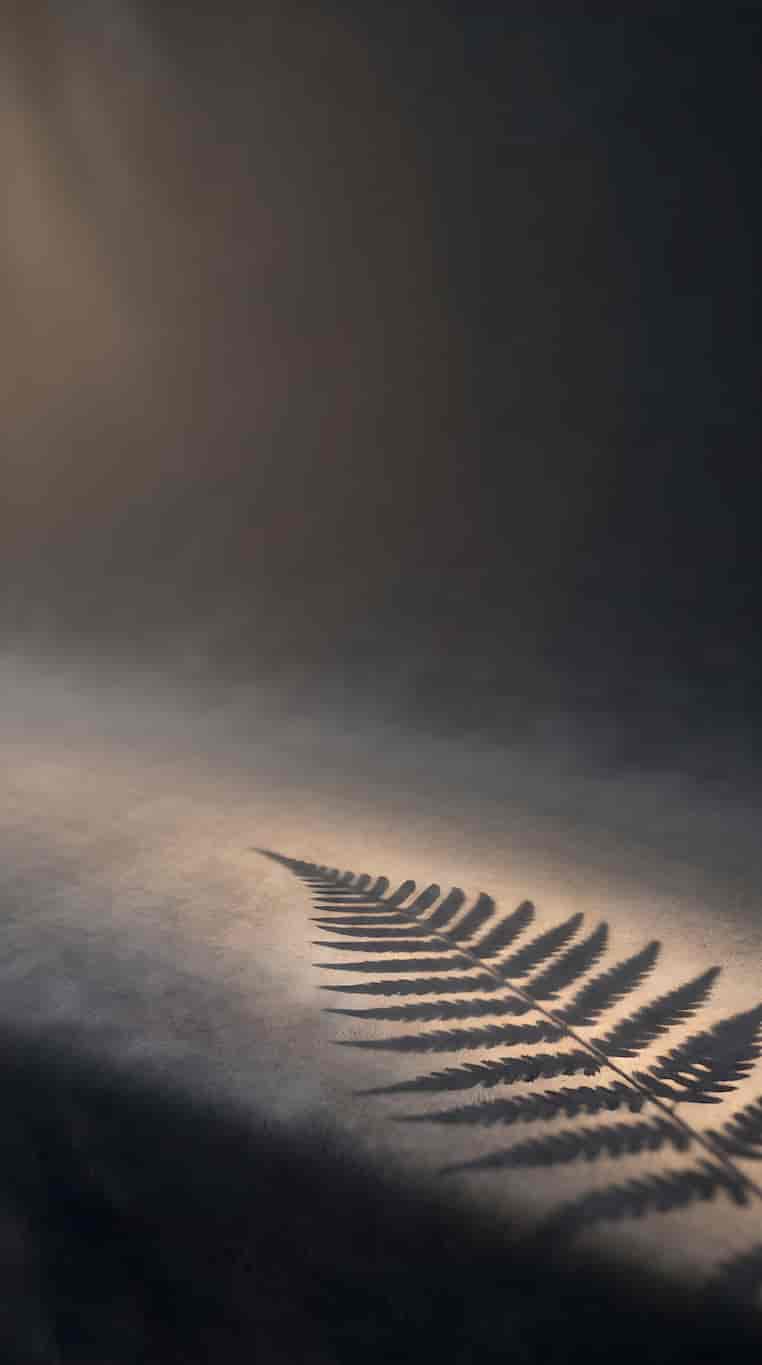
This image is the calmest of the four, a charcoal velvet studio backdrop with a soft golden-hour light source casting a single delicate fern shadow across the lower frame, built for a clean, premium, understated look.
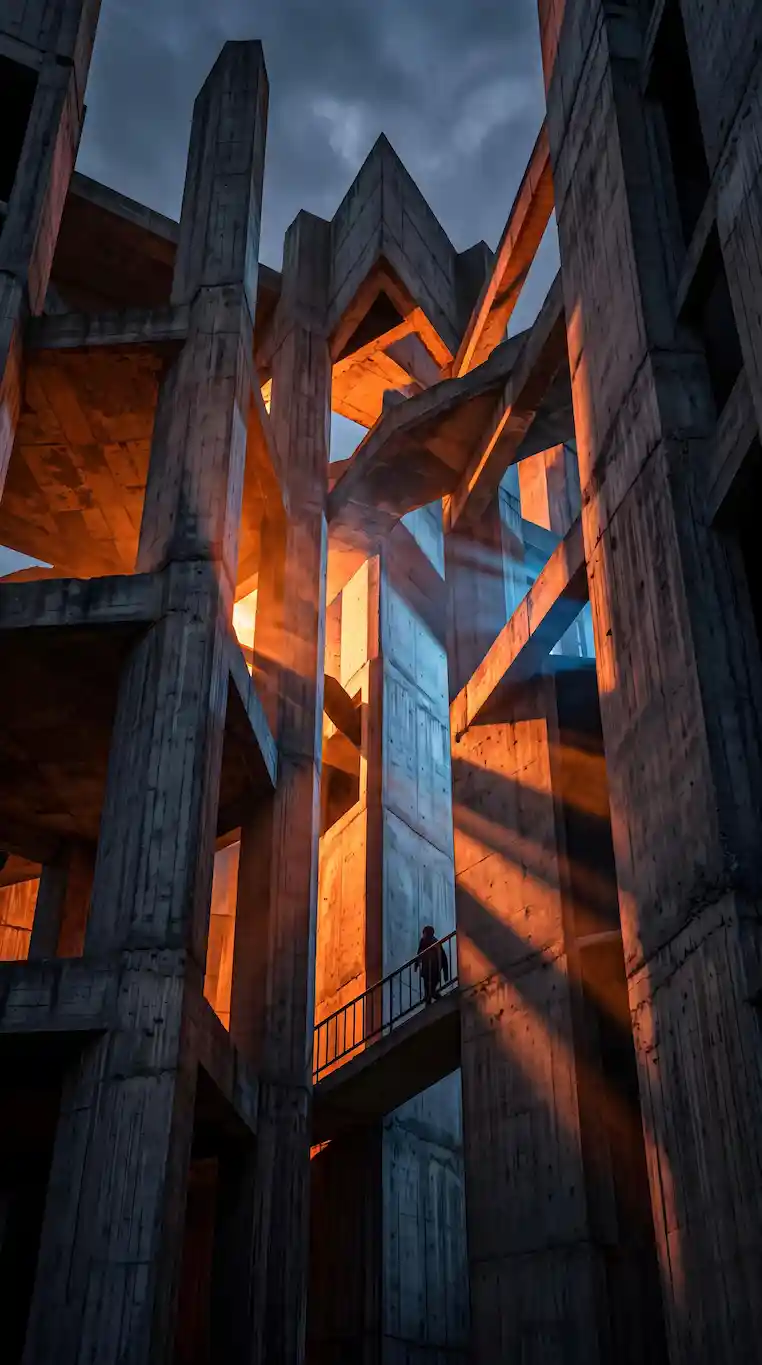
An image that leans into brutalist architecture, with hard orange and blue light cutting sharp geometric shadows across heavy concrete structures, suited to a bolder, more editorial tone.
This picture is a point of view of looking out through a high-rise apartment at a deeply blurred night skyline in blue, gold and warm white, with soft velvet and a gold lamp base just visible in the extreme foreground, built for a lifestyle or luxury-adjacent brand feel.

What ties all four together is depth rather than a shared color palette. Each image was built around a genuine foreground-to-background separation, whether that is a sharp concrete texture falling into soft fog, a crisp fern shadow against a smooth gradient, hard architectural light against deep shadow, or a fully out-of-focus skyline behind a soft velvet edge. That separation is what makes each one usable as an actual background rather than a flat, evenly-lit photo that fights with whatever is placed in front of it.
Because every image is native 9:16, none of the four need cropping or repositioning before use, which matters for anyone using them as a locked background behind a subject rather than as a general-purpose photo.
For a green screen or subject cutout setup, all four backgrounds sit well behind a chroma-keyed subject without needing extra grading, since each was built with the kind of falloff and depth that keeps a foreground subject visually separated from the background. The Minimal Dark Warm-Lit Backdrop and Blurred Luxury Apartment Studio images work particularly well for this, since their soft, out-of-focus quality naturally draws the eye to whatever sits in front of them.
If you are filming your own talking-head footage against a green screen and swapping in one of these four as the background, the video below walks through exactly that green screen replacement process in CapCut.
Watch on YouTube: How to Use Green Screen in CapCut, CapCut Tutorial
If you would rather film your subject on location and add a soft depth-of-field bokeh look to blend real footage with a background like the city skyline image, the tutorial below covers building that bokeh effect in DaVinci Resolve.
Watch on YouTube: Add Bokeh to Your Video Like a Pro, DaVinci Resolve Tutorial
For sound, a quiet ambient bed under a talking-head clip helps fill dead air without competing with speech. Epidemic Sound carries a wide range of low-key ambient tracks that sit comfortably behind voice-led content.
One practical detail worth planning around: since all four images are locked to a 9:16 frame, think about where on-screen text or captions will sit before recording against one of them. The Moody Neon Studio Wall and Dramatic Ray-Traced Shadows images both carry busier detail toward the edges of the frame, so keeping captions centered rather than pinned to a corner avoids them competing visually with the background texture.
Getting a background this detailed to still look sharp once it is compressed down for TikTok or Reels export means starting from a higher base resolution than the platform actually needs, then running the image through a dedicated upscaling pass for fine texture and lighting detail. Magnific is commonly used for exactly this step, rebuilding concrete texture, velvet fabric detail and reflective glass at high resolution before final export. If you want to generate your own base scene from a prompt first, OpenArt AI handles mood-driven, lighting-heavy compositions like these well before the detail pass.
If none of these four styles quite fit your brand, Shutterstock and iStock both carry vertical-format stock photography libraries worth checking for additional angles or color palettes. For ready-made vertical video templates to pair with these backgrounds, Envato carries a wide range of 9:16 Reels and TikTok After Effects and Premiere Pro templates.
As flat PNG and RAW files, these assets drop directly into any editing or design software without a plugin or specific version requirement. They have been used and tested inside the following without issue:
For quick TikTok or Reels edits built around these backgrounds, CapCut and Filmora both handle green screen keying and text overlay work well without needing a full desktop editing suite.
This pack is part of the Freevisuals Pro library. Once downloaded under an active Pro plan, all four images can be used in commercial and personal video projects, social content, presentation decks and marketing materials. They should not be resold or redistributed as standalone stock assets, and they should not be uploaded to a competing stock photography marketplace. Full terms are covered in the Terms of Service.
Are these real photographs or AI-generated?
All four images in this pack are AI-generated, built from detailed text prompts and passed through an upscaling process for detail and resolution. No real locations, studios or interiors were photographed.
Can I use these as a green screen replacement background?
Yes, this is one of the most common uses for this pack. The Minimal Dark Warm-Lit Backdrop and Blurred Luxury Apartment Studio images in particular work well as a background behind a chroma-keyed subject.
Do I get all four images, or do I choose one?
An active Pro plan or a Single Pass purchase on this item unlocks all four images in the pack as a single download.
What plan do I need to download this pack?
Any active Freevisuals Pro plan, including a one-time Single Pass purchase covering this pack alone, unlocks the download.
Download free video templates, LUTs, and presets for Premiere Pro, After Effects, DaVinci Resolve, CapCut, and Final Cut Pro.










