Freevisuals
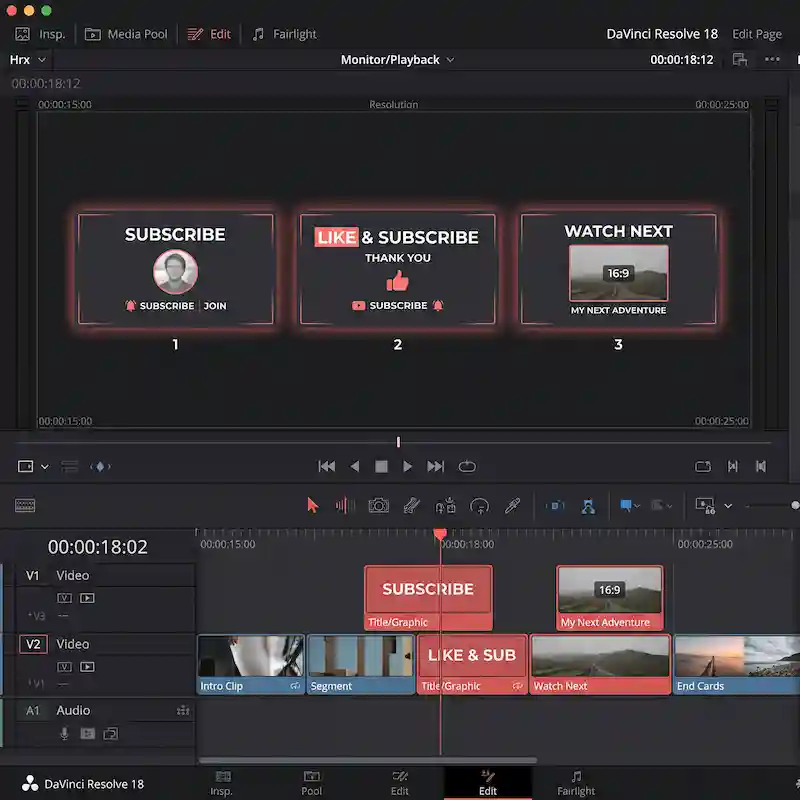
Free DaVinci Resolve end cards: Subscribe, Like & Subscribe, Watch Next. Drop on your outro. Personal and commercial use.
Download FREEFree ZIP with three YouTube end-card titles for DaVinci Resolve. Subscribe, Like & Subscribe, and Watch Next. Drop them on your outro, edit the text, and export. Works in DaVinci Resolve Free and Studio. No plugins required.
Most free end cards are either overdesigned or locked inside a larger paid pack. This kit is only the three lines creators actually use at the end of a video. Keep the card on screen for three to five seconds. Pair it with a freeze or a soft fade on the last shot.
Free DaVinci Resolve end cards for YouTube outros. Three titles: Subscribe, Like & Subscribe, Watch Next. Import the .setting files, place on the timeline, edit text. Personal and commercial use. No attribution.
Three titles. No extra noise. Edit the text in the Inspector after you drop the title on the timeline.
Unzip the folder. In DaVinci Resolve open the Effects Library. Right-click in Toolbox under Titles or Fusion Titles and choose Import. Select the three .setting files. They appear in your titles list ready to drag to the timeline.
Place the end card on a track above your last picture clip. Trim to three to five seconds. Edit the on-screen text if you want a channel-specific line such as “Subscribe for weekly edits”.
Useful Resolve overview for beginners: DaVinci Resolve Tutorial for Beginners. The same Effects Library import path applies to titles
Subscribe for a clean single ask at the end of a long-form video. Works when the last shot is a freeze or a soft hold on the host.
Like & Subscribe when you want both actions in one line. Common on tutorial and list videos where engagement is the goal.
Watch Next when you hard-cut to a related video or playlist. Use it with a small preview tile of the next video if you build that in the edit.
Do not put all three on the same outro. Pick one primary ask per video so the ending stays clear.
The files are built for 16:9 timelines. For Shorts and Reels, scale the title or reframe the timeline to 9:16 and reposition the text so it sits above the platform UI. Keep the same three-to-five second hold.
Vertical outros still need a clear ask. A tiny end card lost in the lower third of a Short gets ignored. Scale up slightly for vertical if the text feels small on a phone preview.
Store the ZIP once on your drive. Import the three titles into a template project or a shared bin so every new video starts with the same end cards available.
Lock a channel style: one end card design, one duration, one music sting. Change only the spoken line or the on-screen text when the series changes. Channels that swap three different end treatments every week look unfinished.
If you use auto-captions or karaoke-style text through the body of the video, keep the end card style separate. The outro is a brand moment, not another caption pass.
This pack is FreeVisuals Free. No Pro plan required. For interview shows, vertical story titles and tutorial callouts, step up to Pro templates on Pro assets and on the DaVinci Resolve templates hub.
Pro Interview Lower Thirds, Pro Vertical Stories Titles and Pro Tutorial Callouts are built for series work where the free end card is not enough on its own.
Nameplates and lower thirds belong before the end card. Use Free YouTube Nameplate during the body, then this pack on the outro.
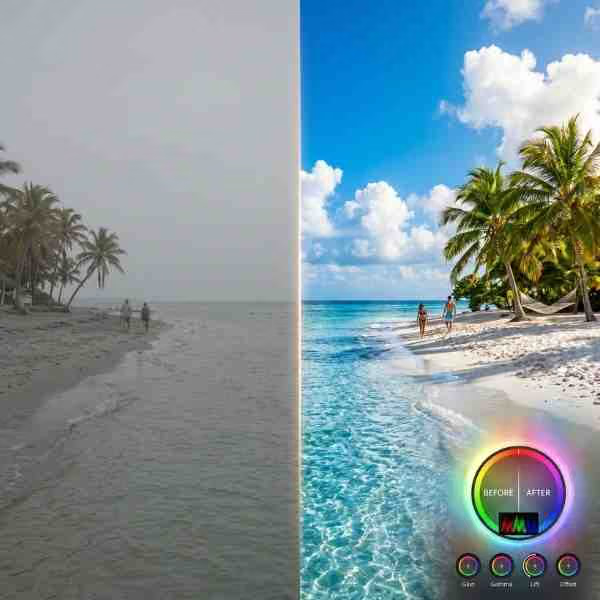
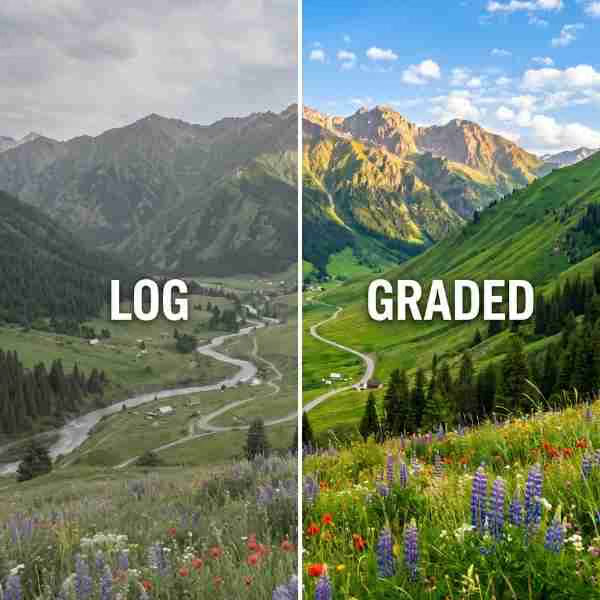
Colour: a clean talking-head or outdoor LUT under the last shot keeps the end card readable. Browse Free LUTs for everyday grades and Premium LUTs for Pro packs.
Music under an outro: keep it short. Artlist and Epidemic Sound both work for a two-bar sting. Duck under any spoken CTA.
Need more premium Resolve or Premiere templates after this free pack: Envato, Motion Array or MotionVFX. Those are affiliate. This free download does not unlock them.
Faceless channels live on the first second and the last five. The end card is where you send people to the next video or the subscribe button. A consistent end card trains viewers to wait for the ask instead of scrubbing away early.
Tutorial channels can use Watch Next when the next video is the logical follow-up step. Use Subscribe when the video is a standalone tip and the goal is channel growth.
Batch your outros. Grade the last shot once, place the same end card, export. Do not redesign the end treatment for every upload.
FreeVisuals Free. Personal and commercial use, including monetised YouTube, client work and paid social. No attribution. Do not resell the .setting files. Do not upload them to another stock site. Terms: Terms of Service.
This free pack does not require a Pro plan. Larger Pro template kits unlock on Pro assets.
YouTube also offers native end screens inside YouTube Studio. Those are useful for clickable elements. A timeline end card still matters because it brands the last frame of the file itself. Viewers who watch offline, on embeds, or before the native end screen loads still see your ask.
Use both when you can. Put this Resolve end card on the last five seconds of the master file. Add a YouTube native end screen for the subscribe button and suggested video. The visual style should match so the cut from your card into the native UI does not feel like a different channel.
Keep contrast high. White or off-white text on a dark bar is safer than thin grey on a busy freeze frame. If the last shot is bright, add a soft dark gradient behind the text or hold on a darker frame.
Avoid all-caps walls of text. Subscribe and Watch Next are short by design. If you write a longer custom line, break it onto two lines and test on a phone.
Check safe margins. Platform UI and captions can cover the lower third. Place the end card high enough that a phone preview still shows the full line.
Yes. FreeVisuals Free licence. Download from this page. No Single Pass required.
Yes. Free and Studio both import .setting titles the same way.
Yes. Select the title on the timeline and edit the text in the Inspector.
Yes. Scale and reposition for vertical. Keep the hold long enough to read on a phone.
Yes. Personal and commercial use are allowed. Do not resell the files.
No. Edit text and timing from the Edit page Inspector for normal use.
Three to five seconds is enough for a clear ask without overstaying.
Free YouTube Nameplate for lower thirds during the body, then one end card on the outro. Pro interview and vertical packs when you need a full series kit.
Download once. Import the three titles. Pick one ask per video. Keep the hold short and readable. Reuse the same end card across a series so the channel feels finished.
More free and Pro Resolve templates: DaVinci Resolve templates. Pro plans and packs: Pro assets.
Search terms this page should earn: free DaVinci Resolve end card, free subscribe end screen Resolve, free YouTube outro template DaVinci, free watch next title Resolve. That is why the H1 stays on subscribe end cards and free.
Affiliate Disclosure: Some links on this page may be affiliate links. If you make a purchase through one of these links, FreeVisuals may earn a commission at no extra cost to you. We only recommend products and platforms we genuinely believe in. Read our full disclosure policy.
Download free video templates, LUTs, and presets for Premiere Pro, After Effects, DaVinci Resolve, CapCut, and Final Cut Pro.