.avif)
Freevisuals

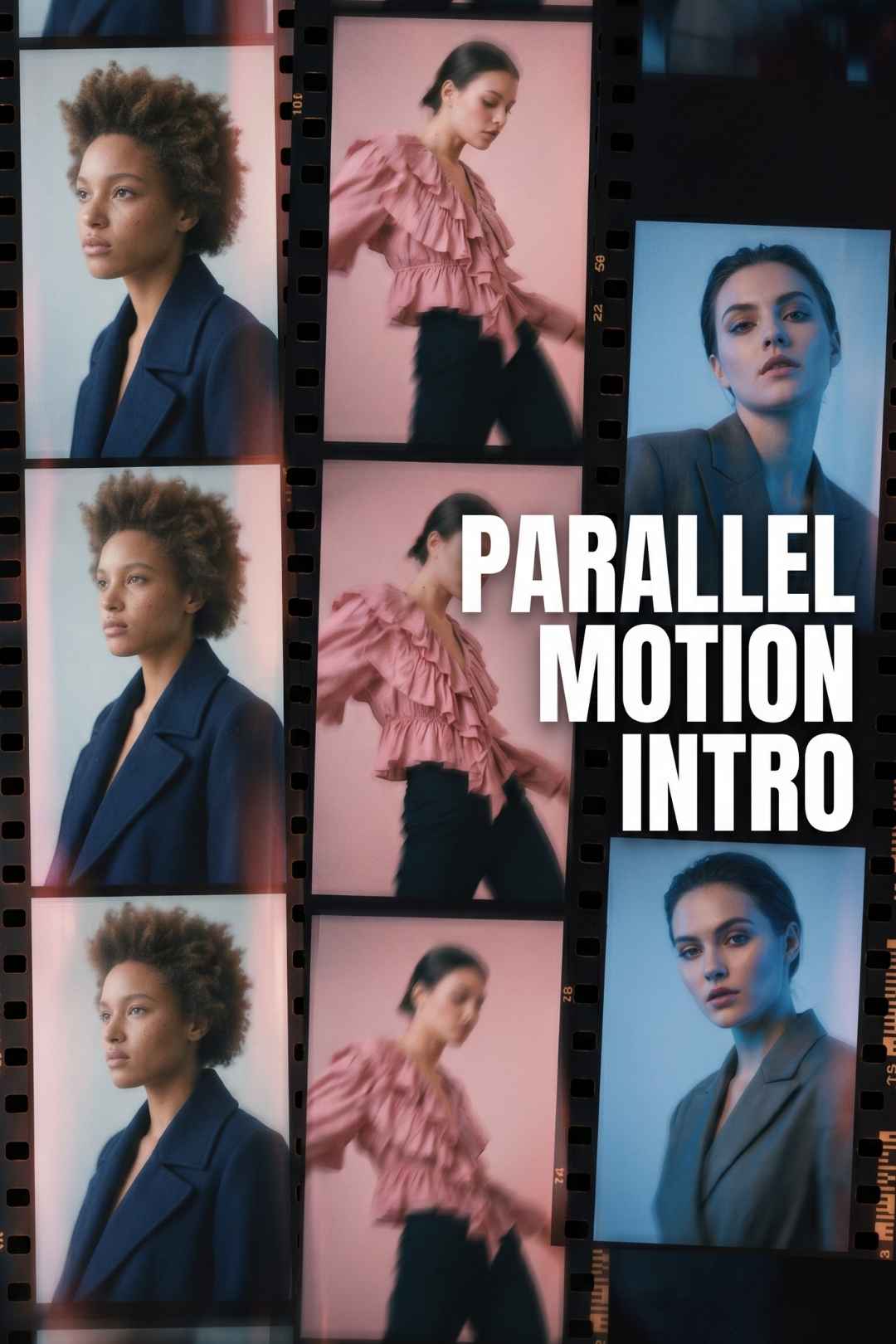
This is one of the most dynamic free intro templates available right now. Tthe Parallel Motion Intro for Adobe After Effects. Multi-panel layout, fluid
Download FREEGo Pro To DownloadDownload NOW!
This asset is free via our partner MotionElements. Create a free account to download and use it across personal and commercial projects. New free assets are added to their library every week.
Browse more free After Effects templates on MotionElements ->
The Parallel Motion Intro is an Adobe After Effects project file built around a multi-panel display layout. Rather than showing a single video or image at a time, the template splits the frame into dynamic parallel panels that animate in sync, creating a fast-paced rhythm that grabs attention straight away.
The aesthetic is clean and modern: sharp transitions, kinetic typography that moves with the panels, and a modular structure that makes it straightforward to swap in your own footage, photos, or brand assets. Whether you are a solo creator, a freelance motion designer, or part of a brand team that needs a polished intro without a big budget, this template delivers well beyond what you would expect from a free asset.
No third-party plugins are needed. You just need Adobe After Effects CC 2018 or newer. No Element 3D, no Video Copilot, no paid extras. Open the file, customise it, and render.
Multi-panel simultaneous display Show multiple videos or images at the same time across split, dynamic frame sections. This lets you tell a layered visual story in just a few seconds.
Text that interacts with the motion The typography is built into the motion system rather than sitting on top of it. Your title and tagline move with the rhythm of the panels.
Modular scene structure Scenes are set up to be rearranged. You can move blocks around, add or remove panels, and adjust the pacing without breaking the animation.
Fluid animation style The motion feels energetic and contemporary, with smooth easing curves that look intentional rather than like After Effects defaults.
Clearly labelled placeholders Every video and image placeholder is easy to identify and replace. Drop in your footage, adjust the scale, and you are done.
No plugins required Runs entirely on stock After Effects with nothing extra to install or purchase.
Royalty-free commercial licence Download once and use the template in as many personal and commercial projects as you like, with no time limit.
Compatible with After Effects CC 2018 and above. Works with all modern Creative Cloud versions.
The split-panel, high-energy style makes this template useful across a wide range of content. Here are the most common use cases along with tips for getting the best results from each.
YouTube Channel Intros - Drop in your channel highlight clips, add your channel name, and hook viewers in the first few seconds. Pair it with a track from MotionElements' free audio library to pull the whole thing together.
Instagram Reels and TikTok The multi-panel format works naturally for short-form social video. Use action shots, close-ups, and moving footage to make the most of the layout.
Product Promotions Show multiple product angles or colour variants in a single motion sequence. This is a good fit for e-commerce brands that want a professional promo video without a big production spend.
Podcast and Vlog Intros Replace the panels with episode highlights or B-roll to give viewers a taste of what is coming. It gives even a simple talking-head vlog a broadcast-quality opening.
Brand and Corporate Videos Use it as a company intro reel. Show team moments, products, and key messages at the same time to tell your brand story in under ten seconds.
Gaming ContentThe fast-cut motion style suits gaming YouTube channels, esports highlights, and Twitch clip compilations naturally.
Portfolio and Showreels The panel layout lets you show several projects at once in a portfolio intro, giving clients a quick overview of the range of your work.
Event and Conference Openers Works well as an opener for live events, webinars, or conference sessions. The split-panel look gives a polished, broadcast-TV quality feel.
Even if you are new to After Effects, this template is designed to be approachable. Here is a full walkthrough from download through to a finished render.
Go to MotionElements via the download button on this page and create a free account. Download the template and you will get a .zip file containing the After Effects project file (.aep) along with any associated assets. Unzip everything into a single folder on your hard drive and keep all the files together to avoid broken links. Open the .aep file in After Effects CC 2018 or newer.
Open the main composition in the Project panel. You will see placeholder layers, usually labelled Video 1, Video 2, and so on. Import your own clips or images via File > Import, or drag them straight into the Project panel. To swap a placeholder, hold Alt on Windows or Option on Mac and drag your footage onto the placeholder layer in the timeline. The clip will drop in and inherit all the animation and masking from the original. Trim the in-point if you need a specific moment from your clip.
Text layers are marked with a T icon in the timeline. Double-click a text layer to edit it and type in your title, tagline, or channel name. The animation is already baked into the layer, so your new text will animate the same way as the placeholder. To change the font or colour, open the Character panel under Window > Character. If you change fonts, check that the spacing and animation still look right afterwards.
To bring in your brand colours, look for solid colour layers or gradient fills in the template and update them to match your palette. You can also add a Hue/Saturation or Curves adjustment layer above the footage layers for a quick colour grade across all panels at once.
Press the spacebar or 0 on the numpad to run a RAM preview and watch the full animation before rendering. When you are happy, go to Composition > Add to Render Queue, or open Adobe Media Encoder for more format options. For web and social, export as H.264 at 1080p with a bitrate of around 10 to 20 Mbps. This gives you sharp quality at a file size that works well on YouTube, Instagram, and TikTok.
Pro tip: Media Encoder is worth using over the built-in Render Queue when exporting for social platforms. It gives you more control over bitrate and format and keeps After Effects free to work in while the export runs in the background.
The template looks strong out of the box, but here are some ideas for making it your own.
Swap the accent colour. Find the colour overlay layers and change them to your brand primary. A single colour change makes the template feel completely different.
Slow the pace down. For corporate or premium brand use, try stretching the timeline by 20 to 30 percent. It gives the animation a more measured, considered feel.
Cut to the music. Import a track from MotionElements' free music library and adjust the panel cut timings to hit the beat drops. Even rough beat-matching makes a big difference to how polished the final result feels.
Use photos instead of video. You do not need footage. Product photography and portfolio stills work well in the panels and are often easier to source than video clips.
Loop it. Trim the intro and outro and loop just the panel animation for use as a website hero section background or a screensaver.
Render multiple versions. The modular structure makes it easy to produce different variants, one per product or one per platform, without starting from scratch each time.
This template is hosted on MotionElements, one of the largest royalty-free stock content marketplaces for video creators. Their library covers motion graphics assets including After Effects templates, Premiere Pro templates, stock footage, music, and sound effects, with a solid selection of free assets available to registered users at no cost.
The royalty-free licence means you can use any downloaded asset in unlimited personal and commercial projects, with no expiry. That includes YouTube, paid client work, broadcast, and social media, across all current and future platforms.
For creators who need more, MotionElements also has an unlimited subscription that opens up their full catalogue of over 26 million assets across video, audio, images, and templates. New free downloads land every week, so it is worth having an account even if you only ever use the free tier.
Is this template actually free? Yes. The Parallel Motion Intro is a free download on MotionElements. You need to create a free account to download it, but there is no payment or subscription required.
Can I use it for commercial work? Yes. The MotionElements royalty-free licence covers personal and commercial use. That includes paid client projects, brand videos, monetised YouTube content, ads, and broadcast. Download once and use it as many times as you like.
Which version of After Effects do I need? You need After Effects CC 2018 or higher. It works with all Creative Cloud versions released from 2018 onwards. It is not compatible with CS6 or older versions.
Do I need any plugins? No. The template runs entirely on native After Effects. You do not need Element 3D, Video Copilot tools, or anything else.
Can I use it in Premiere Pro? The template is built for After Effects, but once you render your finished version you can bring it into Premiere Pro, Final Cut Pro X, DaVinci Resolve, or any other editor as a video file. If you want something that works natively inside Premiere's Essential Graphics panel, MotionElements also has a library of .mogrt files.
Can I change the fonts? Yes. Select the text layer, highlight the text, and pick a new font from the Character panel. If the original font is not on your system, After Effects will ask you to replace it. Google Fonts has a wide range of free options that work well with motion templates.
What resolution does it render at? The template is set up at Full HD 1920x1080, which covers YouTube, Instagram, and most social platforms. If you need 4K, you can scale the composition up inside After Effects, though you may need to manually resize some elements for the best result.
Does it include music? No, music is not included. MotionElements has a large library of royalty-free music tracks, many of them free to download, which work well alongside this template.
Is it beginner friendly? Swapping out the footage and text is straightforward and only needs basic After Effects knowledge. The key technique is the Alt/Option and drag method for replacing placeholder clips, which takes a couple of minutes to pick up. Deeper customisation like colour changes and timing tweaks needs a bit more experience, but nothing that is out of reach for someone who has used After Effects a few times.
There is no shortage of free After Effects templates online, but most of them show their limitations quickly. The Parallel Motion Intro holds up. The multi-panel layout, the clean motion style, and the modular structure give it enough flexibility to work for a YouTube channel, a client brand video, a product promo, or a conference opener without looking generic.
It is free, it carries a commercial licence, and it takes less than half an hour to customise from scratch. If you need a fast, professional-looking intro, this is a good place to start.

Download free video templates, LUTs, and presets for Premiere Pro, After Effects, DaVinci Resolve, CapCut, and Final Cut Pro.












