.avif)
Freevisuals

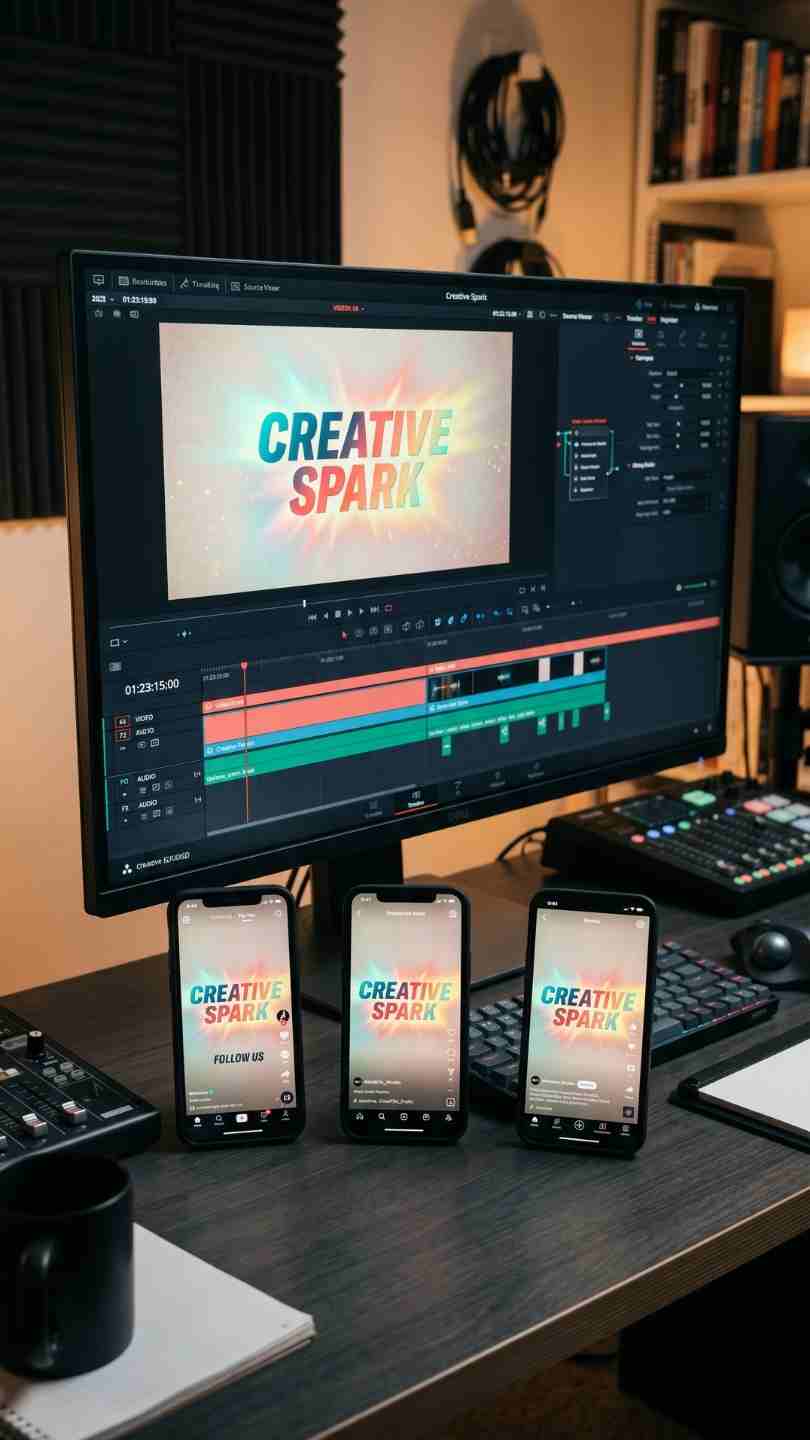
Download a free Social Media Intro Template for DaVinci Resolve, perfect for YouTube, Instagram, TikTok, and more, easy to customize for any channel.
Download FREEGo Pro To DownloadDownload NOW!Not every project needs a bespoke, custom-built opener, sometimes what you actually need is a polished, ready-made intro you can drop in and customize in minutes rather than hours. Free Social Media Intro Template is built for exactly that, a ready-made, fully customizable opener for DaVinci Resolve designed with YouTube, Instagram, and TikTok creators specifically in mind, giving you a professional-feeling opening without needing to build one from scratch or install any additional plugins.
If you want a Pro version with more variety and additional customization depth, a premium upgrade is available directly from the download page. For a wider range of free DaVinci Resolve intros, titles, and transitions to pair with this one, browse our DaVinci Resolve templates library, and for music to underscore your intro, Artlist and Epidemic Sound both carry upbeat, brand-friendly tracks built for exactly this kind of opener.
A significant amount of friction in adopting free templates generally comes down to hidden catches, a plugin requirement that needs separate installation and licensing, a trial period that locks the actual usable file behind a paywall after a set number of days, or a subscription gate disguised as a free download. Free Social Media Intro Template avoids all of these specific friction points, it installs and runs entirely within DaVinci Resolve's existing native tools, with no additional software to install, license, or maintain going forward.
This matters more than it might initially seem for creators specifically building a repeatable workflow around their channel branding. A template that depends on a third-party plugin introduces an ongoing dependency, if that plugin stops being supported, requires a paid license renewal, or simply becomes incompatible with a future DaVinci Resolve update, your existing intro sequence could break entirely. A plugin-free template like this one removes that specific risk, since everything driving the animation lives within DaVinci Resolve's own native Fusion and Edit page tools, tools that Blackmagic Design maintains and updates as part of the core software itself.
The core use case this template is built for, giving YouTube creators a polished, professional opener without needing custom motion graphics work for every new channel or rebrand.
Since the template is built with Instagram specifically in mind, it adapts well to Reels and Stories content needing a quick, branded opening beat.
Creators building a consistent TikTok presence can use this template as a recognizable opening moment across their regular content, reinforcing brand identity even within short-form video.
Businesses and solo creators without a dedicated motion graphics resource benefit directly from a ready-made opener that removes the design bottleneck entirely.
Creators publishing the same or similar content across YouTube, Instagram, and TikTok simultaneously benefit from a single template that works reasonably well across all three formats, rather than needing separate bespoke openers for each platform.
Head to the download page and grab the template file.
If the download arrives as a zipped folder, extract it to a location you'll remember, ideally a dedicated project assets folder.
Open DaVinci Resolve and go to your project's Media Pool, ready to import the template file.
Drag and drop the downloaded template file into your Media Pool, then drag it onto your timeline to apply it, or open the Fusion page and import from the template's file location if it's structured as a Fusion template specifically.
Place the intro at the very beginning of your project, ahead of your main footage.
Locate the text elements within the template and update them with your channel name, tagline, or branding message.
Use the template's built-in color controls to align the intro with your existing brand palette rather than relying on the default colors.
Combine the template's built-in animation with Resolve's own native effects and color tools to build a more distinctive, personalized final result.
Play through the intro to confirm pacing feels right for your specific content, adjusting duration if the intro runs too long or too short relative to your typical video length.
Export using your project's standard delivery settings, ideally at 1080p or 4K for the best quality on social platforms, and save your customized version as its own project file so you can reuse your specific branding on future videos without redoing the customization work each time.
It's worth being direct about both sides of what this template actually offers, since understanding its specific limitations helps you use it more effectively rather than expecting something it isn't designed to be. As a single, standalone free template rather than a varied multi-design pack, editors specifically wanting several distinct intro styles to rotate through will find this template more limited than a larger paid pack, and should look toward the available Pro version or a broader template library if variety is the priority.
The template is also, by design, a broadly usable, general-purpose intro rather than something built around a single, narrow niche. This means genuine customization, adjusting text, color, and combining it with DaVinci Resolve's native effects, matters more here than it might with a more heavily stylized, niche-specific template, since a completely unmodified default version risks looking similar to other creators using the same free download. The upside of this same broad design is genuine flexibility, the template adapts reasonably well across YouTube, Instagram, and TikTok specifically because it wasn't built around one single platform's particular conventions.
Using the template completely unmodified. Since this is a widely available free template, using it with zero customization risks your content looking visually identical to other creators using the same download, take the time to adjust text, color, and pacing to your specific brand.
Ignoring DaVinci Resolve's native effects entirely. Combining this template's built-in animation with Resolve's own color and effects tools produces a more distinctive final result than relying purely on the template's default settings.
Exporting at a lower resolution than necessary. Always export in 1080p or 4K for the best viewing experience once your platform's own compression is applied, a lower resolution export loses more detail than needed.
Not saving your customized version for reuse. After investing time in customizing the template to your brand, save it as its own project file rather than redoing the same customization work from scratch on your next video.
DaVinci Resolve Tutorial: Zoom In And Out (Ken Burns Effect), useful background on animating still elements within DaVinci Resolve's Inspector and Fusion tools, applicable to further customizing this template's motion.
Since this template is specifically built with YouTube, Instagram, and TikTok in mind, it's worth thinking about how a single, well-customized version of this intro can serve as a consistent opening moment across all three platforms simultaneously, rather than building separate bespoke intros for each individual platform's specific format. Once you've customized the template with your branding, colors, and text, exporting slightly different aspect ratio versions, horizontal for YouTube, vertical for Instagram Reels and TikTok, from the same underlying customized project keeps your visual identity consistent across every platform your content actually reaches.
This consistency compounds in value the longer you maintain it. Viewers who follow your content across multiple platforms will start to recognize your specific intro treatment regardless of which specific app they're watching through, reinforcing your brand identity in a way that a completely different intro style per platform never achieves. For creators just starting to build a multi-platform presence, establishing this kind of consistent branding early, even using a free, broadly available template like this one, tends to pay off considerably more than waiting until a later rebrand to introduce consistency retroactively.
Since this free template represents a single design rather than a full pack, it's worth considering whether the available Pro version genuinely suits your specific needs before assuming the free version alone will serve you long-term. Creators publishing very frequently, several times a week or more, may find that variety matters more to them than it would for a creator publishing monthly, since audiences watching frequent uploads are more likely to notice repetition in an unchanging intro sequence over time.
For creators just starting out, or those publishing less frequently, the free version genuinely covers the core need effectively, a professional-looking, functional intro without a design bottleneck, and upgrading only becomes worth considering once you have a clearer sense of your actual publishing frequency and whether repetition in your intro sequence has become a genuine concern for your specific audience and content style.
No, it works entirely within DaVinci Resolve's native Fusion and Edit page tools, no additional plugins required.
It's genuinely free, no subscription, trial period, or hidden paywall, a straightforward download and use.
Yes, it's specifically built with YouTube, Instagram, and TikTok in mind, making it well suited to creators publishing across more than one platform.
Yes, both are fully customizable directly within DaVinci Resolve's Inspector and Fusion tools once the template is applied to your timeline.
Yes, a Pro version is available directly from the download page for creators wanting more design variety beyond this single free template.
Yes, it's designed to be usable for both personal and commercial projects, though always check the specific license terms on the download page to confirm coverage for your intended use case.
Affiliate Disclosure: This post may contain affiliate links. If you make a purchase through one of these links, FreeVisuals may earn a commission at no extra cost to you. We only recommend products and platforms we genuinely believe in. Read our full disclosure policy.
Download free video templates, LUTs, and presets for Premiere Pro, After Effects, DaVinci Resolve, CapCut, and Final Cut Pro.













