.avif)
Freevisuals

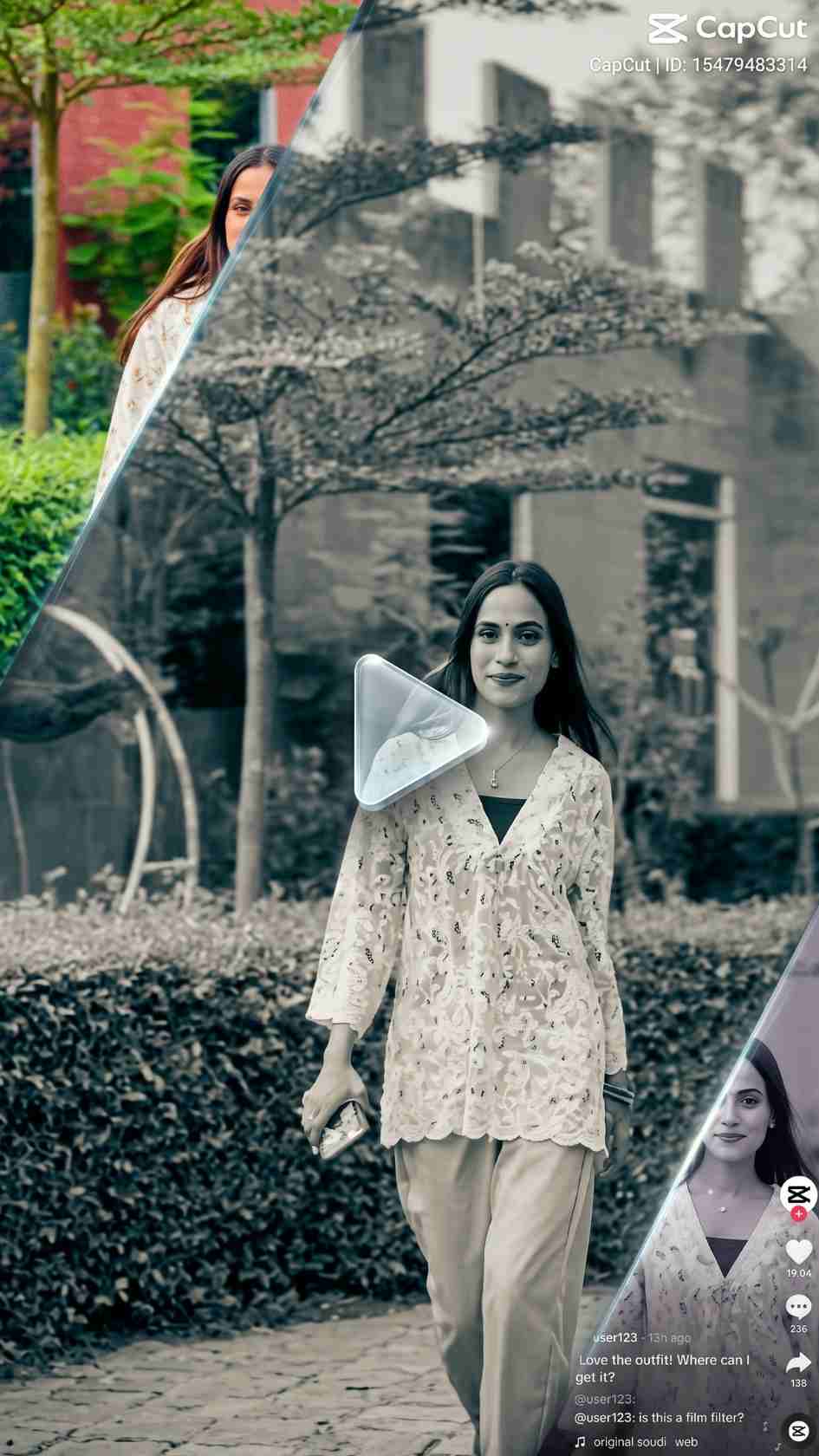
Free CapCut templates for viral slow motion edits, this template by BD Slowmo works with your own TikTok and Shorts footage.
Download FREEGo Pro To DownloadDownload NOW!Use This Template
Viral Slow Motion Template By BD Slowmo is a slow motion reveal template using velocity editing to give a specific moment genuine dramatic weight, part of the broader slowmo trend that's remained consistently popular across TikTok and Instagram. Built by BD Slowmo for CapCut, a slow motion trend template by creator BD Slowmo, part of a broader wave of South Asian slow motion editing accounts that have built genuinely large followings around this specific technique, giving creators a ready-made structure to drop their own footage into rather than building a similar effect entirely from scratch on their own.
These free CapCut templates are ready to download and edit directly in the CapCut app, no watermark, no subscription required.
If you're building a broader short-form content strategy around this template, browse our CapCut templates library for additional free formats, our free LUT library for a consistent color treatment to pair with your footage, and our free stock video library for supplementary B-roll footage whenever needed. For music and sound design specifically, Artlist, Epidemic Sound, and CapCut's own built-in music and effects library all offer additional options beyond this template's default audio track.
For creators working across platforms beyond just CapCut, Motion Array and Envato both carry a wider range of premium templates and motion graphics assets worth exploring, while Shutterstock and iStock are worth a look for supplementary stock photography and footage, and ElevenLabs is useful if your project needs an AI voiceover layered alongside the visuals for a more narrated style of content.
Since this template lives directly within the CapCut app rather than requiring a separate download, there's nothing to install, license, or maintain beyond keeping CapCut itself updated regularly. This removes a category of friction that standalone template files sometimes introduce, plugin compatibility, version mismatches, missing fonts, since everything runs natively within the same app environment the template was originally built in.
Short-form platforms reward content that matches whatever specific pacing and structure happens to be resonating with audiences at a given moment, and manually recreating a trend's timing and transitions from scratch takes genuine trial and error to get right. Viral Slow Motion Template By BD Slowmo shortcuts this process, giving you a structure already calibrated to what's actually performing, so your own creative energy goes into the footage and message rather than rebuilding technical pacing decisions from zero.
This matters considerably for creators publishing regularly, since the gap between a technically well-paced edit and an amateur one is often smaller than it looks, timing, not raw production value, tends to be the deciding factor in whether short-form content holds attention through to the end. A template that's already solved this problem removes one of the most common points of failure in short-form editing.
The core use case this kind of slow motion template suits particularly well, giving a physical transformation, style change, or confidence moment the dramatic reveal quality that's made this trend format so consistently popular. Our own Glow Up Slowmo template covers a closely related approach if you want a second option in this same genre.
Creators showcasing an outfit or styling choice can use the slow motion structure to build anticipation before the full look is revealed, similar in spirit to our No Mirror Trend template.
Fitness creators documenting a training journey or physical change benefit from the same dramatic reveal structure this template is built around.
Service businesses showcasing client results can use this template to present their work with the same visual weight independent creators use for personal content, similar to how our Trend Hair Style template approaches salon marketing specifically.
Any content building toward a specific reveal moment, a product, an announcement, a milestone, benefits from this template's built-in tension and release structure.
Velocity editing, applying a smooth, curved speed ramp rather than a flat, uniform speed change, has become one of the defining techniques across short-form video specifically because of how naturally it directs attention and builds anticipation. A well-executed velocity curve accelerates briefly, then eases into a slower, more deliberate pace right as a key reveal moment lands, creating a sense of weight and importance that a uniform, unchanging speed simply doesn't achieve. Viral Slow Motion Template By BD Slowmo handles this specific technical structure automatically, meaning you get the benefit of carefully calibrated pacing without needing to build the underlying speed curve manually.
This technique originated within car and action content editing communities before being adapted specifically for transformation and reveal content, and its continued popularity across genuinely different content categories speaks to how effectively it translates. Understanding that the timing built into this template represents real technical calibration, not an arbitrary stylistic choice, helps explain why manually recreating it takes considerably longer than customizing an already-solid starting point.
Head to the template link on your phone or tablet, which should open directly within the CapCut app if you already have it installed.
Once the template loads in CapCut, tap "Use template" to begin building your own version with your own footage.
Tap the pencil icon on each placeholder and use "Replace" to swap in your own photos or video clips.
Use the same pencil icon menu to crop, trim, or adjust volume on each individual clip as needed.
Play through the template to see how the built-in pacing, transitions, and any speed effects carry your specific footage.
Tap any text elements to update the wording with your specific caption or message.
If you want a different track from the template's default audio, tap the audio clip and browse CapCut's music library or import your own.
Adjust filters, effects, or color settings if the template includes editable versions of these.
Play through the finished edit in full to confirm everything looks and sounds right together.
Tap Export, choose your resolution (1080p is standard for most platforms), and either save to your device or share directly to TikTok, Instagram, or YouTube.
Since this template's impact depends heavily on the specific footage dropped into it, it's worth thinking about what you film with the eventual slow motion treatment already in mind, rather than assuming any clip will work equally well once slowed down. Footage shot at a higher frame rate, 60fps or above where your device supports it, holds up considerably better once slowed than footage shot at a standard 30fps, which can look choppy or blurred once stretched across a longer duration. Movement that reads clearly at normal speed, a turn, a reveal, a gesture, tends to translate into a more compelling slow motion moment than static or minimally active footage.
Lighting also matters more here than it might for footage played at normal speed, since slow motion inherently shows more detail within each individual frame, meaning any lighting inconsistency or motion blur becomes considerably more visible once the footage is stretched out. Shooting your key reveal moment specifically with this template's eventual treatment in mind, rather than repurposing footage originally captured for another purpose, tends to produce noticeably stronger final results.
Since this template is accessible to any CapCut user with the link, thousands of other creators may end up using the exact same structure at some point, which is worth keeping in mind when deciding how much personal customization to invest in versus using it in its default state. The creators who tend to see the strongest results long term are generally the ones who treat a trending template as a starting foundation rather than a finished product, adding their own specific footage quality, message, and brand consistency on top of the underlying structure over their entire body of published work.
Platforms like TikTok and Instagram weigh engagement signals, watch time, replays, shares, heavily when deciding how broadly to distribute a specific piece of content, and content that matches a format audiences already recognize tends to perform better against these specific signals than content built around an unfamiliar structure, even when the underlying subject matter is comparable. This isn't purely about viewer taste, familiar pacing genuinely reduces the cognitive effort required to process a piece of content, making a viewer more likely to watch through to the end rather than scrolling past midway through.
Viral Slow Motion Template By BD Slowmo is built around exactly this dynamic, giving you a structure already aligned with what's currently resonating rather than requiring you to reverse-engineer a trend's specific timing through your own trial and error. Combined with genuinely strong footage and a clear message, this kind of structural alignment gives a piece of content a real head start toward reaching an audience beyond your existing following.
The genuine value in a template like this compounds the more consistently it's applied across a regular posting schedule, rather than used once and abandoned. Establishing your specific customized approach, your typical text styling, your color treatment, your general pacing preferences, and reusing that same setup across your regular content builds a recognizable identity that returning viewers come to associate specifically with your account, whether that's a personal brand or a business.
Pairing this consistency with a reliable source of supporting assets makes the whole process considerably faster over time. Keeping our CapCut templates library, free music library, and free stock video library bookmarked alongside your regular CapCut workflow means you're never starting from zero when a new piece of content calls for a title, a music bed, or supplementary footage beyond what you've filmed yourself.
Treating Viral Slow Motion Template By BD Slowmo as a genuine, reusable part of your regular content workflow, rather than a one-off download tried once, is where templates like this actually pay off. The specific pacing and structural decisions baked into it exist for identifiable reasons rooted in what currently performs well on short-form platforms, and understanding those reasons, even at a surface level, meaningfully improves how effectively you can adapt it to your own recurring content needs.
For creators building a longer-term presence, pairing a reliable template like this one with a consistent posting schedule and a genuine understanding of your specific audience tends to produce considerably stronger results than either element alone. The template handles the structural and pacing foundation, freeing up your attention for the content decisions, footage, message, timing, that actually determine whether a specific video resonates and earns genuine engagement.
Once you've customized this template with your own footage, it's worth saving your specific settings, text style, color adjustments, audio choice, as a personal reference for next time, since CapCut doesn't always preserve every customization decision between separate template uses. A quick note of your preferred settings saves meaningful time and effort on your next video using this same or a similar template structure down the line.
No, this template is accessible through CapCut's free app, though CapCut Pro removes some limitations like the watermark on certain export options.
Yes, both are editable directly within CapCut once you've selected the template and tapped "Use template."
Generally yes, since all three platforms share the same vertical 9:16 format, though always preview your specific export against each platform's current requirements.
Yes, CapCut templates are commonly used for both personal and business content, though always be mindful of the original creator's likeness or branding if the template features either.
Browse our CapCut templates library for additional templates covering different trend formats and paces.
No, CapCut templates are specifically designed to be usable by anyone, replacing placeholder media with your own is the main step required.
Affiliate Disclosure: This post may contain affiliate links. If you make a purchase or use a linked service through one of these links, FreeVisuals may earn a commission at no extra cost to you. We only recommend products and platforms we genuinely believe in. Read our full disclosure policy.
Download free video templates, LUTs, and presets for Premiere Pro, After Effects, DaVinci Resolve, CapCut, and Final Cut Pro.













