.avif)
Freevisuals
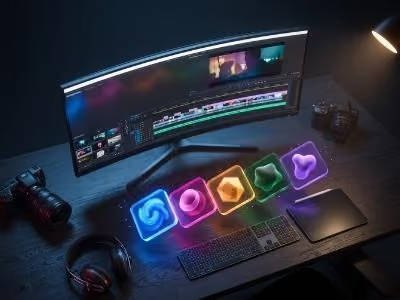
A transition does more work than most viewers consciously notice. It signals a scene has changed, it sets a tone before the next shot even appears, and when chosen well, it quietly reinforces the entire mood of a video without a single word of narration. Whether you're editing in DaVinci Resolve, Premiere Pro, or Final Cut Pro, the right transition pack can turn a flat cut into a moment that actually adds to the story.
This guide rounds up the best transition templates currently available, covering film grit and light leak looks, digital pixel effects, speed ramps, split object transitions, and animated text openers, across three of the most widely used editing platforms. For each one, we cover the specs, who it's best suited for, exactly how to install and use it, and a couple of video tutorials if you want a visual walkthrough. If you'd rather browse the full marketplaces these picks come from, Envato Elements and Artlist both run unlimited download subscriptions covering thousands of similar packs beyond what's listed here.
If you're specifically working in DaVinci Resolve, our DaVinci Resolve plugins and templates roundup covers several additional transition and effects options built for that software specifically, worth a look alongside this list.
The best transition templates in 2026 include Film Grit Transitions from Artlist for DaVinci Resolve and Premiere Pro, Dynamic Fragmented Pixelate Block Transitions from Envato for Final Cut Pro, 15 Speed Ramp Transitions from Envato for Premiere Pro, the Vlogger Text Opener from LenoFX for Final Cut Pro, and Split Object Transitions from Envato for Premiere Pro. Between them, these packs cover cinematic film looks, digital pixel effects, motion-driven speed ramps, and animated text openers.
For unlimited access to templates like these rather than buying individually, Envato Elements covers the majority of picks on this list under one subscription, while Artlist is the stronger choice specifically for the DaVinci Resolve and Premiere Pro compatible Film Grit Transitions pack.
Most transitions fall into one of two camps: the kind that try to disappear entirely so the cut feels invisible, and the kind that announce themselves on purpose, becoming part of a video's visual identity rather than just a mechanical scene change. A genuinely good transition template earns its place by doing one of these two jobs well, rather than sitting awkwardly in between.
Beyond that, a few practical factors separate a template worth downloading from one that will sit unused after a single project. Software compatibility matters most, a beautifully designed transition is useless if it doesn't actually work in your editor. Resolution matters too, a 4K source transition holds up cleanly even when scaled down into a 1080p timeline, where a transition built natively at a lower resolution can look soft once stretched up. Whether a plugin is required is worth checking before you buy, since a plugin dependent template adds setup time and sometimes extra cost. And customizability, particularly editable colors, is what lets the same transition pack work across completely different brands and projects without looking like an obviously reused template.
Here are details of what we see as the top 5 templates to have a look at and experiement with to get those progfessional looking transitions
Download On Artlist
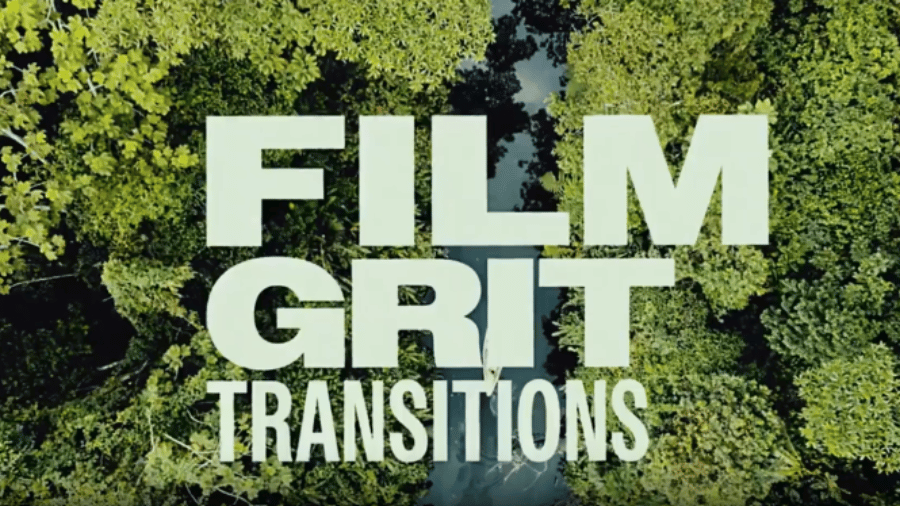
Film Grit Transitions by Sliced Bread gives you 7 dynamic transitions built around film burns, light leaks, and grungy overlays, the kind of texture that instantly reads as cinematic rather than digitally clean. It's one of the few packs on this list confirmed to work natively across three major editors at once.
Ideal for music videos, trailers, and urban-themed content that wants a gritty, filmic aesthetic without a full color grade overhaul. Because it's compatible with three different editors, it's also a solid pick for editors who bounce between DaVinci Resolve and Premiere Pro depending on the project or client.
Download the pack from Artlist, then drag the transition clips directly onto your timeline between two cuts, either in DaVinci Resolve's Edit page, Premiere Pro's timeline, or Final Cut Pro's Transitions browser depending on your software. Adjust colors and blending modes in the Inspector or Effect Controls panel to match your project's tone, then align the transition precisely with your footage cuts. Pairing the visual with a matching whoosh or film reel sound effect from a source like the FreeVisuals free sound effects library strengthens the overall impact.
Artlist's strength here is curation and cross-platform reliability, everything in their template library is vetted to a consistent production standard, and their subscription bundles video templates alongside a massive royalty free music and SFX catalog, useful since a transition this cinematic usually wants a matching soundtrack. If you're building a full edit around this transition pack, Artlist's music library is a natural next stop.
Light Leaks Transitions In DaVinci Resolve 18 Tutorial, a walkthrough of installing and applying a similar light leak transition pack directly in DaVinci Resolve.
Download On Envato Elements
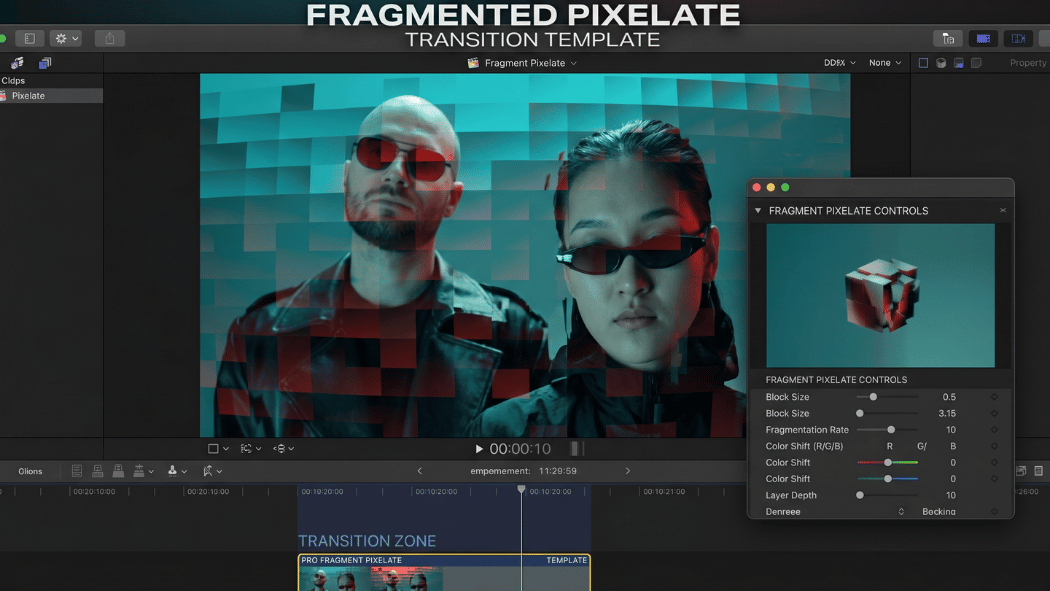
Dynamic Pixelated Block Transitions for Digital Videos takes a completely different approach to the film grit style above, leaning fully into a blocky, geometric digital aesthetic. Instead of a soft cross dissolve, the screen breaks into pixelated segments that animate the change between shots, giving the cut a computational, distinctly modern feel.
Built specifically for tech reviews, software walkthroughs, gaming highlight reels, and fast paced YouTube edits where pacing matters more than subtlety. The blocky pixel movement ties naturally into gaming culture's own visual history, and the slightly chunky, low-resolution feel of the shapes also lends itself well to deliberately retro or throwback themed content.
Once downloaded, the template installs through Final Cut Pro's Motion Templates system, after which it becomes available directly in your Transitions browser. Drag a chosen transition between two clips on your timeline to apply it. Open it in the Inspector panel to access the editable color controls, adjust these to match your brand palette or the surrounding footage's color grade, then test the transition at your actual cut points before applying the same choice repeatedly across a full edit.
Envato Elements' strength is sheer catalog depth, this single pack sits within a subscription covering more than 27 million creative assets total, and the same monthly fee covers DmitryRaFX's wider catalog of related transition and glitch effect packs, useful if this pixel block style fits your content and you want more from the same creator's consistent design sensibility. The lifetime commercial license bundled with every download also removes licensing friction for freelance editors working across multiple paid client projects.
How To Create This Viral 3D Pixel Punch Transition For Final Cut Pro, a walkthrough of building a pixel style transition effect directly in Final Cut Pro.
How To Add Motion Templates & Plugins In Final Cut (101 Guide), a broader walkthrough of installing Motion Template packs like this one.
Download On Envato Elements
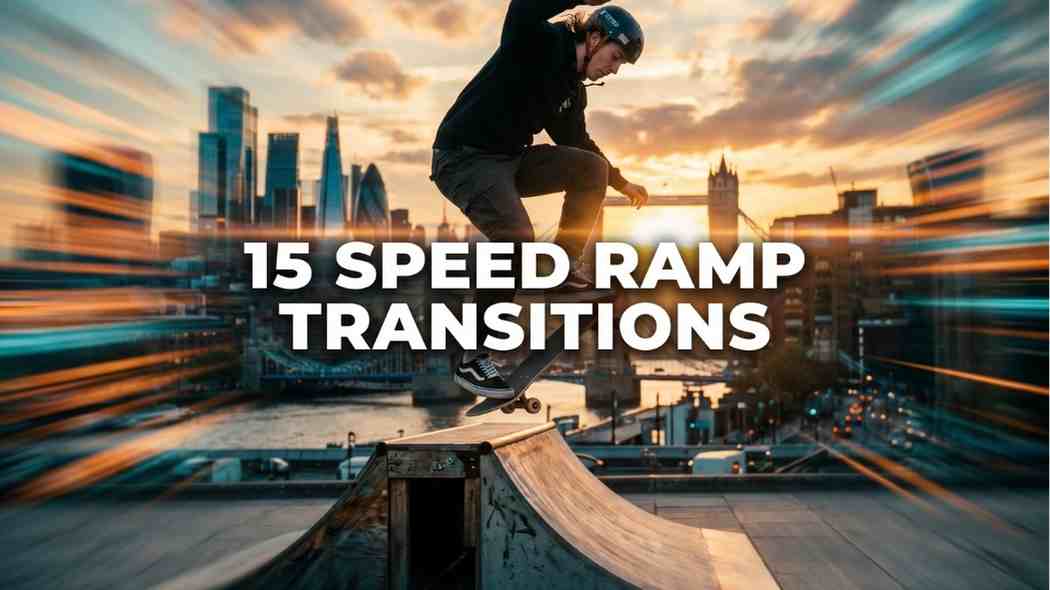
15 Speed Ramp Transitions is a professional Premiere Pro pack built around smoothly animated speed-ramping effects, designed to add dynamic motion and rhythmic pacing between clips without manual keyframing. Where the two packs above lean on visual texture or digital distortion, this one is built entirely around motion and momentum.
Well suited to action and sports edits, motorsport and car videos, travel adventure montages, and social content built for Instagram Reels or TikTok where speed ramps can sync to a beat. It also suits narrative films and music videos where a dramatic shift in pacing needs to land precisely on a specific moment.
Drag the included transition preset onto the cut point between two clips in your Premiere Pro timeline. Because the pack is built to avoid manual keyframing, most of the speed curve is pre-animated, adjust the in and out points to match your footage length, then fine-tune the ramp's intensity in Effect Controls if the default feels too aggressive or too subtle for the cut. If you're new to speed ramping generally, right-clicking a clip and choosing Show Clip Keyframes > Time Remapping > Speed will let you see and manually adjust the underlying speed curve if you want more control than the preset alone offers.
As with the pixel block pack above, Envato Elements' value here is the unlimited download model, at roughly $16.50 a month on an annual plan, a single subscription covers this pack alongside thousands of other Premiere Pro transitions, titles, and motion graphics templates. For editors doing high volume work across many different client projects, that flat monthly cost typically works out considerably cheaper than buying individual packs one at a time.
How To Get Perfect Speed Ramp Transitions In Premiere Pro, a step-by-step walkthrough including the viral car speed ramp effect.
2 Easy Speed Ramp Techniques In Premiere Pro, covering two different approaches to building smooth speed ramp transitions.
Download On LenoFX
.jpg)
The Vlogger Text Opener With Transitions template for Final Cut Pro is a ready-made kit combining animated text elements, smooth transitions, and motion graphics, designed to help you build polished intros and title sequences without animating anything from scratch. Where the other templates on this list are pure transitions, this one doubles as a branded opener.
Built specifically for YouTube intros and outros, travel vlogs, daily life content, and educational or tutorial videos that need a clean, professional-feeling opener. It's also a strong pick for creators running a multi-topic channel or series, using the same opener template across every upload helps establish a consistent, recognizable brand identity from the first few seconds of each video.
After downloading, install the template into Final Cut Pro's Motion Templates folder structure (Titles, Generators, or Transitions depending on the specific component), then locate it in the relevant browser panel inside Final Cut Pro. Drag the opener onto the start of your timeline, then replace the placeholder text layers with your own channel name, video title, or tagline. If the pack includes matching lower thirds or transitions, apply these at the relevant points further into your edit to keep the branding consistent throughout, not just in the opening seconds.
LenoFX specializes specifically in Final Cut Pro and Apple Motion assets rather than spreading across every editing platform, which means their templates tend to be built with a genuine understanding of Final Cut's specific placeholder and Motion Template structure, rather than a cross-platform template that happens to have an FCP export. For editors who work exclusively or primarily in Final Cut Pro, a specialist source like this is worth having in your toolkit alongside broader marketplaces.
How To Add Motion Templates & Plugins In Final Cut (101 Guide), a general walkthrough of installing and using Motion Template packs like this opener in Final Cut Pro.
How To Use Motion Templates In Final Cut Pro, covering the most common ways to customize a template once it's installed.
Download On Envato Elements
.jpg)
Split Object Transitions for Premiere Pro is a premium pack built around seamless, professional-grade split object effects, elevating a straightforward cut into something more dynamic for both photo and video content. It's the most specifically Premiere Pro 2024-and-later template on this list, built to take advantage of newer software capabilities.
Well suited to vlogs, commercials, and cinematic montages that mix both photo and video assets in the same project, a less common combination than most pure video transition packs support. The split object effect works particularly well for reveal moments, product shots, or any edit that wants a more visually interesting scene change than a straight cut or dissolve.
Download through Envato Elements, then drag the transition onto your timeline at the cut point between two clips or images. Because it's built as a drag-and-drop asset with no plugin dependency, it applies directly without needing any additional software installed first. The pack includes its own detailed video tutorial, worth watching first since split object effects often involve specific layer or track arrangements that are easier to follow visually than described in text.
The same unlimited subscription model applies here as with the other Envato picks on this list, one monthly fee covers this pack alongside the wider Envato Elements catalog. Given this template specifically supports both photo and video assets, it's a particularly good fit for creators whose Envato Elements subscription is also being used for stock photography or design assets elsewhere in their workflow, since the same license already covers this transition pack too.
Epic Split Screen Transition In Premiere Pro, a step-by-step walkthrough of building a similar split screen effect directly in Premiere Pro.
Film Grit Transitions is currently the strongest cross-compatible option on this list for DaVinci Resolve users. For a wider range of DaVinci Resolve specific transitions, including Film Burn Transitions, Drag-N-Drop Seamless Transitions, and Action Seamless Transitions, our full DaVinci Resolve plugins and templates guide covers several more picks built specifically for that software.
Dynamic Fragmented Pixelate Block Transitions and the Vlogger Text Opener With Transitions both target Final Cut Pro directly, covering two very different needs, digital pixel transitions for tech and gaming content, and a full animated opener kit for vlog and YouTube branding.
15 Speed Ramp Transitions and Split Object Transitions both target Premiere Pro specifically, one built for motion-driven pacing, the other for a more visually distinctive split object reveal. Film Grit Transitions also supports Premiere Pro 2021 and later, giving Premiere editors three solid options across different styles.
Film Grit Transitions is the clear pick here, film burns, light leaks, and grunge textures suited to music videos, trailers, and narrative content.
Dynamic Fragmented Pixelate Block Transitions leans fully into a blocky, computational look, ideal for tech reviews, gaming content, and retro digital themed edits.
15 Speed Ramp Transitions is built specifically around dynamic motion rather than a visual texture or overlay, best for action, sports, and high energy social content.
Vlogger Text Opener With Transitions covers this category alone on this list, combining animated text with transitions for a complete, reusable channel intro.
Split Object Transitions is the standout here, and one of the few packs on this list built to support both photo and video assets in the same effect.
No. Every template covered in this guide runs natively in its supported software, DaVinci Resolve, Premiere Pro, or Final Cut Pro, without requiring a separate third party plugin to be installed first.
Film Grit Transitions is the most versatile pick here, confirmed to work in DaVinci Resolve 18, Adobe Premiere Pro 2021, and Final Cut Pro X 10.6, making it the strongest option if you switch between editors depending on the project.
Licensing depends on the specific platform and license tier you purchase through. Envato Elements includes a lifetime commercial license with every download, while other marketplaces and creators set their own terms, always check the specific license details on the product page before using a template in paid client work.
If you only need one or two specific transitions for a single project, buying individually can make sense. For editors working across multiple projects regularly, an unlimited subscription like Envato Elements or Artlist typically works out more cost effective, since the flat monthly fee covers unlimited downloads across the whole catalog rather than paying per asset.
4K is a safe standard even if your project is delivered at 1080p, since a higher resolution source transition holds up cleanly when scaled down, where a transition built natively at a lower resolution can look soft once stretched to fill a larger frame.
Most of the packs covered here, including Film Grit Transitions and Dynamic Fragmented Pixelate Block Transitions, include editable color controls, letting you match the transition to your specific brand palette rather than being locked into the default look.
The right transition template comes down to two questions: which software you're editing in, and what kind of visual identity you want the cut itself to carry. For cinematic, cross-platform flexibility, Film Grit Transitions is the strongest pick on this list. For tech and gaming content, Dynamic Fragmented Pixelate Block Transitions fits the brief precisely. For fast, motion-driven pacing, 15 Speed Ramp Transitions does the heavy lifting without manual keyframing, and for a complete branded opener, the Vlogger Text Opener covers titles and transitions in one download. If you want a broader library to pull from rather than individual packs, Envato Elements and Artlist both cover the majority of what's featured here under a single subscription.
Affiliate Disclosure: This post may contain affiliate links. If you make a purchase through one of these links, FreeVisuals may earn a commission at no extra cost to you. We only recommend products and platforms we genuinely believe in. Read our full disclosure policy.
.avif)
.avif)
.avif)
.avif)
%20Profile%20Pic.jpg)