.avif)
Freevisuals
AI video generation has crossed a line in 2026. The outputs from the top three tools are no longer obviously AI-generated to a casual viewer. The gap between professional cinematography and the best AI-generated clips has narrowed to a point where the conversation has shifted from "is this good enough to use" to "which of these three is worth paying for."
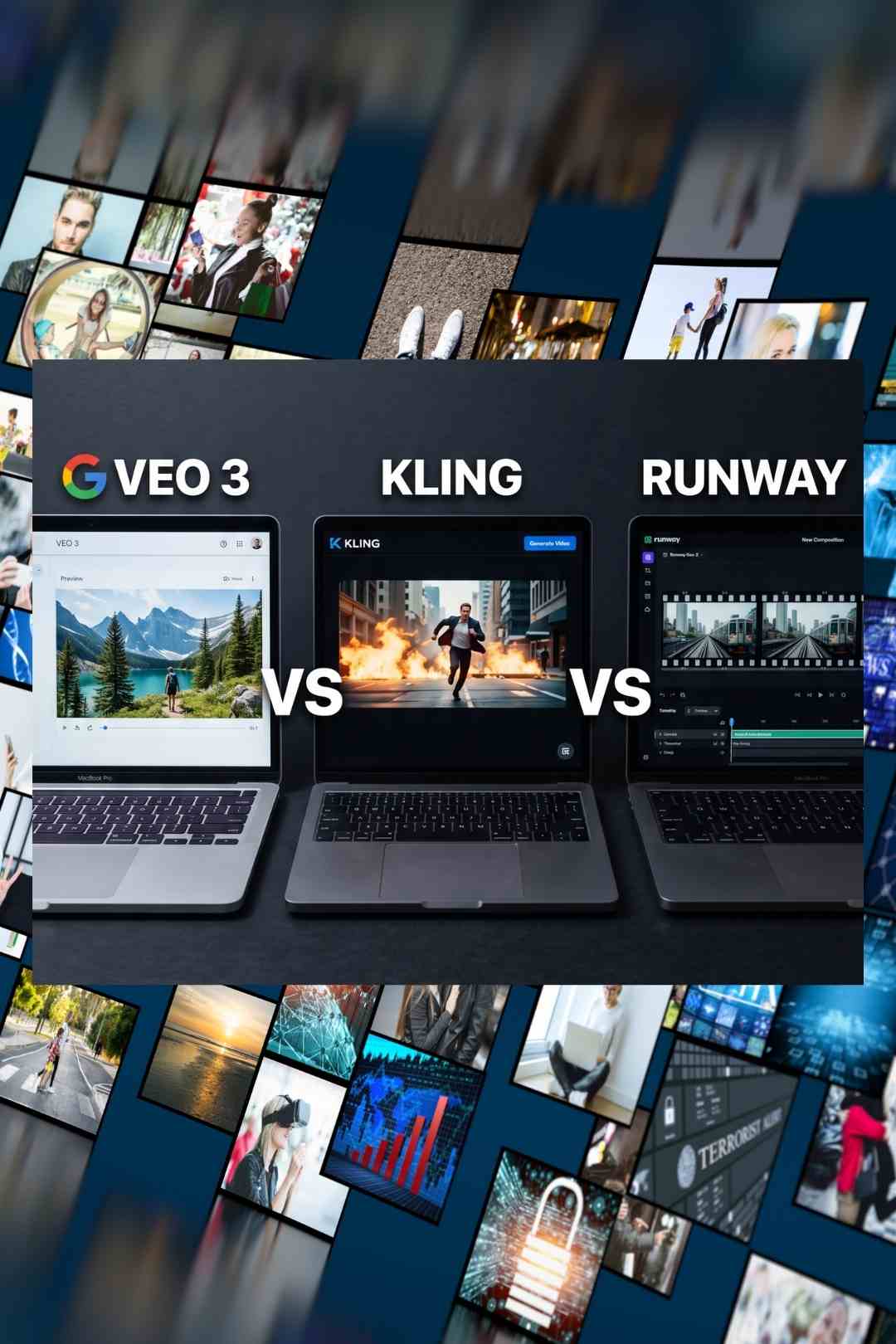
Those three tools are Google Veo 3, Kling AI, and Runway Gen-4. Each has a tribal following among creators. Each has genuine strengths that the others lack. And each has a pricing structure that is substantially more complicated than the headline number suggests. This post cuts through the marketing and gives you the honest answer to a simple question: if you are a YouTube creator in June 2026 and you want to add AI-generated video to your content workflow, where does your money actually go furthest?
The landscape shifted significantly at the end of March 2026 when OpenAI shut down the Sora consumer app, leaving the API running until September but removing Sora as a practical option for most YouTube creators. That consolidation left three tools dominating creator conversations: Veo 3 from Google DeepMind, Kling AI from Kuaishou, and Runway's Gen-4 and Gen-4.5 models.
All three now generate native 4K video with significantly better motion physics than anything available twelve months ago. All three handle complex camera movement, character consistency, and atmospheric environments in ways that would have seemed impressive a year ago and now feel like a baseline expectation rather than a selling point. The differentiation in 2026 is no longer about whether the output looks like AI. It is about specific technical capabilities, the practicality of the credit and pricing systems, and the workflow context each tool is designed for.
Native audio is the most significant new capability dividing the three tools. Veo 3 generates dialogue, sound effects, and ambient audio synchronized with the video in a single pass. Kling AI's latest models also support native audio generation. Runway does not include native audio and expects creators to add sound in post-production. For YouTube creators, this matters enormously — a video that arrives from the AI already sounding right is a fundamentally different production experience from one that arrives silent and needs an entirely separate audio workflow.
The question is not which AI video tool produces the best clips. The question is which one produces usable clips reliably, within a budget you can sustain, on a production schedule that actually works.
Veo 3 — now in its 3.1 iteration — produces what most independent benchmarks rank as the highest raw quality AI video currently available for civilian use. The photorealism on isolated shots is genuinely impressive. The native audio generation is the most functional of any tool on the market. The prompt adherence is strong. And the 4K output in both landscape and portrait orientations gives it utility across YouTube, Reels, and Shorts formats from a single generation.
The access problem is real and significant for YouTube creators outside the United States. The full Veo 3.1 experience with native audio at maximum quality requires a Google AI Ultra subscription at $249.99 per month, currently only available in the US. Google AI Pro at $19.99 per month gives approximately 1,000 credits, enough for roughly 10 quality videos or 50 fast-mode videos per month. Google AI Plus at $7.99 per month gives access to Veo 3.1 Fast — usable for social and YouTube content but not the premium quality the tool is known for.
The API route via the Gemini API is an option for technically comfortable creators: $0.15 per second for Fast mode and $0.40 per second for Standard quality, both including audio generation. A 30-second video in standard mode costs approximately $12 at API rates, which is manageable for occasional use but becomes significant at volume.
The iteration problem that Reddit and creator communities consistently highlight is real: Veo 3 charges per generation regardless of whether the output is usable. Most creators need three to five attempts to get a prompt result worth keeping. At $0.40 per second, five attempts at a 10-second clip cost $20 before you have a single finished video. The credit system on the subscription plans softens this somewhat but the iteration tax remains the most consistent complaint about Veo 3 from working creators.
For YouTube creators outside the US, or those who cannot justify $249.99 per month for the full experience, Veo 3 is genuinely impressive but not the practical daily driver its quality would otherwise justify.
Google AI Plus: $7.99 per month — Veo 3.1 Fast access, approximately 50 fast videos per month
Google AI Pro: $19.99 per month — 1,000 credits, approximately 10 quality videos per month
Google AI Ultra: $249.99 per month — 12,500 credits, full quality, native audio, 4K. US only.
Gemini API: $0.15 per second (Fast) to $0.40 per second (Standard with audio)
Kling AI 3.0, built by Kuaishou — one of China's largest short-video platforms — has emerged as the strongest value proposition for YouTube creators in 2026 by a significant margin. The quality at Kling 3.0 is competitive with Veo 3 on most standard creator use cases, particularly for content involving complex motion, fluid dynamics, fabric, and physical environments where multiple industry tests show Kling actually outperforming Veo 3. The cinematic lighting quality and subject consistency across Kling 3.0 are both strong.
The pricing is where Kling genuinely separates itself from the alternatives. The Standard plan at $6.99 per month gives 660 credits — enough for approximately 10 to 18 professional quality videos per month depending on resolution and whether native audio is included. The Pro plan at $25.99 per month gives 3,000 credits, enough for approximately 20 to 40 finished videos monthly after factoring in the reality of iteration. For YouTube creators who need to generate B-roll, establish scenes, or create supplementary footage across multiple videos per month, these are workable budgets.
The key watch-outs on Kling's credit system are worth knowing before committing. Professional mode costs 3.5 times more credits than Standard mode, and most creators use exclusively Professional mode because Standard is noticeably lower quality. Native audio generation costs an additional 3 to 5 times the base credit cost of a silent generation. Factor both of these into your credit budget — the 3,000 credits in the Pro plan actually produce approximately 20 to 40 usable videos rather than the 150 that simple credit division suggests. Credits do not roll over between months.
Kling also offers the advantage of native multi-shot storyboard mode, which allows creators to generate longer sequences with subject consistency across multiple cuts — a meaningful feature for YouTube B-roll that needs to be cut together rather than used as isolated clips.
Free tier: 66 daily credits, watermarked, 360p to 540p — testing only
Standard: $6.99 per month — 660 credits, approximately 10 to 18 finished videos
Pro: $25.99 per month — 3,000 credits, approximately 20 to 40 finished videos
Premier: $64.99 per month — 8,000 credits, high-volume production
A 10-second 1080p clip with audio: approximately 100 to 120 credits in Professional mode
Runway Gen-4 and Gen-4.5 do not win on raw photorealism or native audio — both of which Veo 3 and Kling now exceed. What Runway does better than either competitor is everything that happens around the generation itself. The editing environment, the motion brush, camera control, reference image-driven character consistency, and the overall production surface that wraps the AI generation make Runway the tool that professional teams and agencies reach for when the output needs to integrate into a polished finished product.
The temporal consistency between shots is Runway's defining technical advantage. Runway Gen-4 holds characters, environments, and visual style consistent across multiple generated clips in a way that neither Veo 3 nor Kling currently matches. For YouTube creators building narrative content, explainer videos, or branded series where the same characters or environments need to appear consistently across multiple shots, this consistency is not a marginal improvement — it is the difference between the technique working and not working at all.
A significant development in 2026 is that Runway has repositioned itself as a multi-model marketplace. The Standard plan at $12 per month now provides access not just to Runway Gen-4.5 but also to Kling 3.0 Pro and Google Veo 3.1 from the same dashboard and credit pool. For creators who want to use multiple tools without managing multiple subscriptions, this is a genuinely compelling offer — though the credit math on each model varies and Gen-4.5 at 25 credits per second is the most expensive model on the platform.
The credit limitations at the lower tiers are the most common complaint from Runway users. The Standard plan at $12 per month gives 625 credits — at Gen-4.5 pricing that is approximately 25 seconds of video, barely enough for two or three finished clips. Most active YouTube creators will find the Standard plan insufficient and will need to budget for the Pro plan at $28 per month, which gives 90 seconds of Gen-4.5 or 225 seconds of Gen-4 Turbo per month.
Runway does not currently include native audio generation. For YouTube creators who are building videos where the AI-generated footage needs integrated ambient sound, dialogue, or sound effects, this means a separate audio post-production step — either through the Freevisuals AI Sound Effect Prompt Packs using ElevenLabs, or through licensed libraries from Epidemic Sound or Artlist.
Free: 125 one-time credits — evaluation only
Standard: $12 per month (annual) — 625 credits, approximately 4 to 6 finished Gen-4.5 clips
Pro: $28 per month (annual) — 2,250 credits, approximately 15 to 20 finished Gen-4.5 clips
Max: $76 per month (annual) — 9,500 credits, professional volume
Gen-4.5 costs 25 credits per second. Gen-4 Turbo costs 5 credits per second.
This is Veo 3's strongest use case for YouTube. Aerial establishing shots, cinematic landscape clips, atmospheric environmental footage — Veo 3 handles these with the photorealistic quality that travel and nature channels need. If you are in the US and can justify Google AI Pro at $19.99 per month, Veo 3 is the right tool here. If you are outside the US or working to a tighter budget, Kling 3.0's Standard plan at $6.99 per month produces landscape B-roll at a quality level that is genuinely competitive and pairs well with the warm colour grades from the Free Mega Cinematic LUT Pack to match the natural warmth of real travel footage. The Freevisuals Nature Documentary Sound Effect Prompts cover the ambient audio layer needed when using Runway or silence-mode Kling generations.
Explainer and educational content creators who want to cut away from their talking head to illustrative B-roll need shot consistency more than maximum quality. A generated scene that looks slightly different from the previous shot of the same environment breaks the visual continuity of an explanation. Runway Gen-4 is the clear choice here — the temporal consistency and reference-driven character control mean you can build a visual vocabulary that holds across multiple generated clips. The Pro plan at $28 per month gives enough credits for the B-roll library a weekly upload schedule needs. For audio since Runway does not include native sound, the Freevisuals Cinematic Trailer Sound Effect Prompts or a subscription to Epidemic Sound covers the gap efficiently.
For content where physical realism in movement is critical — sports, action, people running, vehicles, water, fabric, crowd scenes — Kling 3.0 is the strongest choice in 2026. Multiple independent tests show Kling's physics simulation outperforming Veo 3 specifically on complex motion. The Standard plan gives enough credits for a consistent supplementary B-roll workflow, and the Pro plan at $25.99 covers high-volume weekly content creators.
For the cyberpunk, tech, sci-fi, and digital aesthetic popular in gaming, finance, and technology channels, any of the three tools performs well because abstract digital environments are where AI generation has always been strongest. Runway Gen-4 has the edge here due to its motion brush and camera control tools, which allow creators to specify exactly how the camera moves through a generated environment — a level of creative direction that neither Veo 3 nor Kling currently matches. The LCD and Angleo grades from the Free Mega Cinematic LUT Pack complement the blue-shifted, high-tech colour palette of this content type, and the Freevisuals Sci-Fi Sound Effect Prompts cover the audio design layer.
Faceless YouTube channels that run primarily on AI-generated visuals and voiceover narration are where the native audio capabilities of Veo 3 and Kling represent the biggest workflow shift. Generating ambient audio, subtle environmental sound, and even simple dialogue synchronized with the video in the same generation pass removes what was previously a full additional production step. For faceless channels where the audio quality of the environment is part of what keeps viewers watching, Veo 3's audio generation at the Pro tier ($19.99 per month) or Kling's native audio at the Standard tier ($6.99 per month) both represent a meaningful production upgrade over Runway's silence-only output.
If you are a YouTube creator outside the US and have a budget under $30 per month: Kling AI Pro at $25.99 per month. The quality at Kling 3.0 is genuinely impressive, the native audio adds production value that would otherwise require a separate workflow, the physics and motion quality is strong, and the credit allowance at Pro tier gives a realistic number of finished videos per month. Kling 3.0 is the most defensible choice for creators who are adding AI video to their workflow for the first time and do not want to spend significant money before they know how it fits their production process.
If you are in the US, care primarily about raw quality, and produce content where native audio in the generated clip is important: Veo 3 via Google AI Pro at $19.99 per month is the right entry point. The quality advantage over Kling is real on establishing shots and photorealistic scenes, and the native audio generation is still the most functional in the market. Start at Pro rather than Plus because the credit difference between Fast-only and quality generation is significant for finished output.
If you produce content with recurring characters or environments that need visual consistency across shots, or if you want the most complete editorial control over your AI-generated footage: Runway Gen-4 Pro at $28 per month. The shot consistency, motion brush, camera controls, and the fact that a Standard Runway subscription now gives access to Kling 3.0 and Veo 3.1 from the same dashboard make Runway the most complete platform for a serious YouTube creator who is treating AI video as a professional production tool rather than an occasional supplement.
The most practical answer for most creators is to start a free trial on all three, test your specific use cases against your specific content style, and make the decision based on which tool's output you actually want to use in your videos rather than which one wins a benchmark.
Regardless of which tool you choose, the AI-generated clips need to be brought into your editing timeline and treated the same as any other footage in your project. The workflow is identical across Premiere Pro, DaVinci Resolve, and Final Cut Pro: download the generated clip, import it into your project, cut it into your timeline, apply a colour grade to match your other footage, and add music and audio either from the native generation or from a separate audio source.
Colour matching AI-generated footage to your camera footage is the single most common workflow challenge. AI tools have their own colour science that does not always match your camera's colour profile. Applying the same free LUT from the Freevisuals library to both your AI-generated clips and your camera footage at the sequence level is the fastest way to create colour coherence between the two sources. The Stolen and Mystic grades in the Mega LUT Pack sit naturally over most AI-generated footage aesthetics.
For creators using Runway specifically, the absence of native audio means you need a dedicated audio workflow for every generated clip. The Freevisuals AI Sound Effect Prompt Packs give you copy-paste ElevenLabs prompts for the most common audio environments in YouTube content — cinematic trailer sounds, nature and outdoor ambience, sci-fi interface sounds, and horror and thriller atmospheres. For licensed professional audio that requires no additional prompt work, Artlist and Epidemic Sound both have SFX libraries included with their music subscriptions.
For stock footage to supplement AI-generated clips where the AI output is not quite right for a specific moment, Shutterstock has the broadest library across the content categories where AI generation is most commonly used — travel, landscape, technology, and lifestyle content.
For most creators outside the US on a budget under $30 per month, Kling AI Pro at $25.99 per month offers the best combination of quality, value, and native audio. Veo 3 produces the highest raw quality but is expensive and US-gated at full access. Runway Gen-4 Pro at $28 per month is the strongest option for consistent character and environment work with the most complete editorial tools.
Access ranges from $7.99 per month for Google AI Plus with Fast mode only, to $19.99 per month for Pro with approximately 1,000 credits, to $249.99 per month for Ultra with full quality access. The Ultra tier is currently US-only. API pricing via the Gemini API runs at $0.15 per second for Fast and $0.40 per second for Standard quality with audio included.
Yes. Veo 3 generates native audio including dialogue, ambient sound, and sound effects synchronized with the video in a single pass. This is one of its most significant advantages over Runway, which does not include native audio and expects creators to add sound in post-production.
Yes. Kling 3.0 is competitive with Veo 3 on most creator use cases and specifically outperforms it on complex motion including physics, water, fabric, and crowd scenarios. At $6.99 to $25.99 per month it is the strongest value proposition in AI video for YouTube creators who are not in the US or do not want to pay $249.99 per month for Veo Ultra.
Yes. Runway repositioned in 2026 as a multi-model marketplace. A Standard subscription at $12 per month gives access to Runway Gen-4.5, Kling 3.0 Pro, and Google Veo 3.1 from the same dashboard and credit pool, making it a potential single-subscription alternative to managing three separate accounts.
OpenAI shut down the Sora consumer web and mobile app on April 26, 2026. The Sora API continues operating until September 2026, so developers building on Sora have a transition window. For YouTube creators who were using Sora directly, Veo 3, Kling 3.0, and Runway Gen-4 are the practical alternatives as of mid-2026.
Disclosure: Some links in this post are affiliate links. If you click through and make a purchase, Freevisuals earns a small commission at no extra cost to you. All opinions are entirely our own. Pricing figures are based on research conducted in June 2026 and are subject to change — always verify current pricing on each platform's website before subscribing.
.avif)
.avif)
.avif)
.avif)
%20Profile%20Pic.jpg)