.avif)
Freevisuals

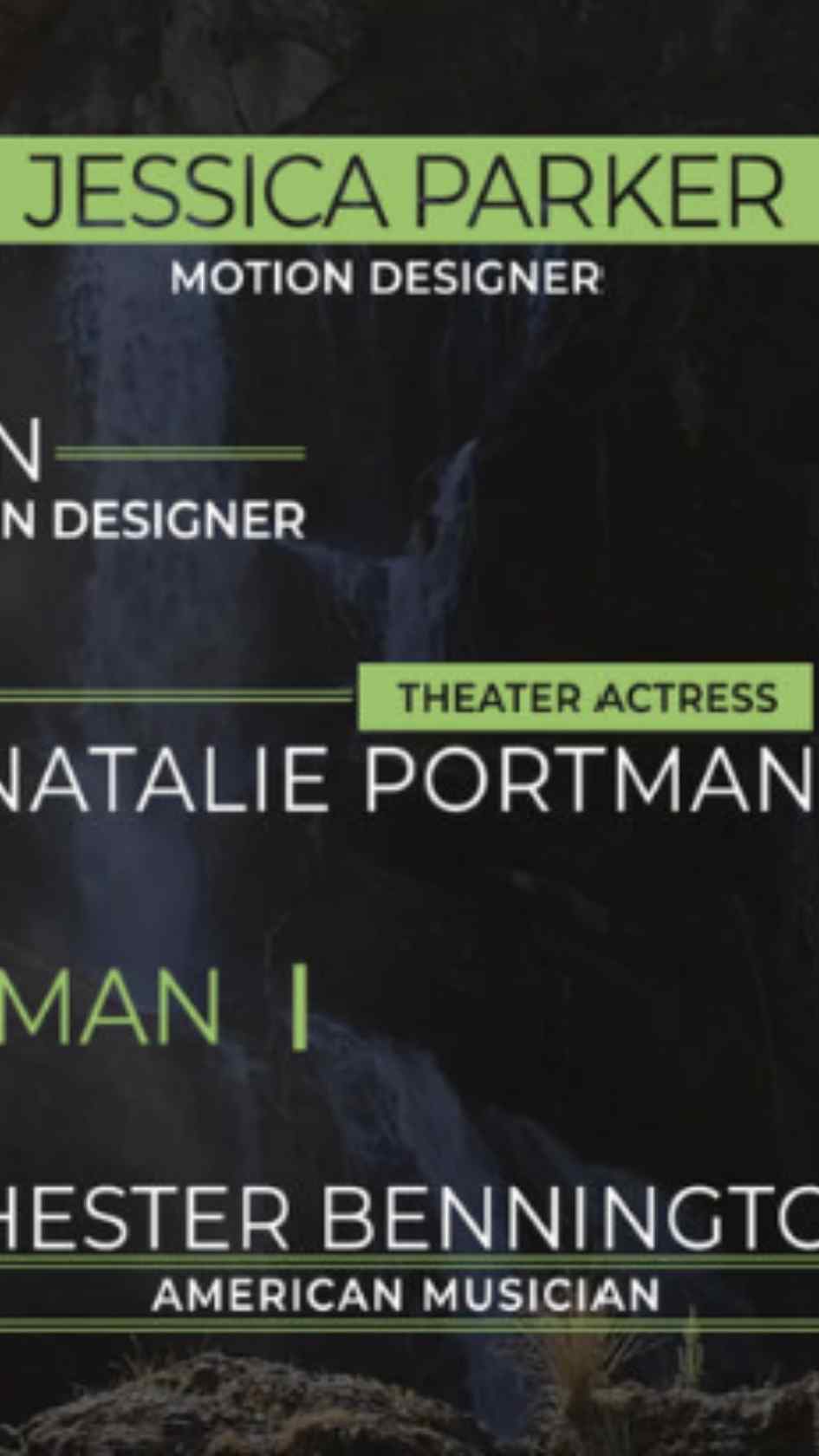
Free Corporate Lower Thirds, a dependable versatile Premiere Pro MOGRT lower third template. Download on MotionElements for business use.
Download FREEGo Pro To DownloadDownload NOW!Download On MotionElements
Sometimes the most useful template in your library is genuinely the simple one, dependable, well built, and flexible enough to suit a wide range of everyday editing needs without demanding a specific niche aesthetic. Lower Thirds, available through MotionElements, fills exactly this role, a Premiere Pro Motion Graphics Template built around genuinely broad, dependable usability rather than any single specific stylistic trend.
If you're building this into a broader everyday editing workflow, our Premiere Pro Shortcuts guide is genuinely useful here, since a dependable, frequently used lower third benefits from fast, efficient placement across many different projects. For music with genuinely broad, versatile appeal that pairs naturally with a wide range of content types, Artlist carries a genuinely strong selection well suited to this exact use case.
Exact resolution, clip count, and file size were not independently confirmed at the time of writing since MotionElements' listing pages require JavaScript to load full specifications. Confirm these specific details directly on the live product page before finalizing a project around exact delivery requirements.
It's easy to overlook a genuinely versatile, dependable template in favor of something more visually distinctive, but a reliable default option earns its place in a serious editing toolkit for a specific reason, not every project genuinely calls for a distinctive, niche aesthetic. Client work spanning many different tones and industries, quick turnaround projects without time for extensive customization, and content where the lower third genuinely shouldn't draw attention to itself all benefit from having a dependable, broadly appropriate option ready to use without extensive deliberation.
Head to the MotionElements download page and grab the MOGRT file.
In Premiere Pro, go to Window, then Essential Graphics, and use the Browse tab to install your downloaded template.
Drag the lower third directly onto your timeline, positioned above your footage at the appropriate moment.
Switch to the Edit tab within Essential Graphics and update the name and title text fields directly.
Use the Edit tab's color controls to fit your specific project's palette while preserving the template's clean, dependable character.
Play back your timeline to confirm the lower third reads clearly before committing to a final export.
Once satisfied, export your finished sequence using your project's standard export settings.
For a genuinely useful walkthrough of building dependable, versatile lower third graphics for use inside Premiere Pro, watch Easy Lower Third In Adobe After Effects, 2 Minute Tutorial, which covers a genuinely fast, simple approach directly relevant to understanding this template's dependable, no fuss design philosophy. This is worth watching specifically because it demonstrates how quickly a clean, functional lower third can actually be built and deployed, useful context for understanding why this template's genuine simplicity is a real strength rather than a limitation.
Freelancers and agencies working across genuinely different client types benefit from a dependable default that suits a wide range of tones without extensive customization.
Projects with limited time for extensive customization benefit from a template that works well straight out of the box.
General business content benefits from a lower third that reads as professional without demanding a specific niche aesthetic.
Instructional content benefits from clear, dependable graphics that support comprehension without visual distraction.
Content prioritizing clear information delivery benefits from a genuinely simple, dependable lower third style.
For freelancers and agencies working across many different clients, this template's genuine versatility makes it a strong foundation for building individual client specific presets, saving a customized version with each specific client's brand colors and font already configured. This turns a single dependable base template into several genuinely fast, ready to deploy client specific variants, considerably speeding up your regular production workflow across a varied client roster.
While this template's genuine strength lies in its dependable versatility, it's worth being honest about when a more distinctive, stylized alternative genuinely serves a project better. Brand campaigns specifically built around a memorable, recognizable visual identity, entertainment content wanting genuine personality, and projects where the lower third itself is meant to be part of the creative statement all benefit from a more deliberately stylized choice rather than this template's dependable neutrality. Recognizing this distinction, rather than defaulting to versatility for every single project regardless of its actual creative goals, ensures you're choosing the right tool for each specific situation rather than the same tool for every situation by default.
Assuming genuine versatility means no customization is needed at all. Even a broadly flexible template still benefits from thoughtful color and text adjustment for each specific project.
Overlooking this template in favor of more visually distinctive options for projects that don't actually need a niche aesthetic. Sometimes dependable and simple genuinely is the right choice.
Forgetting the template is a MOGRT rather than a native project file. All customization happens through Essential Graphics directly in Premiere Pro.
As with any MotionElements asset, reviewing the current license terms before using this template within paid client or commercial work is worth doing upfront, particularly given how frequently a genuinely versatile default template like this one tends to see repeated use across many different projects.
Lower Thirds earns its place in a Premiere Pro toolkit precisely because of its genuine, dependable versatility rather than a distinctive niche aesthetic. Understanding when a simple, broadly appropriate default genuinely serves a project better than a more stylized alternative, and building client specific variants from this reliable foundation, gets you the most value from this template across whatever specific everyday editing need actually comes up.
Its genuine versatility and dependable design suit a wide range of content types without committing to one specific niche aesthetic.
No, it's a Premiere Pro Motion Graphics Template, fully editable within the Essential Graphics panel.
Client work spanning varied industries, quick turnaround projects, corporate content, and educational material all genuinely benefit from its dependable flexibility.
Yes, its genuine versatility makes it a strong foundation for building individual client specific presets with different brand colors and fonts.
Yes, genuine brand matching and thoughtful text editing still matter regardless of how flexible the underlying template is.
Affiliate Disclosure: This post may contain affiliate links. If you make a purchase through one of these links, FreeVisuals may earn a commission at no extra cost to you. We only recommend products and platforms we genuinely believe in. Read our full disclosure policy.
Download free video templates, LUTs, and presets for Premiere Pro, After Effects, DaVinci Resolve, CapCut, and Final Cut Pro.




%20Profile%20Pic.jpg)








