.avif)
Freevisuals
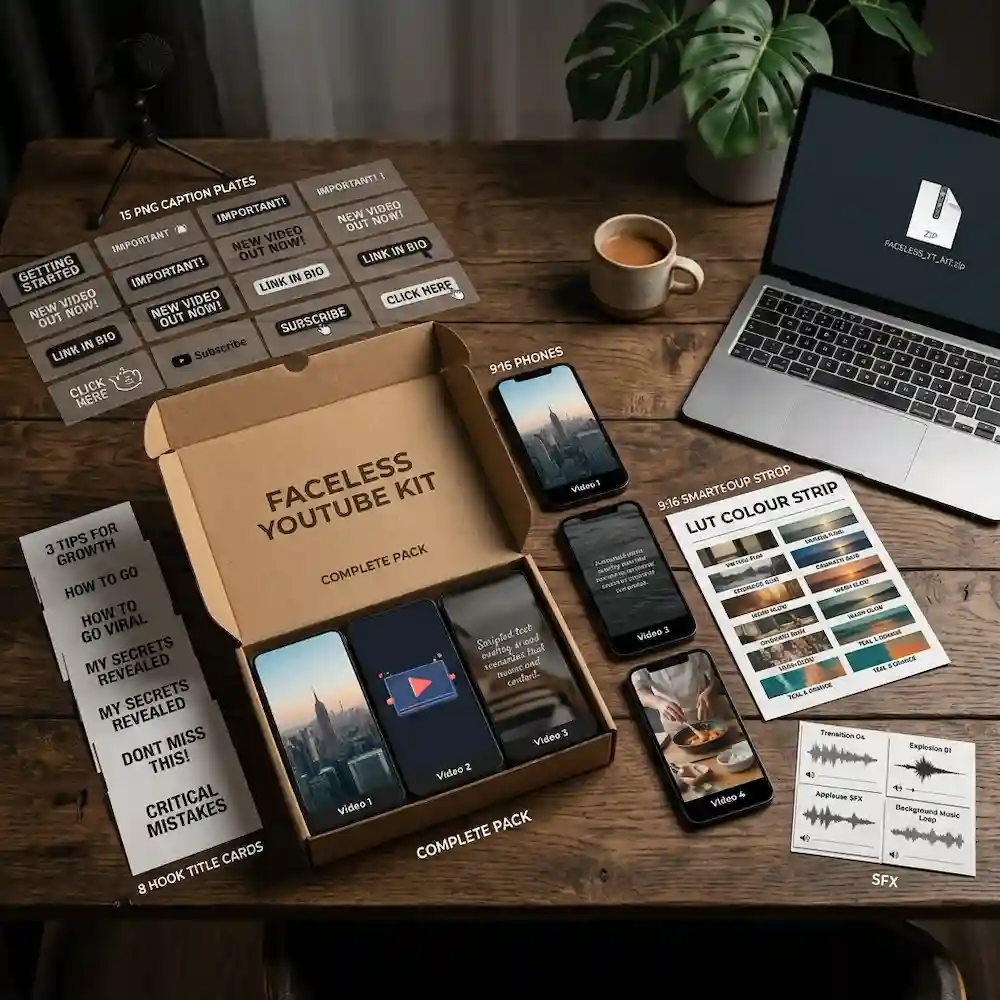
Free faceless YouTube creator kit for Shorts and long-form. Captions, hooks, end cards, SFX and a short-form LUT. Commercial use, no attribution.
Download FREEThis kit is a downloadable ZIP for faceless YouTube and YouTube Shorts. It is not a filtered list of every file on FreeVisuals tagged YouTube. The page used to work that way. That made the URL look busy and still left you assembling captions, hooks, an end card and a grade from five other hubs. This version is one pack you drop on a clipped Short or a faceless long-form cut.
Faceless channels live or die on the first second and the caption style. Auto-clippers such as Opus, Klap and CapCut already find the moment. They also stamp the same yellow karaoke type on every export. Viewers have learned to swipe that look. This kit replaces that default layer: hook title, caption style, short-form LUT, 9:16 backgrounds, SFX and an end card that sends people to the full video.
Quick Answer
Free ZIP for faceless YouTube and Shorts with 8 caption styles, 10 hook titles, 4 end cards, 5 whoosh SFX, one short-form LUT, four 9:16 backgrounds and six thumbnail prompts. Cleared for monetised YouTube. No attribution. CapCut, Premiere Pro, After Effects, DaVinci Resolve and Final Cut Pro.
Eight caption styles built as clean PNG plates and a short setup note for CapCut and Premiere. None of them use the default CapCut yellow stack. Ten hook titles written as first-frame lines: specific number, curiosity gap, and “I tested this” patterns that Shorts actually hold. Four end cards for subscribe, watch the full video, next clip and follow. Five whoosh SFX in MP3 from the FreeVisuals Vault pack (standard, soft, heavy, snappy, digital). One short-form LUT in .cube, tuned for phone talking-heads and screen recordings rather than log cinema cameras. Four 9:16 background stills for cover B-roll when the jump cut is ugly. Six thumbnail prompts in a text file for OpenArt AI or Nano Banana, 16:9, faceless-safe (objects, desks, screens, not a fake face claiming to be you).
Clicks, ticks and impact hits are not in this ZIP. Those live on the free sound effects page, including partner files we do not redistribute inside a FreeVisuals pack.
Faceless commentary, listicles, finance explainers, “I read the paper so you do not have to,” and any channel that clips a 12-minute video into eight Shorts. If you appear on camera in a decorated studio every day, you may only want the captions and SFX. If you never appear, you want the backgrounds, the LUT and the thumbnail prompts as well.
It is also for editors who already pay for a clipper. The clipper is not the competitor to this kit. The clipper finds the moment. This kit stops the moment looking like everyone else’s export.
Cut or clip the vertical file first. CapCut, Premiere or a clipper is fine. Place a hook title from the kit on frames 0–45. Restyle or replace the auto captions with one of the eight styles. Keep type in the lower third, off the mouth. Grade the file with the LUT at 60–80 percent; full strength on a phone talking-head often crushes skin. Drop a background still under any jump-cut you cannot cover with real B-roll. Add two or three SFX on the hook and the end card. End on the subscribe or full-video card for one second.
Audio under a faceless Short should be dry voice plus a quiet bed. Epidemic Sound and Artlist both have beds that sit under speech without fighting the captions. If you do not record voice, generate it in ElevenLabs and time captions to that take. A first draft of a faceless explainer can start in Invideo; replace the generic stock the tool picks with this kit’s backgrounds and titles so the channel does not look generated.
Watch on YouTube: How To Edit Talking Head Reels from scratch in CapCut
Watch on YouTube: Video Editing 101: How to Edit YouTube Thumbnails
The same files scale up. Use a hook title as the first frame of the 16:9 video, or crop a 9:16 title into a pillar box if you must. Captions on long-form should be smaller than Shorts captions; the PNG plates are a style reference, not a 4K lower third. End cards work as end screens if you leave YouTube-safe space. Thumbnail prompts in the text file are written at 16:9 for YouTube custom thumbnails. Generate them in OpenArt, then upscale texture in Magnific or Topaz if the desk or screen needs 4K crunch.
For a more designed long-form open, pair the kit with a title template from Envato, Motion Array or AEJuice. Keep packs that were built for gaming off a finance or commentary channel. MotionVFX caption presets are useful when you outgrow PNG plates and want Motion Graphics templates in Premiere.
It is not a 40,000-file CapCut dump. It is not a music library. It is not a substitute for a clipper. It is not a licence to upload these files to another stock site. It is not a face pack. Faceless means you do not need a presenter still that looks like a specific person.
Need more stills in the same world as a finance or work-from-home video? Use FreeVisuals Pro stock such as the sofa-laptop and kitchen-table bills images, or pull volume from Shutterstock and iStock. Need a second LUT family? Start in the free LUT library and stay off cinematic teal-orange for a talking-head money video.
CapCut: import PNG titles as overlays, LUT via colour preset if your build supports .cube, SFX on a second audio track. Premiere Pro: titles as graphic layers or Essential Graphics if you rebuild them, LUT in Lumetri, SFX on A2. After Effects: plates as footage, parent to a 9:16 comp. DaVinci Resolve: LUT in the Colour page, PNG on the Edit page. Final Cut Pro: LUT in the colour inspector, titles as clips. CapCut and Filmora are enough if the whole workflow is Shorts. Wondershare is the same family as Filmora.
Free for personal and commercial use, including monetised YouTube and paid client work. No attribution required. Do not resell or redistribute the ZIP as a standalone stock product. Do not upload the files to a competing marketplace. Full terms: Terms of Service.
Is this every YouTube template on FreeVisuals?
No. This is one kit. Individual templates, music and lower thirds stay under Templates, Music and the Item collection.
Can I use this on monetised YouTube and ads?
Yes. Do not resell the ZIP.
Does it work in CapCut and Premiere Pro?
Yes. PNG, .cube and MP3 are universal. Follow the readme for caption setup in each app.
Do I need a Pro plan?
No. This kit is free. Pro stock and Pro packs on the same hub are separate checkouts.
Can I request extra hook lines?
Yes. Email via the Vault or contact page with the niche. New free drops go to the Creator Vault first, then into this kit on a revision.
Browse all kits on Creator Kits. More templates: Premiere, CapCut, LUTs.
Batch one long-form video, clip five moments, apply the same hook family and the same caption style so the channel looks like one show. Change only the hook line. Channels that mix eight caption styles in five days look like a template dump. Pick one caption style per series. Keep the other seven for a different series or a client.
Store the ZIP once on your drive. Do not re-download a new copy every upload. When FreeVisuals revises the kit, replace the folder and keep your custom hook lines in a side document so they are not overwritten.
If a Short needs product-in-frame stills, generate them with the prompt file rather than pulling a random luxury-car image that has nothing to do with the script. Consistency converts better than a prettier unrelated still.
Search terms this page should earn: faceless YouTube kit, YouTube Shorts caption pack, free YouTube creator kit, hook titles for Shorts, faceless YouTube end cards. That is why the H1 and the ZIP name stay on faceless YouTube even when the files also work on Reels.
Related reading on FreeVisuals: the Opus Clip review, the Invideo AI guide, and the YouTube Shorts starter pack article. Those posts should point here for the download, not at a second hub.


