.avif)
Freevisuals
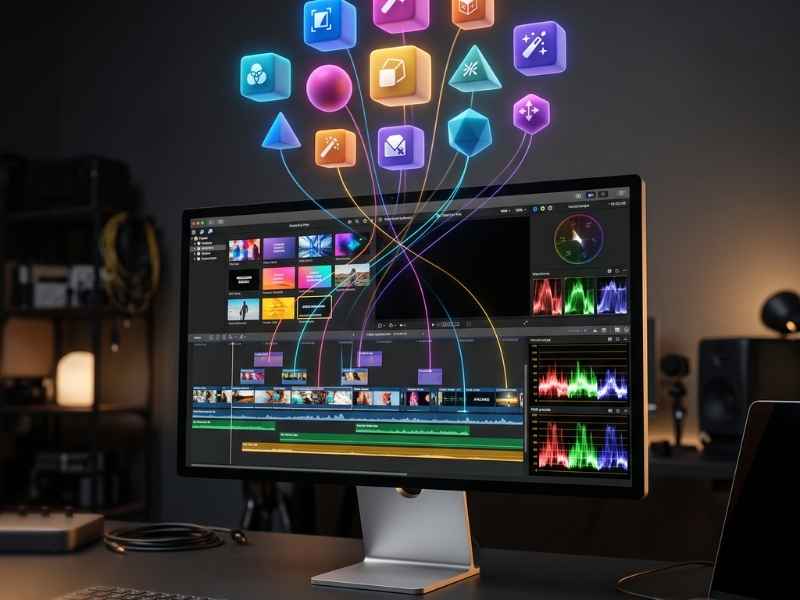
Final Cut Pro editors have a genuinely unusual amount of choice when it comes to third party plugins, but one name has dominated that space longer and more thoroughly than any other, MotionVFX. Founded in Warsaw in 2009, the company has spent well over a decade building the single most complete plugin and template catalog available for Final Cut Pro, and in March 2026 it became genuinely major news when Apple acquired it outright. Here's a full, honest breakdown of what MotionVFX actually offers, what it costs, and how it stacks up against the other major players in this space.
MotionVFX is the largest third party plugin and template developer for Final Cut Pro, now owned by Apple following a March 2026 acquisition. This review covers its full CineStudio and DesignStudio subscription plans, genuinely rare hybrid pricing model, honest comparisons against Motion Array, Envato Elements, and AEJuice specifically, and what the Apple acquisition actually means for anyone considering a purchase right now.

On March 16, 2026, Apple announced its acquisition of MotionVFX, and it's worth understanding what this actually means before evaluating anything else in this review. According to reporting from TechCrunch and CNBC, the deal positions Apple to tighten its grip on the professional video editing market, and it raises genuine, still unresolved questions specifically about future subscription pricing and whether MotionVFX's tools eventually get folded directly into Final Cut Pro itself rather than remaining a separate purchase.
A few realistic outcomes are being discussed industry wide. Apple could bundle MotionVFX's library directly into Final Cut Pro at no extra cost, similar to how Logic Pro already includes its own sound libraries, a genuine value add for the $299.99 Final Cut Pro purchase price. Alternatively, Apple could shift Final Cut Pro toward a subscription model entirely and fold MotionVFX access into that, lowering the upfront cost but potentially increasing long term expense for professional users. As of this writing, MotionVFX continues operating and selling normally, worth checking their site directly for the current post acquisition roadmap before placing a larger order, since terms could genuinely shift as Apple's integration plans become clearer over the coming months.
This is the single biggest structural difference between MotionVFX and nearly every other major asset provider, and it's worth understanding clearly. Most competitors, Motion Array and Envato Elements specifically, force a subscription only model, you pay monthly or annually and lose access to everything the moment you stop paying. MotionVFX genuinely offers both paths. Individual products can be purchased outright with a perpetual license, priced roughly $20 to $130 depending on the specific plugin, with most falling in the $30 to $80 range, and once bought, you own that specific plugin indefinitely regardless of whether you ever subscribe to anything else. Alternatively, the CineStudio and DesignStudio subscription bundles unlock the entire library for one recurring fee.
This genuinely matters for how you should think about your purchase. If you know you'll rely heavily on just two or three specific plugins long term, buying those individually and owning them permanently often works out cheaper over a multi year timeframe than an ongoing subscription. If you want broad, ongoing access to the full catalog and expect your needs to keep evolving, the subscription genuinely makes more sense. Very few competitors in this space offer you that actual choice.
CineStudio is MotionVFX's dedicated Final Cut Pro subscription, and the scale of what's included is genuinely substantial, more than 25 individual products spanning footage tracking, masking, animation, grading, and effects, plus more than 7,600 individual motion design elements, over 100 full templates, dedicated YouTuber focused collections, mCaptionsAI with 86 distinct caption styles, more than 1,000 trackable titles, and FreezeFrame elements for still frame effects. It's available in two tiers specifically, a 2D plan covering the core library, and a 2D plus 3D plan that adds mTracker 3D and its expansions for genuine three dimensional tracking work.
Both plans offer monthly or annual billing, with a genuinely useful 14 day free trial letting you test the full library before committing to either option. Installation runs through mExtension, a dedicated app that lets you browse, download, and apply elements directly to your Final Cut Pro timeline without ever leaving the app itself, a considerably smoother workflow than manually managing plugin files yourself.
Explore CineStudio and start your free trial directly through this link.
DesignStudio runs $39 monthly, or $348 annually, and covers MotionVFX's broader design and motion graphics tools beyond just Final Cut Pro specific plugins, premium templates, motion graphics elements, and professional editing assets aimed at a wider creative workflow. For editors specifically wanting a single subscription covering both plugin functionality and a large template library without separately managing individual purchases, DesignStudio consolidates that into one predictable monthly cost.
For a genuinely honest, independent take rather than MotionVFX's own promotional material, watch These FCPX Plugins Blew My Mind, CineStudio By MotionVFX, a hands-on review from an independent editor testing the actual plugin library directly. Seeing genuine, unscripted reactions to the plugins in real use gives you a considerably more honest sense of the library's actual quality than a feature list alone can provide.
Motion Array takes a fundamentally different approach, a single, subscription only library spanning multiple editing platforms simultaneously, Premiere Pro, After Effects, Final Cut Pro, and DaVinci Resolve, rather than MotionVFX's more concentrated, platform specific focus. For editors working across several different software packages regularly, Motion Array's cross platform reach is a genuine, real advantage MotionVFX doesn't directly match. Where MotionVFX pulls ahead specifically is depth and specialization within Final Cut Pro itself, its plugins are built natively for FCP's specific architecture rather than adapted from a broader, more generic cross platform template system, and its hybrid ownership option simply doesn't exist on Motion Array's subscription only model at all.
Explore Motion Array's broader cross platform library directly through this link.
Envato Elements offers genuinely the broadest asset variety of any platform covered in this review, video templates, graphics, fonts, stock photos, audio, and considerably more, all under one subscription, appealing specifically to creators whose needs extend well beyond video editing alone. This breadth comes at the cost of platform specific depth though, Envato's Final Cut Pro specific offerings are considerably thinner than MotionVFX's dedicated, purpose built plugin catalog, and like Motion Array, Envato offers no perpetual ownership option, access ends the moment your subscription lapses.
Browse Envato Elements' broader creative library directly through this link.
AEJuice takes yet another different approach specifically, built primarily around After Effects rather than Final Cut Pro, and leaning heavily into individual purchases and free starter packs rather than a subscription model at all. For editors working primarily in After Effects specifically, AEJuice's focused VFX and motion graphics tools genuinely serve that platform better than MotionVFX's more Final Cut Pro centric catalog does. For Final Cut Pro editors specifically, MotionVFX remains the more directly relevant, purpose built option.
Explore AEJuice's free and paid After Effects tools directly through this link.
It's genuinely important to understand a real limitation before purchasing, MotionVFX's Final Cut Pro and Apple Motion plugins are Mac exclusive, since Final Cut Pro itself only runs on macOS. Windows based editors are limited specifically to MotionVFX's DaVinci Resolve plugin range instead, worth confirming which specific software you're using before assuming the full CineStudio catalog applies to your setup. Minimum requirements for CineStudio specifically call for macOS Ventura 13.6.9 and Final Cut Pro 10.6.5, with Apple Silicon Macs specifically recommended for smooth performance across the more demanding plugins, particularly the 3D tracking tools.
A genuinely useful way to think about MotionVFX's actual value comes down to how much manual work a specific plugin or template replaces. A single well built transition or color pack replacing what would otherwise take hours of manual keyframing and grading from scratch genuinely pays for itself across just a handful of real projects. It's also worth knowing MotionVFX bundles two device activations per individual purchase, letting you install the same plugin on both a desktop and a laptop without paying for a second license, a genuinely fair term not every competitor matches.
For editors specifically deciding between the subscription and individual purchases, running a rough calculation based on how many specific plugins you'd genuinely use regularly, then comparing that total against a year of CineStudio or DesignStudio billing, gives you a considerably more accurate sense of which path actually saves money for your specific, real workflow rather than guessing.
Once your Final Cut Pro edit is built out using MotionVFX's plugins and templates, rounding out the rest of your production with properly licensed music matters just as much as the visual polish. Artlist offers a genuinely broad, properly licensed catalog that pairs well with MotionVFX's more cinematic transition and title packs specifically, avoiding the Content ID issues generic, unverified music sources can create once your content starts gaining real traction.
For editors also exploring our own site's free resources specifically, our free LUTs library and free Final Cut Pro templates both pair naturally alongside a MotionVFX subscription or individual plugin purchases, giving you a genuinely broader starting library to draw from before deciding exactly which paid MotionVFX products are actually worth adding to your specific workflow.
MotionVFX is a genuinely strong fit specifically for Final Cut Pro editors wanting the deepest, most purpose built plugin library available for that specific platform, and for anyone who values genuine ownership over an indefinite subscription commitment, its hybrid pricing model is a real, structural advantage most competitors simply don't offer. It's a considerably weaker fit for editors working primarily on Windows, since the core Final Cut Pro catalog isn't accessible at all outside macOS, or for editors specifically wanting one single library spanning several different editing platforms simultaneously, where Motion Array's broader cross platform reach genuinely serves that need better.
Beyond the raw numbers covered earlier, it's worth understanding what specific categories of tools genuinely make up MotionVFX's catalog. The transition packs cover a genuinely huge stylistic range, cinematic fades, dynamic light wipes, and mega bundles covering essentially every style an editor might reasonably need across different project types. Titles and logo reveals lean into genuinely polished, Hollywood style animated text and movie credit style presentations, useful both for narrative projects and branded intro sequences. Color grading tools specifically include both preset driven, fast one click looks and more detailed, adjustable grading panels for editors wanting finer manual control.
More recently, the catalog has expanded meaningfully into AI powered tools specifically, intelligent mask tracking that automatically follows and morphs around moving subjects, a genuinely difficult, time consuming task to do manually that MotionVFX's newer tools handle considerably faster. Short form content hasn't been ignored either, dedicated vertical video tools and ready to use animation elements reflect how significantly short form has grown as a genuine priority even for editors whose primary work remains traditional, long form content.
Worth covering in more depth specifically since it genuinely differentiates MotionVFX's actual day to day usability from competitors relying on more manual, file based installation. Rather than downloading individual plugin files and manually placing them into Final Cut Pro's Motion Templates folder, mExtension installs as a dedicated menu bar utility that handles browsing, downloading, and applying elements directly from within your Final Cut Pro timeline itself. Once installed, your subscribed or purchased products appear directly inside Final Cut Pro's native Titles, Transitions, and Effects browsers, indistinguishable in the interface from Apple's own built in tools.
This is a genuinely more polished experience than the older method still used by many smaller, independent plugin developers, downloading a specific Motion Template file and manually placing it into a precise Final Cut Pro support folder, where a single misplaced file can prevent it from appearing at all. For editors newer to installing third party plugins specifically, this smoother, more guided installation process genuinely reduces the early friction that can otherwise make a first purchase feel more technically intimidating than it needs to be.
For editors who've genuinely committed to Final Cut Pro as their primary long term tool, the actual calculation around MotionVFX's value shifts considerably compared to someone testing the software casually. Since Final Cut Pro itself is a one time $299.99 purchase rather than an ongoing subscription, pairing it with MotionVFX's individual perpetual license option specifically preserves that same overall philosophy, pay once, own your tools indefinitely, rather than converting your entire editing setup into a stack of recurring monthly payments across software and plugins alike.
This genuinely matters for freelancers and small studios specifically managing tight, predictable overhead costs, knowing your core software and plugin investment is a fixed, one time cost rather than an accumulating monthly burden across multiple tools gives you considerably more predictable long term economics than a fully subscription based alternative editing stack would.
A frequent mistake involves assuming the subscription is automatically the better value without actually calculating individual purchase costs against your realistic, ongoing usage first, for editors relying on just a handful of specific plugins long term, outright ownership genuinely works out cheaper over a multi year timeframe. Another common issue involves overlooking the Mac only limitation specifically, Windows editors researching MotionVFX for Final Cut Pro plugins are researching a platform they can't actually use those specific products on, DaVinci Resolve remains the only compatible option for non-Mac users.
Ignoring the current Apple acquisition uncertainty is a final, genuinely worthwhile consideration, checking MotionVFX's own site directly for the latest post acquisition roadmap before committing to a larger annual purchase specifically avoids being caught off guard by any pricing or availability changes that may unfold as Apple's integration plans become clearer.
Yes, as of this writing MotionVFX continues selling and operating normally, though checking their site for the current roadmap before a larger purchase is a reasonable precaution given the acquisition is still recent.
Yes, this is genuinely one of MotionVFX's key differentiators, individual perpetual licenses run roughly $20 to $130 depending on the specific product, with most in the $30 to $80 range.
Only the DaVinci Resolve plugin range, the Final Cut Pro and Apple Motion catalog is Mac exclusive since Final Cut Pro itself only runs on macOS.
CineStudio is Final Cut Pro specific, covering plugins, tracking, and effects. DesignStudio is broader, covering premium templates and motion graphics assets across a wider creative workflow.
MotionVFX offers considerably deeper, more purpose built Final Cut Pro tools and a genuine ownership option, Motion Array offers broader cross platform reach but subscription only access.
MotionVFX genuinely remains the most complete, purpose built plugin and template resource available for Final Cut Pro, and its hybrid pricing model, genuine ownership through individual purchases alongside a full subscription option, is a real structural advantage over Motion Array and Envato Elements' subscription only approaches. The March 2026 Apple acquisition adds a genuine layer of uncertainty worth monitoring, but doesn't change what the platform currently offers, the deepest, most Final Cut Pro specific plugin catalog available, backed by a pricing structure that genuinely respects editors who'd rather own their tools outright than rent them indefinitely. Whether you're testing the waters with a single individual plugin purchase or committing to the full CineStudio subscription, understanding your own realistic usage pattern first remains the single best way to get genuine value from this specific platform rather than any other consideration covered throughout this review.
Affiliate Disclosure: This post may contain affiliate links. If you make a purchase through one of these links, FreeVisuals may earn a commission at no extra cost to you. We only recommend products and platforms we genuinely believe in. Read our full disclosure policy.
.avif)
.avif)
.avif)
.avif)





