.avif)
Freevisuals
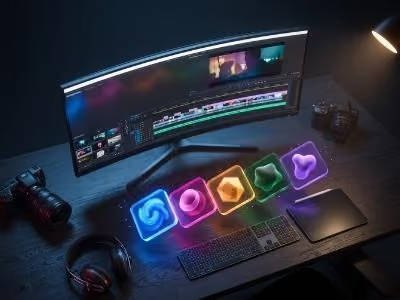
To build a cinematic true crime YouTube channel you need five core asset types: a noir-style After Effects title template (such as the Envato Dramatic Noir Style Effects pack), dark cinematic LUTs for colour consistency across b-roll footage, film grain and atmospheric overlays for texture, royalty-free thriller music from a platform like Artlist or Epidemic Sound, and an AI voiceover tool like ElevenLabs for narration. Supporting tools include glitch transitions for cuts between evidence footage, documentary-style lower thirds for naming subjects on screen, and stock imagery from iStock or Shutterstock for thumbnails and b-roll gaps.
True crime is one of the biggest niches on YouTube right now. Channels like Cold Case Detective, Cayleigh Elise, and Stephanie Harlowe have built massive audiences, and the space is only growing. But here is the thing most new creators miss: the channels that grow fastest are not just good storytellers. They look good, too. Consistent, cinematic visuals keep people watching. A poorly edited video with flat colour and generic titles gets clicked away from in the first few seconds.
The Envato Dramatic Noir Style Effects After Effects Template is the kind of asset that immediately separates your channel from the crowd. It gives you that moody, high-contrast, noir-soaked aesthetic that true crime audiences genuinely respond to. But one template is just the starting point. To build a full channel with a coherent visual identity, you need a complete stack of assets working together across titles, transitions, overlays, colour, music, voiceover, and editing tools. This post breaks down exactly what to use, where to get it, and how it all fits together.
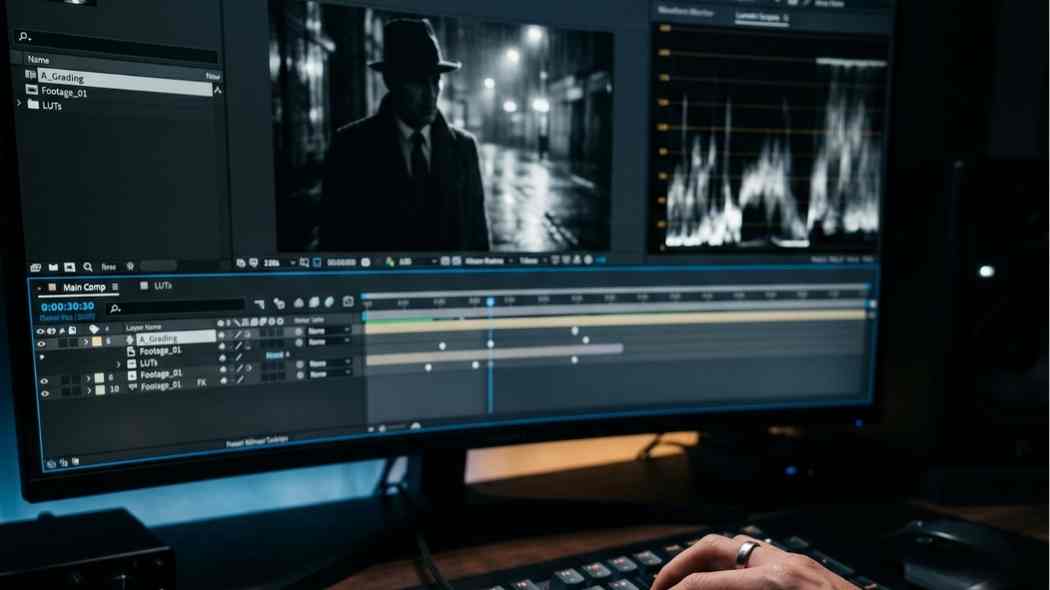
Film noir has been around since the 1940s and 50s. It is a genre built on moral ambiguity, tension, and darkness, which is exactly the emotional territory that true crime content lives in. Deep shadows, high-contrast black and white imagery, distressed typography, and flickering light all communicate something is wrong before a single word of narration plays.
For YouTube specifically, this aesthetic does a lot of practical work for you:
The Dramatic Noir template gives you the core of this. Everything below fills out the rest.
Your title sequence is the first real impression a new viewer gets of your channel. For true crime, it needs to feel cinematic and deliberate. Nothing cheap, nothing generic.
The Crime Title Sequence from Envato is worth calling out specifically. With 42 video placeholders in a single project file, you have room to build a full 60-second intro montage from crime scene b-roll, archive news clips, and atmospheric footage. That kind of template does the heavy lifting of a professional opening without you needing to build everything from scratch in After Effects.
Lower thirds come up constantly in true crime content. Naming a witness, a suspect, a location, a date, an expert on camera. They need to look serious and documentary-grade. If they look corporate or newsy, they kill the mood.
What to look for in lower thirds for this genre: dark backgrounds, serif or distressed typefaces, minimal animation (a clean slide or fade, nothing bouncy), and text in white, cream, or amber rather than bright colours.
Nothing breaks the noir mood faster than clean, clinical-looking footage. Film grain, smoke overlays, and glitch transitions are what tie mixed-source footage together into something that feels cohesive and intentional.
The Dramatic Noir template handles the grade side of things. Layering authentic film grain on top is what takes it from "dark filter" to "actually cinematic." AEJuice Film Textures (accessible via Envato Elements) offers grain in 8mm, 16mm, and 35mm formats, auto-scaling up to 4K across all aspect ratios. The 16mm grain on top of a noir grade is a noticeable upgrade to any footage.
True crime channels use glitch transitions a lot, cutting between evidence photos, archive footage, and narration. The visual instability of a glitch cut communicates tension in a way a standard dissolve just cannot. Freevisuals has a dedicated free pack for this.
Colour grading is where the noir look really lives. The wrong LUT can make dark footage look muddy. The right one makes it feel like a Netflix true crime special.
The basic noir colour formula for YouTube involves crushing the blacks so shadows have real depth, pulling the warmth out of midtones, pushing the highlights slightly cool or teal, and adding a vignette to keep the eye focused inward. The Dramatic Noir template handles a lot of this automatically. For consistency across your b-roll footage, you also need a good LUT.
If you do your colour grade in DaVinci Resolve before bringing footage into After Effects for compositing, this Freevisuals guide on how to add LUTs in DaVinci Resolve is worth bookmarking.
Music is the emotional backbone of every true crime episode. It needs to be dark, atmospheric, and royalty-free. If you are publishing on a monetised YouTube channel, using tracks that are not properly licensed will catch up with you. Both platforms below solve that problem and have strong true crime music libraries.
What to search for in both libraries: slow tension-building tracks for narration beds, dramatic stingers for big revelations, ambient drone tracks for crime scene sequences, and percussion-forward cues for your channel trailer and intro.
The Epidemic Sound per-channel registration is worth highlighting. Once your YouTube channel is registered, every track you use is covered retroactively across all your uploads. That kind of security matters when you are building a monetised channel long term.
The narration voice of a true crime channel is as much a part of its brand identity as the visual style. Not everyone is comfortable recording their own voice, and not everyone has access to proper recording equipment. Even those who do often need secondary narration for teasers, trailers, or short intro stingers recorded outside their normal setup.
ElevenLabs is the best current AI voiceover option for this genre. The voices it generates are natural and authoritative, not robotic. You can choose from existing voices that suit a documentary tone, or clone your own voice if you prefer a more personal feel across the channel. Multilingual support also opens the door to international true crime content without hiring additional narrators.
Your thumbnail is the single biggest driver of click-through rate on YouTube. For true crime channels, the formula that works tends to involve dark high-contrast imagery, bold readable text in white or red, a strong emotional focal point (fear, shock, intensity), and a clean uncluttered composition.
The Dramatic Noir Style Effects template is built for After Effects, so that is your compositing and motion graphics layer. Your video NLE (Premiere Pro, DaVinci Resolve, or similar) handles the main timeline, with AE rendered sequences dropped back in.
For creators who want a simpler all-in-one editing experience, Filmora supports AE-rendered exports and has its own library of cinematic presets that sit well alongside the noir aesthetic.
A 20-minute true crime episode can yield 5 to 10 TikTok or Instagram Reels clips with very little extra work. The clips that perform best on short-form tend to be the most intense moment from an episode, a 60-second case summary, or a dramatic reveal with the narration intact. Both tools below make reformatting fast.
Getting this stack working together properly takes a bit of time, but these guides cover the techniques that come up most when editing true crime content in After Effects.
Channel: AM Film
Published: November 202
5Description: A practical walkthrough of cinematic colour grading inside After Effects, covering the exact kind of dark, moody grade that pairs directly with the Dramatic Noir template. Good for readers who want to understand the colour work behind the finished look before they dive into the asset stack.
Channel: Pelle Sjöberg (Editing Visuals)
Published: July 2024
Description: A clean, focused tutorial on adding authentic film grain inside After Effects, which sits perfectly alongside the Film Grain section of the article. Readers who have just read about layering 16mm grain over noir footage can click straight into learning how to do it themselves.
If you are building this channel from scratch and need to be careful with budget, here is a sensible order to build up the stack:
Start with the Envato Dramatic Noir Style Effects template as your visual foundation, then grab the free LUTs and glitch presets from Freevisuals to keep initial costs low. Sort out Artlist or Epidemic Sound early because royalty-free music is not optional on a monetised channel, and problems with it compound fast the longer you leave it. Once your workflow is stable, add ElevenLabs for narration flexibility and OpenArt AI for thumbnail creation.
Browse the full After Effects template library on Freevisuals and the After Effects presets collection for more free assets to layer in as your channel grows.
The Envato Dramatic Noir Style Effects After Effects template is one of the strongest options for true crime content. It combines high-contrast colour grading, dark atmospheric effects, and cinematic titling in a single project file, giving your channel a consistent noir visual identity without building everything from scratch.
Artlist and Epidemic Sound are the two best options for true crime creators. Both have dedicated thriller and investigative music categories, and both cover YouTube monetisation through their licensing. Epidemic Sound also lets you register your YouTube channel so older uploads stay protected retroactively.
A noir colour grade in After Effects typically involves crushing the blacks so shadows have real depth, desaturating the midtones to remove warmth, pushing the highlights slightly cool or teal, and adding a vignette around the frame edges. You can apply this using Lumetri Color, a LUT on an adjustment layer, or a dedicated colour grading preset. Freevisuals has a free 22-LUT pack in .cube format that works directly inside After Effects.
ElevenLabs is currently the best AI voiceover tool for true crime content. It generates natural, authoritative narrator voices that suit the genre, supports voice cloning if you want to use your own voice as the base, and produces results that do not sound robotic at normal listening pace.
Freevisuals offers several free After Effects assets that suit the true crime genre well, including glitch transition presets, a smoke and fog overlay, a 22-LUT cinematic pack in .cube format, film title templates, and a collection of cinematic colour grading presets. All are free to download and work without plugins in After Effects CC and above.
Disclosure: This post contains affiliate links. If you purchase through these links, Freevisuals may earn a small commission at no extra cost to you. We only recommend tools we genuinely think are worth using.
.jpg)
.avif)
.avif)
.avif)
.avif)
%20Profile%20Pic.jpg)