.avif)
Freevisuals
Pro HD stock clip: 5s 16:9, 5s 9:16 and a 10s extended take. Faceless overhead meal-prep bowls. Commercial use, no attribution.
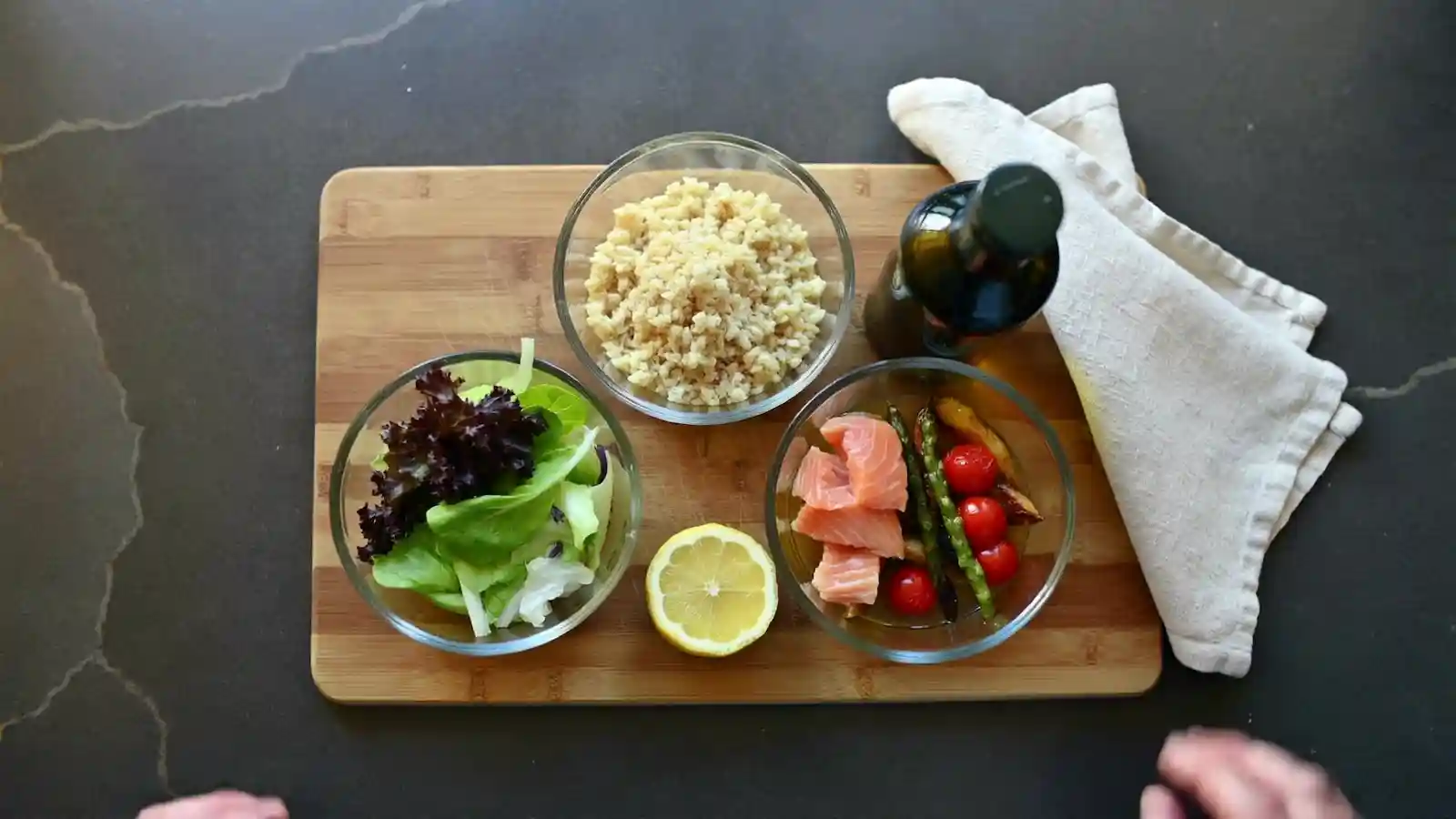
Go Pro To DownloadThis is a FreeVisuals Pro stock clip, not an affiliate redirect. You download a ZIP with a 5-second 16:9 master, a 5-second 9:16 crop and the original 10-second 16:9 take. No face, no brand labels, no UI. The shot is locked overhead on a walnut-and-stone kitchen: three glass bowls (greens, grains, salmon and roasted vegetables), a lemon half, an unlabelled oil bottle and a linen napkin. Hands set the bowls, then leave the frame.
Meal-prep channels, faceless food Shorts and recipe Reels need this exact angle every week. Most “food stock” on marketplaces is a 30-second restaurant plate or a talking-head cook. This clip is B-roll you can drop under a hook without clearing a face or a supermarket logo.
Pro ZIP. 5s 16:9 HD (1920×1080), 5s 9:16 HD (1080×1920), plus a 10s extended 16:9 take. 24fps, muted MP4. Commercial use on YouTube, TikTok, Reels and client work under a FreeVisuals Pro Single Pass, Monthly or Yearly plan. Not a loop. Not 4K.
16x9-5s.mp4 is the edit you should use first. Hands place the salad and salmon bowls, then the frame holds. 9x16-5s.mp4 is a centre crop of that same take for TikTok, Reels and Shorts. 16x9-10s-extended.mp4 is the uncut generate: after the lockoff the hands return and fidget. Keep it as a spare take, not the default.
All three files are muted. Add your own whoosh, knife chop or voice. A readme in the ZIP states the Pro licence in one paragraph so a client editor does not have to open this page.
Faceless food channels that batch five Shorts from one cook. Diet and wellness pages that need a bowl shot without hiring a hand model. Recipe sites that already have a voiceover and need 5 seconds of proof the food exists. Editors building a cooking toolkit who do not want another affiliate watermark.
It is a poor fit for restaurant reviews, mukbang, or any video that needs a chef’s face. It is also the wrong clip if you need steam-heavy wok action or a 30-second recipe demo. Use it as cover, not as the whole video.
New 9:16 project, 1080×1920. Drop 9x16-5s.mp4 on V1. Hook title from the TikTok Creator Kit or the Faceless YouTube Creator Kit on V2 for one second. Caption plate in the lower third, above TikTok UI. Do not add CapCut auto captions on top of those plates.
If the Short is 16:9 on YouTube, use 16x9-5s.mp4 instead and letterbox only if the rest of the channel is vertical. Most food Shorts should stay 9:16.
CapCut and Filmora both take the MP4 with no plugin. Warm the clip slightly if your channel grade is golden-hour. Do not stack a heavy teal LUT on salmon; the fish goes grey.
Watch on YouTube: How to Edit Food Videos for YouTube Shorts on CapCut. That video is a cut-down of real food clips into 1-second beats. Treat this stock file as one of those beats, not as a 5-second hold unless the voiceover needs it.
Premiere: sequence 1080×1920 or 1920×1080 to match the file you picked. Clip on V1. LUT in Lumetri at 40–70 percent. Whoosh on A2 from the free sound effects page or the kit ZIP. Resolve: Edit page for the cut, Colour page if you need a food LUT from the free LUT library. Final Cut: same file, colour inspector only if the kitchen light looks cold on your display.
Scale the 16:9 into a 9:16 sequence only if you have not downloaded the crop. The 9x16 file is already framed on the bowls. A second crop in Premiere will slice the lemon.
The files have no audio on purpose. A chopping board and a glass bowl read better with a short whoosh or a soft hit than with a trending sound you do not own. Epidemic Sound and Artlist both have beds that sit under a recipe VO without fighting captions.
If you do not record in the kitchen, generate the line in ElevenLabs and time the 5-second clip to one sentence. A first draft of a faceless recipe Short can start in Invideo; swap the tool’s stock food for this file so the account does not look generated.
One overhead loop will not cover a 30-video month. Generate a matching still in OpenArt AI and upscale in Magnific or Topaz if you need a thumbnail that matches this board. For volume clips, Shutterstock and iStock are the affiliate libraries we already list in Stock Footage.
Titles and lower thirds that are not PNG plates live in Envato, Motion Array and AEJuice. Keep this clip as the picture. Do not bury it under a 4K particle pack.
It is not 4K. It is not a seamless loop. It is not a CapCut template. It is not a free Item on /item/. It lives in Stock Footage as a Pro clip. Affiliate food videos on the same hub go out to Envato and iStock; this one stays on files.freevisuals.net.
Do not upload the ZIP to another stock site. Do not list it as 4K because the generate started in a 4K prompt. The delivered masters are 1080p.
FreeVisuals Pro: Single Pass unlocks this ZIP, Monthly and Yearly unlock this ZIP plus the rest of Pro. Personal and commercial use, including monetised YouTube, TikTok Professional and paid ads. No attribution. Do not resell the files as stock. Terms: Terms of Service.
No. Both delivered ratios are 1080p. List it as HD.
No. The 5-second files start with hands and end on a lockoff. Loop the last second only if you need a hold under VO.
Yes. Use the 9:16 file on TikTok, Reels and Shorts. Use 16:9 on long-form or 16:9 Shorts.
Yes. This is a Pro asset. Free stock footage on the site is a different set of clips.
That is the uncut take. Seconds 6–10 include extra hand motion. Use it only if you want more length and can cut the wave.
Yes. Use the creator-kit plates, not CapCut karaoke, if you want the channel to look consistent.
Hub: Creator Packs. Sister kits: Faceless YouTube, TikTok. More food stills sit in Stock Images when that collection has the matching overhead photograph.
One caption style per series. One hook family. This bowl shot as the cover or the B-roll under the ingredients list, not both in the same 15 seconds. If you show the clip twice, change the crop or the grade so it does not feel like a loop you could not afford.
Store the ZIP once. When we revise the item, replace the folder and keep your VO in a side project so a new download does not overwrite the edit.
Search terms this page should earn: overhead meal prep stock video, 9:16 food B-roll, faceless cooking footage, salmon bowl stock clip, HD meal prep video. That is why the H1 and the ZIP name stay on meal-prep bowls even though the same files work on a wellness channel.
If you need a second angle (45-degree pass, pour shot, lid-on fridge row), that is a different Pro item. Do not stretch this overhead into those jobs with a warp effect.
Related reading on FreeVisuals should point here for the download: food LUT posts, the CapCut templates hub, and the YouTube Shorts kit page. Those URLs should not invent a second meal-prep clip.
Food dies first on TikTok’s compressor. Export 1080×1920 from CapCut at the high bitrate preset. Preview on a phone. If the salmon goes dull, add a touch of saturation before upload, not a cinematic teal-orange LUT. The cinnamon aesthetic LUT and other warm free LUTs are safer than grit packs on this footage.
Grain on purpose is fine. Double grain plus a dirty overlay is not. This is a clean kitchen. Treat it that way.
When the channel grows past PNG plates and one stock clip, move the same words into a Motion Graphics pack and keep this file as the picture. That path costs less than a 40,000-clip subscription you will not search.
Browse Stock Footage for affiliate food clips when you need a second shot today. This page is the Pro bowl you own the file for.