.avif)
Freevisuals

Create stunning true crime YouTube thumbnails with 10 premium AI image prompts. Generate realistic detective scenes, cold cases, police investigations,
Download FREEGo Pro To DownloadDownload NOW!If you run a true crime YouTube channel, you already know that your thumbnail is doing half the work before a single second of video plays. Viewers scroll fast. A dark, cinematic, well-composed thumbnail stops them. A flat, generic image does not. The problem is that most creators either pay a designer for every single video or spend hours in Canva trying to make something that looks professional. Neither is sustainable when you are publishing consistently.
This free download gives you 10 ready-to-use AI image prompts, each written specifically for true crime content and tested across Midjourney, OpenArt AI, Adobe Firefly, DALL-E 3, and Leonardo AI. Copy, paste, generate. The hard work is already done.
You can download the full prompt pack here and start generating immediately.
Click-through rate is the metric YouTube's algorithm uses to decide whether to recommend your video to more people. A video with a 6% CTR gets pushed to more viewers than a video with 3% CTR, even if the lower-performing video has a better watch time. The thumbnail is the primary driver of CTR on most channels.
For true crime specifically, the visual expectations are high. The audience has been conditioned by Netflix documentaries, HBO true crime series, and polished long-form content. A thumbnail that looks like it was made in five minutes in a free template tool signals to the viewer that the content inside might not be worth their time either. That judgement happens in a fraction of a second, before they have read a single word.
The channels that grow in this niche are almost always visually consistent. They have a recognisable aesthetic across their whole library so that when a viewer sees a thumbnail in suggested videos, they immediately associate it with a channel they have watched before. That kind of brand recognition does not happen by accident.
A few years ago, using AI to generate a thumbnail background would have produced something obviously synthetic and unusable. That is genuinely not the case anymore. The current generation of models, particularly Midjourney v6.1, the Realistic Vision checkpoints in Stable Diffusion, and Adobe Firefly's Photo mode, produce photorealistic outputs that hold up at thumbnail resolution without any tells.
The practical workflow is straightforward. You generate a cinematic background image using one of the prompts in this pack, open it in Canva or Photoshop, add your headline text in a bold readable font, and optionally composite a cutout of your face or a relevant graphic over the top. The whole process takes under ten minutes once you have a prompt you like.
In 2026, AI generation has become the dominant thumbnail production method among competitive YouTube channels, not because it is a shortcut, but because it enables the level of testing and iteration that actually moves CTR. The creators who are winning on thumbnails are generating multiple variants for each video, testing them against each other, and iterating quickly. Doing that with a human designer would be expensive and slow. With AI prompts, it is fast and free.
All ten prompts in this pack are written to work across every major AI image tool without needing adjustment. That said, each tool has its own strengths for this specific style of dark cinematic imagery.
Midjourney produces the best results for atmospheric, moody scenes where composition and lighting are the most important elements. Add --ar 16:9 --v 6.1 --style raw --q 2 to the end of any prompt for optimal YouTube thumbnail output. Midjourney v7's output has a quality that reads as designed and intentional, a compositional treatment that is distinctive enough to cut through a crowded feed.
OpenArt AI is the most accessible option if you are not already on a Midjourney subscription. Select the SDXL or Realistic Vision model, set your steps to 40 or above, and paste the negative prompt alongside the main prompt for the cleanest outputs.
Adobe Firefly is worth using if commercial licensing is a concern for your monetised channel. Outputs generated through Firefly are covered by Adobe's commercial use terms. Set the content type to Photo and Visual Intensity to maximum.
DALL-E 3 through ChatGPT works well with these prompts as written. Add a note at the end asking it not to include text or watermarks and to output a wide landscape image.
For Stable Diffusion users, the Realistic Vision v6 or CyberRealistic checkpoints produce the most accurate results. CFG scale of 7, 30 to 40 steps, and the DPM++ 2M Karras sampler.
If you want a hands-on walkthrough of the actual Midjourney workflow for YouTube thumbnails, this tutorial covers the full process from prompt to finished thumbnail clearly:
For a more recent look at using AI thumbnail tools including integrating ChatGPT into your prompt workflow, this tutorial is worth watching: CREATE AI Thumbnail with Midjourney.
Each prompt in the free download covers a different true crime content type so the pack works across a full channel's worth of videos, not just a single niche within true crime.
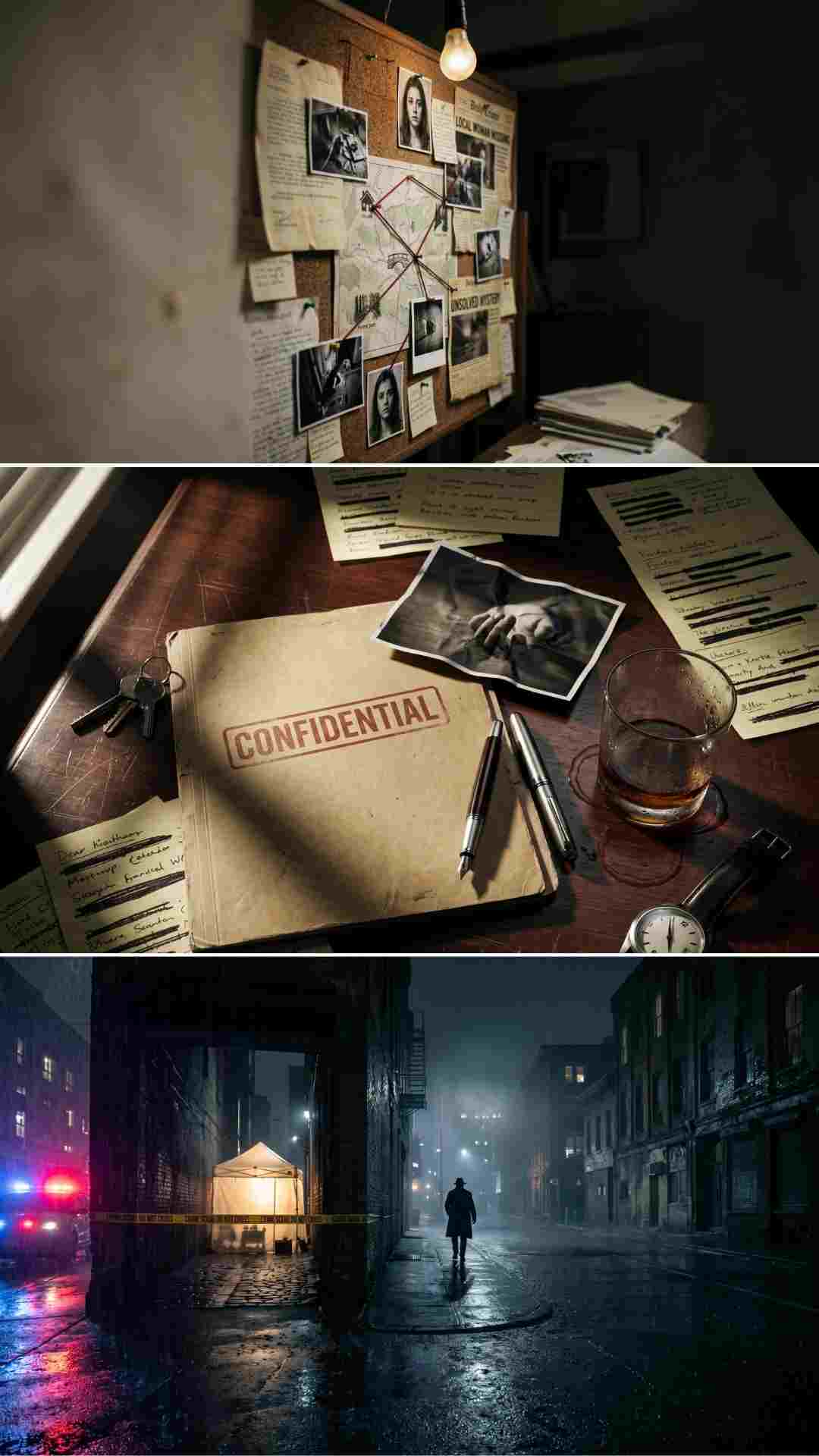
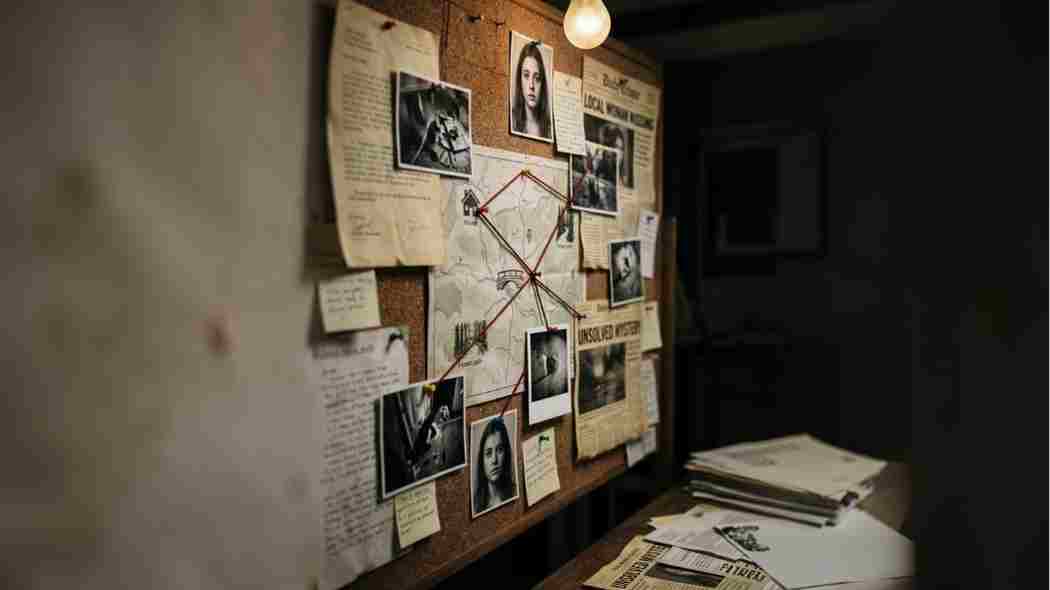
Built for disappearance cases, cold case content, and Jane Doe investigations. The scene is a weathered cork board covered in case documents, black and white photographs, red string connecting map locations, yellowed newspaper clippings, and a single overhead bulb casting dramatic shadows. Dark brown and amber tones with visible film grain. This is one of the most versatile prompts in the pack and works for almost any investigative true crime video.
A tight close-up portrait of a detective with harsh side lighting, half the face in deep shadow, and a cold concrete wall in the background. Built for content about confessions, suspect profiles, criminal psychology, and police procedural breakdowns. The composition is intentionally claustrophobic and confrontational.
A rain-soaked street at night with yellow crime scene tape across a dark alley, a lit forensic tent, red and blue police lights reflecting on wet asphalt, and a lone detective silhouette in the background. Built for homicide coverage, forensic investigation content, and murder case breakdowns.
An overhead flat lay on a dark mahogany desk with a CONFIDENTIAL-stamped manila folder, a face-down crime scene photograph, handwritten notes with redacted text, a glass of whiskey at midnight, and dramatic raking light from the left. Built for trial coverage, legal crime content, and document-based investigations.
A silhouette running through a dark urban tunnel, backlit from the tunnel exit with motion blur and heavy fog. High contrast, near monochrome, with a cool blue tint. Built for fugitive stories, manhunt content, and escape narratives.
A dark, unsettling anonymous portrait with one eye visible in harsh cold light, deep shadows obscuring the rest of the face, and a plain textured dark wall. Minimalist and oppressive. Built for criminal psychology breakdowns, serial killer profiles, and biography-style content.
An empty historic wood-panelled courtroom at dusk, single spotlight on the defendant's chair, long shadows across wooden benches, and stained glass light on the back wall. No people. Built for high-profile trial coverage, verdict reaction content, and appeal case breakdowns.
A view through a cracked dirty window at night, surveillance-style shot of a suburban house across the street, one lit upstairs window with a blurred figure, and telephoto grain. Voyeuristic and suffocating. Built for stalking cases, domestic crime, and obsession-based true crime.
A dusty cardboard box of old case files in an evidence room, aged manila folders with handwritten labels, a faded black and white photograph, an old cassette tape, and dust floating in a shaft of light. 1970s film stock aesthetic. Built for decades-old cold cases, historical crime, and reopened investigations.
A rain-soaked city intersection at 2am, a black muscle car under a red traffic light, exhaust fumes in cold air, and neon reflections on wet asphalt. Nobody visible. Built for heist content, bank robbery breakdowns, organised crime, and escape narratives.
Download all 10 prompts as a free text file from Freevisuals
Generating the background image is only the first step. The thumbnail is not finished until you have added the text and compositional elements that drive the click.
Keep your headline text to four to six words maximum. True crime thumbnails that perform best are almost always built around a short, punchy question or statement rather than a full sentence. Bold white or red text works best against dark backgrounds. The fonts that perform well in this genre consistently are Impact, Bebas Neue, and Anton, all of which are free in Canva and Google Fonts.
If your channel uses a presenter-style thumbnail with your face in the shot, you will want to take a photo of yourself against a clean background, cut yourself out using Canva's background remover or Photoshop's subject selection tool, and composite the cutout over the generated background. The AI background handles the atmosphere and the presenter face handles the human connection that drives curiosity.
Add a subtle dark vignette around the edges of the image to frame the composition and keep the eye focused inward. A vignette also helps text read cleanly over the image by slightly darkening the areas where your headline typically sits.
For channels that want to go further with motion graphics around their thumbnails and video intros, the Free After Effects Glitch Transition Presets on Freevisuals are a natural complement to this dark aesthetic. The Free Smoke and Fog Overlay also pairs well if you want to add atmospheric texture to generated backgrounds inside After Effects or Premiere Pro.
The creators who build the strongest true crime channels do not use a different visual style for every video. They develop a consistent look and then apply it systematically. A viewer who has watched your channel before should be able to recognise one of your thumbnails in a crowded suggested video rail without reading the channel name.
Using a set of prompts from a single pack like this one helps establish that consistency because the underlying aesthetic is coherent across all ten scenes. They are all cinematic, all photorealistic, all dark and moody, and all built around the same genre conventions. That coherence transfers to your channel grid.
Pair the generated backgrounds with a consistent text treatment, a consistent font, and if possible a consistent colour accent across your thumbnails. Red and white on dark backgrounds is the most common and most effective palette for this genre. It reads well at small sizes, reproduces well on mobile screens, and signals urgency and tension before the viewer has processed what the text says.
For your video editing workflow alongside the thumbnail work, the Free Mega Cinematic LUT Pack on Freevisuals includes 22 LUTs in .cube format that work across After Effects, Premiere Pro, DaVinci Resolve, and Final Cut Pro. Applying a consistent LUT across your footage brings the colour palette of your video into alignment with the dark, desaturated tone of your AI-generated thumbnails.
If you are building out a full production workflow beyond just thumbnails, the Best After Effects Plugins Guide and the After Effects Glitch Plugins Guide on Freevisuals cover the tools that work best for dark cinematic editing.
For royalty-free music that matches the tone of this visual aesthetic, Artlist has a dedicated noir and investigative music library that sits well underneath true crime narration. Epidemic Sound has a strong true crime and investigation mood category and lets you register your YouTube channel for blanket coverage on all uploads.
For voiceover and narration, ElevenLabsgenerates authoritative narrator voices that suit the genre, with voice cloning available if you want to use your own voice as the base.
Once you have your YouTube content ready to repurpose to short-form, InVideomakes it straightforward to reformat long episodes into TikTok and Instagram Reels clips, and CapCuthandles the vertical reformat and caption overlay for TikTok specifically.
Yes, provided you generate them through a tool with clear commercial use terms. Adobe Firefly outputs are covered by Adobe's commercial licensing. Midjourney's paid plans allow commercial use of generated images. OpenArt AI and Leonardo AI both allow commercial use on their paid tiers. Check the terms of whichever tool you use before publishing on a monetised channel, as terms do change.
YouTube requires thumbnails to be a minimum of 1280 x 720 pixels and under 2MB in file size. Generate at the highest resolution your tool allows, then resize down to 1280 x 720. Most current AI image tools generate at a higher base resolution than this so sizing down is rarely an issue.
Yes. That is the point of the pack. Each prompt is written as a complete, ready-to-use instruction. You do not need to understand how prompts work to use them. Paste, generate, use. If you want to customise a prompt for your specific channel, swap out the scene description while keeping the technical parameters at the end unchanged.
The prompts are written specifically for true crime content but the dark cinematic aesthetic works for horror channels, documentary channels, investigative journalism, history channels, and any other niche that uses a dark and serious visual tone. Prompt 10 (The Getaway) works well for organised crime history content. Prompt 07 (The Courtroom) works for legal commentary channels. Prompt 09 (The Cold Case Files) works for history channels covering unsolved historical events.
OpenArt AIis the most accessible starting point. It does not require a Discord account, has a generous free tier, and produces strong results with the prompts in this pack when you select the SDXL or Realistic Vision model. If you want the best possible output quality and are willing to pay for a subscription, Midjourney is the top choice for this specific aesthetic.
Impact, Bebas Neue, and Anton are the three most common and most effective fonts for true crime thumbnails. All three are bold, highly readable at small sizes, and available free in Canva and Google Fonts. White text with a subtle dark shadow or stroke is the most readable combination against dark cinematic backgrounds. Red text works well for urgent or alarming content titles.
Most established YouTube creators test two to three thumbnail variants per video using YouTube's built-in A/B testing or a third-party tool. Even testing one alternative thumbnail against your original is significantly better than running a single thumbnail with no data. With AI prompts, generating multiple variants takes a few minutes rather than hours, so there is no practical reason not to test.
The prompt pack is one piece of the true crime creator toolkit. Freevisuals has a growing library of free After Effects assets, LUTs, overlays, and guides specifically suited to this genre.
Free After Effects Glitch Transition Presets - over 10 glitch transition presets ready to use in After Effects with no plugins required. Essential for cutting between evidence footage and archive clips.
Free Mega Cinematic LUT Pack (22 LUTs) - 22 cinematic LUTs in .cube format covering dark, moody, desaturated grades that match the aesthetic of these thumbnail prompts.
Free Smoke and Fog Overlay - atmospheric overlay footage for adding depth and texture to dark scenes in your video edit.
Free Film Title Templates for After Effects - cinematic title templates that work alongside the thumbnail aesthetic to create a consistent visual identity across thumbnails and video intros.
After Effects Flicker Expression Guide - add authentic light flicker to interrogation room scenes, neon signs, and atmospheric lighting inside After Effects.
Best After Effects Intro Templates - a full review of the best free cinematic intro templates available, including dark and retro styles.
Disclosure: This post contains affiliate links. If you purchase through these links, Freevisuals may earn a small commission at no extra cost to you.
Download free video templates, LUTs, and presets for Premiere Pro, After Effects, DaVinci Resolve, CapCut, and Final Cut Pro.













