.avif)
Freevisuals

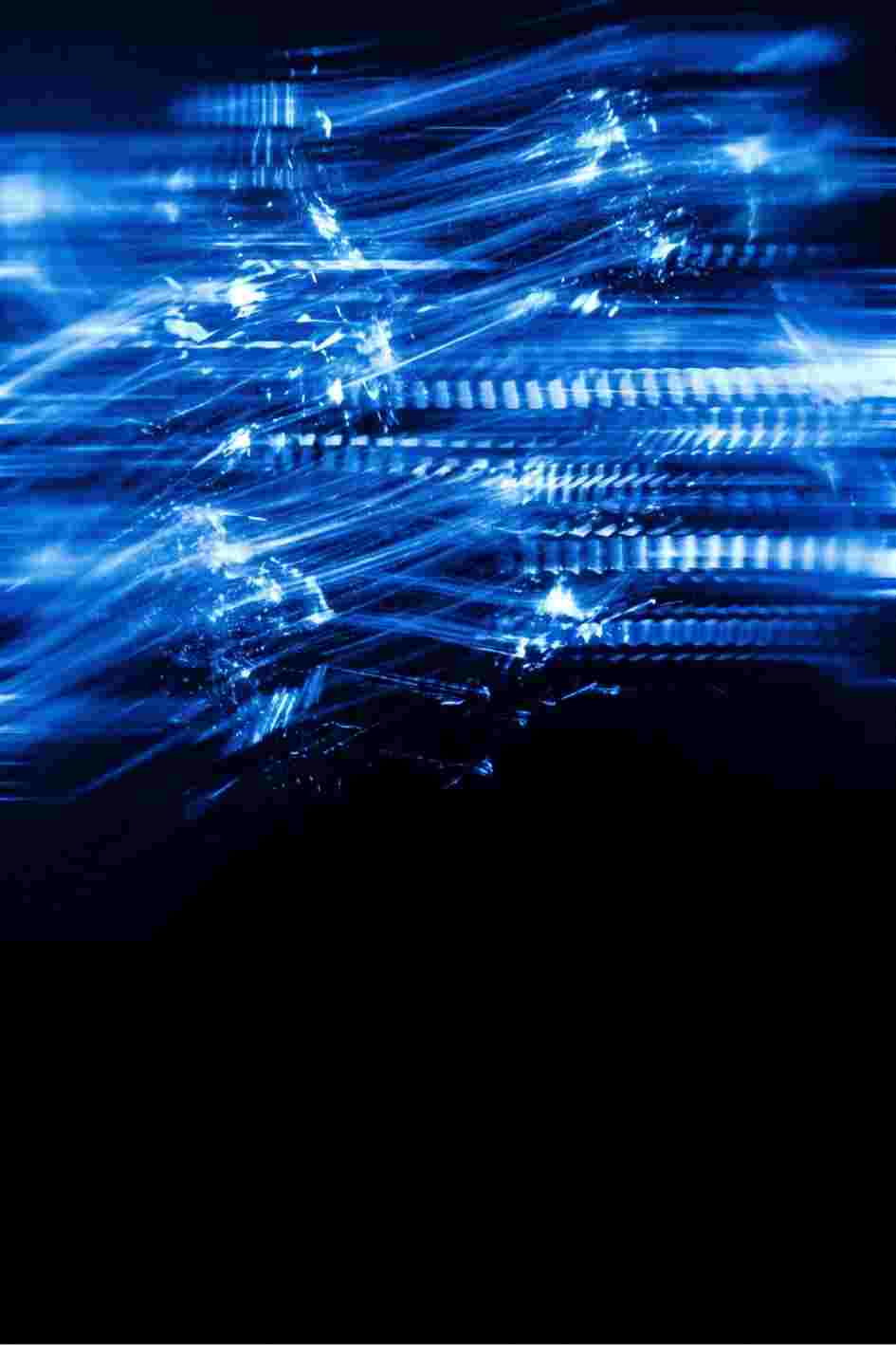
Free fast strobe blurred blue light leak overlay stock video on black background. Half-screen format for easy compositing in Premiere Pro, After...
Download FREEGo Pro To DownloadDownload NOW!
A fast, blurred blue strobe light pulses across one half of the screen against a clean black background in a high-energy overlay clip designed for direct compositing above primary footage. The light leak has an organic, slightly imperfect character in its pulse timing and intensity variation that distinguishes it from a mechanical or synthetic digital effect and gives it the natural quality of a practical light source captured on camera. The black background composites away instantly using Screen or Add blending mode, leaving only the blue light overlay. The half-screen composition gives the effect a directional quality that adds depth and dimension to composited scenes rather than the flat, even light of full-screen overlay clips.
Download this free strobe overlay from MotionElements via Freevisuals using the button above. Check the MotionElements download page for resolution, frame rate, and full licence terms.
The fast blue pulse works as a visual transition punctuation between cuts in action and sci-fi sequences. Place it at a cut point between two clips and the flash gives the edit a kinetic emphasis that bridges the shots and adds energy to the transition without requiring a motion graphics transition effect. For action channels, superhero fan content, and science fiction YouTube series, this overlay is a production tool for adding visual complexity to the editing rhythm without requiring After Effects work.
Electronic, EDM, hip-hop, grime, and urban music video editing regularly uses light leak overlays to add texture and energy to cuts and on-beat moments. The blue strobe has specific associations with club, rave, and electronic music visual language, making it a natural fit for music videos in these genres. Time the overlay to the beat by placing it on the timeline so the peak of each strobe flash lands on the downbeat of the music for a tightly synchronised audiovisual effect.
A rapid blue strobe pulse at a specific narrative moment in horror or thriller content communicates disorientation, supernatural disturbance, electronic malfunction, or threat. Used sparingly at key narrative moments — the appearance of the antagonist, a jump scare setup, a revelation moment — a single blue strobe flash is more effective than continuous overlay use. The directional quality of the half-screen composition makes the light appear to come from a specific off-screen source, which adds spatial believability to the horror context.
For gaming creators producing highlight reels, montage videos, and streaming recap content, light leak overlays are standard production tools for adding production value to spectacular moments. The blue colour works across most gaming platform visual palettes and communicates a digital, electric energy that fits naturally within gaming content aesthetics.
A single blue flash as a segment divider between sections of a documentary or news commentary video provides visual punctuation that signals a transition to new content more forcefully than a simple cut or dissolve. This is particularly effective in content covering technology, security, intelligence, or digital topics where a blue electric flash communicates the subject matter visually.
The half-screen composition of this clip is a significant practical advantage. Import the clip and place it on a track above primary footage. Set the blending mode to Screen. In this configuration, the left half of the frame receives the light leak effect while the right half is unaffected. To reverse this and apply the effect to the right half, right-click the clip in Premiere Pro and select Transform, Flip Horizontal. This gives you both a left-side and right-side version from a single download.
For a full-screen version, add a second copy of the clip layer, flip it horizontally, and overlay both at 50 percent opacity each on Screen mode. This creates a full-screen bilateral effect where the light comes from both sides simultaneously for a more enveloping strobe atmosphere.
The default strobe speed of this clip suits most fast-cut action contexts. For a slower, more ominous strobe quality, apply the Rate Stretch tool or Speed Duration control in Premiere Pro to slow the clip to 50 to 70 percent speed — the flashes become longer and more deliberate, which shifts the emotional register from kinetic action to slow-building menace. For a faster, more aggressive strobe at EDM tempo, increase to 150 to 200 percent speed.
For intensity adjustment, reduce the layer opacity of the clip. Starting at 60 to 70 percent opacity and adjusting from there gives you control over how strongly the strobe reads against the primary footage. At 30 to 40 percent, the effect is a subtle atmospheric blue tint rather than a dominant strobe. At 80 to 90 percent, the strobe is the primary visual element and the primary footage beneath it becomes a secondary texture.
For a warmer, more amber or golden light leak rather than blue, apply a Colour Balance effect in Premiere Pro that shifts the blues of the clip toward amber. Reduce the blue channel by 40 to 60 units and increase the red channel by a similar amount for a warm light leak overlay in the same half-screen format. This gives you a completely different colour temperature overlay from the same clip structure without a separate download. The Free Mega Cinematic LUT Pack applied at 20 to 30 percent to the overlay layer subtly shifts its palette toward a more cinematic tonal quality.
For maximum impact at the moment a strobe flash lands, pair it with a sound design accent. The Freevisuals Horror and True Crime Sound Effect Prompts include ElevenLabs SFX prompts for electronic disturbance sounds, tension accents, and sharp sting effects that work precisely with strobe visual moments. For music-synchronised strobe use, Epidemic Sound has electronic and EDM categories with tracks that include built-in strobe-compatible moments.
Browse additional light leak, strobe, and atmospheric overlay clips at MotionElements. The Blue and Red Police Strobe Light Leaks clip from this same MotionElements collection is also available free on Freevisuals and pairs directly with this half-screen blue light leak for a complementary light effect pair across a complete action or thriller sequence. For premium overlay and VFX packs, Envato Elements has extensive light leak and overlay collections. Browse free stock video at freevisuals.net/free-stock-videos.
The process for getting this free MotionElements clip into your timeline is the same across all major editing applications and takes under two minutes on a first use.
In Adobe Premiere Pro: Go to File, Import, or drag the downloaded file directly from Finder or Windows Explorer into the Project panel. Once in the panel, drag the clip to your timeline on the appropriate track. If the clip is an overlay effect, create a new video track above your primary footage and place the clip there. Change the blending mode in the Effect Controls panel if needed.
In DaVinci Resolve: Right-click in the Media Pool and select Import Media, then navigate to the downloaded file. Drag the clip from the Media Pool to the Edit page timeline. For overlay clips, ensure the clip is on a track above your primary footage and set the Composite Mode in the Inspector panel on the right side.
In Final Cut Pro: Go to File, Import, Files, navigate to the downloaded clip, and click Import Selected. The clip will appear in your Event Library. Drag it to the timeline in the appropriate position. For overlays, connect it above the primary storyline as a Connected Clip.
In After Effects: Go to File, Import, File, navigate to the downloaded clip, and click Import. Drag the clip from the Project panel into your composition timeline. Adjust the layer blending mode in the timeline panel as needed for overlay use.
In CapCut Desktop: Click Import in the Media panel, navigate to the downloaded file, and click Open. The clip will appear in your media library. Drag it to the timeline and adjust as needed.
This free stock video from MotionElements works best as part of a complete production toolkit. Here are the free Freevisuals assets that pair most directly with this type of content.
The Free Mega Cinematic LUT Pack gives you 22 free colour grades in .cube format compatible with Premiere Pro, DaVinci Resolve, Final Cut Pro, After Effects, and Lightroom. Applying a consistent LUT across all footage sources in a project — including free stock clips like this one — is the most effective single step for achieving a professional, cohesive visual look.
The Free Cinematic Teal and Orange LUT is a high-precision 65x65x65 3D LUT generated in DaVinci Resolve that works directly on any footage including free stock video clips. Apply it via the Custom LUT effect in Final Cut Pro, the Lumetri Color panel in Premiere Pro, or as a node in DaVinci Resolve's Color page.
The Free After Effects Warp Transition Preset provides a fluid, organic transition between clips that complements most stock video types. Use it at the edit point before or after this MotionElements clip for a more polished, cinematic editorial feel.
For sound design to accompany this footage, the Freevisuals AI Sound Effect Prompt Library gives you copy-paste ElevenLabs SFX prompts across five genre categories: cinematic trailer, horror and true crime, nature documentary, sci-fi and gaming, and urban city. All packs are free to download with no account required.
Free stock video clips need music to become complete creative assets. The two strongest platforms for YouTube-licensed royalty-free music in 2026 are Artlist and Epidemic Sound.
Artlist's catalogue covers every genre from orchestral and cinematic through electronic, acoustic, hip-hop, and world music, and their commercial licence covers all platform types including YouTube monetised content, Instagram, TikTok, client work, and advertising. The perpetual licence means a track licensed under Artlist covers every video you have already published as well as everything you publish going forward.
Epidemic Sound is the strongest option for YouTube creators specifically because of their per-channel registration system. Once your YouTube channel is registered with Epidemic Sound, all audio from their catalogue on your channel is retroactively covered, including older videos. Their Sports, Electronic, Cinematic, and Motivational categories are the strongest for the types of content that free stock video clips are typically used within.
For additional creative assets including motion graphics templates, Premiere Pro presets, After Effects projects, and premium LUT packs, Envato Elements gives you unlimited access to a library of over 18 million creative assets under a single monthly subscription.
MotionElements is Asia's leading stock media marketplace, founded in 2009 and operating from Singapore. The platform hosts over 15 million assets including stock video footage, motion graphics templates, After Effects projects, music tracks, and sound effects from creators across Asia and internationally.
MotionElements operates on a credit-based system with a substantial free download tier. Free assets on the platform are available at no cost in standard definition with an account, and premium assets require credits or a subscription. The platform serves creators across all major Asian markets and internationally, with particular strength in Southeast Asian, East Asian, and South Asian content markets where the creator economy continues to grow rapidly.
Browse the full MotionElements library for related clips, motion graphics, and creative assets at motionelements.com.
This clip is available under the MotionElements free licence. The specific terms covering commercial use, attribution requirements, and platform restrictions for this individual asset are documented on the MotionElements download page for this clip. Check the licence terms before using in paid commercial advertising, broadcast television, or any project with specific copyright documentation requirements. For projects where a documented commercial licence is a professional requirement, Shutterstock provides fully documented commercial licences with clear terms for all asset types.

Download free video templates, LUTs, and presets for Premiere Pro, After Effects, DaVinci Resolve, CapCut, and Final Cut Pro.












