.avif)
Freevisuals
When Google DeepMind CEO Demis Hassabis announced Veo 3 in May 2025, he said it marked the end of the silent film era for AI video. He had a point. For the first time, a mainstream AI video generator was producing ambient sound, synchronized dialogue, and sound effects alongside the visual in a single generation pass. Kling AI followed with its own native audio capabilities. The question that landed in creator communities almost immediately was the obvious one: if the AI video comes with sound already in it, do I still need to buy sound effects?
The honest answer is nuanced. Yes and no, depending on what you are making and what you are paying for your sound effects to do. This post covers what AI native audio actually does well in 2026, exactly where it falls short, and the practical framework for deciding when you still need a licensed SFX library or an AI sound generator like ElevenLabs alongside your AI video tool.
Veo 3.1, as of its January 2026 update, generates three types of audio simultaneously with video in a single model pass: synchronized dialogue, contextually appropriate sound effects, and ambient environmental audio. The technical specifications are genuinely impressive. The audio outputs at 48kHz — the industry standard for clear audio , with an audio-visual delay of less than 10 milliseconds. That synchronization quality means the generated sound tracks match the generated visuals with more precision than most creators achieve manually in post-production.
The key phrase is native audio synthesis. This means the sound is not added later, the AI knows what the scene should sound like as it draws the frames. A clip of rain on a forest canopy generates the sound of rain on leaves. A scene of a busy city street generates the ambient hum of traffic and voices. A character speaking dialogue generates lip-synchronized speech. None of this requires any post-production work on the part of the creator.
Kling AI 3.0 also generates native audio alongside video and extends this to multi-shot storyboard sequences, meaning audio can be synchronized across cuts rather than just within a single clip. Kling 3.0 Omni leads on native audio and dialogue, with lip-sync across five languages and a shared audio timeline across multi-shot sequences. For faceless YouTube channels that rely on AI-generated visuals and consistent character audio across multiple clips, Kling's multi-shot audio capability is particularly relevant.
The audio capability that Veo 3 uniquely holds in 2026 is synchronized dialogue generation. As of 2026, Veo 3 is the only mainstream AI video generator offering synchronized dialogue generation. For short-form content that includes spoken character lines, this is a meaningful differentiator , not just ambient sound but actual performative speech timed to visible lip movement in the generated video.
The silent film era for AI video ended in May 2025. The question is not whether AI video has audio now. It is whether the audio it has is the audio you actually need.
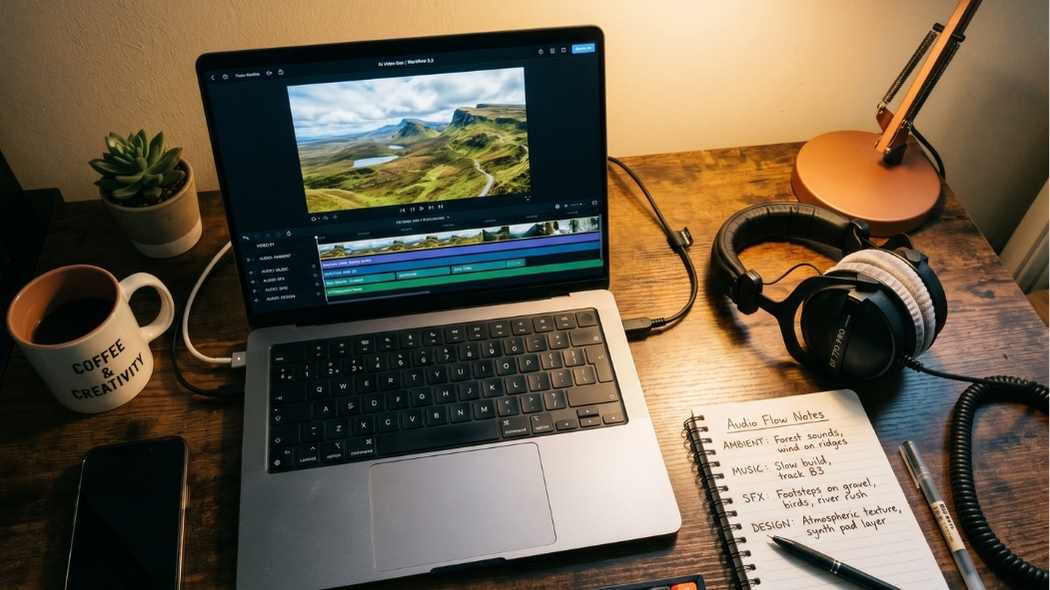
Understanding what AI native audio does well is only half the picture. The more practically useful question is where it falls short, because those gaps are exactly where sound effects libraries and AI SFX generators remain indispensable to a professional YouTube workflow.
The most obvious gap. Veo 3 generates ambient environmental audio and dialogue. It does not generate a music bed, an intro theme, a licensed track, or any form of composed music for your video. If you want music in your YouTube video — which almost every YouTube creator does — you still need a music source entirely separate from your AI video generation workflow. Artlist and Epidemic Sound remain the two strongest platforms for YouTube-licensed music in 2026. Nothing about native AI video audio changes this.
There is a meaningful distinction between ambient environmental audio and designed sound effects. A forest scene generates forest ambient audio naturally. But if you need a cinematic impact hit timed to a cut, a UI click for a screen recording, a whoosh transition for an edit point, a logo sting for your channel intro, or a dramatic tension riser — none of these are things a generated ambient audio track can provide. These are designed sound effects that exist independently of the visual scene they are placed on, and they require either a dedicated SFX source or an AI sound generator used separately from your video generation workflow.
This is precisely the gap that the Freevisuals AI Sound Effect Prompt Library addresses. The Cinematic Trailer Sound Effect Prompts, Horror and True Crime Prompts, and Sci-Fi and Gaming Prompts all cover the category of designed, intentional sound events that cannot be extracted from an ambient AI video generation.
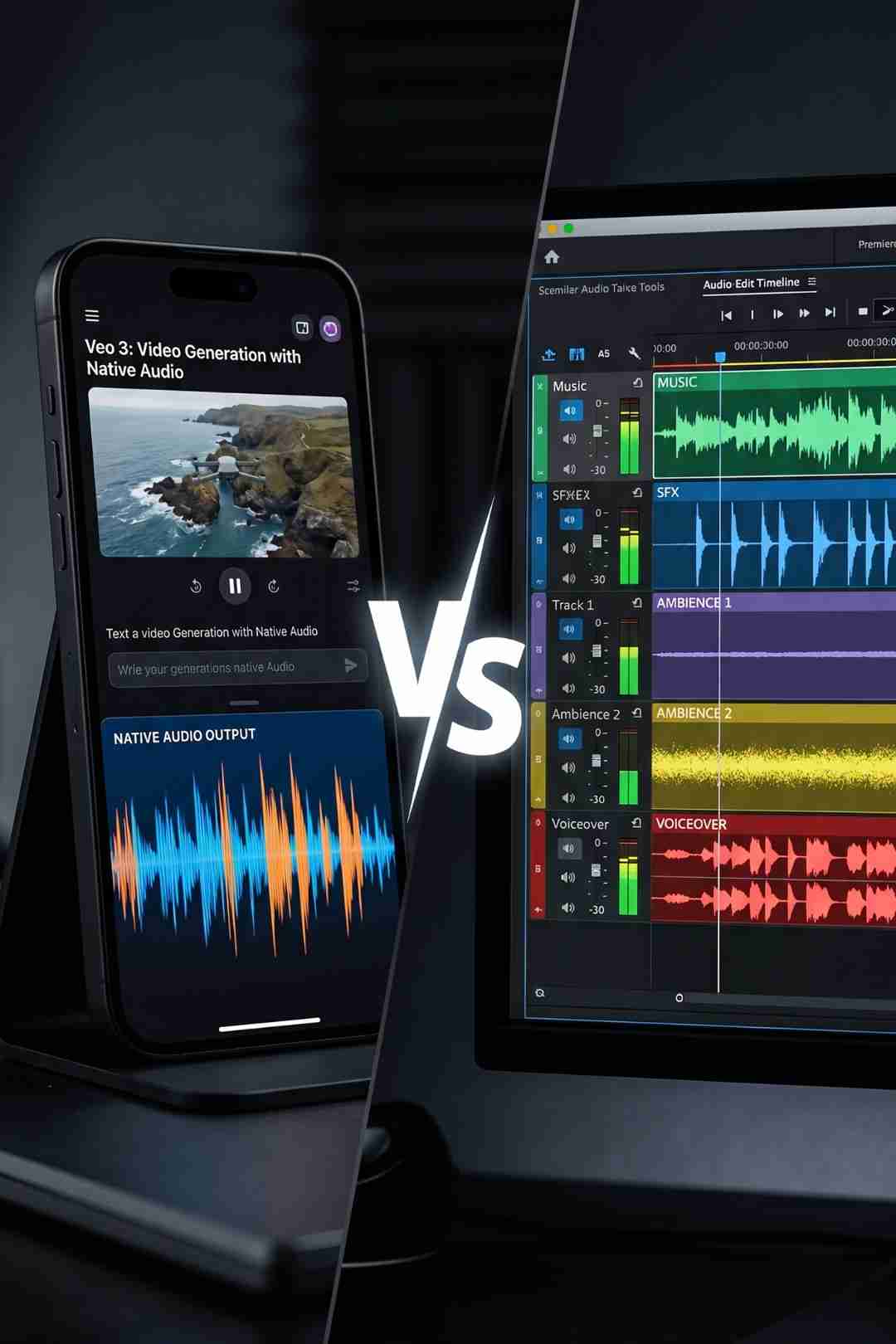
When Veo 3 generates a clip with ambient audio, the audio is baked into the video file as an integrated track. It cannot be separated into individual elements — the bird call cannot be independently adjusted in volume, the distant traffic cannot be moved in the stereo field, the character's dialogue cannot be pitch-shifted or processed independently. Any video editing software can split these tracks, allowing you to keep the visual while replacing the audio, or keep the audio while using it under different visuals. But splitting and replacing is a different process from editing individual elements within a multi-layer audio design. For YouTube creators who want precise control over their audio mix, the generated audio is a starting point, not a finished deliverable.
AI native audio generates a different result each time. Two clips of the same forest scene will generate slightly different ambient audio. A character's voice may have slightly different tonal qualities from one clip to the next even with identical prompts. For creators building content where audio continuity across multiple clips is important — a series with recurring characters, a faceless channel with a consistent narrator voice, or any long-form content where the same environment appears in multiple shots — this inconsistency creates mixing challenges that require post-production correction.
For the highest possible audio quality in professional productions, supplement or replace with post-production audio. Veo 3 native audio is very good but not identical to professional audio post-production. For casual YouTube B-roll where the ambient audio is background texture rather than a featured element, this quality level is entirely sufficient. For content where the audio is a primary creative element — ASMR, nature documentary, cinematic narrative — the native generation is a useful starting point that likely needs professional supplementation.
The practical answer for YouTube creators using AI video tools in 2026 is a layered workflow rather than an either-or choice. Here is how the three audio sources sit in relation to each other.
Use the native audio from Veo 3 or Kling for what it is genuinely good at: establishing the acoustic environment of a generated clip. A city scene sounds like a city. An ocean scene sounds like an ocean. A crowd scene sounds like a crowd. For B-roll clips used as visual background or establishing context, this ambient audio is often usable directly or with minor level adjustment in your timeline. It saves the time that would otherwise be spent searching for and licensing appropriate ambient audio from a library. This is the part of the sound design workflow that AI native audio genuinely reduces or eliminates for many creators.
For intentional sound events — transitions, stings, impact hits, UI sounds, dramatic accents , use ElevenLabs SFX v2 with the Freevisuals free prompt packs. These designed sounds are generated from text prompts independently of any video generation and placed precisely in your editing timeline at the moments they are needed. ElevenLabs SFX v2's free tier gives 10,000 credits per month, more than enough for a full week of YouTube production. The five free Freevisuals SFX prompt packs cover cinematic trailer, horror, nature, sci-fi, and urban city sound design, and are available at freevisuals.net/ai-prompt-library.
Music is irreplaceable from a licensed source. AI video generation tools do not and will not generate licensed music for YouTube monetisation in the foreseeable future. Epidemic Sound and Artlist are the two platforms with the strongest YouTube monetisation licensing and the deepest catalogues in the genres most relevant to YouTube content. For commercial, advertising, and broadcast work where copyright documentation for audio is a professional requirement, these licensed sources remain essential regardless of what any AI video tool generates alongside its visual output.
Here is a practical 2025 walkthrough of using ElevenLabs SFX v2 to generate professional sound effects from text prompts for video projects. Covers the prompt workflow, variation selection, and how to integrate generated sounds into a Premiere Pro or DaVinci Resolve timeline , directly applicable to filling the sound design gaps that AI video native audio leaves behind.
Getting usable audio from a Veo 3 or Kling generation requires treating audio as a prompt element rather than an afterthought. A video prompt is no longer only about subject, camera, lighting, and action. It also needs to describe what the viewer hears: dialogue, ambience, sound effects, rhythm, silence, vocal tone, timing, and lip sync. When audio is planned from the start, the generated clip feels more complete. When audio is added as an afterthought, the result can feel mismatched even if the visuals are strong.
In practical terms this means including specific audio description in your Veo 3 or Kling prompts. Rather than simply describing the visual scene, add a sentence describing the soundscape: the soft crackling of autumn leaves underfoot, the distant wash of traffic from a high floor, the sharp metallic ring of a tool on stone, or the complete absence of ambient sound in a vacuum environment. The more specific the audio direction in your prompt, the closer the generated audio will be to what you actually need.
For clips where the generated audio is almost right but not quite, stripping the original audio and replacing specific elements while keeping others is easier than rebuilding the entire sound design from scratch. Your editing software's audio clip mixer gives you independent volume and EQ control over the imported video's audio track, and adding a second audio track of generated ambient sound or licensed audio above it gives you a blend between the AI-generated texture and your designed additions.
For clips where the generated audio is simply wrong he wrong acoustic environment, a dialogue performance that does not match your vision, or a sound effect that does not land correctly disable audio generation before generating the clip (available in the Veo 3.1 API settings), or mute the audio track in your editing software and replace it entirely. Veo 3 audio is a high-quality starting point, not always a final deliverable, especially for professional productions where audio standards are exacting.
Here is a concrete list of sound types that no AI video generation tool currently produces natively and that creators still need from separate sources in 2026.
Transition sounds — whooshes, swipes, and directional audio events timed to specific edit points in your timeline are editorial decisions made in post-production, not scene elements that a generated clip's ambient audio can anticipate.
Cinematic accent sounds — impact hits, drum hits, bass drops, and orchestral stings used to punctuate dramatic moments are composed and designed sounds that exist outside the diegetic world of any generated scene.
UI and interface sounds — notification tones, button clicks, screen interactions, alert sounds, and the broader vocabulary of digital interface audio used in tech content and tutorials are not generated by any scene-based audio synthesis.
Channel branding audio — intro music, logo stings, transition sounds specific to your channel aesthetic, and the audio elements that mark your content as yours require either custom composition or a consistent source library.
Dialogue replacement and vocal processing — if a generated character's dialogue needs pitch correction, accent adjustment, or language translation, the integrated audio track must be replaced rather than edited in place.
For all of these categories, the practical sources in 2026 are: ElevenLabs SFX v2 using the Freevisuals AI Sound Effect Prompt Library for generated custom sounds, Epidemic Sound for licensed SFX included with music subscriptions, and Artlist for licensed SFX with stems and broadcast licensing. Envato Elements also includes premium sound effect packs and audio assets alongside its template library.
If you are using Veo 3, Kling, or Runway as part of your YouTube production workflow and you need to cover the audio categories that native video generation does not handle, the Freevisuals AI Sound Effect Prompt Library is the most practical free starting point.
The 12 Free AI Cinematic Trailer Sound Effect Prompts cover the designed impact sounds, risers, drones, choir swells, and title card stings that no ambient video generation produces. All 12 prompts generate in ElevenLabs SFX v2 which is free at 10,000 credits per month. The pack includes a mixing guide and a full scene assembly timeline.
The 12 Free Nature Documentary Sound Effect Prompts are particularly relevant for travel and nature creators using Veo 3 for landscape B-roll. Even when Veo 3 native audio generates a usable ambient track, layering a separately generated dawn chorus or storm sound from ElevenLabs over the top gives you independent control over each audio layer that the baked-in video audio cannot provide.
The 12 Free Sci-Fi and Gaming Sound Effect Prompts and the 12 Free Urban City Sound Effect Prompts cover additional content genre gaps that AI video audio either handles inconsistently or does not address at all.
For licensed professional audio covering both music and SFX under one subscription, Epidemic Sound has the strongest YouTube Content ID protection and the most organized SFX catalogue for YouTube creators. Artlist is the stronger choice for creators who need stems alongside SFX for independent mixing of complex audio layers.
Yes. Veo 3 generates ambient environmental sound, synchronized scene sound effects, and dialogue in a single generation pass at 48kHz with less than 10 milliseconds of audio-visual delay. The audio is baked into the downloaded video file and cannot be separated into individual elements without stripping and replacing in your editing software.
For most YouTube creators, yes. AI native video audio covers ambient environment sound well but does not generate music, transition whooshes, cinematic impact hits, UI sounds, or channel branding audio. These designed sound categories still require either an AI sound generator like ElevenLabs or a licensed library from Epidemic Sound or Artlist.
For ambient B-roll and establishing shots, yes. Veo 3 generates 48kHz audio that is often usable directly for background and environmental texture. For music, designed effects, and audio that needs to be independently mixed or processed, professional sources remain more reliable and controllable.
Yes. You can disable audio generation before generating via the Veo 3.1 API settings. You can also download the video as an MP4 and mute or delete the audio track in your editing software to replace it entirely with your own audio design.
No. Runway Gen-4 generates silent video. All audio including ambient sound, dialogue, music, and sound effects must be added in post-production. For Runway users, the Freevisuals AI Sound Effect Prompt Library and licensed libraries from Epidemic Sound and Artlist cover all audio categories that Runway does not produce.
Disclosure: Some links in this post are affiliate links. If you click through and make a purchase, Freevisuals earns a small commission at no extra cost to you. All opinions are entirely our own.
.avif)
.avif)
.avif)
.avif)
%20Profile%20Pic.jpg)