.avif)
Freevisuals

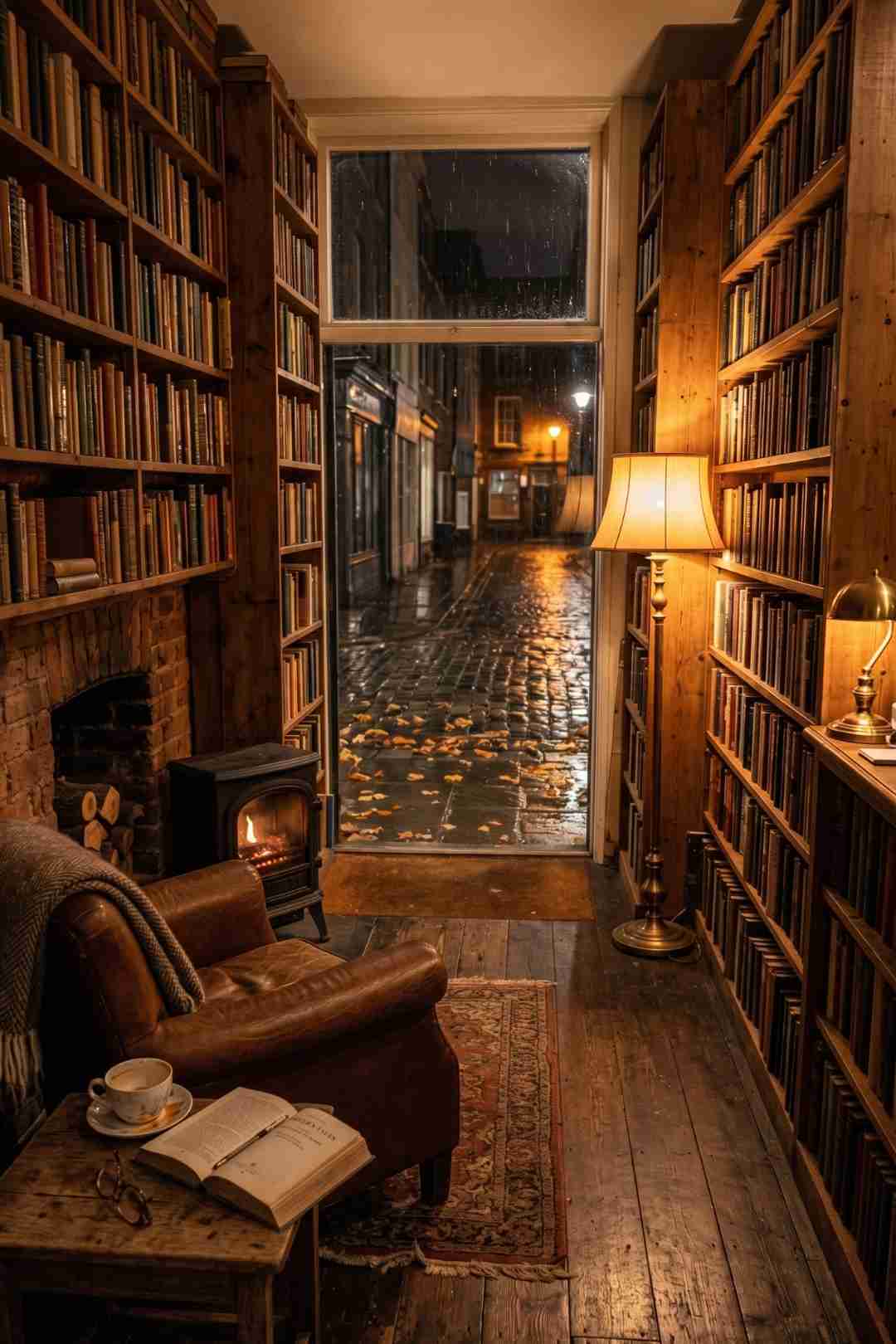
Free AI cozy bookshop ambient video prompt pack. 8 image and video prompts to generate a 70-second seasonal loop using Kling, Runway and OpenArt AI. No
Download FREEGo Pro To DownloadDownload NOW!There is a reason Lofi Girl has 14.2 million subscribers. Cozy ambient videos are not just background content. They are one of the highest watch-time formats on YouTube, a category where viewers do not watch once and leave but put the video on and come back to it for hours. Study channels, relaxation channels, lo-fi music channels, and ambient streamers all depend on this type of content and the audience for it keeps growing.
The challenge for most creators is producing it. Real footage of a warm bookshop in autumn rain requires a location, a camera, lighting equipment, and a lot of luck with the weather. A successful prompt for this genre is specific and descriptive, and subtle motion is what makes lo-fi videos engaging, with image-to-video AI tools being essential for adding the gentle animations that bring the scene to life.
This free download gives you 8 structured AI image prompts and 8 matching video prompts to generate a complete cinematic cozy ambient video sequence. One warm independent bookshop interior, viewed from the same locked-off angle across all eight shots, while outside the large window the season transitions from late autumn rain through to deep winter snow and into a pale winter dawn. The interior never changes. The world outside does. That contrast is what makes this type of content hypnotic and endlessly rewatchable.
Download the full Cozy Bookshop Through the Seasons AI Prompt Pack free from Freevisuals here
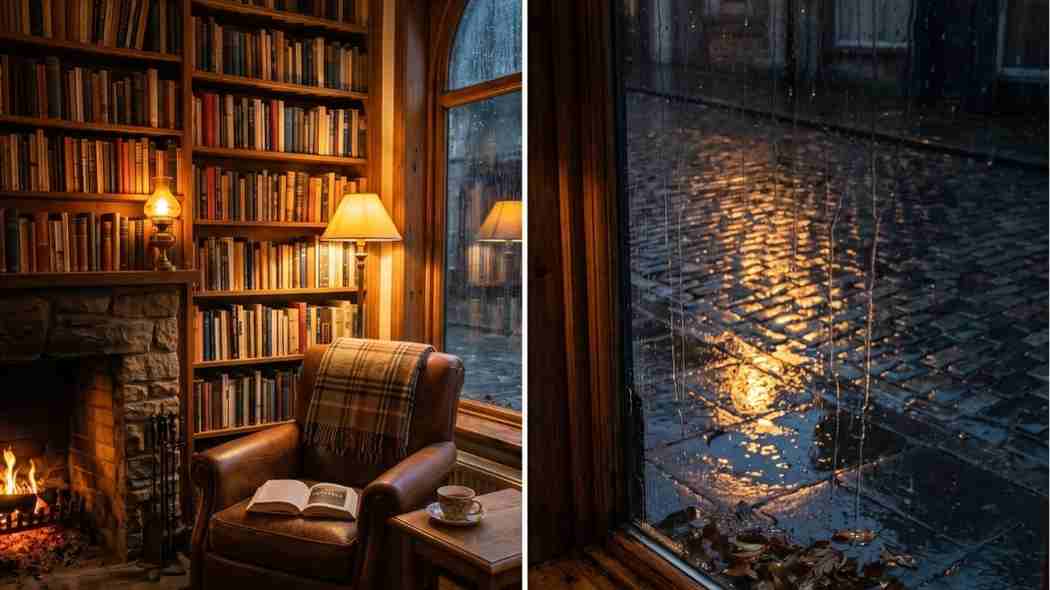
Lo-fi videos are a blend of relaxing music and calming visuals that help alleviate anxiety and provide a focused environment for people who need to study and work, with the potential to get huge views enormous and channels in this space consistently generating millions of hours of watch time.
The watch time advantage of ambient content over almost every other YouTube format is significant. A viewer who opens a true crime video and watches for 15 minutes has generated 15 minutes of watch time. A viewer who opens a cozy bookshop ambient video to study and leaves it running for two hours has generated two hours of watch time. Multiply that by even a few hundred viewers and the total watch hours are enormous relative to the upload frequency.
A counter-trend to short punchy viral clips involves extremely long non-narrative ambient videos designed to loop endlessly in the background, with creators using first-last-frame generation to produce high-quality base segments that maintain coherent motion over extended time. The prompt pack in this download is built around exactly that workflow.
Ambient content also performs well for new channels that have not yet built an audience. The algorithm surfaces ambient videos through search more consistently than it surfaces entertainment content, because the search intent behind "cozy bookshop study music" or "winter fireplace ambient video" is specific and persistent. People search for this content repeatedly and they watch it for long periods when they find something they like.
The specific scene in this pack, a warm independent bookshop at night with a large window looking onto a cobblestone street, is one of the most emotionally resonant cozy environments in the visual vocabulary of the internet. Cozy interiors, bookshops, study desks, and similar scenes are the most popular ambient scene categories, consistently paired with late-night study sessions and generating the longest average viewing sessions of any ambient content type.
The bookshop has several qualities that make it ideal for an anchor-and-variation sequence. The interior is rich with detail: bookshelves, a fireplace, a leather armchair, a side table with a teacup. That detail gives every shot visual interest without requiring any movement. The large window is the variation canvas. Every shot keeps the interior identical while the window shows a different stage of the season, from wet autumn leaves through first frost, first snowflakes, heavy snowfall, and finally a pale winter dawn.
The emotional logic of the sequence is what makes it work as ambient content rather than just eight nice images. The warmth of the bookshop interior is constant. The world outside gets progressively colder, darker, and more severe. The contrast between the unchanging amber warmth inside and the increasingly hostile world outside is exactly the feeling that makes cozy content emotionally compelling. The bookshop becomes a sanctuary, and the viewer, sitting at their study desk or working late, feels that sanctuary quality directly.
For image generation, Midjourney v6.1 or v7 produces the most accurate and detailed interior lighting for this type of scene. The warm amber fireplace and lamp light, the reflections in the window glass, the texture of aged wooden bookshelves and leather furniture are all areas where Midjourney's training data is particularly rich. Add --ar 16:9 --v 6.1 --style raw --q 2 to every prompt.
OpenArt AI is the recommended alternative for creators not on a Midjourney subscription. Select the Realistic Vision or SDXL model, upload the anchor image (Shot 01) as your reference for every variation, and set Image Strength to 0.70 to 0.78. The similarity slider is set slightly higher for this pack than for the landscape packs because interior consistency is more visually obvious to viewers. If a bookcase moves between shots a viewer notices immediately. If a treeline shifts slightly in a landscape they usually do not.
Adobe Firefly performs well for the interior warm light shots and has the advantage of commercial licensing clarity, which matters for creators planning to monetise ambient content. The Reference Image feature in Firefly handles the anchor-and-variation workflow cleanly.
For video animation, this pack has a stricter motion requirement than any other in the series. The camera must be completely locked off with no movement whatsoever. The ambient loop quality that makes cozy content hypnotic depends entirely on the viewer feeling that they are sitting in a fixed position looking at a living scene, not watching footage. Any camera movement breaks that quality.
Kling AI's image-to-video tools including the motion brush feature allow you to create cozy ambient video content with precise control over exactly which elements move and which stay still, making it ideal for scenes where you want fireplace flicker and rain on glass but nothing else to move. Set motion to Low in Kling for every clip in this sequence.
Runway Gen-4 is the strongest tool for the fire and candle clips specifically. The motion control in Runway handles flame animation more accurately than most competing tools, and the fireplace flicker is one of the most important motion elements in the sequence. Set motion intensity to 1 to 2 out of 10.
Pika Labs handles the rain and snow on the window glass well and is worth using specifically for Shots 02 (Autumn Rain) and Shots 04 through 06 (the snowfall progression). Set motion strength to 0.3 to 0.6 to keep the precipitation movement slow and atmospheric rather than fast and aggressive.
For a complete practical walkthrough of using Kling AI to generate cozy ambient video content with fireplace and interior scenes, this tutorial covers the full workflow from image generation to final clip: How to Make Cozy AI Fireplace Videos with Kling.
For a broader guide on building a complete lo-fi ambient video channel using Midjourney, Udio, and CapCut together, this tutorial covers the full monetisable content creation workflow clearly: How to Create Lo-Fi Music Videos with AI in Minutes.
Each shot in the sequence has a specific emotional role in the overall arc. Understanding these roles helps you select the best generation from multiple variants and helps you grade the final sequence coherently.
Shot 01, Late Autumn Evening, is the anchor and the emotional starting point. The rain is just beginning, the leaves are still on the pavement, the warmth inside feels abundant and unearned. The world has not yet turned cold. This shot establishes what warmth feels like before the contrast of winter makes it necessary.
Shot 02, Autumn Rain, deepens the contrast. The rain is now falling steadily and the cobblestone reflections of the amber light make the street outside look both beautiful and uninviting. The viewer feels the bookshop as a refuge from the first time.
Shot 03, First Frost, is the quietest shot in the sequence. The rain has stopped. The frost crystals at the window edges are the first sign that the season has genuinely turned. The condensation on the inside of the glass shows that the temperature difference between interior and exterior is now meaningful. This is the most peaceful shot in the pack and works well as a transition moment in a long ambient loop.
Shots 04, 05, and 06 are the snowfall progression, the heart of the sequence. The first sparse magical snowflakes of Shot 04 are followed by the deepening steady snowfall of Shot 05 and then the dramatic heavy blizzard of Shot 06 where the bookshop amber glow illuminates a swirling cone of thick snow immediately outside the window. Shot 06 is the visual climax of the entire sequence and the most dramatic instance of the warm-versus-cold contrast.
Shot 07, After the Snow, is the emotional resolution. The snow has stopped. The street is completely white and undisturbed. There is not a single footprint anywhere. The world outside is silent and perfectly still. Inside the bookshop the fire burns on, unchanged. This shot is the deepest expression of the sanctuary feeling and consistently generates the longest average viewing time in ambient sequences of this structure.
Shot 08, Late Winter Morning, is the gentle resolution. A pale grey-blue dawn begins to show through the window, the embers glow softly, and the balance between amber interior warmth and cool exterior dawn light creates a mood of peace and the suggestion that a new day, and eventually a new season, is approaching.
The motion philosophy for this pack is the opposite of the storm timelapse or the city sequence. There the motion is weather and atmosphere happening to the world. Here the motion is the living elements of the scene confirming that the scene is alive without drawing attention to themselves.
The fireplace is the most important motion element across all eight clips. A still fireplace looks like a photograph. A gently flickering fireplace looks like a window into a real room. In Runway Gen-4, the flame animation at motion intensity 1 to 2 produces the most natural fireplace flicker. In Kling, the motion brush feature lets you paint over the fireplace area specifically and set motion only for that region, which prevents unintended movement appearing elsewhere in the frame.
Rain on the window glass is the second most important motion element. The key characteristic is that rain streaks should move slowly and irregularly from top to bottom of the glass, not fast and uniform. Fast rain streaks look like a stock effect. Slow irregular rain streaks look real. In Pika Labs, motion strength 0.3 to 0.4 produces rain streak movement that is slow enough to be realistic for the distance the viewer is positioned from the glass.
Snowfall outside the window is the most technically demanding motion element because it needs to read as three-dimensional. Snowflakes near the glass should be slightly larger and fall slightly faster than snowflakes far into the street. Most AI video tools generate snowfall as a flat two-dimensional layer across the frame, which looks unconvincing. The video prompts in the download specify the snowflakes catching the amber bookshop light immediately outside the window, which creates depth by differentiating the near and far snowfall.
The steam from the teacup is mentioned in Shot 01 as a potential subtle motion element. If your AI tool generates it, use it. If it does not, do not force it. A barely visible wisp of steam from a teacup is the kind of micro-detail that viewers notice after watching a clip several times, which is exactly the quality that makes ambient content rewatchable.
This is the most nuanced colour grading challenge of any pack in this series because the interior and exterior of the same frame need to be graded differently across the sequence.
The interior amber warmth must stay consistent across all eight shots. The warm light from the fireplace and floor lamp should feel like the same light source in every clip, regardless of what is happening outside. Apply a warm grade globally using a LUT from the Free Mega Cinematic LUT Pack on Freevisuals, looking for a LUT that adds amber warmth in the shadows and a slight film-stock quality in the midtones.
The exterior visible through the window should shift naturally across the sequence. In the rain shots it should have a cool blue-grey quality. In the frost and early snow shots a slightly cooler still neutral quality. In the heavy snowfall shots the exterior is essentially darkness and falling snow. In Shot 08 the exterior should have a pale grey-blue dawn quality.
The practical technique for managing this in DaVinci Resolve or Premiere Pro is a selective mask over the window area. Create a power window (Resolve) or mask (Premiere) that covers the visible exterior through the window, and apply a secondary colour adjustment only within that mask. This lets you grade the exterior cool independently of the interior amber without affecting the bookshop warmth.
Shots 06 and 07 may need a slight increase in exterior contrast to make the falling snow read clearly against the dark sky behind it. Snow that is the same brightness as the sky it falls against becomes invisible in video. A slight darkening of the sky behind the snow in these shots makes the snowflakes pop.
The music selection for ambient cozy content has a narrower creative brief than almost any other content type: it must be present without being noticed, support a mood of warmth and quiet focus, and never introduce an element that competes with the visual's own narrative.
Prompt 07 from the Freevisuals AI Background Music Prompt Pack is specifically designed for this content type. The lo-fi hip hop background prompt at 75 BPM with warm Rhodes electric piano, vinyl crackle, and soft boom-bap drums at low volume generates a track that is almost perfectly matched to the bookshop scene aesthetic. Generate it in Suno or Udio, import it into your timeline, and set it at -16dB to -18dB under any narration or at -12dB as the sole audio element.
For a professionally licensed alternative with full commercial coverage across your YouTube channel, Artlist has one of the strongest lo-fi and cozy ambient music libraries of any royalty-free platform. The downloadable stems mean you can access individual elements of a track and adjust the arrangement without the music feeling like it was composed for a different video. For a cozy bookshop sequence, removing or reducing the drum element in the quieter shots (03 and 07 specifically) creates a sense of the music breathing with the visual.
Epidemic Sound has a dedicated cozy and study music category alongside its lo-fi library. The per-channel YouTube registration is particularly valuable for ambient channel creators who plan to upload frequently and want every track covered retroactively without managing individual licences per video. Once your channel is registered, every Epidemic Sound track you have ever used or will use in the future is covered for monetisation.
For sound design underneath the music, the download file recommends very gentle rain ambience under Shots 01 and 02, complete silence under Shots 03 and 07 as the most powerful sound choices at those moments, very faint wind ambience under Shots 05 and 06, and a continuous low fireplace crackle at -28dB throughout all eight shots. The fireplace crackle at that volume is subconscious, contributing to the warmth of the scene without the viewer registering it as a separate audio element.
ElevenLabs Sound Effects can generate the rain ambience, wind elements, and fireplace crackle from the sound design layer using natural language prompts. If you are already using ElevenLabs for any voiceover work on your channel, the sound effects feature is included and worth using for the atmospheric layers in this sequence.
The 69-second sequence in this download is a complete video asset, but its real value is as the foundation for a much larger content strategy.
The simplest approach is to export the sequence and loop it 150 to 200 times to create a 3 to 4-hour ambient video. YouTube ambient channels that perform well typically upload in 2-hour, 4-hour, and 8-hour increments. A single looping sequence at these lengths is a legitimate upload that generates real watch time, and once it is uploaded it continues generating watch time indefinitely without any additional work.
The next step is variation. Generate three to five additional variations of your two strongest shots (Shot 06, Heavy Snowfall, and Shot 07, After the Snow, are the recommended choices for this sequence) and insert them between the existing shots to create a longer base sequence before looping. A 3-minute base sequence looped to 4 hours generates more genuine variation for the viewer than a 69-second loop, which reduces the chance of a viewer consciously noticing the repeat.
The pack also includes a Season Two concept in the download file. Use Shot 08 as the new anchor image and generate a second sequence taking the same bookshop from late winter through to spring, cherry blossom appearing outside the window, longer evening light, the first signs of warmth returning to the street. Two complete sequences edited together give you a full seasonal cycle, which is one of the most compelling structures for a dedicated ambient channel.
For repurposing this content to short-form platforms, the 10-second clip of Shot 06 (Heavy Snowfall at Night) with a simple text overlay is one of the strongest standalone Reels and TikTok assets you can generate from this sequence. The visual drama of the amber bookshop light illuminating the swirling snow outside is immediately scroll-stopping even without any context. InVideo handles the reformat from 16:9 to 9:16 cleanly, and CapCut is the faster option for TikTok with its built-in cozy filter presets that complement the warm amber aesthetic.
For editing the full sequence, Filmora handles the colour grading and audio ducking for ambient content cleanly, and its looping export feature makes it straightforward to build a multi-hour ambient video from a shorter base sequence without manually copying clips across a very long timeline.
Yes. YouTube does not prohibit AI-generated content from monetisation through the Partner Programme. The requirements are the same as for any other content: 1,000 subscribers, 4,000 watch hours in the past 12 months (or 10 million Shorts views), and compliance with YouTube's content policies. AI-generated ambient content that is original in its composition and prompt design qualifies as original content for monetisation purposes. Disclose that your content is AI-generated in your video description, which YouTube's current policies recommend but do not yet require.
The image generation step, generating Shot 01 and then seven Image-to-Image variations, takes approximately 30 to 60 minutes depending on the tool and the number of variants you generate per shot. The video animation step, animating all eight images, takes another 30 to 60 minutes. Assembly, colour grading, and music takes 30 to 90 minutes depending on your editing experience. The full workflow from first prompt to exported video is achievable in an afternoon for most creators.
Interior scene consistency is more visually obvious to viewers than landscape consistency. In a wheat field or city skyline, a slight shift in the position of a tree or building between shots is masked by the overall visual complexity and the cross-dissolve transitions. In a bookshop interior, if a bookcase changes position, a book appears or disappears, or the fireplace moves, viewers notice it immediately even if they cannot articulate why the video feels wrong. The 70 to 78 percent similarity range keeps the interior elements locked while still allowing the exterior view through the window to change meaningfully.
All prompts in the pack include "no people" in both the main prompt and the negative prompt. If people appear despite this instruction, regenerate rather than trying to remove them in post. People in an ambient video break the quality that makes ambient content work by making the viewer conscious that they are watching a scene rather than inhabiting one. In Midjourney, the negative prompt weight syntax --no people adds additional weighting to the exclusion. In OpenArt AI and Leonardo, increase the negative prompt weight slider for the people-related terms.
The lo-fi and ambient category is large and competitive at the top, with established channels like Lofi Girl having audiences of millions. But the search-driven discovery of ambient content means that new channels can still find audiences through specific niches and aesthetics rather than competing directly with established channels. A bookshop through the seasons is a specific enough aesthetic that it occupies a distinct position from a generic lo-fi bedroom study scene. Niche specificity is the sustainable competitive advantage for new ambient channels rather than scale.
Yes, and for some viewers this is the preferred format. A version of this sequence with only the ambient sound design layer, rain on glass, fireplace crackle, wind, and complete silence in the quieter shots, performs well for viewers who want to study in silence but with light atmospheric presence rather than music. Consider uploading two versions: one with lo-fi music and one with only ambient sounds. The ambient-only version often performs better for late-night study audiences who find music distracting.
Shot 07, After the Snow, is the moment where the sequence achieves its deepest expression of the central contrast. The exterior is as cold, still, and silent as it will get. The snow has stopped. There are no footprints. The street is completely undisturbed. And inside the bookshop, nothing has changed. The fire burns. The teacup sits. The books are where they were. The permanence of the interior warmth against the most complete expression of winter exterior stillness is the scene's emotional climax, even though it contains the least dramatic motion of any clip in the sequence.
The cozy bookshop pack sits alongside a growing library of AI prompt packs on Freevisuals, each one producing a specific type of finished video content.
The City at Different Times of Day AI Prompt Pack takes a single city rooftop through a complete 24-hour cycle, from 3am through golden sunrise, midday, sunset, and deep night.
The Storm Is Coming AI Timelapse Prompt Pack builds a complete 70-second dramatic weather sequence from golden calm through full downpour and golden aftermath.
The 10 Cinematic Background Music Prompts for YouTube covers Suno AI and Udio with background score prompts for ten different video types, including the lo-fi study track that pairs directly with this bookshop sequence.
The 12 Horror Investigation Sound Effects Prompts covers the opposite end of the atmospheric spectrum for true crime and thriller creators.
For your editing and colour grading workflow, the Free Mega Cinematic LUT Pack includes 22 LUTs in .cube format for After Effects, Premiere Pro, DaVinci Resolve, and Final Cut Pro.
The Free Smoke and Fog Overlay adds subtle atmospheric texture to the frost and mist shots in the edit.
The Free After Effects Glitch Transition Presets, Best After Effects Plugins Guide, and After Effects Flicker Expression Guide on Freevisuals cover the compositing tools and techniques that complement AI-generated footage in post-production.
Download the full Cozy Bookshop Through the Seasons AI Prompt Pack free from Freevisuals
Disclosure: This post contains affiliate links. If you purchase through these links, Freevisuals may earn a small commission at no extra cost to you.
Download free video templates, LUTs, and presets for Premiere Pro, After Effects, DaVinci Resolve, CapCut, and Final Cut Pro.













