.avif)
Freevisuals
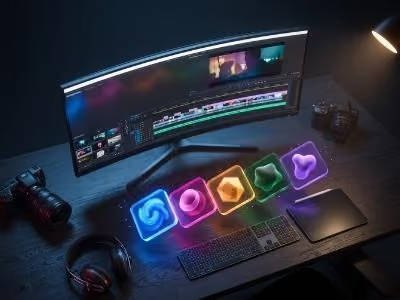
Choosing the right production tools matters more than most creators admit. The difference between a video that looks like it was made on a weekend and one that looks like it was made by a team often comes down to three things: the music under it, the colour grade across it, and the stock footage and templates filling the gaps that camera footage does not cover.
In 2026, the tools available to independent YouTube creators are genuinely excellent. Royalty-free music platforms have matured to the point where a $15 monthly subscription gives you access to tracks that would have cost hundreds to licence individually five years ago. Stock footage libraries have grown to hundreds of millions of clips. LUT packs, motion graphics templates, and sound effect libraries have become affordable enough that a solo creator with a modest budget can build a production toolkit that matches the output of a small team.
This guide covers the best video production tools for YouTube creators in 2026. Not the editing software (we cover that separately in the Freevisuals guide to Premiere Pro vs DaVinci Resolve) but the production assets: the music, the stock footage, the colour grades, the sound effects, the templates, and the free resources from Freevisuals that complete the picture.
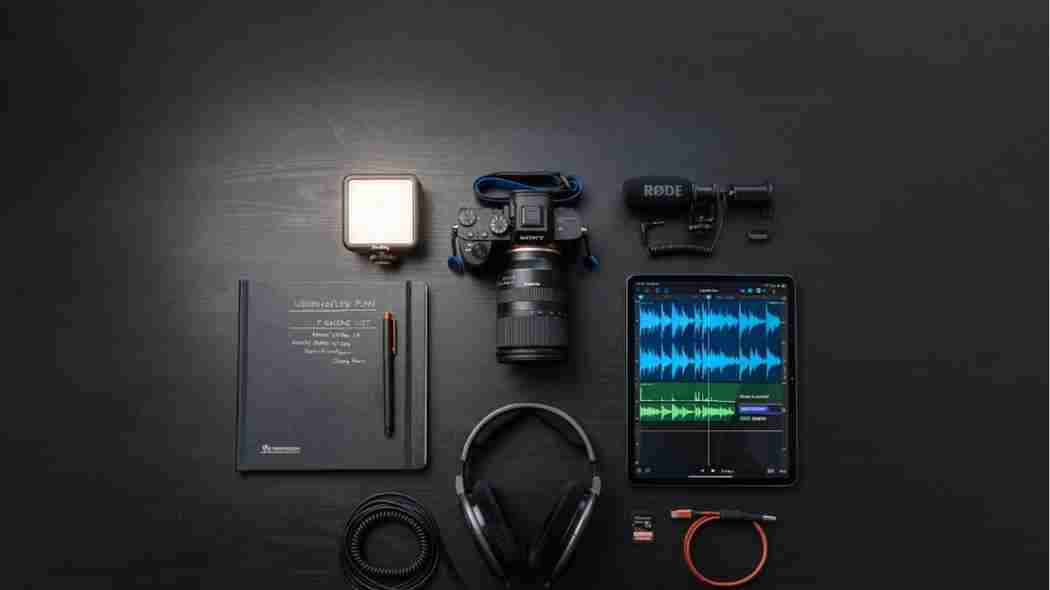
Best for: YouTube creators who want complete channel coverage with no copyright claims
Platform: Web, mobile app
Price: From $11/month (Creator plan, annual billing)
Epidemic Sound is the strongest royalty-free music platform specifically for YouTube creators because of how its licensing system works. Instead of licensing individual tracks, you register your YouTube channel with Epidemic Sound. Once registered, every piece of Epidemic Sound music you have ever used on that channel is covered retroactively. Future uploads are covered automatically. Copyright claims from Epidemic Sound are cleared on the registered channel instantly, without having to dispute individual claims or provide licence documentation for each video.
The music catalogue covers every genre a YouTube creator needs: cinematic orchestral for documentary content, lo-fi and ambient for study and focus content, hip-hop and electronic for lifestyle and fashion, sports and action music for highlight reels, and an acoustic and indie category that serves the broadest range of talking-head and vlog formats. The sound effects library included with all plans covers the full range of designed audio effects that sit alongside the music in a finished video.
The Creator plan at $11 per month on an annual basis covers one YouTube channel. The Business plan at $23 per month covers commercial use including paid social advertising, client work, and broadcast. For creators who produce content for brands or run YouTube alongside commercial video work, the Business plan is the appropriate tier.
Browse Epidemic Sound: epidemicsound.com
Best for: Creators publishing across YouTube, TikTok, Instagram, and commercial advertising
Platform: Web
Price: From $14.99/month (annual billing)
Artlist's core advantage over Epidemic Sound is the perpetual licence. When you download a track from Artlist while subscribed, you own the licence to use that track in that video permanently, even if you cancel your subscription later. A video published with Artlist music in 2026 is still covered by that licence in 2036, regardless of whether you remain an Artlist subscriber. This is a fundamentally different model from the channel-registration approach and is more appropriate for creators who want permanent licence ownership of the music in their most important videos.
The Artlist catalogue has strong coverage of cinematic, orchestral, and film-score-adjacent music that suits documentary, narrative, and high-production-value YouTube content. For creators producing content that sits closer to short film than social media, Artlist's catalogue feels more purposefully curated than Epidemic Sound's broader approach. The licensing also extends to commercial advertising use, making Artlist the right choice for creators who produce both YouTube content and client advertising work under the same subscription.
Artlist also offers stock footage and the Film Roll Transitions pack for Final Cut Pro as part of its extended library. For creators whose primary editing environment is Final Cut Pro, the Film Roll Transitions are worth accessing alongside the music subscription.
Browse Artlist: artlist.io
The music under a video does more than most creators acknowledge. The right track at the right tempo makes a mediocre edit feel considered. The wrong track at the wrong volume makes a strong edit feel cheap.
Best for: Commercial-grade stock footage with clear licensing documentation
Platform: Web
Price: Pay per asset or subscription from $29/month
Shutterstock has the largest stock video catalogue available with over 500 million assets across every content category a YouTube creator might need. Urban environments, nature footage, business and corporate B-roll, Southeast Asian and global location coverage, technology and science footage, sport and action clips, and everything in between. The depth of the catalogue is the defining practical advantage: whatever the brief, Shutterstock almost certainly has a clip that fits.
The commercial licensing on Shutterstock assets is clearly documented with model and property release information attached to each asset that requires it. For agency and brand work where copyright documentation is a professional requirement, Shutterstock provides the records that a creator library or AI-generated footage cannot. The Shutterstock search and filter system allows results to be filtered by editorial or commercial licence, resolution, clip duration, and frame rate, which reduces the time spent evaluating unsuitable clips.
For Singapore and Southeast Asian content specifically, the Shutterstock Singapore city video library has over 36,000 clips and the Asian business meeting stock category has over 413,000 images. For the Freevisuals audience in Southeast Asia, Shutterstock is the strongest single premium source for regionally relevant stock content.
Browse Shutterstock: shutterstock.com
Best for: Creators who regularly need motion graphics, templates, fonts, and multiple asset types
Platform: Web
Price: From $16.50/month (Core plan, annual billing)
Envato Elements is a creative subscription giving unlimited downloads from a library of over 25 million assets. The asset range is the widest of any creative subscription: video templates for Premiere Pro, After Effects, DaVinci Resolve, and Final Cut Pro, motion graphics and title packages, stock footage, royalty-free music, sound effects, fonts, graphic templates, presentation templates, social media templates, and web templates. New content is added weekly from creators across Asia, Europe, North America, and beyond.
For YouTube creators, the video template and motion graphics category is where Envato Elements provides the most immediate production value. A channel opener built on an Envato Elements After Effects template looks indistinguishable from a commissioned motion graphics piece, at a fraction of the cost and time. Title animations, lower thirds, transition packs, and end screen templates for specific YouTube formats are all available under the subscription, and all downloaded assets carry a lifetime commercial licence that stays valid after cancellation.
The Envato Elements library overlaps usefully with the free content on Freevisuals. The Free Mega Cinematic LUT Pack from Freevisuals is directly compatible with the Premiere Pro and After Effects templates on Envato Elements. The free stock videos and stock images on the Freevisuals stock video page work alongside Envato Elements templates without requiring any additional licence management.
Browse Envato Elements: elements.envato.com
Best for: Matching footage from multiple sources to a consistent cinematic colour grade
Platform: Premiere Pro, DaVinci Resolve, Final Cut Pro, After Effects, Lightroom
Price: Free
LUTs (Look-Up Tables) are the fastest way to create a consistent, professional colour grade across a video without manual colour correction work on every clip. You apply a LUT as an adjustment layer or an effect, set the intensity, and every clip in your sequence takes on the same colour character. For YouTube creators who shoot across different cameras, different lighting conditions, and different locations, a good LUT applied at the sequence level is the difference between a video that looks like it was filmed in one consistent environment and one that feels visually disjointed.
The Freevisuals Free Mega Cinematic LUT Pack gives you 22 free .cube format colour grades covering warm cinematic (Sunset, Sunrise, Cyprus), cool and digital (LCD, Angleo, Metalic), teal and orange (Stolen, Mystic), and neutral correction grades. They install into Premiere Pro's Lumetri Color panel, DaVinci Resolve's LUT browser, Final Cut Pro's Custom LUT workflow, and After Effects via the Apply Color LUT effect. No account required, no attribution, free for commercial use.
For the most specific colour grade developed specifically for outdoor and travel footage, the Free Cinematic Teal and Orange LUT is a separately available high-precision 65x65x65 3D LUT generated natively in DaVinci Resolve. It produces a clean warm-and-teal split that works on natural light and golden hour footage better than any of the general-purpose LUT packs on the market at any price point.
Download free: freevisuals.net/item/mega-lut-pack
Best for: Creators who need custom sound effects without a stock library subscription
Platform: ElevenLabs SFX v2 (free tier available)
Price: Free
Sound effects are the most underinvested part of most YouTube creator workflows. The music is licensed, the footage is graded, but the transitions arrive silent, the title card has no audio accent, and the ambient sound of every B-roll clip is either wrong or missing. The Freevisuals AI Sound Effect Prompt Library addresses this with five genre-specific packs of copy-paste text prompts for ElevenLabs SFX v2, the strongest AI sound generator currently available.
Each pack contains 12 specific, tested prompts that generate the right sound on the first or second attempt. The Cinematic Trailer Sound Effect Prompts cover impact hits, orchestral swells, bass drops, tension drones, and choir stings. The Nature Documentary Sound Effect Prompts cover dawn chorus, storm ambiences, ocean atmospheres, and outdoor environmental sounds. The Sci-Fi and Gaming Prompts, the Horror and True Crime Prompts, and the Urban City Prompts cover the remaining most-needed audio categories for YouTube content. ElevenLabs SFX v2 is free at 10,000 credits per month, more than sufficient for a full week of YouTube production.
Browse all five prompt packs: freevisuals.net/ai-prompt-library
Best for: B-roll, establishing shots, and supplementary visuals without a stock subscription
Platform: All editing software
Price: Free
The Freevisuals free stock video library and free stock images library cover the B-roll and supplementary visual gaps that camera footage does not fill, without requiring a stock platform subscription. The library includes urban and lifestyle footage, technology and AI content, Singapore and Southeast Asian urban images, abstract motion backgrounds, particle overlays, cinematic loops, and nature B-roll, all available for personal and commercial use with no attribution required.
For creators building their first video production toolkit, the Freevisuals free library covers the most frequently needed asset types before any paid subscription is necessary. For established creators, the free library works alongside paid platforms to reduce the per-video asset cost on projects where a premium stock clip is not necessary. The growing Singapore and Southeast Asian content collection, developed specifically for creators and marketing teams in the region, includes images and video not available at the free tier on any other platform.
Browse free stock: freevisuals.net/free-stock-videos and freevisuals.net/free-stock-images
The most common mistake new YouTube creators make with their production toolkit is buying everything at once and then not using most of it. A more practical approach is to build the toolkit in layers, starting with what produces the most visible improvement to your current output.
Start with free. The Free Mega LUT Pack, the AI Sound Effect Prompt Packs, and the free stock video library on Freevisuals cost nothing and produce an immediate quality improvement. Colour grading, basic sound design, and supplementary B-roll are all covered before a single subscription dollar is spent.
Add music first. Music is the single biggest production quality signal to a YouTube viewer. A video with great music over a mediocre colour grade sounds more professional than the reverse. Choose between Epidemic Sound for YouTube-first channel coverage or Artlist for multi-platform perpetual licence, and commit to one rather than splitting subscription budget across both.
Add templates and motion graphics when the edit needs them. If your videos currently use basic text titles and no motion graphics, an Envato Elements subscription is the most cost-effective way to add production value at the template level. If your videos already have strong custom graphics and only occasionally need stock footage, Shutterstock on a per-asset basis may serve you better than a subscription.
The specific combination of tools that serves a documentary YouTube creator is different from what serves a short-form TikTok-first creator. For a complete comparison of AI video generation tools that sit alongside this production toolkit, see the Freevisuals comparison of Veo 3, Kling AI, and Runway Gen-4. For editing software recommendations, see the Premiere Pro vs DaVinci Resolve guide.
What is the best royalty-free music platform for YouTube in 2026?
Epidemic Sound and Artlist are the two strongest options. Epidemic Sound's channel registration system covers all past and future uploads on your registered channel automatically. Artlist uses a perpetual licence that covers all platforms including advertising, and licences survive after cancellation. Choose Epidemic Sound for YouTube-first coverage and Artlist for multi-platform commercial flexibility.
What is the best stock footage platform for YouTube?
Shutterstock has the largest catalogue at over 500 million assets with clear commercial licence documentation. Artlist includes stock footage alongside music. Envato Elements includes stock footage alongside templates and motion graphics. Freevisuals has a growing free library for commercial use at no cost.
What are LUTs and how do I use them in Premiere Pro or DaVinci Resolve?
LUTs are colour grade presets in .cube format that apply a specific visual treatment to footage in a single step. In Premiere Pro, apply via the Lumetri Color panel under Creative, Look. In DaVinci Resolve, import via the LUT browser and apply as a node on the Color page. In Final Cut Pro, use the Custom LUT effect. The Freevisuals Free Mega LUT Pack gives you 22 free grades for all of these applications.
Is Envato Elements worth it for YouTube creators?
Yes, if you regularly need motion graphics, title animations, transitions, and production templates. Unlimited downloads from 25 million plus assets at $16.50 per month makes the per-download cost very low for active creators. Downloaded assets carry a lifetime commercial licence even after cancellation.
Where can I get free sound effects for YouTube videos?
The Freevisuals AI Sound Effect Prompt Library gives you five free packs of copy-paste ElevenLabs SFX prompts covering cinematic trailer sounds, nature and outdoor atmospheres, sci-fi and gaming, horror and true crime, and urban city environments. ElevenLabs SFX v2 is free at 10,000 credits per month. Both the prompts and the ElevenLabs tier are free.
Disclosure: Some links in this post are affiliate links. If you click through and make a purchase, Freevisuals earns a small commission at no extra cost to you. All opinions are entirely our own.

.avif)
.avif)
.avif)
.avif)
%20Profile%20Pic.jpg)